Showing posts with label Tutorial. Show all posts

Transmission is a download and upload manager application or technically called a BitTorrent client preinstalled on Ubuntu. It is one among a few Ubuntu default applications with a longest history and never had been replaced with any other along with Firefox and LibreOffice. In this tutorial, we will learn about using Transmission to download a torrent file from the internet by practices and examples. Now let's get going! 


 (Transmission running and showing a progress of downloading a torrent, other finished downloads and its program identity on the second window)


Subscribe to UbuntuBuzz Telegram Channel to get article updates.

This tutorial will help you adjust cursor size on Kubuntu KDE. This is useful for people like teachers and those with vision impairments and you can help them by exercising simple procedures below. It is a continuation to our tutorials in same configuration for MATE and GNOME users respectively. Now let's try it out.


Subscribe to UbuntuBuzz Telegram Channel to get article updates.

This is a compilation of useful suggestions, quick guide for you to do for the first time after installing your computer with Ubuntu 23.10 Mantic Minotaur. This is part of our traditional series continuing Jammy Jellyfish, Kinetic Kudu and lastly Lunar Lobster and we worked hard to make them easy for beginners to follow. We hope this will help you a lot.


Subscribe to UbuntuBuzz Telegram Channel to get article updates.

This is the ninth part of Calc Basics and here we will learn about the functions MIN and MAX to seek for minimum and maximum value. We still use the same exercise document following Part VIII from the series of this tutorial and you can download it below too. Now let's start the exercise.

Subscribe to UbuntuBuzz Telegram Channel to get article updates.
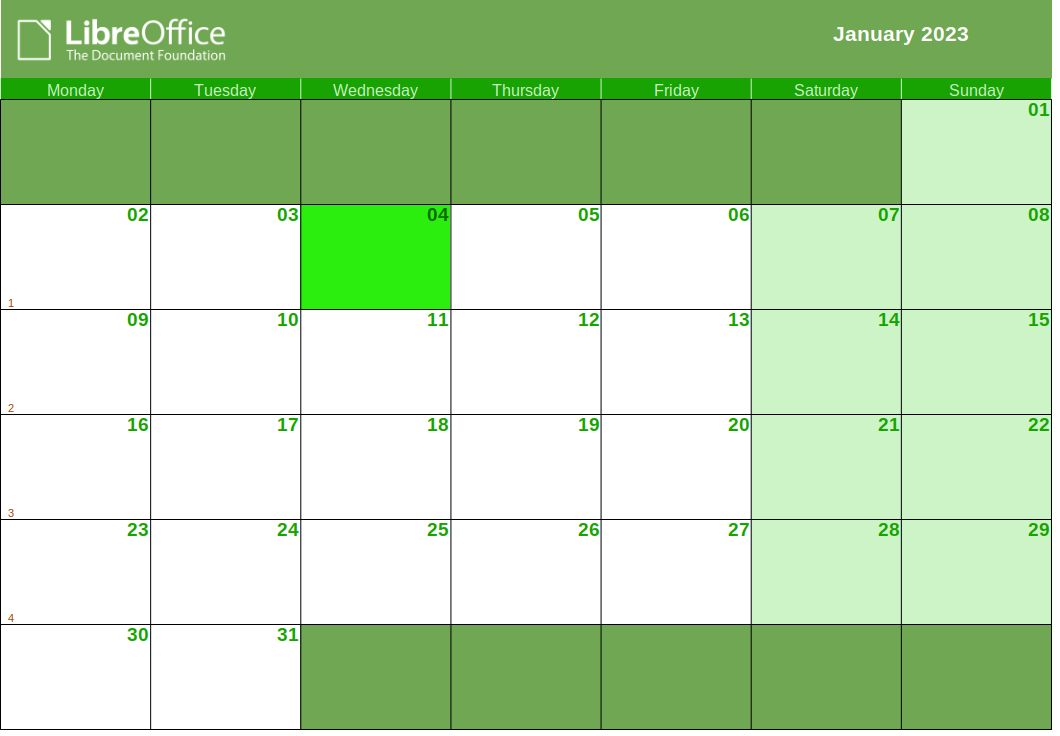
This tutorial will show you the exercise of making calendars with LibreOffice Calc. It works with multilingual translations automatically so you can easily print ones with English, Indonesian, German, Chinese, Japanese and other languages. Now let's exercise.


Subscribe to UbuntuBuzz Telegram Channel to get article updates.

This tutorial explains how to create and insert Quick Response (QR) codes in Writer, the word processor program of LibreOffice. Why we learn to make QR Codes? Because today, QR Codes are popular thanks to smartphones so people can quickly access  address you're point to in your publications like books, registration papers, flyers, posters, etc. This requires Writer 6.4 or later and does not require other program. Now let's do it!

Subscribe to UbuntuBuzz Telegram Channel to get article updates.

This simple tutorial explains how to search files and folders on Ubuntu. This uses Files, the default file manager on Ubuntu also known as Nautilus.

Subscribe to UbuntuBuzz Telegram Channel to get article updates.

KDE Plasma 5.22 with its tagline Stability, Usability, Flexibility released last June is the latest desktop technology of KDE and Free Software Community. It features new looks to the desktop, System Settings and many other improvements. Want it? If you would love to try it or further install it for daily use, here's how to.

Subscribe to UbuntuBuzz Telegram Channel to get article updates.

Persepolis and Download Navi are two download manager apps for Ubuntu and Android, respectively. They can help the users accelerate download speed and keep track of what files had been saved. This tutorial will explain how to use them to download files from the internet after installing them to desktop and phone. I hope this tutorial helps Ubuntu users who have computer and phone altogether.

Subscribe to UbuntuBuzz Telegram Channel to get article updates.

 This is the fifth of Inkscape For Students the series after we learned about mastering text before, now we will learn about basics of drawing and coloring. It is easy peasy to practice like below. Let's start.

Subscribe to UbuntuBuzz Telegram Channel to get article updates.

Continuing our Fedora articles (click here and here), now here is our traditional list of tips & tricks to begin with Fedora after installing it to our computer but with the point of view of an Ubuntu user. Currently, we are having Fedora version 32 to Rawhide, ranging between versions 3.38 to 40 of its GNOME desktop, and these are applicable to any of them and hopefully in the future versions as well. Okay, now let's try Fedora together and go!

Subscribe to UbuntuBuzz Telegram Channel to get article updates.

Completing the AQEMU VM guide, now it's a how to do folder sharing on it. With this, guest OS can transfer (copy-paste) files with the host OS. It is surprisingly easy and does not require proprietary software so you can do it on completely free operating systems like Trisquel too. Now let's go.  


Subscribe to UbuntuBuzz Telegram Channel to get article updates.

After learning Open & Save, now we will learn about Fonts, before we learn about Making Text later. This Part III of the tutorial for students series discusses what are fonts, how we use fonts, and to get them to design & illustrate with Inkscape on computer. You will learn from here font families like Sans Serif Mono as well as their styles Bold Italic Regular aside from basic knowledge about fonts across operating systems with examples and pictures included. Happy learning and let's go!
Subscribe to UbuntuBuzz Telegram Channel to get article updates.

Welcome to the 1st part of computer graphic design for students. This is your easy guide to learn graphic editing with the software Inkscape. In this article you will learn both the theory and practice and followed by an exercise making your first design with logo and typography. Enjoy!
Subscribe to UbuntuBuzz Telegram Channel to get article updates.

This is a guide book for students to learn computer drawing using Inkscape program. You are recommended to use Ubuntu operating system to exercise this book. This book is like previous book GIMP for Authors which is divided into several parts to make you easier to learn and practice. This book is mainly intended for students but also can be helpful for users moving from Adobe Illustrator and CorelDRAW. You are encouraged to practice everything in this book commercially. As usual, I will write part by part by keep updating this front page so keep watching here. I hope this will be useful for everyone! 
Subscribe to UbuntuBuzz Telegram Channel to get article updates.

Mentioned in my last tutorial, PeerTube is able to mirror YouTube videos. This means we simply copy the video addresses instead of reupload the files and video is instantly published on PeerTube. It is a cool feature. It is thanks to the tool used behind the scene named youtube-dl. Now it is the time to discuss how to do that more precisely. In this tutorial I explain mirroring several videos from that Google-owned site. I use examples from our Free Libre Open Source Software community. Enjoy!

Subscribe to UbuntuBuzz Telegram Channel to get article updates directly.

Thanks to my student, I am now aware that Inkscape can use different icon theme and that user can switch its icon theme just by renaming files. I use 0.92.5 and I can easily switch between icon themes available built-in. I noted here how I do that on Ubuntu Focal Fossa. Enjoy!

 
Subscribe to UbuntuBuzz Telegram Channel to get article updates directly.

KOrganizer is a colorful and useful calendar application for computer. For years, it helps me schedule my works, teaching, and personal life and also reminds me for important appointments so I won't forget any task I should do. It works offline and can also work with online calendar services you have. After I wrote many articles about it before, now I want to sum them up in a simple yet thorough overview of this awesome tool. Thanks to all KOrganizer developers I could reach up to this point with it. Let me share with you, it is fun! I believe you will also love scheduling after reading this. Happy scheduling!


(This video is titled KOrganizer Introduction and you can also watch it on PeerTube) 

Subscribe to UbuntuBuzz Telegram Channel to get article updates directly.

Here is a complete user resource to learn Ubuntu 20.04 LTS Focal Fossa from the basics. This page informs you things you need and want to know about using computer with Ubuntu divided in ten sections: the knowledge of operating system itself, how to install and upgrade it, the Ubuntu basics for your daily computing, software installation, working with LibreOffice, how to print and scan, terminal commands, applications recommendation, and more readings. There are also ebooks downloadable below. I hope this big list helps anybody starting with Ubuntu in 2020 and even starting with using computer as well. Welcome to computing without virus and antivirus powered by free, libre, and open source software. Have successful works with Ubuntu!  

Subscribe to UbuntuBuzz Telegram Channel to get article updates directly.


Do you know that LibreOffice has Master Document feature? This feature allows you to join multiple documents, rearrange them, and then save them as one joined document. We can use this feature to quickly and easily merge ODT files into one. I will give you example by joining 10 transcript documents into single ODT or PDF file with a total of 600 pages with 90 pictures inside. Don't worry as you can download that examples below. Let's learn!

Subscribe to UbuntuBuzz Telegram Channel to get article updates directly.