1(globalThis.TURBOPACK||(globalThis.TURBOPACK=[])).push(["object"==typeof document?document.currentScript:void 0,511364,e=>{"use strict";var n=e.i(959557);function t(e){return Array.isArray?Array.isArray(e):"[object Array]"===d(e)}function i(e){return null==e?"":function(e){if("string"==typeof e)return e;if("bigint"==typeof e)return e.toString();let n=e+"";return"0"==n&&1/e==-1/0?"-0":n}(e)}function o(e){return"string"==typeof e}function a(e){return"number"==typeof e}function r(e){return"object"==typeof e}function s(e){return null!=e}function l(e){return!e.trim().length}function d(e){return null==e?void 0===e?"[object Undefined]":"[object Null]":Object.prototype.toString.call(e)}let h="Invalid doc index: must be a non-negative integer within the bounds of the docs array",c=Object.prototype.hasOwnProperty;var u=class{constructor(e){this._keys=[],this._keyMap={};let n=0;e.forEach(e=>{let t=m(e);this._keys.push(t),this._keyMap[t.id]=t,n+=t.weight}),this._keys.forEach(e=>{e.weight/=n})}get(e){return this._keyMap[e]}keys(){return this._keys}toJSON(){return JSON.stringify(this._keys)}};function m(e){let n=null,i=null,a=null,r=1,s=null;if(o(e)||t(e))a=e,n=g(e),i=p(e);else{if(!c.call(e,"name"))throw Error("Missing name property in key");let t=e.name;if(a=t,c.call(e,"weight")&&void 0!==e.weight&&(r=e.weight)<=0){let e;throw Error((e=p(t),`Property 'weight' in key '${e}' must be a positive integer`))}n=g(t),i=p(t),s=e.getFn??null}return{path:n,id:i,weight:r,src:a,getFn:s}}function g(e){return t(e)?e:e.split(".")}function p(e){return t(e)?e.join("."):e}let f=Object.freeze({isCaseSensitive:!1,ignoreDiacritics:!1,includeScore:!1,keys:[],shouldSort:!0,sortFn:(e,n)=>e.score===n.score?e.idx<n.idx?-1:1:e.score<n.score?-1:1,includeMatches:!1,findAllMatches:!1,minMatchCharLength:1,location:0,threshold:.6,distance:100,useExtendedSearch:!1,useTokenSearch:!1,tokenize:void 0,tokenMatch:"any",getFn:function(e,n){let l=[],h=!1,c=(e,n,u,m)=>{if(s(e))if(n[u]){var g,p;let f=e[n[u]];if(!s(f))return;if(u===n.length-1&&(o(f)||a(f)||!0===(g=f)||!1===g||r(p=g)&&null!==p&&"[object Boolean]"==d(g)||"bigint"==typeof f))l.push(void 0!==m?{v:i(f),i:m}:i(f));else if(t(f)){h=!0;for(let e=0,t=f.length;e<t;e+=1)c(f[e],n,u+1,e)}else n.length&&c(f,n,u+1,m)}else l.push(void 0!==m?{v:e,i:m}:e)};return c(e,o(n)?n.split("."):n,0),h?l:l[0]},ignoreLocation:!1,ignoreFieldNorm:!1,fieldNormWeight:1});var w=class{constructor({getFn:e=f.getFn,fieldNormWeight:n=f.fieldNormWeight}={}){this.norm=function(e=1,n=3){let t=new Map,i=Math.pow(10,n);return{get(n){let o=0,a=!1;for(let e=0;e<n.length;e++){var r;(r=n.charCodeAt(e))>=9&&r<=13||32===r||160===r?a=!1:a||(o++,a=!0)}if(0===o&&(o=1),t.has(o))return t.get(o);let s=Math.round(i/Math.pow(o,.5*e))/i;return t.set(o,s),s},clear(){t.clear()}}}(n,3),this.getFn=e,this.isCreated=!1,this.docs=[],this.keys=[],this._keysMap={},this.setIndexRecords()}setSources(e=[]){this.docs=e}setIndexRecords(e=[]){this.records=e}setKeys(e=[]){this.keys=e,this._keysMap={},e.forEach((e,n)=>{this._keysMap[e.id]=n})}create(){if(this.isCreated||!this.docs.length)return;this.isCreated=!0;let e=this.docs.length;this.records=Array(e);let n=0;if(o(this.docs[0]))for(let t=0;t<e;t++){let e=this._createStringRecord(this.docs[t],t);e&&(this.records[n++]=e)}else for(let t=0;t<e;t++)this.records[n++]=this._createObjectRecord(this.docs[t],t);this.records.length=n,this.norm.clear()}add(e,n){if(!Number.isInteger(n)||n<0)throw Error(h);if(o(e)){let t=this._createStringRecord(e,n);return t&&this.records.push(t),t}let t=this._createObjectRecord(e,n);return this.records.push(t),t}removeAt(e){if(!Number.isInteger(e)||e<0)throw Error(h);for(let n=0,t=this.records.length;n<t;n+=1)if(this.records[n].i===e){this.records.splice(n,1);break}for(let n=0,t=this.records.length;n<t;n+=1)this.records[n].i>e&&(this.records[n].i-=1)}removeAll(e){let n=new Set;for(let t of e)Number.isInteger(t)&&t>=0&&n.add(t);if(0===n.size)return;this.records=this.records.filter(e=>!n.has(e.i));let t=Array.from(n).sort((e,n)=>e-n);for(let e of this.records){let n=0,i=t.length;for(;n<i;){let o=n+i>>>1;t[o]<e.i?n=o+1:i=o}e.i-=n}}getValueForItemAtKeyId(e,n){return e[this._keysMap[n]]}size(){return this.records.length}_createStringRecord(e,n){return!s(e)||l(e)?null:{v:e,i:n,n:this.norm.get(e)}}_createObjectRecord(e,n){let a={i:n,$:{}};for(let n=0,r=this.keys.length;n<r;n++){let r=this.keys[n],d=r.getFn?r.getFn(e):this.getFn(e,r.path);if(s(d)){if(t(d)){let e=[];for(let n=0,t=d.length;n<t;n+=1){let t=d[n];if(s(t)){if(o(t)){if(!l(t)){let i={v:t,i:n,n:this.norm.get(t)};e.push(i)}}else if(s(t.v)){let n=o(t.v)?t.v:i(t.v);if(!l(n)){let i={v:n,i:t.i,n:this.norm.get(n)};e.push(i)}}}}a.$[n]=e}else if(o(d)&&!l(d)){let e={v:d,n:this.norm.get(d)};a.$[n]=e}}}return a}toJSON(){return{keys:this.keys.map(({getFn:e,...n})=>n),records:this.records}}};function y(e,n,{getFn:t=f.getFn,fieldNormWeight:i=f.fieldNormWeight}={}){let o=new w({getFn:t,fieldNormWeight:i});return o.setKeys(e.map(m)),o.setSources(n),o.create(),o}function k(e){if(e.length<=1)return e;e.sort((e,n)=>e[0]-n[0]||e[1]-n[1]);let n=[e[0]];for(let t=1,i=e.length;t<i;t+=1){let i=n[n.length-1],o=e[t];o[0]<=i[1]+1?i[1]=Math.max(i[1],o[1]):n.push(o)}return n}let x={Å:"l",Å:"L",Ä:"d",Ä:"D",ø:"o",Ã:"O",ħ:"h",Ħ:"H",ŧ:"t",Ŧ:"T",ı:"i",Ã:"ss"},b=RegExp("["+Object.keys(x).join("")+"]","g"),v="function"==typeof String.prototype.normalize?e=>
1e.normalize("NFD").replace(/[\u0300-\u036F\u0483-\u0489\u0591-\u05BD\u05BF\u05C1\u05C2\u05C4\u05C5\u05C7\u0610-\u061A\u064B-\u065F\u0670\u06D6-\u06DC\u06DF-\u06E4\u06E7\u06E8\u06EA-\u06ED\u0711\u0730-\u074A\u07A6-\u07B0\u07EB-\u07F3\u07FD\u0816-\u0819\u081B-\u0823\u0825-\u0827\u0829-\u082D\u0859-\u085B\u08D3-\u08E1\u08E3-\u0903\u093A-\u093C\u093E-\u094F\u0951-\u0957\u0962\u0963\u0981-\u0983\u09BC\u09BE-\u09C4\u09C7\u09C8\u09CB-\u09CD\u09D7\u09E2\u09E3\u09FE\u0A01-\u0A03\u0A3C\u0A3E-\u0A42\u0A47\u0A48\u0A4B-\u0A4D\u0A51\u0A70\u0A71\u0A75\u0A81-\u0A83\u0ABC\u0ABE-\u0AC5\u0AC7-\u0AC9\u0ACB-\u0ACD\u0AE2\u0AE3\u0AFA-\u0AFF\u0B01-\u0B03\u0B3C\u0B3E-\u0B44\u0B47\u0B48\u0B4B-\u0B4D\u0B56\u0B57\u0B62\u0B63\u0B82\u0BBE-\u0BC2\u0BC6-\u0BC8\u0BCA-\u0BCD\u0BD7\u0C00-\u0C04\u0C3E-\u0C44\u0C46-\u0C48\u0C4A-\u0C4D\u0C55\u0C56\u0C62\u0C63\u0C81-\u0C83\u0CBC\u0CBE-\u0CC4\u0CC6-\u0CC8\u0CCA-\u0CCD\u0CD5\u0CD6\u0CE2\u0CE3\u0D00-\u0D03\u0D3B\u0D3C\u0D3E-\u0D44\u0D46-\u0D48\u0D4A-\u0D4D\u0D57\u0D62\u0D63\u0D82\u0D83\u0DCA\u0DCF-\u0DD4\u0DD6\u0DD8-\u0DDF\u0DF2\u0DF3\u0E31\u0E34-\u0E3A\u0E47-\u0E4E\u0EB1\u0EB4-\u0EB9\u0EBB\u0EBC\u0EC8-\u0ECD\u0F18\u0F19\u0F35\u0F37\u0F39\u0F3E\u0F3F\u0F71-\u0F84\u0F86\u0F87\u0F8D-\u0F97\u0F99-\u0FBC\u0FC6\u102B-\u103E\u1056-\u1059\u105E-\u1060\u1062-\u1064\u1067-\u106D\u1071-\u1074\u1082-\u108D\u108F\u109A-\u109D\u135D-\u135F\u1712-\u1714\u1732-\u1734\u1752\u1753\u1772\u1773\u17B4-\u17D3\u17DD\u180B-\u180D\u1885\u1886\u18A9\u1920-\u192B\u1930-\u193B\u1A17-\u1A1B\u1A55-\u1A5E\u1A60-\u1A7C\u1A7F\u1AB0-\u1ABE\u1B00-\u1B04\u1B34-\u1B44\u1B6B-\u1B73\u1B80-\u1B82\u1BA1-\u1BAD\u1BE6-\u1BF3\u1C24-\u1C37\u1CD0-\u1CD2\u1CD4-\u1CE8\u1CED\u1CF2-\u1CF4\u1CF7-\u1CF9\u1DC0-\u1DF9\u1DFB-\u1DFF\u20D0-\u20F0\u2CEF-\u2CF1\u2D7F\u2DE0-\u2DFF\u302A-\u302F\u3099\u309A\uA66F-\uA672\uA674-\uA67D\uA69E\uA69F\uA6F0\uA6F1\uA802\uA806\uA80B\uA823-\uA827\uA880\uA881\uA8B4-\uA8C5\uA8E0-\uA8F1\uA8FF\uA926-\uA92D\uA947-\uA953\uA980-\uA983\uA9B3-\uA9C0\uA9E5\uAA29-\uAA36\uAA43\uAA4C\uAA4D\uAA7B-\uAA7D\uAAB0\uAAB2-\uAAB4\uAAB7\uAAB8\uAABE\uAABF\uAAC1\uAAEB-\uAAEF\uAAF5\uAAF6\uABE3-\uABEA\uABEC\uABED\uFB1E\uFE00-\uFE0F\uFE20-\uFE2F]/g,"").replace(b,e=>x[e]):e=>e;var j=class{constructor(e,{location:n=f.location,threshold:t=f.threshold,distance:i=f.distance,includeMatches:o=f.includeMatches,findAllMatches:a=f.findAllMatches,minMatchCharLength:r=f.minMatchCharLength,isCaseSensitive:s=f.isCaseSensitive,ignoreDiacritics:l=f.ignoreDiacritics,ignoreLocation:d=f.ignoreLocation}={}){if(this.options={location:n,threshold:t,distance:i,includeMatches:o,findAllMatches:a,minMatchCharLength:r,isCaseSensitive:s,ignoreDiacritics:l,ignoreLocation:d},e=s?e:e.toLowerCase(),e=l?v(e):e,this.pattern=e,this.chunks=[],!this.pattern.length)return;const h=(e,n)=>{this.chunks.push({pattern:e,alphabet:function(e){let n={};for(let t=0,i=e.length;t<i;t+=1){let o=e.charAt(t);n[o]=(n[o]||0)|1<<i-t-1}return n}(e),startIndex:n})},c=this.pattern.length;if(c>32){let e=0;const n=c%32,t=c-n;for(;e<t;)h(this.pattern.substr(e,32),e),e+=32;if(n){const e=c-32;h(this.pattern.substr(e),e)}}else h(this.pattern,0)}searchIn(e){let{isCaseSensitive:n,ignoreDiacritics:t,includeMatches:i}=this.options;if(e=n?e:e.toLowerCase(),e=t?v(e):e,this.pattern===e){if(e.length<this.options.minMatchCharLength)return{isMatch:!1,score:1};let n={isMatch:!0,score:0};return i&&(n.indices=[[0,e.length-1]]),n}let{location:o,distance:a,threshold:r,findAllMatches:s,minMatchCharLength:l,ignoreLocation:d}=this.options,h=[],c=0,u=!1;this.chunks.forEach(({pattern:n,alphabet:t,startIndex:m})=>{let{isMatch:g,score:p,indices:w}=function(e,n,t,{location:i=f.location,distance:o=f.distance,threshold:a=f.threshold,findAllMatches:r=f.findAllMatches,minMatchCharLength:s=f.minMatchCharLength,includeMatches:l=f.includeMatches,ignoreLocation:d=f.ignoreLocation}={}){let h;if(n.length>32)throw Error("Pattern length exceeds max of 32.");let c=n.length,u=e.length,m=Math.max(0,Math.min(i,u)),g=a,p=m,w=(e,n)=>{let t=e/c;if(d)return t;let i=Math.abs(m-n);return o?t+i/o:i?1:t},y=s>1||l,k=y?Array(u):[];for(;(h=e.indexOf(n,p))>-1;)if(g=Math.min(w(0,h),g),p=h+c,y){let e=0;for(;e<c;)k[h+e]=1,e+=1}p=-1;let x=[],b=1,v=0,j=c+u,C=1<<c-1;for(let n=0;n<c;n+=1){let i=0,o=j;for(;i<o;)w(n,m+o)<=g?i=o:j=o,o=Math.floor((j-i)/2+i);j=o;let a=Math.max(1,m-o+1),s=r?u:Math.min(m+o,u)+c,l=Array(s+2);l[s+1]=(1<<n)-1;for(let i=s;i>=a;i-=1){let o=i-1,r=t[e[o]];if(l[i]=(l[i+1]<<1|1)&r,n&&(l[i]|=(x[i+1]|x[i])<<1|1|x[i+1]),l[i]&C&&(b=w(n,o))<=g){if(g=b,p=o,v=n,p<=m)break;a=Math.max(1,2*m-p)}}if(w(n+1,m)>g)break;x=l}if(y&&p>=0){let n=Math.min(u-1,p+c-1+v);for(let i=p;i<=n;i+=1)t[e[i]]&&(k[i]=1)}let A={isMatch:p>=0,score:Math.max(.001,b)};if(y){let e=function(e=[],n=f.minMatchCharLength){let t=[],i=-1,o=-1,a=0;for(let r=e.length;a<r;a+=1){let r=e[a];r&&-1===i?i=a:r||-1===i||((o=a-1)-i+1>=n&&t.push([i,o]),i=-1)}return e[a-1]&&a-i>=n&&t.push([i,a-1]),t}(k,s);e.length?l&&(A.indices=e):A.isMatch=!1}return A}(e,n,t,{location:o+m,distance:a,threshold:r,findAllMatches:s,minMatchCharLength:l,includeMatches:i,ignoreLocation:d});g&&(u=!0),c+=p,g&&w&&h.push(...w)});let m={isMatch:u,score:u?c/this.chunks.length:1};
1return u&&i&&(m.indices=k(h)),m}};let C=new Set(["fuzzy","include"]),A=[{type:"exact",multiRegex:/^="(.*)"$/,singleRegex:/^=(.*)$/,create:e=>({type:"exact",search(n){let t=n===e;return{isMatch:t,score:+!t,indices:[0,e.length-1]}}})},{type:"include",multiRegex:/^'"(.*)"$/,singleRegex:/^'(.*)$/,create:e=>({type:"include",search(n){let t,i=0,o=[],a=e.length;for(;(t=n.indexOf(e,i))>-1;)i=t+a,o.push([t,i-1]);let r=!!o.length;return{isMatch:r,score:+!r,indices:o}}})},{type:"prefix-exact",multiRegex:/^\^"(.*)"$/,singleRegex:/^\^(.*)$/,create:e=>({type:"prefix-exact",search(n){let t=n.startsWith(e);return{isMatch:t,score:+!t,indices:[0,e.length-1]}}})},{type:"inverse-prefix-exact",multiRegex:/^!\^"(.*)"$/,singleRegex:/^!\^(.*)$/,create:e=>({type:"inverse-prefix-exact",search(n){let t=!n.startsWith(e);return{isMatch:t,score:+!t,indices:[0,n.length-1]}}})},{type:"inverse-suffix-exact",multiRegex:/^!"(.*)"\$$/,singleRegex:/^!(.*)\$$/,create:e=>({type:"inverse-suffix-exact",search(n){let t=!n.endsWith(e);return{isMatch:t,score:+!t,indices:[0,n.length-1]}}})},{type:"suffix-exact",multiRegex:/^"(.*)"\$$/,singleRegex:/^(.*)\$$/,create:e=>({type:"suffix-exact",search(n){let t=n.endsWith(e);return{isMatch:t,score:+!t,indices:[n.length-e.length,n.length-1]}}})},{type:"inverse-exact",multiRegex:/^!"(.*)"$/,singleRegex:/^!(.*)$/,create:e=>({type:"inverse-exact",search(n){let t=-1===n.indexOf(e);return{isMatch:t,score:+!t,indices:[0,n.length-1]}}})},{type:"fuzzy",multiRegex:/^"(.*)"$/,singleRegex:/^(.*)$/,create:(e,n={})=>{let t=new j(e,{location:n.location??f.location,threshold:n.threshold??f.threshold,distance:n.distance??f.distance,includeMatches:n.includeMatches??f.includeMatches,findAllMatches:n.findAllMatches??f.findAllMatches,minMatchCharLength:n.minMatchCharLength??f.minMatchCharLength,isCaseSensitive:n.isCaseSensitive??f.isCaseSensitive,ignoreDiacritics:n.ignoreDiacritics??f.ignoreDiacritics,ignoreLocation:n.ignoreLocation??f.ignoreLocation});return{type:"fuzzy",search:e=>t.searchIn(e)}}}],O=A.length;function T(e,n){let t=e.match(n);return t?t[1]:null}var M=class{constructor(e,{isCaseSensitive:n=f.isCaseSensitive,ignoreDiacritics:t=f.ignoreDiacritics,includeMatches:i=f.includeMatches,minMatchCharLength:o=f.minMatchCharLength,ignoreLocation:a=f.ignoreLocation,findAllMatches:r=f.findAllMatches,location:s=f.location,threshold:l=f.threshold,distance:d=f.distance}={}){this.query=null,this.options={isCaseSensitive:n,ignoreDiacritics:t,includeMatches:i,minMatchCharLength:o,findAllMatches:r,ignoreLocation:a,location:s,threshold:l,distance:d},e=n?e:e.toLowerCase(),e=t?v(e):e,this.pattern=e,this.query=function(e,n={}){return e.replace(/\\\|/g,"\0").split("|").map(e=>{let t=(function(e){let n=[],t=e.length,i=0;for(;i<t;){for(;i<t&&" "===e[i];)i++;if(i>=t)break;let o=i;for(;o<t&&" "!==e[o]&&'"'!==e[o];)o++;if(o<t&&'"'===e[o]){for(o++;o<t;){if('"'===e[o]){let n=o+1;if(n>=t||" "===e[n]){o++;break}if("$"===e[n]&&(n+1>=t||" "===e[n+1])){o+=2;break}}o++}n.push(e.substring(i,o)),i=o}else{for(;o<t&&" "!==e[o];)o++;n.push(e.substring(i,o)),i=o}}return n})(e.replace(/\u0000/g,"|").trim()).filter(e=>e&&!!e.trim()),i=[];for(let e=0,o=t.length;e<o;e+=1){let o=t[e],a=!1,r=-1;for(;!a&&++r<O;){let e=A[r],t=T(o,e.multiRegex);t&&(i.push(e.create(t,n)),a=!0)}if(!a)for(r=-1;++r<O;){let e=A[r],t=T(o,e.singleRegex);if(t){i.push(e.create(t,n));break}}}return i})}(this.pattern,this.options)}static condition(e,n){return n.useExtendedSearch}searchIn(e){let n=this.query;if(!n)return{isMatch:!1,score:1};let{includeMatches:t,isCaseSensitive:i,ignoreDiacritics:o}=this.options;e=i?e:e.toLowerCase(),e=o?v(e):e;let a=0,r=[],s=0,l=!1;for(let i=0,o=n.length;i<o;i+=1){let o=n[i];r.length=0,a=0,l=!1;for(let n=0,i=o.length;n<i;n+=1){let i=o[n],{isMatch:d,indices:h,score:c}=i.search(e);if(d)a+=1,s+=c,i.type.startsWith("inverse")&&(l=!0),t&&(C.has(i.type)?r.push(...h):r.push(h));else{s=0,a=0,r.length=0,l=!1;break}}if(a){let e={isMatch:!0,score:s/a};return l&&(e.hasInverse=!0),t&&(e.indices=k(r)),e}}return{isMatch:!1,score:1}}};let I=[];function F(...e){I.push(...e)}function S(e,n){for(let t=0,i=I.length;t<i;t+=1){let i=I[t];if(i.condition(e,n))return new i(e,n)}return new j(e,n)}let K="$and",E="$path",D=e=>!!(e[K]||e.$or),P=e=>({[K]:Object.keys(e).map(n=>({[n]:e[n]}))});function L(e,n,{auto:i=!0}={}){let a=e=>{if(o(e)){let t={keyId:null,pattern:e};return i&&(t.searcher=S(e,n)),t}let s=Object.keys(e),l=!!e[E];if(!l&&s.length>1&&!D(e))return a(P(e));if(!t(e)&&r(e)&&!D(e)){let t=l?e[E]:s[0],a=l?e.$val:e[t];
1if(!o(a))throw Error(`Invalid value for key ${t}`);let r={keyId:p(t),pattern:a};return i&&(r.searcher=S(a,n)),r}let d={children:[],operator:s[0]};return s.forEach(n=>{let i=e[n];t(i)&&i.forEach(e=>{d.children.push(a(e))})}),d};return D(e)||(e=P(e)),a(e)}function _(e,{ignoreFieldNorm:n=f.ignoreFieldNorm}){let t=1;return e.forEach(({key:e,norm:i,score:o})=>{let a=e?e.weight:null;t*=Math.pow(0===o&&a?Number.EPSILON:o,(a||1)*(n?1:i))}),t}var W=class{constructor(e,n){this.limit=e,this.heap=[],this.comparator=n}get size(){return this.heap.length}insert(e){this.size<this.limit?(this.heap.push(e),this._bubbleUp(this.size-1)):0>this.comparator(e,this.heap[0])&&(this.heap[0]=e,this._sinkDown(0))}extractSorted(){return this.heap.sort(this.comparator)}_bubbleUp(e){let n=this.heap;for(;e>0;){let t=e-1>>1;if(0>=this.comparator(n[e],n[t]))break;let i=n[e];n[e]=n[t],n[t]=i,e=t}}_sinkDown(e){let n=this.heap,t=n.length,i=e;do{let o=2*(e=i)+1,a=2*e+2;if(o<t&&this.comparator(n[o],n[i])>0&&(i=o),a<t&&this.comparator(n[a],n[i])>0&&(i=a),i!==e){let t=n[e];n[e]=n[i],n[i]=t}}while(i!==e)}};let N=/[\p{L}\p{M}\p{N}_]+/gu,R=new WeakSet;function B({isCaseSensitive:e=!1,ignoreDiacritics:n=!1,tokenize:t}={}){let i=function(e){if("function"==typeof e){let n=!1;return t=>{let i=e(t);if(!n&&(n=!0,!Array.isArray(i)||i.some(e=>"string"!=typeof e)))throw Error(`[Fuse] tokenize function must return string[]; received ${Array.isArray(i)?"array containing non-strings":typeof i}.`);return i}}if(e instanceof RegExp)return!e.global&&(R.has(e)||(R.add(e),console.warn(`[Fuse] tokenize regex ${e} lacks the global flag; only the first match per text will be returned. Add the 'g' flag.`))),n=>n.match(e)||[];return e=>e.match(N)||[]}(t);return{tokenize:t=>(e||(t=t.toLowerCase()),n&&(t=v(t)),i(t))}}var G=class{static condition(e,n){return n.useTokenSearch}constructor(e,n){this.options=n,this.analyzer=B({isCaseSensitive:n.isCaseSensitive,ignoreDiacritics:n.ignoreDiacritics,tokenize:n.tokenize});const t=this.analyzer.tokenize(e),{df:i,fieldCount:o}=n._invertedIndex;for(const e of(this.termSearchers=[],this.idfWeights=[],t)){this.termSearchers.push(new j(e,{location:n.location,threshold:n.threshold,distance:n.distance,includeMatches:n.includeMatches,findAllMatches:n.findAllMatches,minMatchCharLength:n.minMatchCharLength,isCaseSensitive:n.isCaseSensitive,ignoreDiacritics:n.ignoreDiacritics,ignoreLocation:!0}));const t=i.get(e)||0,a=Math.log(1+(o-t+.5)/(t+.5));this.idfWeights.push(a)}this.combineAll="all"===n.tokenMatch,this.numTerms=this.termSearchers.length,this.useMask=this.numTerms<=31}searchIn(e){if(!this.termSearchers.length)return{isMatch:!1,score:1};let n=[],t=0,i=0,o=0,a=0,r=this.combineAll&&!this.useMask?new Set:null;for(let s=0;s<this.termSearchers.length;s++){let l=this.termSearchers[s].searchIn(e),d=this.idfWeights[s];i+=d,l.isMatch&&(o++,t+=d*(1-l.score),l.indices&&n.push(...l.indices),this.combineAll&&(this.useMask?a|=1<<s:r.add(s)))}if(0===o)return{isMatch:!1,score:1};let s={isMatch:!0,score:Math.max(.001,i>0?1-t/i:0)};return this.options.includeMatches&&n.length&&(s.indices=k(n)),this.combineAll&&(this.useMask?s.matchedMask=a:s.matchedTerms=r,s.termCount=this.numTerms),s}};function Y(e,n,t,i){let o=i.tokenize(n);if(!o.length)return;e.fieldCount++,e.docFieldCount.set(t,(e.docFieldCount.get(t)||0)+1);let a=new Set(o),r=e.docTermFieldHits.get(t);for(let n of(r||(r=new Map,e.docTermFieldHits.set(t,r)),a))r.set(n,(r.get(n)||0)+1),e.df.set(n,(e.df.get(n)||0)+1)}function z(e,n,t,i){let{i:o,v:a,$:r}=n;if(void 0!==a)return void Y(e,a,o,i);if(r)for(let n=0;n<t;n++){let t=r[n];if(t)if(Array.isArray(t))for(let n of t)Y(e,n.v,o,i);else Y(e,t.v,o,i)}}function V(e,n){if(0===n.length)return;let t=Array.from(new Set(n)).sort((e,n)=>e-n);for(let n of t)!function(e,n){let t=e.docFieldCount.get(n);if(void 0===t)return;e.fieldCount-=t,e.docFieldCount.delete(n);let i=e.docTermFieldHits.get(n);if(i){for(let[n,t]of i){let i=(e.df.get(n)||0)-t;i<=0?e.df.delete(n):e.df.set(n,i)}e.docTermFieldHits.delete(n)}}(e,n);let i=e=>{let n=0,i=t.length;for(;n<i;){let o=n+i>>>1;t[o]<e?n=o+1:i=o}return e-n},o=t[0],a=new Map;for(let[n,t]of e.docFieldCount)a.set(n>o?i(n):n,t);e.docFieldCount=a;let r=new Map;for(let[n,t]of e.docTermFieldHits)r.set(n>o?i(n):n,t);e.docTermFieldHits=r}var H=class{constructor(e,n,t){this.options={...f,...n},this.options.useExtendedSearch,this.options.useTokenSearch,this._keyStore=new u(this.options.keys),this._docs=e,this._myIndex=null,this._invertedIndex=null,this.setCollection(e,t),this._lastQuery=null,this._lastSearcher=null}_getSearcher(e){if(this._lastQuery===e)return this._lastSearcher;let n=S(e,this._invertedIndex?{...this.options,_invertedIndex:this._invertedIndex}:this.options);return this._lastQuery=e,this._lastSearcher=n,n}setCollection(e,n){if(this._docs=e,n&&!(n instanceof w))throw Error("Incorrect 'index' type");if(this._myIndex=n||y(this.options.keys,this._docs,{getFn:this.options.getFn,fieldNormWeight:this.options.fieldNormWeight}),this.options.useTokenSearch){let e=B({isCaseSensitive:this.options.isCaseSensitive,ignoreDiacritics:this.options.ignoreDiacritics,tokenize:this.options.tokenize});this._invertedIndex=function(e,n,t){let i={fieldCount:0,df:new Map,docFieldCount:new Map,docTermFieldHits:new Map};for(let o of e)z(i,o,n,t);return i}(this._myIndex.records,this._myIndex.keys.length,e)}this._invalidateSearcherCache()}add(e){if(!s(e))return;this._docs.push(e);let n=this._myIndex.add(e,this._docs.length-1);if(this._invertedIndex&&n){var t;let e=B({isCaseSensitive:this.options.isCaseSensitive,ignoreDiacritics:this.options.ignoreDiacritics,tokenize:this.options.tokenize});t=this._invertedIndex,z(t,n,this._myIndex.keys.length,e)}this._invalidateSearcherCache()}remove(e=()=>!1){let n=[],t=[];for(let i=0,o=this._docs.length;i<o;i+=1)e(this._docs[i],i)&&(n.push(this._docs[i]),t.push(i));if(t.length){this._invertedIndex&&V(this._invertedIndex,t);let e=new Set(t);this._docs=this._docs.filter((n,t)=>!e.has(t)),this._myIndex.removeAll(t),this._invalidateSearcherCache()}return n}removeAt(e){if(!Number.isInteger(e)||e<0||e>=this._docs.length)throw Error(h);this._invertedIndex&&V(this._invertedIndex,[e]);let n=this._docs.splice(e,1)[0];return this._myIndex.removeAt(e),this._invalidateSearcherCache(),n}_invalidateSearcherCache(){this._lastQuery=null,this._lastSearcher=null}getIndex(){return this._myIndex}_normalizedKeys(){return this._myIndex.keys.map(e=>this._keyStore.get(e.id)||e)}search(e,n){let t,{limit:i=-1}=n||{},{includeMatches:r,includeScore:l,shouldSort:d,sortFn:h,ignoreFieldNorm:c}=this.options;if(o(e)&&!e.trim()){let e=this._docs.map((e,n)=>({item:e,refIndex:n}));return a(i)&&i>-1&&(e=e.slice(0,i)),e}let u=d&&a(i)&&i>0&&o(e),m=(e,n)=>h(e,n)||e.idx-n.idx;if(u){let n=new W(i,m);o(this._docs[0])?this._searchStringList(e,{heap:n,ignoreFieldNorm:c}):this._searchObjectList(e,{heap:n,ignoreFieldNorm:c}),t=n.extractSorted()}else!function(e,{ignoreFieldNorm:n=f.ignoreFieldNorm}
1){e.forEach(e=>{e.score=_(e.matches,{ignoreFieldNorm:n})})}(t=o(e)?o(this._docs[0])?this._searchStringList(e):this._searchObjectList(e):this._searchLogical(e),{ignoreFieldNorm:c}),d&&t.sort(o(e)?m:h),a(i)&&i>-1&&(t=t.slice(0,i));return function(e,n,{includeMatches:t=f.includeMatches,includeScore:i=f.includeScore}={}){return e.map(e=>{let o,{idx:a}=e,r={item:n[a],refIndex:a};return t&&(o=[],e.matches.forEach(e=>{if(!s(e.indices)||!e.indices.length)return;let n={indices:e.indices,value:e.value};e.key&&(n.key=e.key.id),e.idx>-1&&(n.refIndex=e.idx),o.push(n)}),r.matches=o),i&&(r.score=e.score),r})}(t,this._docs,{includeMatches:r,includeScore:l})}_searchStringList(e,{heap:n,ignoreFieldNorm:t}={}){let i=this._getSearcher(e),o=this.options.useTokenSearch&&"all"===this.options.tokenMatch,{records:a}=this._myIndex,r=n?null:[];return a.forEach(({v:e,i:a,n:l})=>{if(!s(e))return;let d=i.searchIn(e);if(d.isMatch){let i={score:d.score,value:e,norm:l,indices:d.indices};o&&(i.matchedMask=d.matchedMask,i.matchedTerms=d.matchedTerms,i.termCount=d.termCount);let s=[i];if(!o||this._coversAllTokens(s)){let i={item:e,idx:a,matches:s};n?(i.score=_(i.matches,{ignoreFieldNorm:t}),n.insert(i)):r.push(i)}}}),r}_searchLogical(e){let n=L(e,this.options),t=this._normalizedKeys(),i=(e,n,o)=>{if(!("children"in e)){let i,{keyId:a,searcher:r}=e;return(null===a?(i=[],t.forEach((e,t)=>{i.push(...this._findMatches({key:e,value:n[t],searcher:r}))})):i=this._findMatches({key:this._keyStore.get(a),value:this._myIndex.getValueForItemAtKeyId(n,a),searcher:r}),i&&i.length)?[{idx:o,item:n,matches:i}]:[]}let{children:a,operator:r}=e,s=[];for(let e=0,t=a.length;e<t;e+=1){let t=i(a[e],n,o);if(t.length)s.push(...t);else if(r===K)return[]}return s},o=this._myIndex.records,a=new Map,r=[];return o.forEach(({$:e,i:t})=>{if(s(e)){let o=i(n,e,t);o.length&&(a.has(t)||(a.set(t,{idx:t,item:e,matches:[]}),r.push(a.get(t))),o.forEach(({matches:e})=>{a.get(t).matches.push(...e)}))}}),r}_searchObjectList(e,{heap:n,ignoreFieldNorm:t}={}){let i=this._getSearcher(e),o=this.options.useTokenSearch&&"all"===this.options.tokenMatch,{records:a}=this._myIndex,r=this._normalizedKeys(),l=n?null:[];return a.forEach(({$:e,i:a})=>{if(!s(e))return;let d=[],h=!1,c=!1;if(r.forEach((n,t)=>{let o=this._findMatches({key:n,value:e[t],searcher:i});o.length?(d.push(...o),o[0].hasInverse&&(c=!0)):h=!0}),(!c||!h)&&d.length&&(!o||this._coversAllTokens(d))){let i={idx:a,item:e,matches:d};n?(i.score=_(i.matches,{ignoreFieldNorm:t}),n.insert(i)):l.push(i)}}),l}_findMatches({key:e,value:n,searcher:i}){if(!s(n))return[];let o=[];if(t(n))n.forEach(({v:n,i:t,n:a})=>{if(!s(n))return;let r=i.searchIn(n);if(r.isMatch){let i={score:r.score,key:e,value:n,idx:t,norm:a,indices:r.indices,hasInverse:r.hasInverse};void 0!==r.termCount&&(i.matchedMask=r.matchedMask,i.matchedTerms=r.matchedTerms,i.termCount=r.termCount),o.push(i)}});else{let{v:t,n:a}=n,r=i.searchIn(t);if(r.isMatch){let n={score:r.score,key:e,value:t,norm:a,indices:r.indices,hasInverse:r.hasInverse};void 0!==r.termCount&&(n.matchedMask=r.matchedMask,n.matchedTerms=r.matchedTerms,n.termCount=r.termCount),o.push(n)}}return o}_coversAllTokens(e){let n=e.length?e[0].termCount:void 0;if(void 0===n)return!0;if(n<=31){let t=0;for(let n=0;n<e.length;n++)t|=e[n].matchedMask||0;return t===2**n-1}let t=new Set;for(let n=0;n<e.length;n++){let i=e[n].matchedTerms;if(i)for(let e of i)t.add(e)}return t.size===n}};H.version="7.5.0",H.createIndex=y,H.parseIndex=function(e,{getFn:n=f.getFn,fieldNormWeight:t=f.fieldNormWeight}={}){let{keys:i,records:o}=e,a=new w({getFn:n,fieldNormWeight:t});return a.setKeys(i),a.setIndexRecords(o),a},H.config=f,H.match=function(e,n,t){if(t&&t.useTokenSearch)throw Error("Fuse.match does not support useTokenSearch: token search requires corpus-level statistics (df, fieldCount) that a one-off string comparison does not have. Use new Fuse(...).search(...) instead.");return S(e,{...f,...t}).searchIn(n)},H.parseQuery=L,F(M),F(G),H.use=function(...e){e.forEach(e=>F(e))},e.i(314048);var U=e.i(359336),q=e.i(245157),$=(e.i(766362),e.i(299228)),J=e.i(611821),Z=e.i(125572),Q=e.i(357644),X=e.i(749714);function ee({post:e,className:t="",variant:i="carousel"}){let o=e.thumbnail??`${(0,Q.blogPostRoute)(e.slug)}/og`,a="grid"===i;return(0,n.jsxs)(J.default,{href:(0,Q.blogPostRoute)(e.slug),className:`group flex h-full select-none flex-col overflow-hidden rounded-xl border bg-card/50 outline-none transition-colors hover:bg-card focus-visible:ring-2 focus-visible:ring-primary focus-visible:ring-offset-2 ${t}`,children:[(0,n.jsx)("span",{className:"relative aspect-video w-full border-b bg-card",children:(0,n.jsx)($.default,{src:o,alt:"",fill:!0,sizes:"(min-width: 1280px) 25vw, (min-width: 1024px) 33vw, (min-width: 768px) 50vw, 100vw",className:"object-cover"})}),(0,n.jsxs)("span",{className:`flex flex-1 flex-col ${a?"gap-2 p-4":"gap-3 p-6"}`,children:[(0,n.jsx)("span",{className:`font-mono font-medium uppercase tracking-wide text-primary-strong ${a?"text-xs":"text-sm"}`,children:(0,Z.postPrimaryTag)(e)}),(0,n.jsx)("span",{className:`font-semibold leading-snug text-foreground ${a?"line-clamp-2 text-lg":"text-2xl"}`,children:e.title}),(0,n.jsx)("span",{className:`text-sm leading-relaxed text-muted-foreground ${a?"line-clamp-2":"line-clamp-3"}`,children:e.summary}),(0,n.jsxs)("span",{className:`mt-auto flex items-center justify-between gap-2 border-t pt-3 text-muted-foreground
1/80 ${a?"text-xs":"text-sm"}`,children:[(0,n.jsx)(X.AuthorByline,{authors:(0,Z.postAuthors)(e),size:a?20:24,nameClassName:"font-mono font-medium text-foreground"}),(0,n.jsx)("time",{dateTime:e.date,className:"shrink-0 font-mono",children:(0,Z.formatPostDate)(e.date)})]})]})]})}function en({posts:e,emptyMessage:t="No posts yet."}){return 0===e.length?(0,n.jsx)("p",{className:"mt-10 text-center text-muted-foreground",role:"status",children:t}):(0,n.jsx)("ul",{"data-testid":"post-grid",className:"mt-10 grid grid-cols-1 gap-6 md:grid-cols-2 lg:grid-cols-3 xl:grid-cols-4",children:e.map(e=>(0,n.jsx)("li",{className:"flex",children:(0,n.jsx)(ee,{post:e,variant:"grid",className:"w-full"})},e.slug))})}e.s(["BlogSearchGrid",0,function({posts:e}){let t=(0,U.useRouter)(),i=(0,U.usePathname)(),o=(0,U.useSearchParams)(),[a,r]=(0,q.useState)(o.get("search")??""),[s,l]=(0,q.useState)(o.get("tag")??""),d=((0,q.useMemo)(()=>{let n=new Map;for(let t of e)for(let e of t.tags)n.set(e,(n.get(e)??0)+1);return[...n.entries()].sort(([e,n],[t,i])=>i-n||e.localeCompare(t)).slice(0,3).map(([e])=>e)},[e]),(0,q.useMemo)(()=>new H(e,{keys:["title","summary","tags","author","authors.name"],threshold:.3,ignoreLocation:!0}),[e])),h=a.trim()?d.search(a.trim()).map(e=>e.item):e,c=s?h.filter(e=>e.tags.includes(s)):h;return a.trim(),(0,n.jsxs)("div",{children:[null,null,(0,n.jsx)(en,{posts:c,emptyMessage:"No posts match your filters."})]})}],511364)},613520,e=>{"use strict";var n=e.i(959557),t=e.i(276327),i=e.i(299228),o=e.i(611821),a=e.i(245157),r=e.i(125572),s=e.i(357644),l=e.i(749714);e.s(["FeaturedRotator",0,function({posts:e}){let[d,h]=(0,t.default)({loop:e.length>1}),[c,u]=(0,a.useState)(0),[m,g]=(0,a.useState)(!1),p=(0,a.useCallback)(()=>{h&&u(h.selectedScrollSnap())},[h]);return((0,a.useEffect)(()=>{if(h)return p(),h.on("select",p),()=>{h.off("select",p)}},[h,p]),(0,a.useEffect)(()=>{if(!h||e.length<2||m)return;let n=setInterval(()=>h.scrollNext(),5e3);return()=>clearInterval(n)},[h,e.length,m]),0===e.length)?null:(0,n.jsxs)("section",{"aria-label":"Featured posts",onMouseEnter:()=>g(!0),onMouseLeave:()=>g(!1),onFocusCapture:()=>g(!0),onBlurCapture:()=>g(!1),children:[(0,n.jsx)("div",{className:"overflow-hidden rounded-xl border",ref:d,children:(0,n.jsx)("div",{className:"flex",children:e.map(e=>(0,n.jsxs)(o.default,{href:(0,s.blogPostRoute)(e.slug),className:"group grid min-w-0 flex-[0_0_100%] grid-cols-1 bg-card/50 outline-none transition-colors hover:bg-card focus-visible:ring-2 focus-visible:ring-inset focus-visible:ring-primary lg:grid-cols-2",children:[(0,n.jsx)("span",{className:"relative h-[200px] w-full overflow-hidden sm:h-[260px] lg:h-[320px] lg:self-center",children:(0,n.jsx)(i.default,{src:e.thumbnail??`${(0,s.blogPostRoute)(e.slug)}/og`,alt:"",fill:!0,priority:!0,sizes:"(min-width: 1024px) 50vw, 100vw",className:"object-contain"})}),(0,n.jsxs)("span",{className:"flex min-w-0 flex-col gap-3 p-6 lg:p-8 xl:p-10",children:[(0,n.jsxs)("span",{className:"font-mono text-sm font-medium uppercase tracking-wide text-primary-strong",children:["Featured · ",(0,r.postPrimaryTag)(e)]}),(0,n.jsx)("span",{className:"text-2xl font-semibold leading-snug text-foreground sm:text-3xl",children:e.title}),(0,n.jsx)("span",{className:"line-clamp-3 text-sm leading-relaxed text-muted-foreground sm:text-base",children:e.summary}),(0,n.jsxs)("span",{className:"mt-auto flex items-center justify-between gap-2 border-t pt-3 text-sm text-muted-foreground/80",children:[(0,n.jsx)(l.AuthorByline,{authors:(0,r.postAuthors)(e),size:24,nameClassName:"font-mono font-medium text-foreground"}),(0,n.jsx)("time",{dateTime:e.date,className:"shrink-0 font-mono",children:(0,r.formatPostDate)(e.date)})]})]})]},e.slug))})}),e.length>1?(0,n.jsx)("div",{className:"mt-4 flex items-center justify-center gap-2",children:e.map((e,t)=>(0,n.jsx)("button",{type:"button","aria-label":`Show featured post ${t+1}: ${e.title}`,"aria-current":c===t,onClick:()=>h?.scrollTo(t),className:`relative h-2 cursor-pointer overflow-hidden rounded-full transition-all duration-300 ${c===t?"w-8 bg-primary/20":"w-2 bg-border hover:bg-muted-foreground
1/40"}`,children:c===t?(0,n.jsx)("span",{"aria-hidden":"true",className:`absolute inset-y-0 left-0 rounded-full bg-primary motion-reduce:hidden ${m?"[animation-play-state:paused]":""}`,style:{animation:"rotator-progress 5000ms linear forwards"}},`progress-${c}`):null},e.slug))}):null]})}])},125572,749714,e=>{"use strict";let n=[{content:'Our vision for OpenKnowledge is a shared system for both humans and agents to write, maintain, and collaborate on knowledge.\n\n\nTo meet this vision, we needed to meet teams where they work. So we built **desktop apps for Linux and Windows**, to join our Mac app. Now everyone gets the same great markdown IDE experience across any operating system.\n\n\nWe\'re also making OpenKnowledge more accessible to agents with **Remote Control**. You can run Remote Control from your device so it\'s accessible to your other devices, or deploy it in the cloud as a headless always-on service for your agents or your team.\n\n\n## The Linux and Windows apps\n\nThe same desktop app that ran on macOS now runs on Linux and Windows. The full app experience: the same Notion-like editor, git auto-sync and collaboration, and harness integrations with any agent.\n\n\n\nLinux ships as `.deb` and `.rpm` packages, Windows as an installer â both for x64 and ARM64. Grab them from the [download page](https://openknowledge.ai/download).\n\nThere\'s no package repository to add and nothing to configure: the app provides automatic over-the-air (opt-in) updates. We ship updates a few times a day.\n\n## Remote Control from your computer\n\nUnder the desktop app, OpenKnowledge runs a local server for your knowledge base. Remote Control makes that server reachable beyond the machine it runs on, as a supported setup.\n\n\nWith Remote Control, you can make your knowledge available anywhere:\n\n- mobile apps or web-based chat apps, like those for Codex or Claude\n- cloud-based agents like Grok Bot\n- agents on other devices, like an OpenClaw instance running on a server\n\n\nYou can do this right from your laptop or desktop that already runs OpenKnowledge as a desktop app.\n\n\n## Remote Control from a cloud server\n\nYou can now easily deploy OpenKnowledge to a service like Railway.\n\n\nWe package up the core server and release it as an npm package and CLI so it can be run anywhere.\n\n\nWhen deployed like this, it becomes an always-on knowledge base you can connect to from any device or any agent, and you can also make it available to your team by adding your own authentication layer (see the [authentication docs](https://openknowledge.ai/docs/self-hosting/authentication)).\n\n\nEither way you get one URL that works two ways. Open it in a browser and you\'re editing, live, with other agents or other team members. Give an agent the same URL with `/mcp` appended â the server\'s built-in [MCP endpoint](https://openknowledge.ai/docs/reference/mcp) â and it can read and write the same knowledge base.\n\n\n\nSetup is a few lines of config.\n\n```yaml\n# .ok/config.yml â committed, shared with your team\nserver:\n port: 8080\n externalUrl: https://kb.example.com\n```\n\n```yaml\n# .ok/local/config.yml â this machine only\nserver:\n allowExternal: true\n idleShutdown: \'off\'\n```\n\nThen `ok start`. (For one-off runs and containers, the same declarations exist as environment variables â `OK_ALLOW_EXTERNAL=1 ok start`.)\n\n\nYou can use any HTTPS tunnel (Tailscale, ngrok, Cloudflare Tunnel) or reverse proxy in front of the service to add your own networking or authentication gates. The [self-hosting docs](https://openknowledge.ai/docs/self-hosting/overview) walk through each path.\n\n\nExpect more updates to come for Remote Control and self-hosted deployments: multi-person attribution, RBAC, and more.\n\n\n## How it\'s built\n\nFor Remote Control, there\'s deliberately no hosted service in the middle. The server you already run is the deployable unit: the exact same `ok start` runs on your laptop, a VPS, or a container, and your knowledge base stays a plain git repository on a disk you control.\n\n\nHere\'s the shape of it â rendered as a Mermaid diagram with [Visimer](https://
1openknowledge.ai/blog/edit-mermaid-diagrams-visually), which we launched yesterday:\n\n```mermaid\nflowchart LR\n subgraph SRV["One server â laptop, VPS, or container"]\n S["ok start"] <--> F["Your markdown files (a git repo)"]\n end\n B["Browser on any device"] -->|"https://kb.example.com"| S\n A["Agents (Claude Code, Cursor, ...)"] -->|"https://kb.example.com/mcp"| S\n```\n\n## Get started\n\nDownload the app for [macOS, Windows, or Linux](https://openknowledge.ai/download) or check out the [Remote Control](https://openknowledge.ai/docs/self-hosting/overview) docs.',title:"Linux & Windows Apps + Remote Control",summary:"OpenKnowledge now ships desktop apps for Linux and Windows, and Remote Control lets you reach your knowledge base from any device or agent.",author:"Mike Rashkovsky",authors:[{name:"Mike Rashkovsky"},{name:"Omar Gonzalez"}],date:"2026-08-18",tags:["Launch Week","Feature Launches"],primaryTag:"Launch Week",isFeatured:!0,hidden:!1,thumbnail:"/marketing-assets/images/blog/apps-for-linux-windows-and-remote-control/windows-hero.png",_meta:{filePath:"apps-for-linux-windows-and-remote-control.mdx",fileName:"apps-for-linux-windows-and-remote-control.mdx",directory:".",extension:"mdx",path:"apps-for-linux-windows-and-remote-control"},mdx:'var Component=(()=>{var p=Object.create;var t=Object.defineProperty;var m=Object.getOwnPropertyDescriptor;var u=Object.getOwnPropertyNames;var g=Object.getPrototypeOf,w=Object.prototype.hasOwnProperty;var y=(o,e)=>()=>(e||o((e={exports:{}}).exports,e),e.exports),f=(o,e)=>{for(var a in e)t(o,a,{get:e[a],enumerable:!0})},s=(o,e,a,i)=>{if(e&&typeof e=="object"||typeof e=="function")for(let r of u(e))!w.call(o,r)&&r!==a&&t(o,r,{get:()=>e[r],enumerable:!(i=m(e,r))||i.enumerable});return o};var k=(o,e,a)=>(a=o!=null?p(g(o)):{},s(e||!o||!o.__esModule?t(a,"default",{value:o,enumerable:!0}):a,o)),b=o=>s(t({},"__esModule",{value:!0}),o);var l=y((C,d)=>{d.exports=_jsx_runtime});var v={};f(v,{default:()=>c});var n=k(l());function h(o){let e={a:"a",code:"code",h2:"h2",img:"img",li:"li",p:"p",pre:"pre",strong:"strong",ul:"ul",...o.components};return(0,n.jsxs)(n.Fragment,{children:[(0,n.jsx)(e.p,{children:"Our vision for OpenKnowledge is a shared system for both humans and agents to write, maintain, and collaborate on knowledge."}),`\n`,(0,n.jsxs)(e.p,{children:["To meet this vision, we needed to meet teams where they work. So we built ",(0,n.jsx)(e.strong,{children:"desktop apps for Linux and Windows"}),", to join our Mac app. Now everyone gets the same great markdown IDE experience across any operating system."]}),`\n`,(0,n.jsxs)(e.p,{children:["We\'re also making OpenKnowledge more accessible to agents with ",(0,n.jsx)(e.strong,{children:"Remote Control"}),". You can run Remote Control from your device so it\'s accessible to your other devices, or deploy it in the cloud as a headless always-on service for your agents or your team."]}),`\n`,(0,n.jsx)(e.h2,{id:"the-linux-and-windows-apps",children:(0,n.jsx)(e.a,{className:"heading-anchor",href:"#the-linux-and-windows-apps",children:"The Linux and Windows apps"})}),`\n`,(0,n.jsx)(e.p,{children:"The same desktop app that ran on macOS now runs on Linux and Windows. The full app experience: the same Notion-like editor, git auto-sync and collaboration, and harness integrations with any agent."}),`\n`,(0,n.jsx)(e.p,{children:(0,n.jsx)(e.img,{src:"/marketing-assets/images/blog/apps-for-linux-windows-and-remote-control/linux.png",alt:"The OpenKnowledge desktop app running on Linux"})}),`\n`,(0,n.jsxs)(e.p,{children:["Linux ships as ",(0,n.jsx)(e.code,{children:".deb"})," and ",(0,n.jsx)(e.code,{children:".rpm"})," packages, Windows as an installer \\u2014 both for x64 and ARM64. Grab them from the ",(0,n.jsx)(e.a,{href:"https://openknowledge.ai/download",children:"download page"}),"."]}),`\n`,(0,n.jsx)(e.p,{children:"There\'s no package repository to add and nothing to configure: the app provides automatic over-the-air (opt-in) updates. We ship updates a few times a day."}),`\n`,(0,n.jsx)(e.h2,{id:"remote-control-from-your-computer",children:(0,n.jsx)(e.a,{className:"heading-anchor",href:"#remote-control-from-your-computer",children:"Remote Control from your computer"})}),`\n`,(0,n.jsx)(e.p,{children:"Under the desktop app, OpenKnowledge runs a local server for your knowledge base. Remote Control makes that server reachable beyond the machine it runs on, as a supported setup."}),`\n`,(0,n.jsx)(e.p,{children:"With Remote Control, you can make your knowledge available anywhere:"}),`\n`,(0,n.jsxs)(e.ul,{children:[`\n`,(0,n.jsx)(e.li,{children:"mobile apps or web-based chat apps, like those for Co
1dex or Claude"}),`\n`,(0,n.jsx)(e.li,{children:"cloud-based agents like Grok Bot"}),`\n`,(0,n.jsx)(e.li,{children:"agents on other devices, like an OpenClaw instance running on a server"}),`\n`]}),`\n`,(0,n.jsx)(e.p,{children:"You can do this right from your laptop or desktop that already runs OpenKnowledge as a desktop app."}),`\n`,(0,n.jsx)(e.h2,{id:"remote-control-from-a-cloud-server",children:(0,n.jsx)(e.a,{className:"heading-anchor",href:"#remote-control-from-a-cloud-server",children:"Remote Control from a cloud server"})}),`\n`,(0,n.jsx)(e.p,{children:"You can now easily deploy OpenKnowledge to a service like Railway."}),`\n`,(0,n.jsx)(e.p,{children:"We package up the core server and release it as an npm package and CLI so it can be run anywhere."}),`\n`,(0,n.jsxs)(e.p,{children:["When deployed like this, it becomes an always-on knowledge base you can connect to from any device or any agent, and you can also make it available to your team by adding your own authentication layer (see the ",(0,n.jsx)(e.a,{href:"https://openknowledge.ai/docs/self-hosting/authentication",children:"authentication docs"}),")."]}),`\n`,(0,n.jsxs)(e.p,{children:["Either way you get one URL that works two ways. Open it in a browser and you\'re editing, live, with other agents or other team members. Give an agent the same URL with ",(0,n.jsx)(e.code,{children:"/mcp"})," appended \\u2014 the server\'s built-in ",(0,n.jsx)(e.a,{href:"https://openknowledge.ai/docs/reference/mcp",children:"MCP endpoint"})," \\u2014 and it can read and write the same knowledge base."]}),`\n`,(0,n.jsx)(e.p,{children:(0,n.jsx)(e.img,{src:"/marketing-assets/images/blog/apps-for-linux-windows-and-remote-control/remote-control.png",alt:"A browser on one machine editing a knowledge base served from another"})}),`\n`,(0,n.jsx)(e.p,{children:"Setup is a few lines of config."}),`\n`,(0,n.jsx)(e.pre,{children:(0,n.jsx)(e.code,{className:"language-yaml",children:`# .ok/config.yml \\u2014 committed, shared with your team\nserver:\n port: 8080\n externalUrl: https://kb.example.com\n`})}),`\n`,(0,n.jsx)(e.pre,{children:(0,n.jsx)(e.code,{className:"language-yaml",children:`# .ok/local/config.yml \\u2014 this machine only\nserver:\n allowExternal: true\n idleShutdown: \'off\'\n`})}),`\n`,(0,n.jsxs)(e.p,{children:["Then ",(0,n.jsx)(e.code,{children:"ok start"}),". (For one-off runs and containers, the same declarations exist as environment variables \\u2014 ",(0,n.jsx)(e.code,{children:"OK_ALLOW_EXTERNAL=1 ok start"}),".)"]}),`\n`,(0,n.jsxs)(e.p,{children:["You can use any HTTPS tunnel (Tailscale, ngrok, Cloudflare Tunnel) or reverse proxy in front of the service to add your own networking or authentication gates. The ",(0,n.jsx)(e.a,{href:"https://openknowledge.ai/docs/self-hosting/overview",children:"self-hosting docs"})," walk through each path."]}),`\n`,(0,n.jsx)(e.p,{children:"Expect more updates to come for Remote Control and self-hosted deployments: multi-person attribution, RBAC, and more."}),`\n`,(0,n.jsx)(e.h2,{id:"how-its-built",children:(0,n.jsx)(e.a,{className:"heading-anchor",href:"#how-its-built",children:"How it\'s built"})}),`\n`,(0,n.jsxs)(e.p,{children:["For Remote Control, there\'s deliberately no hosted service in the middle. The server you already run is the deployable unit: the exact same ",(0,n.jsx)(e.code,{children:"ok start"})," runs on your laptop, a VPS, or a container, and your knowledge base stays a plain git repository on a disk you control."]}),`\n`,(0,n.jsxs)(e.p,{children:["Here\'s the shape of it \\u2014 rendered as a Mermaid diagram with ",(0,n.jsx)(e.a,{href:"https://openknowledge.ai/blog/edit-mermaid-diagrams-visually",children:"Visimer"}),", which we launched yesterday:"]}),`\n`,(0,n.jsx)(e.pre,{children:(0,n.jsx)(e.code,{className:"language-mermaid",children:`flowchart LR\n subgraph SRV["One server \\u2014 laptop, VPS, or container"]\n S["ok start"] <--> F["Your markdown files (a git repo)"]\n end\n B["Browser on any device"] -->|"https://kb.example.com"| S\n A["Agents (Claude Code, Cursor, ...)"] -->|"https://kb.example.com/mcp"| S\n`})}),`\n`,(0,n.jsx)(e.h2,{id:"get-started",children:(0,n.jsx)(e.a,{className:"heading-anchor",href:"#get-started",children:"Get started"})}),`\n`,(0,n.jsxs)(e.p,{children:["Download the app for ",(0,n.jsx)(e.a,{href:"https://openknowledge.ai/download",children:"macOS, Windows, or Linux"})," or check out the ",(0,n.jsx)(e.a,{href:"https://openknowledge.ai/docs/self-hosting/overview",children:"Remote Control"})," docs."]})]})}function c(o={}){let{wrapper:e}=o.components||{};return e?(0,n.jsx)(e,{...o,children:(0,n.jsx)(h,{...o})}):h(o)}return b(v);})();\n;return Component;',slug:"apps-for-linux-windows-and-remote-control",markdown:'Our vision for OpenKnowledge is a shared system for both humans and agents to write, maintain, and collaborate on knowledge.\n\nTo meet this vision, we needed to meet teams where they work. So we built **desktop apps for Linux and Windows**, to join our Mac app. Now everyone gets the same great markdown IDE experience across any operating system.\n\nWe\'re also making OpenKnowledge more accessible to agents with **Remote Control**. You can run Remote Control from your device so it\'s accessible to your other devices, or deploy it in the cloud as a headless always-on service for your agents or your team.\n\n## The Linux and Windows apps\n\nThe same desktop app that ran on macOS now runs on Linux and Windows. The full app experience: the same Notion-like editor, git auto-sync and collaboration, and harness integrations with any agent.\n\n\n\nLinux ships as `.deb` and `.rpm` packages, Windows as an installer â both for x64 and ARM64. Grab them from the [download page](https://openknowledge.ai/download).\n\nThere\'s no package repository to add and nothing to configure: the app provides automatic over-the-air (opt-in) updates. We ship updates a few times a day.\n\n## Remote Control from your computer\n\nUnder the desktop app, OpenKnowledge runs a local server for your knowledge base. Remote Control makes that server reachable beyond the machine it runs on, as a supported setup.\n\nWith Remote Control, you can make your knowledge available anywhere:\n\n- mobile apps or web-based chat apps, like those for Codex or Claude\n- cloud-based agents like Grok Bot\n- agents on other devices, like an OpenClaw instance running on a server\n\nYou can do this right from your laptop or desktop that already runs OpenKnowledge as a desktop app.\n\n## Remote Control from a cloud server\n\nYou can now easily deploy OpenKnowledge to a service like Railway.\n\nWe package up the core server and release it as an npm package and CLI so it can be run anywhere.\n\nWhen deployed like this, it becomes an always-on knowledge base you can connect to from any device or any agent, and you can also make it available to your team by adding your own authentication layer (see the [authentication docs](https://openknowledge.ai/docs/self-hosting/authentication)).\n\nEither way you get one URL that works two ways. Open it in a browser and you\'re editing, live, with other agents or other team members. Give an agent the same URL with `/mcp` appended â the server\'s built-in [MCP endpoint](https://openknowledge.ai/docs/reference/mcp) â and it can read and write the same knowledge base.\n\n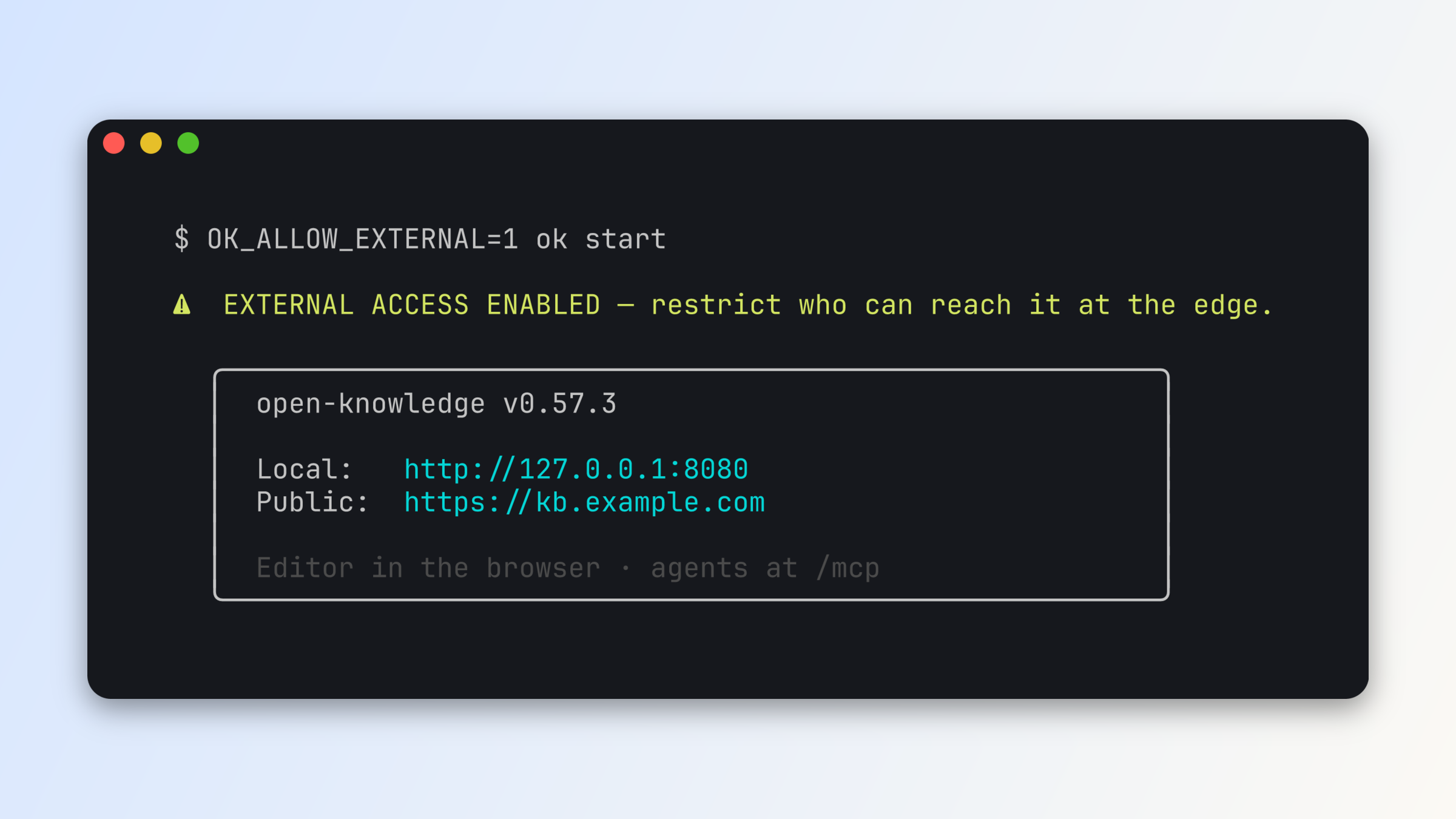\n\nSetup is a few lines of config.\n\n```yaml\n# .ok/config.yml â committed, shared with your team\nserver:\n port: 8080\n externalUrl: https://kb.example.com\n```\n\n```yaml\n# .ok/local/config.yml â this machine only\nserver:\n allowExternal: true\n idleShutdown: \'off\'\n```\n\nThen `ok start`. (For one-off runs and containers, the same declarations exist as environment variables â `OK_ALLOW_EXTERNAL=1 ok start`.)\n\nYou can use any HTTPS tunnel (Tailscale, ngrok, Cloudflare Tunnel) or reverse proxy in front of the service to add your own networking or authentication gates. The [self-hosting docs](https://openknowledge.ai/docs/self-hosting/overview) walk through each path.\n\nExpect more updates to come for Remote Control and self-hosted deployments: multi-person attribution, RBAC, and more.\n\n## How it\'s built\n\nFor Remote Control, there\'s deliberately no hosted service in the middle. The server you already run is the deployable unit: the exact same `ok start` runs on your laptop, a VPS, or a container, and your knowledge base stays a plain git repository on a disk you control.\n\nHere\'s the shape of it â rendered as a Mermaid diagram with [Visimer](https://
1openknowledge.ai/blog/edit-mermaid-diagrams-visually), which we launched yesterday:\n\n```mermaid\nflowchart LR\n subgraph SRV["One server â laptop, VPS, or container"]\n S["ok start"] <--> F["Your markdown files (a git repo)"]\n end\n B["Browser on any device"] -->|"https://kb.example.com"| S\n A["Agents (Claude Code, Cursor, ...)"] -->|"https://kb.example.com/mcp"| S\n```\n\n## Get started\n\nDownload the app for [macOS, Windows, or Linux](https://openknowledge.ai/download) or check out the [Remote Control](https://openknowledge.ai/docs/self-hosting/overview) docs.',wordCount:658,readingMinutes:4,timeRequired:"PT4M"},{content:'Mermaid diagrams are the go-to way that humans (and agents) like to represent diagrams when using Markdown. GitHub, IDEs like VS Code, and many docs and CMS platforms support Mermaid diagram rendering natively â it\'s largely become an extension of the Markdown format.\n\n\nToday, we\'re introducing Visimer, our visual editor for Mermaid diagrams. With Visimer, you can rename labels, change shapes, add new nodes, and otherwise edit diagrams by just clicking and dragging. Visimer is built directly into OpenKnowledge so any Mermaid diagram in your markdown is editable, and is also available as an [open source component library](https://www.visimer.com/).\n\n\n## The Problem\n\nOur workflow is often to use AI to help generate diagrams, and then we edit them to simplify or fine-tune details, especially when sharing with other team members or incorporating as part of a formal knowledge base.\n\n\nThe "fine-tuning" step can be cumbersome: using AI to make small edits, or digging into the source code to edit them. Mermaid syntax is powerful, but isn\'t necessarily intuitive to edit.\n\n\nWe wanted to make Mermaid diagrams intuitive to edit, taking a similar approach to how we built OpenKnowledge to be an intuitive, accessible way to edit markdown.\n\n\n## The Visual Editor\n\nVisimer works as an overlay over the native Mermaid.js renderer. As you make edits, you see the changes take effect immediately.\n\nTo edit within OpenKnowledge, just open any Mermaid file (`.mmd` files) or any Markdown file with a Mermaid diagram in the OpenKnowledge app and click the edit icon.\n\n\n\nYou\'ll see the live editor open as a modal with the visual editor and the source code editor side by side.\n\nClick a node and a little popover shows up on the diagram: shape, colors, arrow types, duplicate, delete. Double-click a label and just type.\n\n22 of the 23 Mermaid diagram types are editable. While most things can be edited visually, some â like the exact layout â cannot (due to the nature of the Mermaid renderer/format).\n\n## Architecture\n\nWe briefly considered building a Mermaid renderer from scratch â it would\'ve let us build the editor to our full liking and avoided some constraints â but we wanted to preserve the native rendering so you can see and edit the diagram as you would see it in other Mermaid renderers.\n\nSo we kept the native renderer and overlaid it with our own editor knobs.\n\nVisimer works by mapping the rendered Mermaid diagram SVG to a Concrete Syntax Tree (CST) representation.\n\nWe use that CST to edit the source file in only the places where it needs to be edited.\n\nThis approach allows us to provide edit functionality without clobbering comments or modifying other parts of the file.\n\nHere\'s a real Mermaid diagram that showcases the architecture and is itself editable (we added Visimer to our blog site):\n\n```mermaid\nflowchart TD\n SRC["Your Mermaid source"] --> MR["Mermaid.js renderer (unmodified)"]\n MR --> SVG["Rendered SVG"]\n SVG --> COR["Correlator: SVG element â CST span"]\n COR --> OV["Point-edit overlay"]\n OV -->|"minimal text edit"| SRC\n```\n\n## OSS Library\n\nThe editing engine turned out to be useful on its own, so it ships as a standalone MIT-licensed library: **[Visimer](https://github.com/inkeep/visimer)** â a headless core (`@visimer/core`) with DOM, React, CodeMirror, and Monaco bindings as scoped packages.\n\nOpenKnowledge is the first app to adopt it natively end to end, and we hope to see it in more apps soon.',title:"Edit Mermaid diagrams visually with Visimer",summary:"Edit Mermaid diagrams visually with Visimer, the open source library that powers the Mermaid editing experience in OpenKnowledge.",author:"Abraham Aremu",date:"2026-08-17",tags:["Launch Week","Feature Launches"],primaryTag:"Launch Week",isFeatured:!0,hidden:!1,thumbnail:"/marketing-assets/images/blog/edit-mermaid-diagrams-visually-thumbn
1ail.png",heroVideo:"/marketing-assets/images/blog/edit-mermaid-diagrams-visually-rename-loop.mp4",_meta:{filePath:"edit-mermaid-diagrams-visually.mdx",fileName:"edit-mermaid-diagrams-visually.mdx",directory:".",extension:"mdx",path:"edit-mermaid-diagrams-visually"},mdx:'var Component=(()=>{var m=Object.create;var t=Object.defineProperty;var p=Object.getOwnPropertyDescriptor;var u=Object.getOwnPropertyNames;var g=Object.getPrototypeOf,w=Object.prototype.hasOwnProperty;var y=(n,e)=>()=>(e||n((e={exports:{}}).exports,e),e.exports),b=(n,e)=>{for(var r in e)t(n,r,{get:e[r],enumerable:!0})},d=(n,e,r,o)=>{if(e&&typeof e=="object"||typeof e=="function")for(let a of u(e))!w.call(n,a)&&a!==r&&t(n,a,{get:()=>e[a],enumerable:!(o=p(e,a))||o.enumerable});return n};var f=(n,e,r)=>(r=n!=null?m(g(n)):{},d(e||!n||!n.__esModule?t(r,"default",{value:n,enumerable:!0}):r,n)),M=n=>d(t({},"__esModule",{value:!0}),n);var l=y((V,s)=>{s.exports=_jsx_runtime});var v={};b(v,{default:()=>c});var i=f(l());function h(n){let e={a:"a",code:"code",h2:"h2",img:"img",p:"p",pre:"pre",strong:"strong",...n.components};return(0,i.jsxs)(i.Fragment,{children:[(0,i.jsx)(e.p,{children:"Mermaid diagrams are the go-to way that humans (and agents) like to represent diagrams when using Markdown. GitHub, IDEs like VS Code, and many docs and CMS platforms support Mermaid diagram rendering natively \\u2014 it\'s largely become an extension of the Markdown format."}),`\n`,(0,i.jsxs)(e.p,{children:["Today, we\'re introducing Visimer, our visual editor for Mermaid diagrams. With Visimer, you can rename labels, change shapes, add new nodes, and otherwise edit diagrams by just clicking and dragging. Visimer is built directly into OpenKnowledge so any Mermaid diagram in your markdown is editable, and is also available as an ",(0,i.jsx)(e.a,{href:"https://www.visimer.com/",children:"open source component library"}),"."]}),`\n`,(0,i.jsx)(e.h2,{id:"the-problem",children:(0,i.jsx)(e.a,{className:"heading-anchor",href:"#the-problem",children:"The Problem"})}),`\n`,(0,i.jsx)(e.p,{children:"Our workflow is often to use AI to help generate diagrams, and then we edit them to simplify or fine-tune details, especially when sharing with other team members or incorporating as part of a formal knowledge base."}),`\n`,(0,i.jsx)(e.p,{children:`The "fine-tuning" step can be cumbersome: using AI to make small edits, or digging into the source code to edit them. Mermaid syntax is powerful, but isn\'t necessarily intuitive to edit.`}),`\n`,(0,i.jsx)(e.p,{children:"We wanted to make Mermaid diagrams intuitive to edit, taking a similar approach to how we built OpenKnowledge to be an intuitive, accessible way to edit markdown."}),`\n`,(0,i.jsx)(e.h2,{id:"the-visual-editor",children:(0,i.jsx)(e.a,{className:"heading-anchor",href:"#the-visual-editor",children:"The Visual Editor"})}),`\n`,(0,i.jsx)(e.p,{children:"Visimer works as an overlay over the native Mermaid.js renderer. As you make edits, you see the changes take effect immediately."}),`\n`,(0,i.jsxs)(e.p,{children:["To edit within OpenKnowledge, just open any Mermaid file (",(0,i.jsx)(e.code,{children:".mmd"})," files) or any Markdown file with a Mermaid diagram in the OpenKnowledge app and click the edit icon."]}),`\n`,(0,i.jsx)(e.p,{children:(0,i.jsx)(e.img,{src:"/marketing-assets/images/blog/edit-mermaid-diagrams-visually-hero.png",alt:"The OpenKnowledge app rendering a Mermaid deploy-pipeline diagram with the Visimer edit popover open over a node"})}),`\n`,(0,i.jsx)(e.p,{children:"You\'ll see the live editor open as a modal with the visual editor and the source code editor side by side."}),`\n`,(0,i.jsx)(e.p,{children:"Click a node and a little popover shows up on the diagram: shape, colors, arrow types, duplicate, delete. Double-click a label and just type."}),`\n`,(0,i.jsx)(e.p,{children:"22 of the 23 Mermaid diagram types are editable. While most things can be edited visually, some \\u2014 like the exact layout \\u2014 cannot (due to the nature of the Mermaid renderer/format)."}),`\n`,(0,i.jsx)(e.h2,{id:"architecture",children:(0,i.jsx)(e.a,{className:"heading-anchor",href:"#architecture",children:"Architecture"})}),`\n`,(0,i.jsx)(e.p,{children:"We briefly considered building a Mermaid renderer from scratch \\u2014 it would\'ve let us build the editor to our full liking and avoided some constraints \\u2014 but we wanted to preserve the native rendering so you can see and edit the diagram as you would see it in other Mermaid renderers."}),`\n`,(0,i.jsx)(e.p,{children:"So we kept the native renderer and overlaid it with our own editor knobs."}),`\n`,(0,i.jsx)(e.p,{children:"Visimer works by mapping the rendered Mermaid diagram SVG to a Concrete Syntax Tree (CST) representation."}),`\n`,(0,i.jsx)(e.p,{children:"We use that CST to edit the source file in only the places where it needs to be edited."}),`\n`,(0,i.jsx)(e.p,{children:"This approach allows us to provide edit functionality without clobbering comments or modifying other parts of the file."}),`\n`,(0,i.jsx)(e.p,{children:"Here\'s a real Mermaid diagram that showcases the architecture and is itself editable (we added Visimer to our blog site):"}),`\n`,(0,i.jsx)(e.pre,{children:(0,i.jsx)(e.code,{className:"language-mermaid",children:`flowchart TD\n SRC["Your Mermaid source"] --> MR["Mermaid.js renderer (unmodified)"]\n MR --> SVG["Rendered SVG"]\n SVG --> COR["Correlator: SVG element \\u2192 CST span"]\n COR --> OV["Point-edit overlay"]\n OV -->|"minimal text edit"| SRC\n`})}),`\n`,(0,i.jsx)(e.h2,{id:"oss-library",children:(0,i.jsx)(e.a,{className:"heading-anchor",href:"#oss-library",children:"OSS Library"})}),`\n`,(0,i.jsxs)(e.p,{children:["The editing engine turned out to be useful on its own, so it ships as a standalone MIT-licensed library: ",(0,i.jsx)(e.strong,{children:(0,i.jsx)(e.a,{href:"https://github.com/inkeep/visimer",children:"Visimer"})})," \\u2014 a headless core (",(0,i.jsx)(e.code,{children:"@visimer/core"}),") with DOM, React, CodeMirror, and Monaco bindings as scoped packages."]}),`\n`,(0,i.jsx)(e.p,{children:"OpenKnowledge is the first app to adopt it natively end to end, and we hope to see it in more apps soon."})]})}function c(n={}){let{wrapper:e}=n.components||{};return e?(0,i.jsx)(e,{...n,children:(0,i.jsx)(h,{...n})}):h(n)}return M(v);})();\n;return Component;',slug:"edit-mermaid-diagrams-visually",markdown:'Mermaid diagrams are the go-to
1way that humans (and agents) like to represent diagrams when using Markdown. GitHub, IDEs like VS Code, and many docs and CMS platforms support Mermaid diagram rendering natively â it\'s largely become an extension of the Markdown format.\n\nToday, we\'re introducing Visimer, our visual editor for Mermaid diagrams. With Visimer, you can rename labels, change shapes, add new nodes, and otherwise edit diagrams by just clicking and dragging. Visimer is built directly into OpenKnowledge so any Mermaid diagram in your markdown is editable, and is also available as an [open source component library](https://www.visimer.com/).\n\n## The Problem\n\nOur workflow is often to use AI to help generate diagrams, and then we edit them to simplify or fine-tune details, especially when sharing with other team members or incorporating as part of a formal knowledge base.\n\nThe "fine-tuning" step can be cumbersome: using AI to make small edits, or digging into the source code to edit them. Mermaid syntax is powerful, but isn\'t necessarily intuitive to edit.\n\nWe wanted to make Mermaid diagrams intuitive to edit, taking a similar approach to how we built OpenKnowledge to be an intuitive, accessible way to edit markdown.\n\n## The Visual Editor\n\nVisimer works as an overlay over the native Mermaid.js renderer. As you make edits, you see the changes take effect immediately.\n\nTo edit within OpenKnowledge, just open any Mermaid file (`.mmd` files) or any Markdown file with a Mermaid diagram in the OpenKnowledge app and click the edit icon.\n\n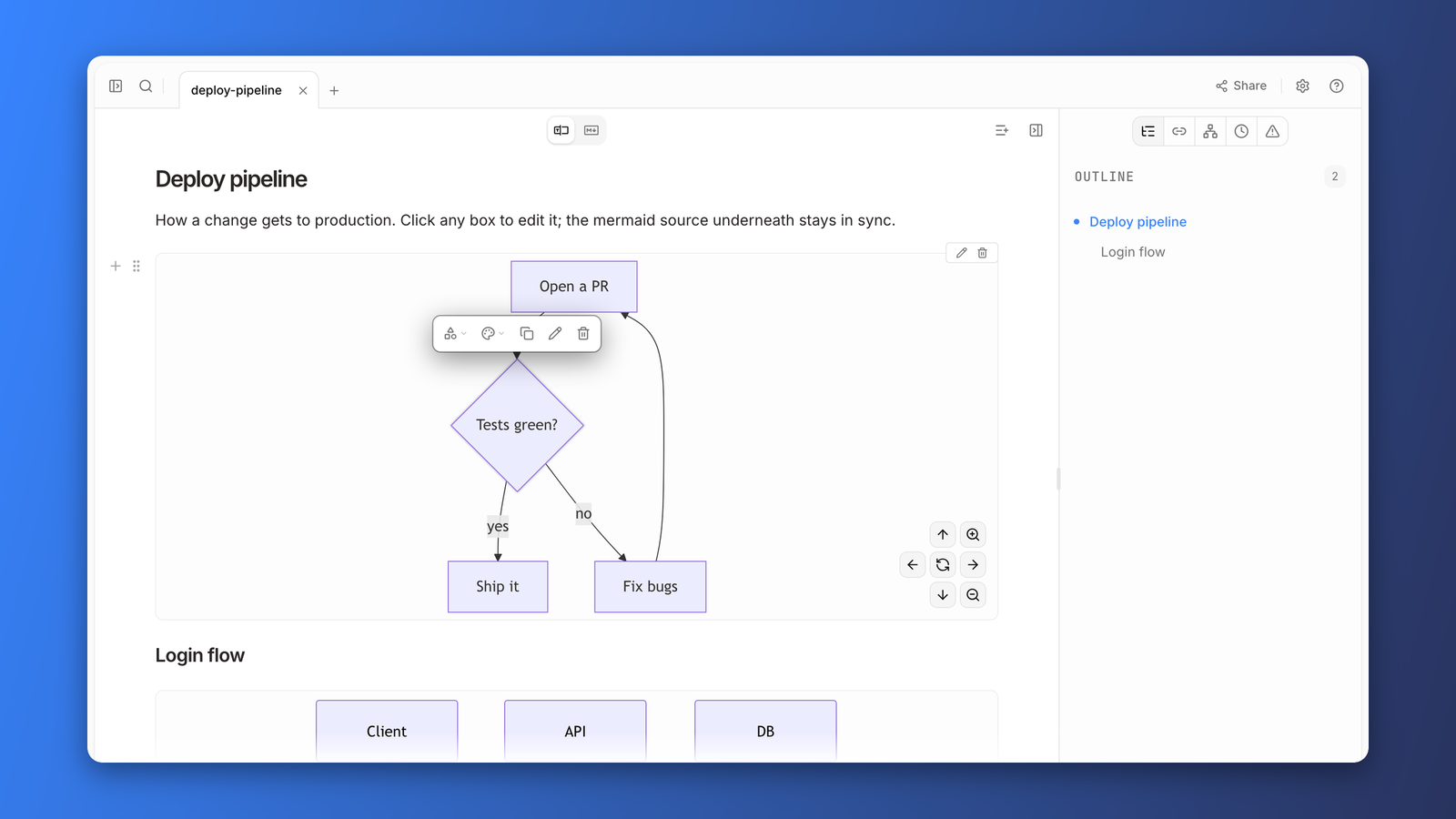\n\nYou\'ll see the live editor open as a modal with the visual editor and the source code editor side by side.\n\nClick a node and a little popover shows up on the diagram: shape, colors, arrow types, duplicate, delete. Double-click a label and just type.\n\n22 of the 23 Mermaid diagram types are editable. While most things can be edited visually, some â like the exact layout â cannot (due to the nature of the Mermaid renderer/format).\n\n## Architecture\n\nWe briefly considered building a Mermaid renderer from scratch â it would\'ve let us build the editor to our full liking and avoided some constraints â but we wanted to preserve the native rendering so you can see and edit the diagram as you would see it in other Mermaid renderers.\n\nSo we kept the native renderer and overlaid it with our own editor knobs.\n\nVisimer works by mapping the rendered Mermaid diagram SVG to a Concrete Syntax Tree (CST) representation.\n\nWe use that CST to edit the source file in only the places where it needs to be edited.\n\nThis approach allows us to provide edit functionality without clobbering comments or modifying other parts of the file.\n\nHere\'s a real Mermaid diagram that showcases the architecture and is itself editable (we added Visimer to our blog site):\n\n```mermaid\nflowchart TD\n SRC["Your Mermaid source"] --> MR["Mermaid.js renderer (unmodified)"]\n MR --> SVG["Rendered SVG"]\n SVG --> COR["Correlator: SVG element â CST span"]\n COR --> OV["Point-edit overlay"]\n OV -->|"minimal text edit"| SRC\n```\n\n## OSS Library\n\nThe editing engine turned out to be useful on its own, so it ships as a standalone MIT-licensed library: **[Visimer](https://github.com/inkeep/visimer)** â a headless core (`@visimer/core`) with DOM, React, CodeMirror, and Monaco bindings as scoped packages.\n\nOpenKnowledge is the first app to adopt it natively end to end, and we hope to see it in more apps soon.',wordCount:575,readingMinutes:3,timeRequired:"PT3M"},{content:'## Problem\n\nWhen growing a knowledge base (KB), it is important to maintain document hygiene. You may want specific organization of section headings, formats for links, or general spacing of a document. This is known as **linting.**\n\nFor users with existing KBs, we know that you all may have existing linting rules to keep the KB from drift. When coming to a new editor, you might not want to learn about a bespoke system. You just want your editor and
1your agents to be aware of your existing rules.\n\nFor users with new KBs, you may want document hygiene, but you don\'t want to have to craft some JSON config. You just want to turn on a system and easily tweak it if necessary.\n\nFinally, a knowledge base isn\'t only written by humans anymore. Agents draft docs, take notes, and reorganize content. You want your agents held to the same rules you are, or hygiene rules won\'t keep drift out.\n\nWe understand those desires and are introducing native support for markdownlint in **Open Knowledge: your existing config works as-is, a GUI builds one if you don\'t have it, and your agents see the same rules you do**.\n\n\n\n## What is markdownlint?\n\nAt its core, Markdown is a very forgiving language. It renders differently depending on the editor and allows for small inconsistencies to build up. A linter can reduce that by enforcing consistency across contributors, preventing bugs from surfacing.\n\nHere is an example:\n\n```markdown\n# My Guide\n\nHere are the steps:\n1. Install the tool\n2. Configure it:\n* Set the path\n* Set the token\n3. Run it\n```\n\nWhile this looks correct, as plain text, it can break for some renderers. There is no space between "Here are the steps:" and the list, and the bullets are indented in the ordered list inconsistently. Because of this, some renderers may display incorrect nesting or weird collapsing. A linter such as markdownlint can provide rules to guard against this.\n\n- **MD032** - lists should be surrounded by blank lines\n- **MD004** - inconsistent unordered list style (mixing markers)\n\nA corrected version would look like this:\n\n```markdown\n# My Guide\n\nHere are the steps:\n\n1. Install the tool\n2. Configure it:\n - Set the path\n - Set the token\n3. Run it\n```\n\n[Markdownlint](https://github.com/DavidAnson/markdownlint) is the de facto standard for linting Markdown. It powers the most popular VS Code Markdown linting extension as well as many CI pipelines. It provides roughly 60 linting rules for file-body structure to maintain style and prevent drift. These rules range from headings, lists, whitespace, code blocks, links, and overall style preferences.\n\nIn Open Knowledge, this is the actual markdownlint engine, not a lookalike. Your config is read as-is, without the need to migrate or import.\n\n## Seeing your errors\n\nLike most editors, issues surface inline as you write, in both WYSIWYG and source mode. For a wider view, the Problems tab on the doc panel lists every issue in your current doc or across the whole project, and clicking an issue jumps you straight to it.\n\n\n\n## Fixing your errors\n\nWhile you can always fix an issue by hand, many markdownlint rules are auto-fixable wherever you see them:\n\n1. Hover over an issue and click "Fix" on the pop-up\n2. Click "Fix" or "Fix all" on issues in the Problems tab\n3. Run [`ok lint --fix`](/docs/advanced/content-rules/overview#from-the-command-line) from the terminal to auto-fix across the whole project\n\n\n\n## Your agents follow the rules too\n\nWith the plugin on, OpenKnowledge will surface lints to your agent. The `lint` MCP tool allows your agents to run the same lint rules that you see in the editor. It can check either a single file or the whole project, returning a structured array of all issues. Fixing works the same way. The `lint` MCP tool supports `fix: true`, which applies every deterministic fix with the markdownlint engine.\n\nHere is a lint of a doc with two issues, one of which is auto-fixable.\n\n```json\n{\n "text": "notes/onboarding.md: 2 warnings\\n â line 7 markdownlint/MD012: Multiple consecutive blank lines: Expected: 1; Actual: 2\\n â line 5 markdownlint/MD036: Emphasis used instead of a heading\\n1 of 2 are auto-fixable â pass `fix: true` to apply in place (attributed, live preview). The other 1 need content edits via `edit`/`write`.",\n "files": [\n {\n "file": "notes/onboarding.md",\n "diagnostics": [\n {\n "severity": "warning",\n "source": "markdownlint",\n "code": "MD012",\n "message": "Multiple consecutive blank lines: Expected: 1; Actual: 2",\n "range": {\n "start": { "line": 6, "character": 0 },\n "end": { "line": 6, "character": 0 }\n },\n "fixes": [\n {\n "range": {\n "start": { "line": 6, "character": 0 },\n "end": { "line": 7, "character": 0 }\n },\n "newText": ""\n }\n ]\n },\n {\n "severity": "warning",\n "source": "markdownlint",\n "code": "MD036",\n "message": "Emphasis used instead of a heading",\n "range": {\n "start": { "line": 4, "character": 0 },\n "end": { "line": 4, "character": 42 }\n }\n }\n ]\n }\n ],\n "errorCount": 0,\n "warningCount": 2\n}\n```\n\nAfter seeing the issue, the agent can call `lint` with `fix:true`. This fixes one of the issues and returns back a lint to your agent:\n\n```json\n{\n "text": "Fixed 1 problem in notes/onboarding.md.\\n â line 5 markdownlint/MD036: Emphasis used instead of a heading\\n1 problem remain (1 warning) â need content edits via `edit`/`write`.",\n "files": [\n {\n "file": "notes/onboarding.md",\n "diagnostics": [\n {\n "severity": "warning",\n "source": "markdownlint",\n "code": "MD036",\n "message": "Emphasis used instead of a heading",\n "range": {\n "start": { "line": 4, "character": 0 },\n "end": { "line": 4, "character": 42 }\n }\n }\n ]\n }\n ],\n "fixedCount": 1,\n "errorCount": 0,\n "warningCount": 1\n}\n```\n\nAll nondeterministic issues can be resolved by just asking the agent. With it aware of the MCP tools, it can find issues and suggest/apply fixes. You can also click the "Ask AI" button for individual issues in the Problems panel.\n\nAgents don\'t just clean up after the fact. When making edits, they receive a warnings array that includes any lint rules that they violated. **These never block a write, they only inform**. This way an agent can still contribute to the doc and follow up with linting fixes rather than rewrite the whole document.\n\nHere an agent appends a section but reaches for emphasis where a heading belongs. The edit lands, and the rule it broke comes back with it:\n\n```json\n{\n "text": "Edit applied successfully.\\nâ Content rule markdownlint/MD036 (warning, line 18): Emphasis used instead of a heading",\n "document": {\n "brokenLinks": [],\n "warnings": [\n {\n "kind": "lint-violation",\n "source": "markdownlint",\n "code": "MD036",\n "message": "Emphasis used instead of a heading",\n "severity": "warning",\n "line": 18,\n "column": 1\n }\n ]\n }\n}\n```\n\n## From zero to your ideal config\n\nTurn on the plugin in Settings â This project â Plugins and issues start appearing for your whole project immediately.\n\n- If you have an existing config, it just works.\n- If you don\'t, you start with the same defaults as the VS Code extension, and we don\'t create a config file until you customize something.\n\nFrom there, shape the rules to suit your KB. It\'s a standard `.markdownlint.json`, so power users can edit it by hand. And since it\'s just a file, your agent can edit it too.\n\nOpen Knowledge also supplies a GUI that maps 1:1 onto the config file, with explanations and documentation links for each option. The config updates only when you make a change, and it\'s always clear which rules you\'ve modified. You can also reset each entry to its default state, remov
1ing it from the config. This GUI is shown both in the WYSIWYG view for the file and in the plugin settings.\n\n\n\n## What\'s next?\n\nThis is just the first step in building plugins that help shape content rules for your knowledge base. Download the latest version of OpenKnowledge to try out markdownlint now, and follow us on [X](https://x.com/OpenKnowledge), join our [Discord](https://discord.gg/VRKk2EaGHN), star the [GitHub repo](https://github.com/inkeep/open-knowledge), and subscribe to our newsletter at [openknowledge.ai](https://openknowledge.ai) to see what comes next!',title:"Keeping you and your agents in check with markdownlint",summary:"Native markdownlint support in Open Knowledge: your existing config works as-is, a GUI builds one if you don't have it, and your agents see the same rules you do.",author:"Serafin Garcia",date:"2026-07-21",tags:["Feature Launches","Announcements"],isFeatured:!0,hidden:!1,thumbnail:"/marketing-assets/images/blog/markdownlint-support-thumbnail.png",_meta:{filePath:"markdownlint-support.mdx",fileName:"markdownlint-support.mdx",directory:".",extension:"mdx",path:"markdownlint-support"},mdx:'var Component=(()=>{var u=Object.create;var o=Object.defineProperty;var g=Object.getOwnPropertyDescriptor;var p=Object.getOwnPropertyNames;var m=Object.getPrototypeOf,w=Object.prototype.hasOwnProperty;var f=(i,e)=>()=>(e||i((e={exports:{}}).exports,e),e.exports),y=(i,e)=>{for(var t in e)o(i,t,{get:e[t],enumerable:!0})},s=(i,e,t,a)=>{if(e&&typeof e=="object"||typeof e=="function")for(let r of p(e))!w.call(i,r)&&r!==t&&o(i,r,{get:()=>e[r],enumerable:!(a=g(e,r))||a.enumerable});return i};var k=(i,e,t)=>(t=i!=null?u(m(i)):{},s(e||!i||!i.__esModule?o(t,"default",{value:i,enumerable:!0}):t,i)),b=i=>s(o({},"__esModule",{value:!0}),i);var d=f((j,l)=>{l.exports=_jsx_runtime});var x={};y(x,{default:()=>c});var n=k(d());function h(i){let e={a:"a",code:"code",h2:"h2",img:"img",li:"li",ol:"ol",p:"p",pre:"pre",strong:"strong",ul:"ul",...i.components};return(0,n.jsxs)(n.Fragment,{children:[(0,n.jsx)(e.h2,{id:"problem",children:(0,n.jsx)(e.a,{className:"heading-anchor",href:"#problem",children:"Problem"})}),`\n`,(0,n.jsxs)(e.p,{children:["When growing a knowledge base (KB), it is important to maintain document hygiene. You may want specific organization of section headings, formats for links, or general spacing of a document. This is known as ",(0,n.jsx)(e.strong,{children:"linting."})]}),`\n`,(0,n.jsx)(e.p,{children:"For users with existing KBs, we know that you all may have existing linting rules to keep the KB from drift. When coming to a new editor, you might not want to learn about a bespoke system. You just want your editor and your agents to be aware of your existing rules."}),`\n`,(0,n.jsx)(e.p,{children:"For users with new KBs, you may want document hygiene, but you don\'t want to have to craft some JSON config. You just want to turn on a system and easily tweak it if necessary."}),`\n`,(0,n.jsx)(e.p,{children:"Finally, a knowledge base isn\'t only written by humans anymore. Agents draft docs, take notes, and reorganize content. You want your agents held to the same rules you are, or hygiene rules won\'t keep drift out."}),`\n`,(0,n.jsxs)(e.p,{children:["We understand those desires and are introducing native support for markdownlint in ",(0,n.jsx)(e.strong,{children:"Open Knowledge: your existing config works as-is, a GUI builds one if you don\'t have it, and your agents see the same rules you do"}),"."]}),`\n`,(0,n.jsx)(e.p,{children:(0,n.jsx)(e.img,{src:"/marketing-assets/images/blog/markdownlint-fix-all-loop.webp",alt:"A doc with seven markdownlint warnings underlined in the editor and listed in the Problems panel. The pointer moves to Fix all, clicks, and every warning clears"})}),`\n`,(0,n.jsx)(e.h2,{id:"what-is-markdownlint",children:(0,n.jsx)(e.a,{className:"heading-anchor",href:"#what-is-markdownlint",children:"What is markdownlint?"})}),`\n`,(0,n.jsx)(e.p,{children:"At its core, Markdown is a very forgiving language. It renders differently depending on the editor and allows for small inconsistencies to build up. A linter can reduce that by enforcing consistency across contributors, preventing bugs from surfacing."}),`\n`,(0,n.jsx)(e.p,{children:"Here is an example:"}),`\n`,(0,n.jsx)(e.pre,{children:(0,n.jsx)(e.code,{className:"language-markdown",children:`# My Guide\n\nHere are the steps:\n1. Install the tool\n2. Configure it:\n* Set the path\n* Set the token\n3. Run it\n`})}),`\n`,(0,n.jsx)(e.p,{children:\'While this looks correct, as plain text, it can break for some renderers. There is no space between "Here are the steps:" and the list, and the bullets are indented in the ordered list inconsistently. Because of this, some renderers may display incorrect nesting or weird collapsing. A linter such as markdownlint can provide rules to guard against this.\'}),`\n`,(0,n.jsxs)(e.ul,{children:[`\n`,(0,n.jsxs)(e.li,{children:[(0,n.jsx)(e.strong,{children:"MD032"})," - lists should be surrounded by blank lines"]}),`\n`,(0,n.jsxs)(e.li,{children:[(0,n.jsx)(e.strong,{children:"MD004"})," - inconsistent unordered list style (mixing markers)"]}),`\n`]}),`\n`,(0,n.jsx)(e.p,{children:"A corrected version would look like this:"}),`\n`,(0,n.jsx)(e.pre,{children:(0,n.jsx)(e.code,{className:"language-markdown",children:`# My Guide\n\nHere are the steps:\n\n1. Install the tool\n2. Configure it:\n - Set the path\n - Set the token\n3. Run it\n`})}),`\n`,(0,n.jsxs)(e.p,{children:[(0,n.jsx)(e.a,{href:"https://github.com/DavidAnson/markdownlint",children:"Markdownlint"})," is the de facto standard for linting Markdown. It powers the most popular VS Code Markdown linting extension as well as many CI pipelines. It provides roughly 60 linting rules for file-body structure to maintain style and prevent drift. These rules range from headings, lists, whitespace, code blocks, links, and overall style preferences."]}),`\n`,(0,n.jsx)(e.p,{children:"In Open Knowledge, this is the actual markdownlint engine, not a lookalike. Your config is read as-is, without the need to migrate or import."}),`\n`,(0,n.jsx)(e.h2,{id:"seeing-your-errors",children:(0,n.jsx)(e.a,{className:"heading-anchor",href:"#seeing-your-errors",children:"Seeing your errors"})}),`\n`,(0,n.jsx)(e.p,{children:"Like most editors, issues surface inline as you write, in both WYSIWYG and source mode. For a wider view, the Problems tab on the doc panel lists every issue in your current doc or across the whole project, and clicking an issue jumps you straight to it."}),`\n`,(0,n.jsx)(e.p,{children:(0,n.jsx)(e.img,{src:"/marketing-assets/images/blog/markdownlint-problems-panel.png",alt:"Markdownlint warnings underlined inline in the OpenKnowledge editor, with the Problems panel open beside it on the Project tab, grouping ten warnings by file"})}),`\n`,(0,n.jsx)(e.h2,{id:"fixing-your-errors",children:(0,n.jsx)(e.a,{className:"heading-anchor",href:"#fixing-your-errors",children:"Fixing your errors"})}),`\n`,(0,n.jsx)(e.p,{children:"While you can always fix an issue by hand, many markdownlint rules are auto-fixable wherever you see them:"}),`\n`,(0,n.jsxs)(e.ol,{children:[`\n`,(0,n.jsx)(e.li,{children:\'Hover over an issue and click "Fix" on the pop-up\'}),`\n`,(0,n.jsx)(e.li,{children:\'Click "Fix" or "Fix all" on issues in the Problems tab\'}),`\n`,(0,n.jsxs)(e.li,{children:["Run ",(0,n.jsx)(e.a,{href:"/docs/advanced/content-rules/overview#from-the-command-line",children:(0,n.jsx)(e.code,{children:"ok lint --fix"})})," from the terminal to auto-fix across the whole project"]}),`\n`]}),`\n`,(0,n.jsx)(e.p,{children:(0,n.jsx)(e.img,{src:"/marketing-assets/images/blog/markdownlint-hover-fix.png",alt:\'Source mode in the OpenKnowledge editor with warning icons in the gutter. Hovering an underlined line opens a pop-up reading "Lists should be surrounded by blank lines, markdownlint/MD032" with a Fix button\'})}),`\n`,(0,n.jsx)(e.h2,{id:"your-agents-follow-the-rules-too",children:(0,n.jsx)(e.a,{className:"heading-anchor",href:"#your-agents-follow-the-rules-too",children:"Your agents follow the rules too"})}),`\n`,(0,n.jsxs)(e.p,{children:["With the plugin on, OpenKnowledge will surface lints to your agent. The ",(0,n.jsx)(e.code,{children:"lint"})," MCP tool allows your agents to run the same lint rules that you see in the editor. It can check either a single file or the whole project, returning a structured array of all issues. Fixing works the same way. The ",(0,n.jsx)(e.code,{children:"lint"})," MCP tool supports ",(0,n.jsx)(e.code,{children:"fix: true"}),", which applies every deterministic fix with the markdownlint engine."]}),`\n`,(0,n.jsx)(e.p,{children:"Here is a lint of a doc with two issues, one of which is auto-fixable."}),`\n`,(0,n.jsx)(e.pre,{children:(0,n.jsx)(e.code,{className:"language-json",children:`{\n "text": "notes/onboarding.md: 2 warnings\\\\n \\u26A0 line 7 markdownlint/MD012: Multiple consecutive blank lines: Expected: 1; Actual: 2\\\\n \\u26A0 line 5 markdownlint/MD036: Emphasis used instead of a heading\\\\n1 of 2 are auto-fixable \\u2014 pass \\`fix: true\\` to apply in place (attributed, live preview). The other 1 need content edits via \\`edit\\`/\\`write\\`.",\n "files": [\n {\n "file": "notes/onboarding.md",\n "diagnostics": [\n {\n "severity": "warning",\n "source": "markdownlint",\n "code": "MD012",\n "message": "Multiple consecutive blank lines: Expected: 1; Actual: 2",\n "range": {\n "start": { "line": 6, "character": 0 },\n "end": { "line": 6, "character": 0 }\n },\n "fixes": [\n {\n "range": {\n "start": { "line": 6, "character": 0 },\n "end": { "line": 7, "character": 0 }\n },\n "newText": ""\n }\n ]\n },\n {\n "severity": "warning",\n "source": "markdownlint",\n "code": "MD036",\n "message": "Emphasis used instead of a heading",\n "range": {\n "start": { "line": 4, "character": 0 },\n "end": { "line": 4, "character": 42 }\n }\n }\n ]\n }\n ],\n "errorCount": 0,\n "warningCount": 2\n}\n`})}),`\n`,(0,n.jsxs)(e.p,{children:["After seeing the issue, the agent can call ",(0,n.jsx)(e.code,{children:"lint"})," with ",(0,n.jsx)(e.code,{children:"fix:true"}),". This fixes one of the issues and returns back a lint to your agent:"]}),`\n`,(0,n.jsx)(e.pre,{children:(0,n.jsx)(e.code,{className:"language-json",children:`{\n "text": "Fixed 1 problem in notes/onboarding.md.\\\\n \\u26A0 line 5 markdownlint/MD036: Emphasis used instead of a heading\\\\n1 problem remain (1 warning) \\u2014 need content edits via \\`edit\\`/\\`write\\`.",\n "files": [\n {\n "file": "notes/onboarding.md",\n "diagnostics": [\n {\n "severity": "warning",\n "source": "markdownlint",\n "code": "MD036",\n "message": "Emphasis used instead of a heading",\n "range": {\n "start": { "line": 4, "character": 0 },\n "end": { "line": 4, "character": 42 }\n }\n }\n ]\n }\n ],\n "fixedCount": 1,\n "errorCount": 0,\n "warningCount": 1\n}\n`})}),`\n`,(0,n.jsx)(e.p,{children:\'All nondeterministic issues can be resolved by just asking the agent. With it aware of the MCP tools, it can find issues and suggest/apply fixes. You can also click the "Ask AI" button for individual issues in the Problems panel.\'}),`\n`,(0,n.jsxs)(e.p,{children:["Agents don\'t just clean up after the fact. When making edits, they receive a warnings array that includes any lint rules that they violated. ",(0,n.jsx)(e.strong,{children:"These never block a write, they only inform"}),". This way an agent can still contribute to the doc and follow up with linting fixes rather than rewrite the whole document."]}),`\n`,(0,n.jsx)(e.p,{children:"Here an agent appends a section but reaches for emphasis where a heading belongs. The edit lands, and the rule it broke comes back with it:"}),`\n`,(0,n.jsx)(e.pre,{children:(0,n.jsx)(e.code,{className:"language-json",children:`{\n "text": "Edit applied successfully.\\\\n\\u26A0 Content rule markdownlint/MD036 (warning, line 18): Emphasis used instead of a heading",\n "document": {\n "brokenLinks": [],\n "warnings": [\n {\n "kind": "lint-violation",\n "source": "markdownlint",\n "code": "MD036",\n "message": "Emphasis used instead of a heading",\n "severity": "warning",\n "line": 18,\n "column": 1\n }\n ]\n }\n}\n`})}),`\n`,(0,n.jsx)(e.h2,{id:"from-zero-to-your-ideal-config",children:(0,n.jsx)(e.a,{className:"heading-anchor",href:"#from-zero-to-your-ideal-config",children:"From zero to your ideal config"})}),`\n`,(0,n.jsx)(e.p,{children:"Turn on the plugin in Settings \\u2192 This project \\u2192 Plugins and issues start appearing for your whole project immediately."}),`\n`,(0,n.jsxs)(e.ul,{children:[`\n`,(0,n.jsx)(e.li,{children:"If you have an existing config, it just works."}),`\n`,(0,n.jsx)(e.li,{children:"If you don\'t, you start with the same defaults as the VS Code extension, and we don\'t create a config file until you customize something."}),`\n`]}),`\n`,(0,n.jsxs)(e.p,{children:["From there, shape the rules to suit your KB. It\'s a standard ",(0,n.jsx)(e.code,{children:".markdownlint.json"}),", so power users can edit it by hand. And since it\'s just a file, your agent can edit it too."]}),`\n`,(0,n.jsx)(e.p,{children:"Open Knowledge also supplies a GUI that maps 1:1 onto the config file, with explanations and documentation links for each option. The config updates only when you make a change, and it\'s always clear which rules you\'ve modified. You can also reset each entry to its default state, remov
1ing it from the config. This GUI is shown both in the WYSIWYG view for the file and in the plugin settings."}),`\n`,(0,n.jsx)(e.p,{children:(0,n.jsx)(e.img,{src:"/marketing-assets/images/blog/markdownlint-config-gui.png",alt:"The markdownlint plugin settings in OpenKnowledge. A note explains the rules come from the project\'s .markdownlint.json and that changes write back to the file, above a searchable list of rules grouped by category with per-rule toggles"})}),`\n`,(0,n.jsx)(e.h2,{id:"whats-next",children:(0,n.jsx)(e.a,{className:"heading-anchor",href:"#whats-next",children:"What\'s next?"})}),`\n`,(0,n.jsxs)(e.p,{children:["This is just the first step in building plugins that help shape content rules for your knowledge base. Download the latest version of OpenKnowledge to try out markdownlint now, and follow us on ",(0,n.jsx)(e.a,{href:"https://x.com/OpenKnowledge",children:"X"}),", join our ",(0,n.jsx)(e.a,{href:"https://discord.gg/VRKk2EaGHN",children:"Discord"}),", star the ",(0,n.jsx)(e.a,{href:"https://github.com/inkeep/open-knowledge",children:"GitHub repo"}),", and subscribe to our newsletter at ",(0,n.jsx)(e.a,{href:"https://openknowledge.ai",children:"openknowledge.ai"})," to see what comes next!"]})]})}function c(i={}){let{wrapper:e}=i.components||{};return e?(0,n.jsx)(e,{...i,children:(0,n.jsx)(h,{...i})}):h(i)}return b(x);})();\n;return Component;',slug:"markdownlint-support",markdown:'## Problem\n\nWhen growing a knowledge base (KB), it is important to maintain document hygiene. You may want specific organization of section headings, formats for links, or general spacing of a document. This is known as **linting.**\n\nFor users with existing KBs, we know that you all may have existing linting rules to keep the KB from drift. When coming to a new editor, you might not want to learn about a bespoke system. You just want your editor and your agents to be aware of your existing rules.\n\nFor users with new KBs, you may want document hygiene, but you don\'t want to have to craft some JSON config. You just want to turn on a system and easily tweak it if necessary.\n\nFinally, a knowledge base isn\'t only written by humans anymore. Agents draft docs, take notes, and reorganize content. You want your agents held to the same rules you are, or hygiene rules won\'t keep drift out.\n\nWe understand those desires and are introducing native support for markdownlint in **Open Knowledge: your existing config works as-is, a GUI builds one if you don\'t have it, and your agents see the same rules you do**.\n\n\n\n## What is markdownlint?\n\nAt its core, Markdown is a very forgiving language. It renders differently depending on the editor and allows for small inconsistencies to build up. A linter can reduce that by enforcing consistency across contributors, preventing bugs from surfacing.\n\nHere is an example:\n\n```markdown\n# My Guide\n\nHere are the steps:\n1. Install the tool\n2. Configure it:\n* Set the path\n* Set the token\n3. Run it\n```\n\nWhile this looks correct, as plain text, it can break for some renderers. There is no space between "Here are the steps:" and the list, and the bullets are indented in the ordered list inconsistently. Because of this, some renderers may display incorrect nesting or weird collapsing. A linter such as markdownlint can provide rules to guard against this.\n\n- **MD032** - lists should be surrounded by blank lines\n- **MD004** - inconsistent unordered list style (mixing markers)\n\nA corrected version would look like this:\n\n```markdown\n# My Guide\n\nHere are the steps:\n\n1. Install the tool\n2. Configure it:\n - Set the path\n - Set the token\n3. Run it\n```\n\n[Markdownlint](https://github.com/DavidAnson/markdownlint) is the de facto standard for linting Markdown. It powers the most popular VS Code Markdown linting extension as well as many CI pipelines. It provides roughly 60 linting rules for file-body structure to maintain style and prevent drift. These rules range from headings, lists, whitespace, code blocks, links, and overall style preferences.\n\nIn Open Knowledge, this is the actual markdownlint engine, not a lookalike. Your config is read as-is, without the need to migrate or import.\n\n## Seeing your errors\n\nLike most editors, issues surface inline as you write, in both WYSIWYG and source mode. For a wider view, the Problems tab on the doc panel lists every issue in your current doc or across the whole project, and clicking an issue jumps you straight to it.\n\n\n\n## Fixing your errors\n\nWhile you can always fix an issue by hand, many markdownlint rules are auto-fixable wherever you see them:\n\n1. Hover over an issue and click "Fix" on the pop-up\n2. Click "Fix" or "Fix all" on issues in the Problems tab\n3. Run [`ok lint --fix`](https://openknowledge.ai/docs/advanced/content-rules/overview#from-the-command-line) from the terminal to auto-fix across the whole project\n\n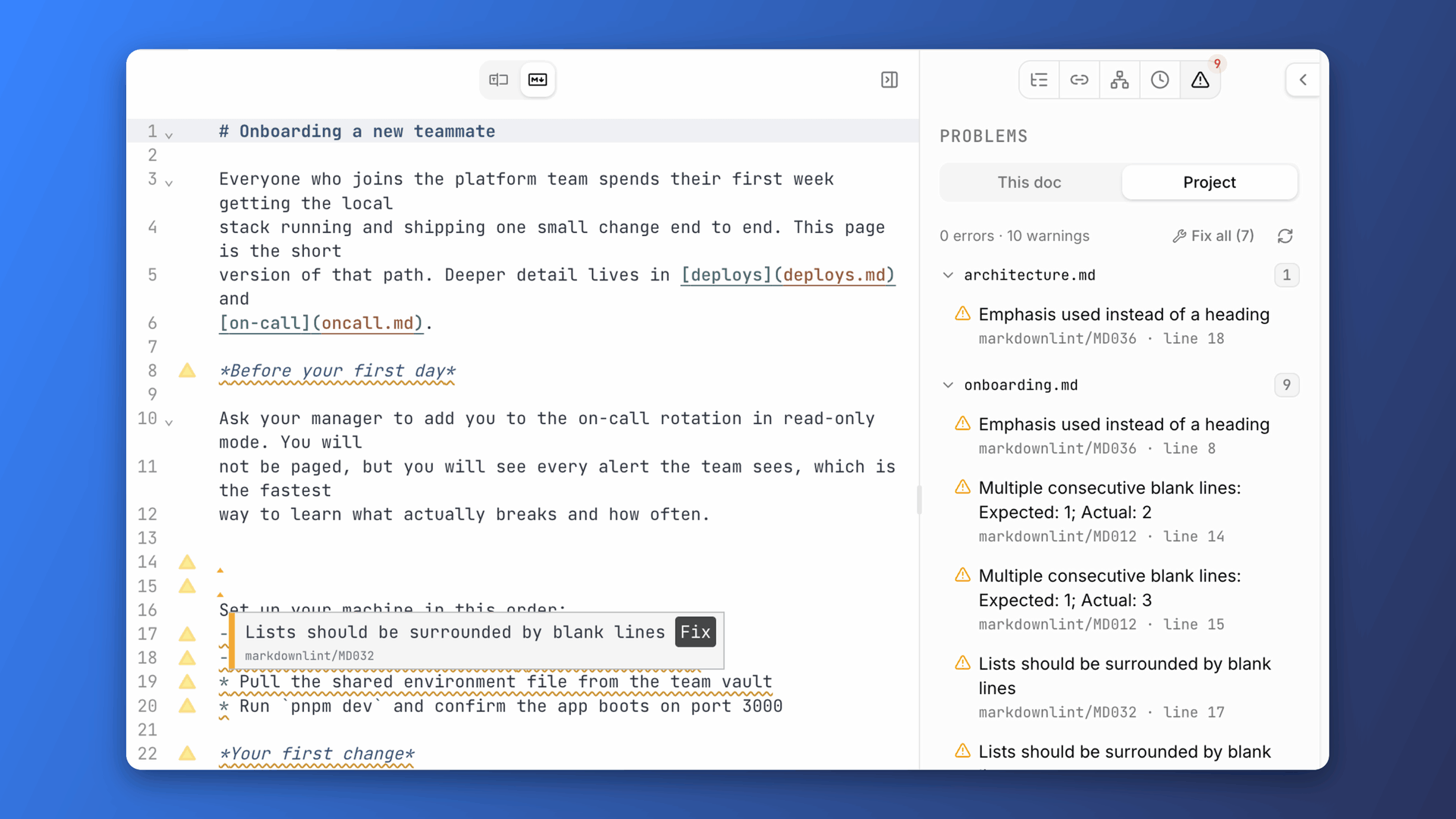\n\n## Your agents follow the rules too\n\nWith the plugin on, OpenKnowledge will surface lints to your agent. The `lint` MCP tool allows your agents to run the same lint rules that you see in the editor. It can check either a single file or the whole project, returning a structured array of all issues. Fixing works the same way. The `lint` MCP tool supports `fix: true`, which applies every deterministic fix with the markdownlint engine.\n\nHere is a lint of a doc with two issues, one of which is auto-fixable.\n\n```json\n{\n "text": "notes/onboarding.md: 2 warnings\\n â line 7 markdownlint/MD012: Multiple consecutive blank lines: Expected: 1; Actual: 2\\n â line 5 markdownlint/MD036: Emphasis used instead of a heading\\n1 of 2 are auto-fixable â pass `fix: true` to apply in place (attributed, live preview). The other 1 need content edits via `edit`/`write`.",\n "files": [\n {\n "file": "notes/onboarding.md",\n "diagnostics": [\n {\n "severity": "warning",\n "source": "markdownlint",\n "code": "MD012",\n "message": "Multiple consecutive blank lines: Expected: 1; Actual: 2",\n "range": {\n "start": { "line": 6, "character": 0 },\n "end": { "line": 6, "character": 0 }\n },\n "fixes": [\n {\n "range": {\n "start": { "line": 6, "character": 0 },\n "end": { "line": 7, "character": 0 }\n },\n "newText": ""\n }\n ]\n },\n {\n "severity": "warning",\n "source": "markdownlint",\n "code": "MD036",\n "message": "Emphasis used instead of a heading",\n "range": {\n "start": { "line": 4, "character": 0 },\n "end": { "line": 4, "character": 42 }\n }\n }\n ]\n }\n ],\n "errorCount": 0,\n "warningCount": 2\n}\n```\n\nAfter seeing the issue, the agent can call `lint` with `fix:true`. This fixes one of the issues and returns back a lint to your agent:\n\n```json\n{\n "text": "Fixed 1 problem in notes/onboarding.md.\\n â line 5 markdownlint/MD036: Emphasis used instead of a heading\\n1 problem remain (1 warning) â need content edits via `edit`/`write`.",\n "files": [\n {\n "file": "notes/onboarding.md",\n "diagnostics": [\n {\n "severity": "warning",\n "source": "markdownlint",\n "code": "MD036",\n "message": "Emphasis used instead of a heading",\n "range": {\n "start": { "line": 4, "character": 0 },\n "end": { "line": 4, "character": 42 }\n }\n }\n ]\n }\n ],\n "fixedCount": 1,\n "errorCount": 0,\n "warningCount": 1\n}\n```\n\nAll nondeterministic issues can be resolved by just asking the agent. With it aware of the MCP tools, it can find issues and suggest/apply fixes. You can also click the "Ask AI" button for individual issues in the Problems panel.\n\nAgents don\'t just clean up after the fact. When making edits, they receive a warnings array that includes any lint rules that they violated. **These never block a write, they only inform**. This way an agent can still contribute to the doc and follow up with linting fixes rather than rewrite the whole document.\n\nHere an agent appends a section but reaches for emphasis where a heading belongs. The edit lands, and the rule it broke comes back with it:\n\n```json\n{\n "text": "Edit applied successfully.\\nâ Content rule markdownlint/MD036 (warning, line 18): Emphasis used instead of a heading",\n "document": {\n "brokenLinks": [],\n "warnings": [\n {\n "kind": "lint-violation",\n "source": "markdownlint",\n "code": "MD036",\n "message": "Emphasis used instead of a heading",\n "severity": "warning",\n "line": 18,\n "column": 1\n }\n ]\n }\n}\n```\n\n## From zero to your ideal config\n\nTurn on the plugin in Settings â This project â Plugins and issues start appearing for your whole project immediately.\n\n- If you have an existing config, it just works.\n- If you don\'t, you start with the same defaults as the VS Code extension, and we don\'t create a config file until you customize something.\n\nFrom there, shape the rules to suit your KB. It\'s a standard `.markdownlint.json`, so power users can edit it by hand. And since it\'s just a file, your agent can edit it too.\n\nOpen Knowledge also supplies a GUI that maps 1:1 onto the config file, with explanations and documentation links for each option. The config updates only when you make a change, and it\'s always clear which rules you\'ve modified. You can also reset each entry to its default state, remov
1ing it from the config. This GUI is shown both in the WYSIWYG view for the file and in the plugin settings.\n\n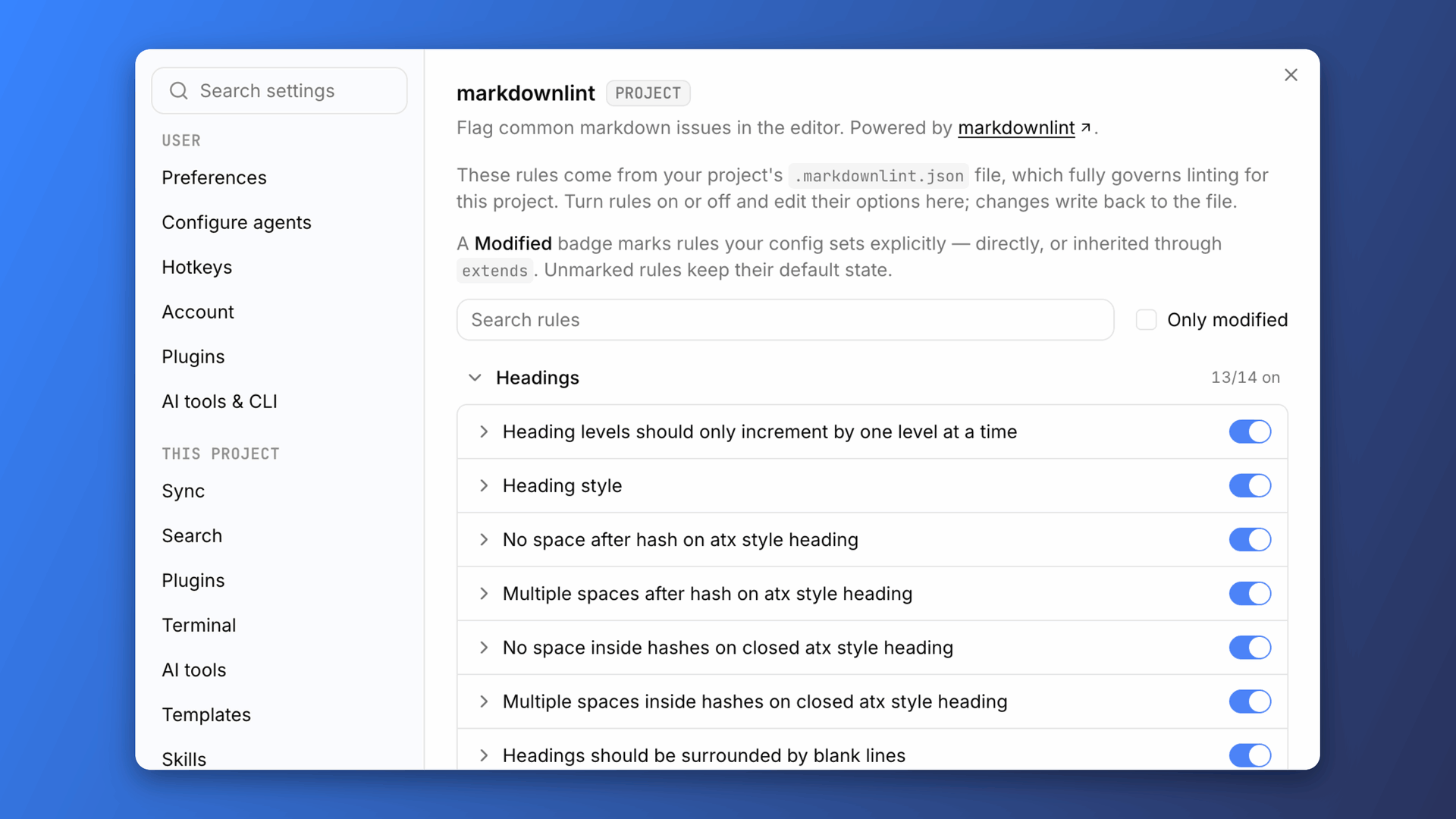\n\n## What\'s next?\n\nThis is just the first step in building plugins that help shape content rules for your knowledge base. Download the latest version of OpenKnowledge to try out markdownlint now, and follow us on [X](https://x.com/OpenKnowledge), join our [Discord](https://discord.gg/VRKk2EaGHN), star the [GitHub repo](https://github.com/inkeep/open-knowledge), and subscribe to our newsletter at [openknowledge.ai](https://openknowledge.ai) to see what comes next!',wordCount:1431,readingMinutes:8,timeRequired:"PT8M"},{content:'Today, we\'re making generally available an even more integrated way to use your favorite agent directly within OpenKnowledge with our own native UI experience built on top of ACP.\n\n## The Agent Sidepanel\n\nTo try it out, use the "Ask AI" composer in the UI or the `Cmd+L` shortcut to open the Agent Sidepanel.\n\nHere, you can start new conversations with any agent and switch between existing conversations. You can tag files and folders with `@`, attach images, and use an agent\'s slash commands.\n\n\n\nWhen agents make edits, the new **Follow Mode** updates the OpenKnowledge viewer to open the documents the agent modifies as it works. When the agent edits a page, you\'re taken there and watch the changes land live, with animations that let you follow along.\n\n\n## Comments for agents\n\nAnother way to interact with agents is by leaving comments. We\'ve found it particularly helpful for annotating engineering specs, blog drafts, and documentation.\n\nTo leave comments, select any text or content and click on the **Comment** button, or use `Cmd+Shift+M`. That\'ll add the comment to your comment queue and open the comments sidebar, where you can review all pending comments.\n\n\n\nWhen you\'re done leaving comments, press **Send to chat** in the comments sidebar. Your agent gets full context on the files and content selected and can work through all changes at once.\n\n## Powered by Agent Client Protocol\n\nThis experience is powered by the [Agent Client Protocol](https://agentclientprotocol.com) (ACP), which also enables integrations with 30+ agent harnesses.\n\nACP leverages whichever agents you already have on your computer, so no separate sign-in or billing is required.\n\nAgents inherit and use all the MCP servers and skills on your computer, so they keep all the same capabilities you expect.\n\n```mermaid\nflowchart LR\n subgraph OK["OpenKnowledge"]\n P["Agent Sidepanel"] --> T["Session manager"]\n C["Comment queue"] --> P\n end\n T -->|"ACP"| A["Any of 30+ agents, running locally"]\n A -->|"edits via the collaboration engine"| D["Your documents"]\n```\n\n## Get started\n\nUpdate to the latest OpenKnowledge (or [download it](https://openknowledge.ai/download)), open **Settings â Configure agents**, and enable an agent under **In app**. Press `Cmd+L`, or leave a few comments and send them.',title:"Native Integrations with any agent via ACP",summary:"Chat with any of 30+ agents within OpenKnowledge with a new native chat and comments UI.",author:"Mike Rashkovsky",authors:[{name:"Mike Rashkovsky"},{name:"Abraham Aremu"}],date:"2026-08-19",tags:["Launch Week","Feature Launches"],primaryTag:"Launch Week",isFeatured:!0,hidden:!1,thumbnail:"/marketing-assets/images/blog/native-integrations-with-any-agent-via-acp/agents-panel-v2.png",_meta:{filePath:"native-integrations-with-any-agent-via-acp.mdx",fileName:"native-integrations-with-any-agent-via-acp.mdx",directory:".",extension:"mdx",path:"native-integrations-with-any-agent-via-acp"},mdx:'var Component=(()=>{var g=Object.create;var i=Object.defineProperty;var m=Object.getOwnPropertyDescriptor;var p=Object.getOwnPropertyNames;var u=Object.getPrototypeOf,w=Object.prototype.hasOwnProperty;var f=(t,e)=>()=>(e||t((e={exports:{}}).exports,e),e.exports),y=(t,e)=>{for(var a in e)i(t,a,{get:e[a],enumerable:!0})},s=(t,e,a,r)=>{if(e&&typeof e=="object"||typeof e=="function")for(let o of p(e))!w.call(t,o)&&o!==a&&i(t,o,{get:()=>e[o],enumerable:!(r=m(e,o))||r.enumerable});return t};var v=(t,e,a)=>(a=t!=null?g(u(t)):{}
1,s(e||!t||!t.__esModule?i(a,"default",{value:t,enumerable:!0}):a,t)),b=t=>s(i({},"__esModule",{value:!0}),t);var l=f((x,c)=>{c.exports=_jsx_runtime});var C={};y(C,{default:()=>h});var n=v(l());function d(t){let e={a:"a",code:"code",h2:"h2",img:"img",p:"p",pre:"pre",strong:"strong",...t.components};return(0,n.jsxs)(n.Fragment,{children:[(0,n.jsx)(e.p,{children:"Today, we\'re making generally available an even more integrated way to use your favorite agent directly within OpenKnowledge with our own native UI experience built on top of ACP."}),`\n`,(0,n.jsx)(e.h2,{id:"the-agent-sidepanel",children:(0,n.jsx)(e.a,{className:"heading-anchor",href:"#the-agent-sidepanel",children:"The Agent Sidepanel"})}),`\n`,(0,n.jsxs)(e.p,{children:[\'To try it out, use the "Ask AI" composer in the UI or the \',(0,n.jsx)(e.code,{children:"Cmd+L"})," shortcut to open the Agent Sidepanel."]}),`\n`,(0,n.jsxs)(e.p,{children:["Here, you can start new conversations with any agent and switch between existing conversations. You can tag files and folders with ",(0,n.jsx)(e.code,{children:"@"}),", attach images, and use an agent\'s slash commands."]}),`\n`,(0,n.jsx)(e.p,{children:(0,n.jsx)(e.img,{src:"/marketing-assets/images/blog/native-integrations-with-any-agent-via-acp/composer-mentions.png",alt:"The agent composer with a drafted message and the @ file picker open"})}),`\n`,(0,n.jsxs)(e.p,{children:["When agents make edits, the new ",(0,n.jsx)(e.strong,{children:"Follow Mode"})," updates the OpenKnowledge viewer to open the documents the agent modifies as it works. When the agent edits a page, you\'re taken there and watch the changes land live, with animations that let you follow along."]}),`\n`,(0,n.jsx)(e.h2,{id:"comments-for-agents",children:(0,n.jsx)(e.a,{className:"heading-anchor",href:"#comments-for-agents",children:"Comments for agents"})}),`\n`,(0,n.jsx)(e.p,{children:"Another way to interact with agents is by leaving comments. We\'ve found it particularly helpful for annotating engineering specs, blog drafts, and documentation."}),`\n`,(0,n.jsxs)(e.p,{children:["To leave comments, select any text or content and click on the ",(0,n.jsx)(e.strong,{children:"Comment"})," button, or use ",(0,n.jsx)(e.code,{children:"Cmd+Shift+M"}),". That\'ll add the comment to your comment queue and open the comments sidebar, where you can review all pending comments."]}),`\n`,(0,n.jsx)(e.p,{children:(0,n.jsx)(e.img,{src:"/marketing-assets/images/blog/native-integrations-with-any-agent-via-acp/comments-queue.png",alt:"Adding a comment to a spec, with three queued comments waiting in the Comments panel"})}),`\n`,(0,n.jsxs)(e.p,{children:["When you\'re done leaving comments, press ",(0,n.jsx)(e.strong,{children:"Send to chat"})," in the comments sidebar. Your agent gets full context on the files and content selected and can work through all changes at once."]}),`\n`,(0,n.jsx)(e.h2,{id:"powered-by-agent-client-protocol",children:(0,n.jsx)(e.a,{className:"heading-anchor",href:"#powered-by-agent-client-protocol",children:"Powered by Agent Client Protocol"})}),`\n`,(0,n.jsxs)(e.p,{children:["This experience is powered by the ",(0,n.jsx)(e.a,{href:"https://agentclientprotocol.com",children:"Agent Client Protocol"})," (ACP), which also enables integrations with 30+ agent harnesses."]}),`\n`,(0,n.jsx)(e.p,{children:"ACP leverages whichever agents you already have on your computer, so no separate sign-in or billing is required."}),`\n`,(0,n.jsx)(e.p,{children:"Agents inherit and use all the MCP servers and skills on your computer, so they keep all the same capabilities you expect."}),`\n`,(0,n.jsx)(e.pre,{children:(0,n.jsx)(e.code,{className:"language-mermaid",children:`flowchart LR\n subgraph OK["OpenKnowledge"]\n P["Agent Sidepanel"] --> T["Session manager"]\n C["Comment queue"] --> P\n end\n T -->|"ACP"| A["Any of 30+ agents, running locally"]\n A -->|"edits via the collaboration engine"| D["Your documents"]\n`})}),`\n`,(0,n.jsx)(e.h2,{id:"get-started",children:(0,n.jsx)(e.a,{className:"heading-anchor",href:"#get-started",children:"Get started"})}),`\n`,(0,n.jsxs)(e.p,{children:["Update to the latest OpenKnowledge (or ",(0,n.jsx)(e.a,{href:"https://openknowledge.ai/download",children:"download it"}),"), open ",(0,n.jsx)(e.strong,{children:"Settings \\u2192 Configure agents"}),", and enable an agent under ",(0,n.jsx)(e.strong,{children:"In app"}),". Press ",(0,n.jsx)(e.code,{children:"Cmd+L"}),", or leave a few comments and send them."]})]})}function h(t={}){let{wrapper:e}=t.components||{};return e?(0,n.jsx)(e,{...t,children:(0,n.jsx)(d,{...t})}):d(t)}return b(C);})();\n;return Component;',slug:"native-integrations-with-any-agent-via-acp",markdown:'Today, we\'re making generally available an even more integrated
1way to use your favorite agent directly within OpenKnowledge with our own native UI experience built on top of ACP.\n\n## The Agent Sidepanel\n\nTo try it out, use the "Ask AI" composer in the UI or the `Cmd+L` shortcut to open the Agent Sidepanel.\n\nHere, you can start new conversations with any agent and switch between existing conversations. You can tag files and folders with `@`, attach images, and use an agent\'s slash commands.\n\n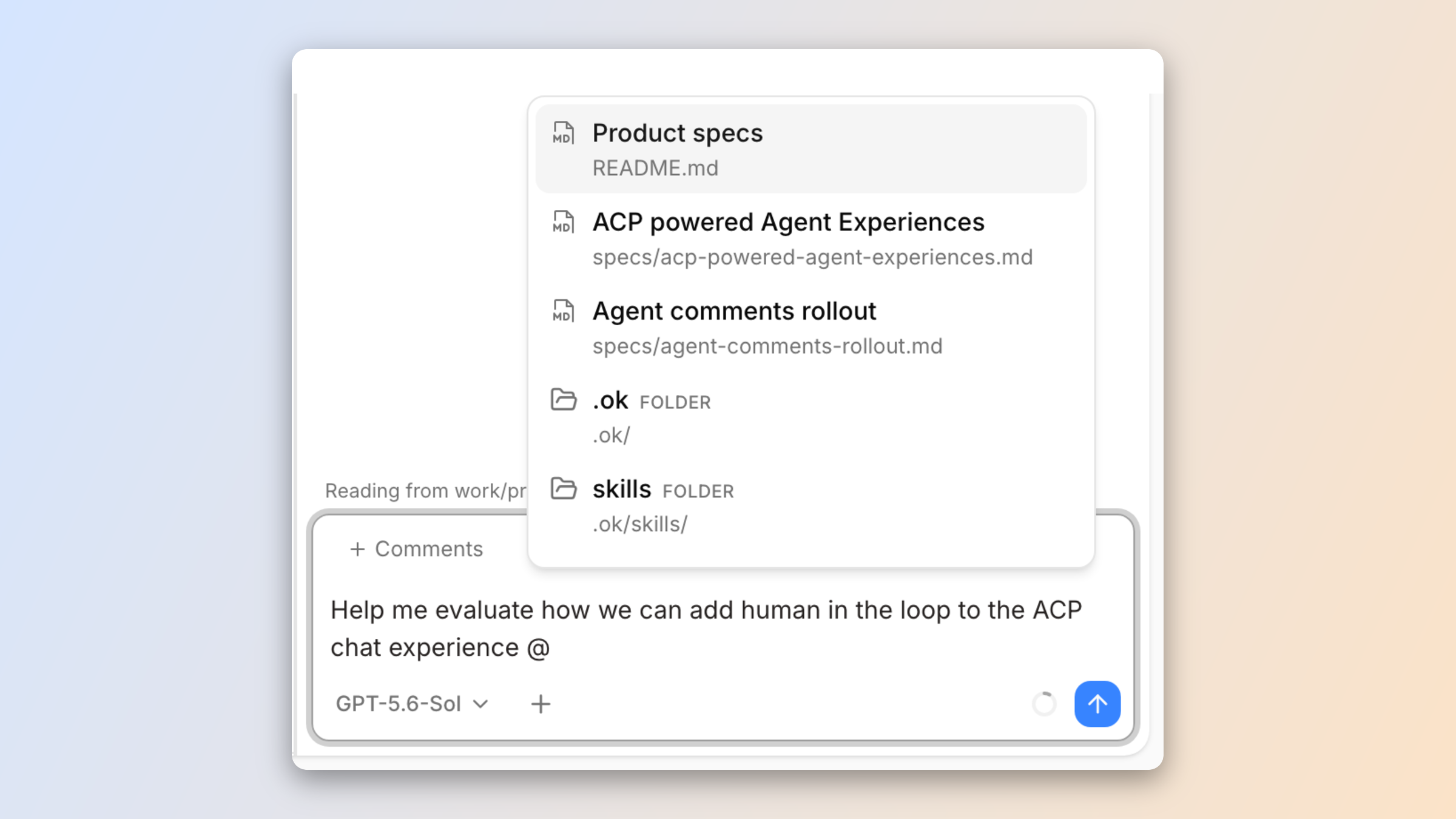\n\nWhen agents make edits, the new **Follow Mode** updates the OpenKnowledge viewer to open the documents the agent modifies as it works. When the agent edits a page, you\'re taken there and watch the changes land live, with animations that let you follow along.\n\n## Comments for agents\n\nAnother way to interact with agents is by leaving comments. We\'ve found it particularly helpful for annotating engineering specs, blog drafts, and documentation.\n\nTo leave comments, select any text or content and click on the **Comment** button, or use `Cmd+Shift+M`. That\'ll add the comment to your comment queue and open the comments sidebar, where you can review all pending comments.\n\n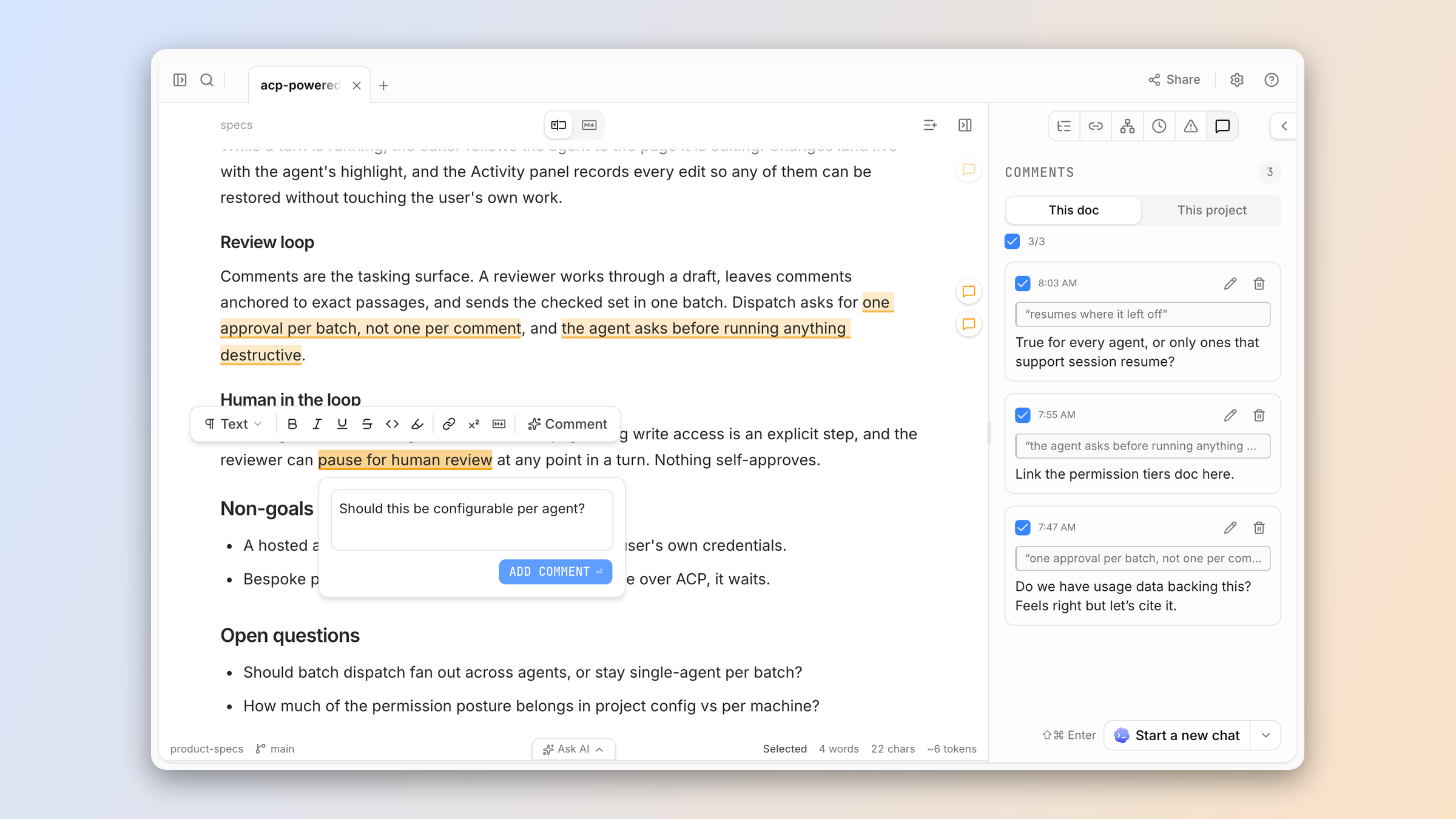\n\nWhen you\'re done leaving comments, press **Send to chat** in the comments sidebar. Your agent gets full context on the files and content selected and can work through all changes at once.\n\n## Powered by Agent Client Protocol\n\nThis experience is powered by the [Agent Client Protocol](https://agentclientprotocol.com) (ACP), which also enables integrations with 30+ agent harnesses.\n\nACP leverages whichever agents you already have on your computer, so no separate sign-in or billing is required.\n\nAgents inherit and use all the MCP servers and skills on your computer, so they keep all the same capabilities you expect.\n\n```mermaid\nflowchart LR\n subgraph OK["OpenKnowledge"]\n P["Agent Sidepanel"] --> T["Session manager"]\n C["Comment queue"] --> P\n end\n T -->|"ACP"| A["Any of 30+ agents, running locally"]\n A -->|"edits via the collaboration engine"| D["Your documents"]\n```\n\n## Get started\n\nUpdate to the latest OpenKnowledge (or [download it](https://openknowledge.ai/download)), open **Settings â Configure agents**, and enable an agent under **In app**. Press `Cmd+L`, or leave a few comments and send them.',wordCount:381,readingMinutes:2,timeRequired:"PT2M"},{content:"We're rolling out improvements to make OpenKnowledge the go-to experience for editing markdown files.\n\n## Open any markdown file, any time\n\nOn macOS, right click any markdown file and OpenKnowledge now shows as an option for opening it, and you can set it as the default application to open both `.md` and `.mdx` files.\n\n\n\nIf a file lives inside an OpenKnowledge project, the app opens that project focused on the file, with the full project IDE experience. \n\nAnd for any `.md` file not in an OpenKnowledge project, a single-file version of the WYSIWYG editor will open with the full editing and rendering capabilities of our markdown engine.\n\n\n\nWith the OpenKnowledge CLI, you can also open any markdown file with `ok <filepath>` from your terminal.\n\nOr ask your agent, and it can open the file in the web viewer for the app:\n\n> Open `<file>` in OpenKnowledge\n\n## Project IDE improvements\n\nBeyond making it easier to use OpenKnowledge in single-file mode, we've made improvements to the core IDE experience for projects.\n\nFirst, we made it easier to work with multiple files at a time by adding a **multi-tab** and **split-pane** experience.\n\n\n\nOther highlights include:\n- a **dedicated terminal pane**, separate from the new [agent conversations](/blog/native-integrations-with-any-agent-via-acp) pane. Configurable to the bottom or right side. Available on macOS today, and on Linux on the beta channel.\n- **Pop-out windows** to open notes or terminals in standalone windows\n- **Edit any file**, including code, config, and plain-text files in a real editor (powered by CodeMirror)\n\n## Get started\n\nOur goal was to give OpenKnowledge c
1apabilities closer to a traditional IDE experience, while keeping it accessible and a beautiful, simple markdown editor as a default.\n\n[Download OpenKnowledge](https://openknowledge.ai/download) to give the new experience a try.",title:"Open any markdown file anywhere",summary:"Use OpenKnowledge as the go-to editor for any markdown file on your device and enjoy new IDE capabilities.",author:"Serafin Garcia",date:"2026-08-20",tags:["Launch Week","Feature Launches"],primaryTag:"Launch Week",isFeatured:!0,hidden:!1,thumbnail:"/marketing-assets/images/blog/open-any-markdown-file-anywhere/cli-open.png",_meta:{filePath:"open-any-markdown-file-anywhere.mdx",fileName:"open-any-markdown-file-anywhere.mdx",directory:".",extension:"mdx",path:"open-any-markdown-file-anywhere"},mdx:'var Component=(()=>{var p=Object.create;var a=Object.defineProperty;var g=Object.getOwnPropertyDescriptor;var m=Object.getOwnPropertyNames;var f=Object.getPrototypeOf,w=Object.prototype.hasOwnProperty;var u=(i,e)=>()=>(e||i((e={exports:{}}).exports,e),e.exports),k=(i,e)=>{for(var o in e)a(i,o,{get:e[o],enumerable:!0})},l=(i,e,o,r)=>{if(e&&typeof e=="object"||typeof e=="function")for(let t of m(e))!w.call(i,t)&&t!==o&&a(i,t,{get:()=>e[t],enumerable:!(r=g(e,t))||r.enumerable});return i};var y=(i,e,o)=>(o=i!=null?p(f(i)):{},l(e||!i||!i.__esModule?a(o,"default",{value:i,enumerable:!0}):o,i)),b=i=>l(a({},"__esModule",{value:!0}),i);var c=u((v,d)=>{d.exports=_jsx_runtime});var O={};k(O,{default:()=>h});var n=y(c());function s(i){let e={a:"a",blockquote:"blockquote",code:"code",h2:"h2",img:"img",li:"li",p:"p",strong:"strong",ul:"ul",...i.components};return(0,n.jsxs)(n.Fragment,{children:[(0,n.jsx)(e.p,{children:"We\'re rolling out improvements to make OpenKnowledge the go-to experience for editing markdown files."}),`\n`,(0,n.jsx)(e.h2,{id:"open-any-markdown-file-any-time",children:(0,n.jsx)(e.a,{className:"heading-anchor",href:"#open-any-markdown-file-any-time",children:"Open any markdown file, any time"})}),`\n`,(0,n.jsxs)(e.p,{children:["On macOS, right click any markdown file and OpenKnowledge now shows as an option for opening it, and you can set it as the default application to open both ",(0,n.jsx)(e.code,{children:".md"})," and ",(0,n.jsx)(e.code,{children:".mdx"})," files."]}),`\n`,(0,n.jsx)(e.p,{children:(0,n.jsx)(e.img,{src:"/marketing-assets/images/blog/open-any-markdown-file-anywhere/open-with.png",alt:"OpenKnowledge in the Open With menu for a markdown file"})}),`\n`,(0,n.jsx)(e.p,{children:"If a file lives inside an OpenKnowledge project, the app opens that project focused on the file, with the full project IDE experience."}),`\n`,(0,n.jsxs)(e.p,{children:["And for any ",(0,n.jsx)(e.code,{children:".md"})," file not in an OpenKnowledge project, a single-file version of the WYSIWYG editor will open with the full editing and rendering capabilities of our markdown engine."]}),`\n`,(0,n.jsx)(e.p,{children:(0,n.jsx)(e.img,{src:"/marketing-assets/images/blog/open-any-markdown-file-anywhere/single-file.png",alt:"A loose markdown file open in the single-file editor"})}),`\n`,(0,n.jsxs)(e.p,{children:["With the OpenKnowledge CLI, you can also open any markdown file with ",(0,n.jsx)(e.code,{children:"ok <filepath>"})," from your terminal."]}),`\n`,(0,n.jsx)(e.p,{children:"Or ask your agent, and it can open the file in the web viewer for the app:"}),`\n`,(0,n.jsxs)(e.blockquote,{children:[`\n`,(0,n.jsxs)(e.p,{children:["Open ",(0,n.jsx)(e.code,{children:"<file>"})," in OpenKnowledge"]}),`\n`]}),`\n`,(0,n.jsx)(e.h2,{id:"project-ide-improvements",children:(0,n.jsx)(e.a,{className:"heading-anchor",href:"#project-ide-improvements",children:"Project IDE improvements"})}),`\n`,(0,n.jsx)(e.p,{children:"Beyond making it easier to use OpenKnowledge in single-file mode, we\'ve made improvements to the core IDE experience for projects."}),`\n`,(0,n.jsxs)(e.p,{children:["First, we made it easier to work with multiple files at a time by adding a ",(0,n.jsx)(e.strong,{children:"multi-tab"})," and ",(0,n.jsx)(e.strong,{children:"split-pane"})," experience."]}),`\n`,(0,n.jsx)(e.p,{children:(0,n.jsx)(e.img,{src:"/marketing-assets/images/blog/open-any-markdown-file-anywhere/split-panes.png",alt:"Split panes with tabs: several files open on the left, a second file on the right"})}),`\n`,(0,n.jsx)(e.p,{children:"Other highlights include:"}),`\n`,(0,n.jsxs)(e.ul,{children:[`\n`,(0,n.jsxs)(e.li,{children:["a ",(0,n.jsx)(e.strong,{children:"dedicated terminal pane"}),", separate from the new ",(0,n.jsx)(e.a,{href:"/blog/native-integrations-with-any-agent-via-acp",children:"agent conversations"})," pane. Configurable to the bottom or right side. Available on macOS today, and on Linux on the beta channel."]}),`\n`,(0,n.jsxs)(e.li,{children:[(0,n.jsx)(e.strong,{children:"Pop-out windows"})," to open notes or terminals in standalone windows"]}),`\n`,(0,n.jsxs)(e.li,{children:[(0,n.jsx)(e.strong,{children:"Edit any file"}),", including code, config, and plain-text files in a real editor (powered by CodeMirror)"]}),`\n`]}),`\n`,(0,n.jsx)(e.h2,{id:"get-started",children:(0,n.jsx)(e.a,{className:"heading-anchor",href:"#get-started",children:"Get started"})}),`\n`,(0,n.jsx)(e.p,{children:"Our goal was to give OpenKnowledge c
1apabilities closer to a traditional IDE experience, while keeping it accessible and a beautiful, simple markdown editor as a default."}),`\n`,(0,n.jsxs)(e.p,{children:[(0,n.jsx)(e.a,{href:"https://openknowledge.ai/download",children:"Download OpenKnowledge"})," to give the new experience a try."]})]})}function h(i={}){let{wrapper:e}=i.components||{};return e?(0,n.jsx)(e,{...i,children:(0,n.jsx)(s,{...i})}):s(i)}return b(O);})();\n;return Component;',slug:"open-any-markdown-file-anywhere",markdown:"We're rolling out improvements to make OpenKnowledge the go-to experience for editing markdown files.\n\n## Open any markdown file, any time\n\nOn macOS, right click any markdown file and OpenKnowledge now shows as an option for opening it, and you can set it as the default application to open both `.md` and `.mdx` files.\n\n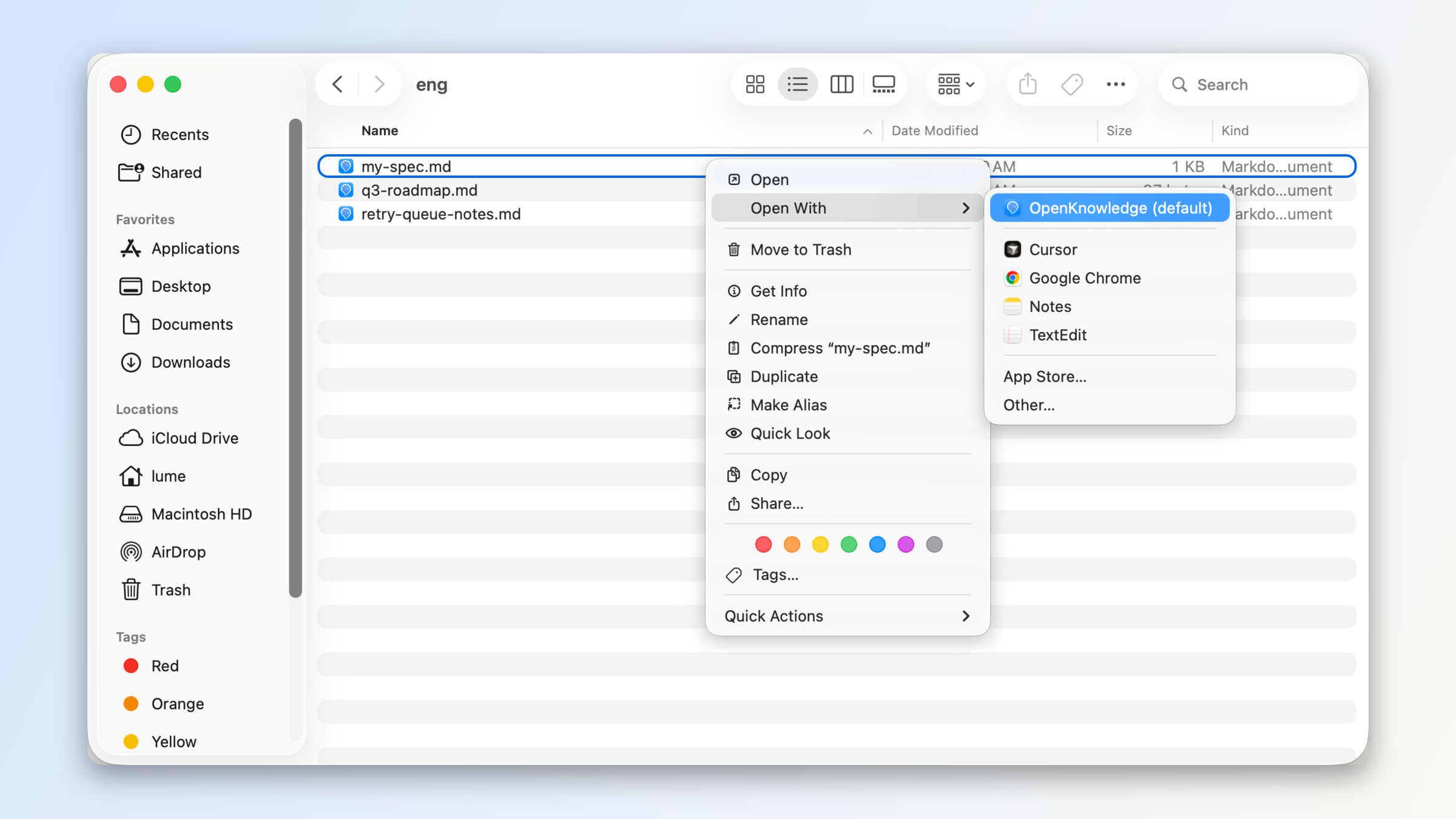\n\nIf a file lives inside an OpenKnowledge project, the app opens that project focused on the file, with the full project IDE experience.\n\nAnd for any `.md` file not in an OpenKnowledge project, a single-file version of the WYSIWYG editor will open with the full editing and rendering capabilities of our markdown engine.\n\n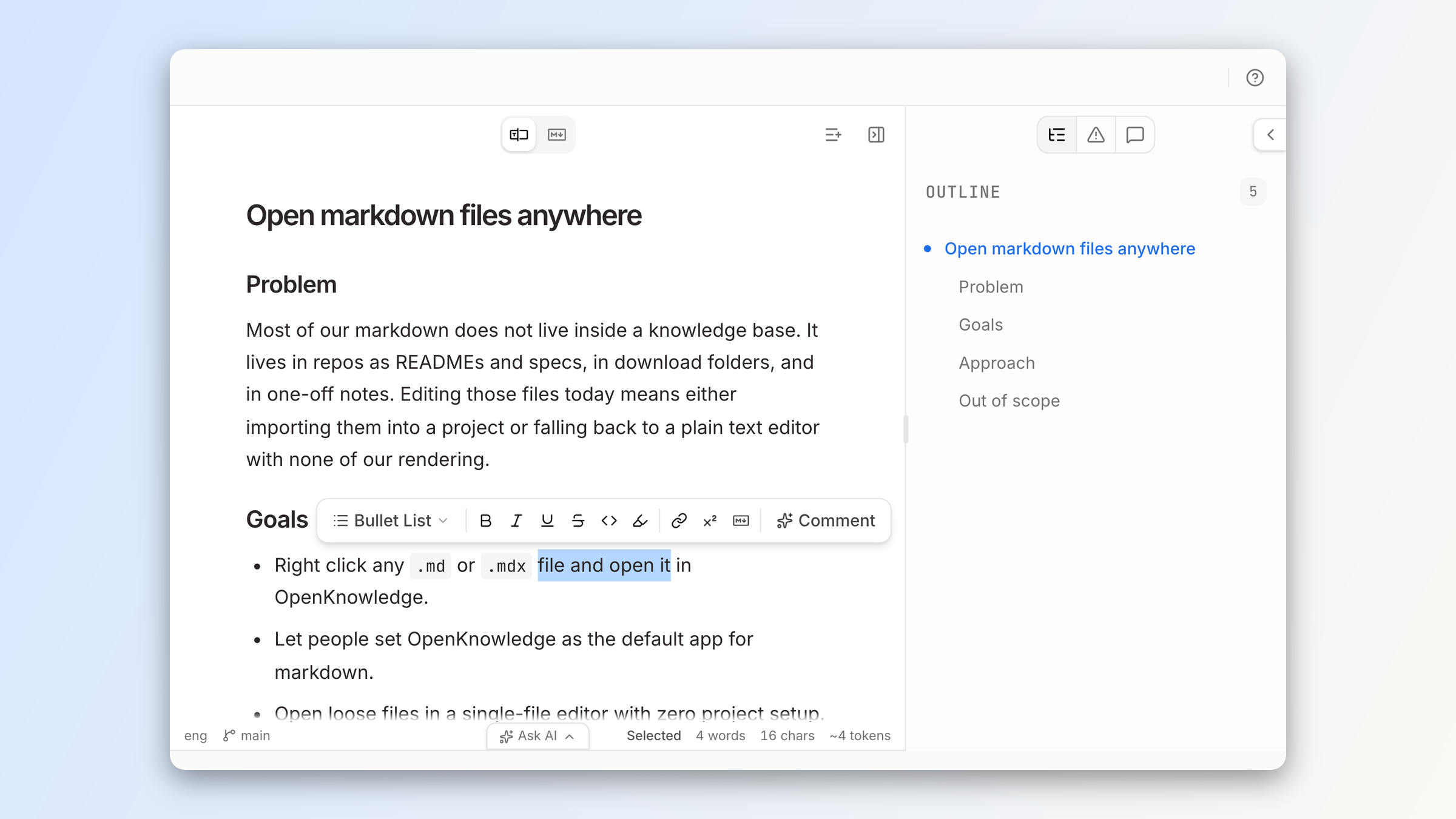\n\nWith the OpenKnowledge CLI, you can also open any markdown file with `ok <filepath>` from your terminal.\n\nOr ask your agent, and it can open the file in the web viewer for the app:\n\n> Open `<file>` in OpenKnowledge\n\n## Project IDE improvements\n\nBeyond making it easier to use OpenKnowledge in single-file mode, we've made improvements to the core IDE experience for projects.\n\nFirst, we made it easier to work with multiple files at a time by adding a **multi-tab** and **split-pane** experience.\n\n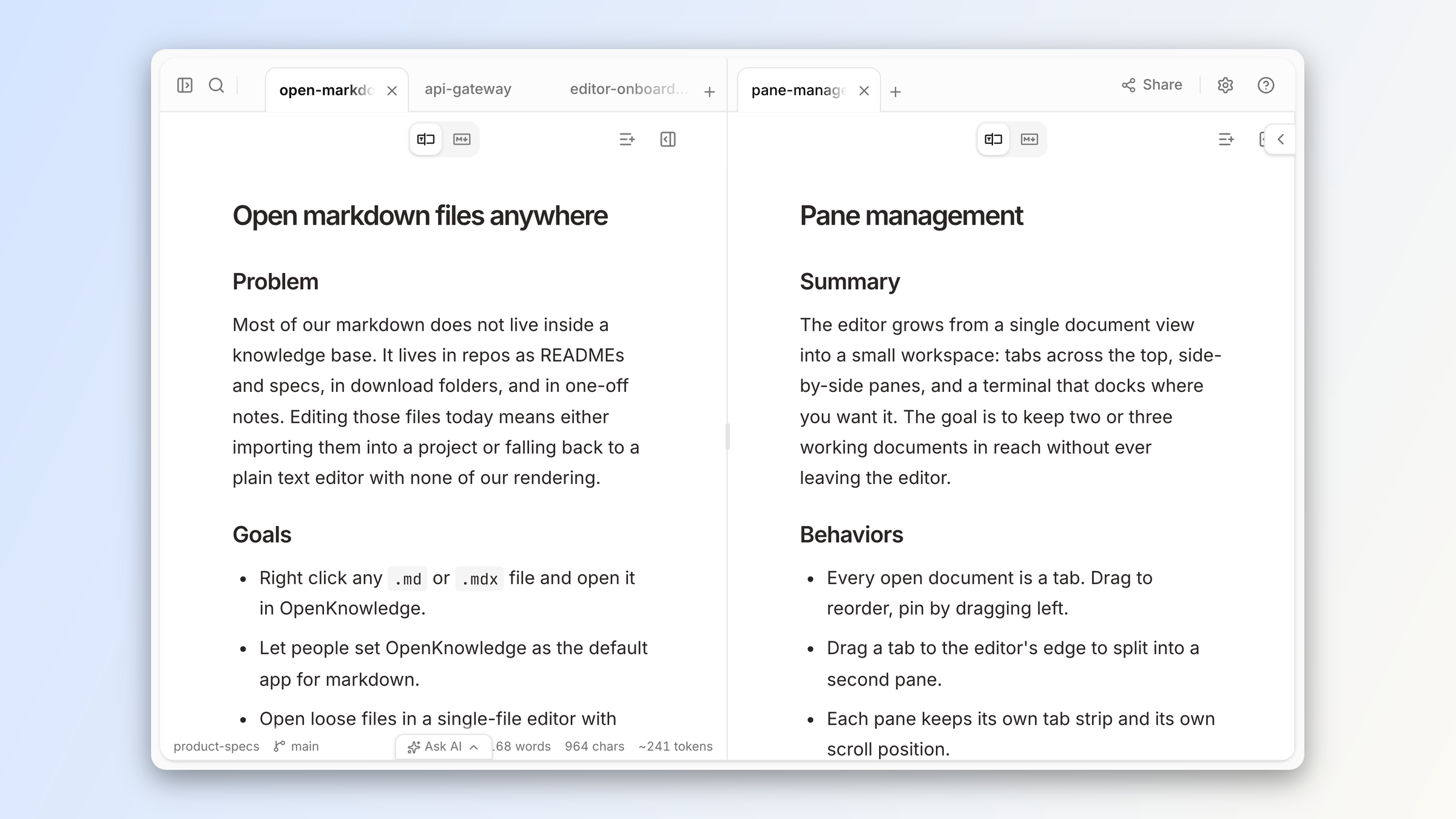\n\nOther highlights include:\n\n- a **dedicated terminal pane**, separate from the new [agent conversations](https://openknowledge.ai/blog/native-integrations-with-any-agent-via-acp) pane. Configurable to the bottom or right side. Available on macOS today, and on Linux on the beta channel.\n- **Pop-out windows** to open notes or terminals in standalone windows\n- **Edit any file**, including code, config, and plain-text files in a real editor (powered by CodeMirror)\n\n## Get started\n\nOur goal was to give OpenKnowledge capabilities closer to a traditional IDE experience, while keeping it accessible and a beautiful, simple markdown editor as a default.\n\n[Download OpenKnowledge](https://openknowledge.ai/download) to give the new experience a try.",wordCount:324,readingMinutes:2,timeRequired:"PT2M"},{content:'The [Open Knowledge Format (OKF)](https://github.com/GoogleCloudPlatform/knowledge-catalog/blob/main/okf/SPEC.md) is an open specification released by Google to help make knowledge bases portable, interoperable, and agent-friendly.\n\nToday, we are introducing the OKF plugin for the OpenKnowledge app, which applies default linting rules, skills, and automations to help you and your agents create, port, and maintain an OKF-conformant LLM wiki automatically.\n\nTo see the format in practice, explore the [Odyssey OKF wiki](https://github.com/inkeep/odyssey-okf-wiki), our example knowledge base that follows the format.\n\n## What is the Open Knowledge Format?\n\nOKF was introduced in June 2026 by Google. It has three core goals:\n\n- **Trust** - Consumers want to know who made or validated a change to knowledge and when, with properly traceable sources and provenance.\n- **Portability** - The knowledge should be readable and editable with any editor or client, which is why the content is still just markdown and YAML. \n- **Human & Agent Consumption** - Agents need to know how to consume a knowledge base. They shouldn\'t need to learn all the quirks of each and every one.\n\nOKF is *not* a linter, editor, execution engine, or a registry for document types. \n\nInstead, it is a specification for how to format and organize your knowledge base. \n\nOur new plugin helps you conform to that specification automatically.\n\n## The OKF plugin\n\nWe built the OKF plugin to translate the specification into a linter and auditor on the format\'s guidelines. \n\nIt leverages our [content rules system](https://
1openknowledge.ai/docs/advanced/content-rules/overview) to apply OKF-specific rules and report violations within the markdown editor and Problems panel.\n\n### The rules engine\n\nOpenKnowledge turns every validation result into the same diagnostic shape:\n\n- The rule that produced it\n- Its severity\n- Its location in the document\n\nAs you edit, OpenKnowledge runs the active document rules against the current markdown. A project audit runs those linters across the knowledge base and adds whole-project checks such as broken links and `.mdx` portability.\n\nThat shared output drives the inline markers and Problems panel you see in the app. \n\n```mermaid\nflowchart LR\n EDIT["Document changes"] --> LINT["Document rules"]\n PROJECT["Project scan"] --> AUDIT["Document rules, project rules, links"]\n LINT --> DIAG["Shared diagnostics"]\n AUDIT --> DIAG\n LINT --> CLILINT["ok lint"]\n AUDIT --> CLIAUDIT["ok audit"]\n DIAG --> INLINE["Inline markers"]\n DIAG --> PANEL["Problems panel"]\n DIAG --> AGENT["Agent feedback"]\n```\n\n### For agents\n\nWhen an agent is working on a file, our MCP tools give hints and warnings as agents write, so they can automatically recognize and fix any issues as they work. \n\nWarnings don\'t block an agent (or you) from writing. Instead, they ride along on the MCP tool response, so they are immediately visible to the agent.\n\nExample response:\n\n```text\nWritten successfully (replace).\nâ Content rule okf/frontmatter-required (warning, line 1): Frontmatter property "type" is required\nâ Content rule okf/no-wiki-links (warning, line 12): Wiki-link [[Retrieval]] won\'t resolve for an external Open Knowledge Format consumer â it renders as literal text and its graph edge is lost.\n```\n\nThese warnings "steer" the agent to be aware and make the best choice on how to resolve issues, without blocking their writes or requiring any more tool calls than normal.\n\nAgents can also run the dedicated `lint` and `audit` MCP commands to identify and fix any issues with the entire project at any time, which is how they can run migrations of existing knowledge bases.\n\n### The CLI\n\n`lint` and `audit` are also available as CLI commands, which is useful for adding CI/CD or deterministic gates to your workflow.\n\nThe CLI keeps the scopes explicit:\n- `ok lint` runs document rules headlessly\n- `ok audit` adds link and whole-project checks against a running server\n\n## The OKF rules\n\nThe [OKF plugin](https://openknowledge.ai/docs/plugins/okf) currently supports the [OKF v0.2 format](https://github.com/GoogleCloudPlatform/knowledge-catalog/blob/main/okf/SPEC.md), with rules regarding **frontmatter, reserved files, and portability.**\n\n### Frontmatter\n\nFrontmatter is best described as **"properties for markdown documents"**. These properties are shaped as a short YAML doc boun
1ded by dividers at the top of any given markdown file. We support six different frontmatter rulesets from the format\'s spec: required, recommended, provenance, computation, and two for index files. Each of these rulesets generates a JSON schema in the `.ok/okf` subdirectory when toggled on.\n\nFor all files, there is only one requirement that needs to be satisfied for it to be considered conformant:\n\n```yaml\ntype: some-string # some non-empty string\n```\n\nAll documents must carry a type. It can be as simple as `document` or `spec`, but it must exist.\n\nThe format does, however, recommend a set of optional fields for more details:\n\n```yaml\ntitle: Some title # recommended, optional\ndescription: "Some description" # declaring one only pins its shape\ntags: [tag1, tag2] # a LIST, not a comma-separated string\nresource: https://... # recommended, optional\nanything_else: fine # unknown keys must not be rejected\n```\n\n### Provenance, trust, and lifecycle frontmatter\n\nThe spec includes a recommended schema that aims to answer:\n\n- Where did this come from?\n- How much should you trust this?\n- Is this still current?\n\n```yaml\nsources:\n - resource: https://github.com/.../okf/SPEC.md\n id: okf-spec\n title: Open Knowledge Format specification, v0.2\n last_modified: 202
16-07-25\ngenerated: { by: human:serafin, at: 2026-07-31T12:00:00Z }\nverified:\n - { by: human:serafin, at: 2026-07-31T12:00:00Z }\nstatus: draft\nstale_after: 2026-12-31\n```\n\n### Attested Computation\n\nOne document type that is prescribed by OKF is the *Attested Computation*. These documents declare a deterministic computation that backs a claim: what runs it, what parameters it takes, and what evidence a run has to return.\n\nBoth halves of that live in the bundle, conventionally under a `references/` subdirectory: the instructions the runner follows, and the code the attester uses to check a run. What never lands in the bundle is the output. A run\'s receipt and the attester\'s verdict are runtime artifacts, which is what separates attestation from the `verified` field above, since that one is recorded.\n\n```yaml\ntype: Attested Computation\nruntime: bash\nparameters:\n - { name: bundle_root, type: string, required: true }\nexecutor:\n resource: references/skills/some_execution.md\n receipt: [command, exit_code, result]\nattester:\n resource: references/attesters/execute_thing.py\n```\n\nThe final two schemas are for the index file, which deserves its own explanation.\n\n### Index files\n\nThe `index.md` file is reserved for navigation, at every hierarchy in the knowledge base. It carries no frontmatter, with the exception of the root index file containing the version (`okf_version: "0.2"`). It has the expected shape of a flat list of links, organized by groupings.\n\n```markdown\n# Example index\n\n## An example section\n\n* [An example link](./foo-bar.md) - Some example description\n* [Another example link](./baz-qux.md) - Some example description\n\n## Another example section\n\n* [An example link](./foo-bar.md) - Some example description\n```\n\nThe OKF plugin provides multiple levels of support for this. You can toggle the frontmatter schema requirements: no frontmatter on index files, and optionally `okf_version` in root.\n\nYou can additionally use the body linter, which looks for this specific shape.\n\nFinally, you can have the OKF plugin manage your index files. When turned on, an index file is generated at every hierarchy where there is markdown. These index files contain all the documents at that folder\'s level, grouped by type and listed by title. \n\nThe subfolders are listed in their own section, with links to their index files. These files are git-synced, and to avoid merge conflicts, a merge rule is added to a repository\'s `.gitattributes` file. When toggling this feature off, the `.gitattributes` change is removed, but the index files will remain.\n\n### Log files\n\nThe `log.md` file is also reserved at every hierarchy for reporting changes as they occur in the repository.\n\n```markdown\n# Example log\n\n## 2026-07-31\n\nExample details from change\n\n## 2026-07-30\n\nExample details from change\n\n## 2026-07-29\n\nExample details from change\n```\n\nThe OKF plugin ships with a body linter to ensure that dates are formed in the proper ISO format in headings. Log updates are expected to be written by the user and agent, and our included skill (see below) helps drive that.\n\n### Portability\n\nOKF has a couple of recommendations that ensure portability.\n\n- Only standard links are recognized\n- OKF is markdown-centered\n\nWe include two toggleable rules to help you be aware of these.\n\n1. No wiki links: while OpenKnowledge supports wiki links, OKF does not.\n2. No `.mdx`: while OpenKnowledge supports `.mdx` files, OKF does not explicitly say it does.\n\n## Ensuring your agent knows what to do\n\nWhile the agent already receives feedback on its changes via the content rules system, the plugin includes a recommended skill called `okf-knowledge-base`. \n\nThis skill helps inform your agent of both the OKF spec and how it can proactively ensure conformance and use the plugin. It contains:\n- A distillation of the spec, along with links to the official documentation\n- How to proactively use each of the schemas\n- How to take advantage of the `index.md` and `log.md` files to navigate the bundle\n- How to use the plugin\n\nWhen used in combination with the rest of the plugin, the agent easily writes more than a conformant knowledge base. It writes an ideal OKF one.\n\n## Migrating an existing knowledge base\n\nOKF is designed to be additive, with rules you can adopt progressively. That means you can enable the plugin on an existing collection of markdown files with YAML frontmatter and migrate in place.\n\nOnce enabled, the plugin surfaces conformance issues as warnings in the Problems panel. You can address them on your schedule or turn off rules that don\'t fit your knowledge base. \n\nIn the app, the validation rules themselves never block a save or rewrite your content, so you or an agent can work through the findings incrementally. \n\n`ok lint` covers document rules and exits non-zero on warnings, so add it to CI only when you are ready to use those findings as a gate. The `.mdx` portability rule and link checks remain in server-backed `ok audit`.\n\n## Getting started\n\nIf you\'re new to OpenKnowledge, [download the app](https://
1openknowledge.ai/download) to get started (available for Mac, Windows, and Linux).\n\nFor a new knowledge base, you can start with the [OKF starter pack](https://openknowledge.ai/docs/workflows/supporting-open-knowledge-format), which now ships with the plugin on.\n\nFor an existing knowledge base, you just flip on the plugin in the **Plugins** settings.\n\n \n\nYou can then enable `index.md` generation, install the skill, and tune the rules to your liking.\n\nOnce on, the linting rules will take effect and the Problems panel will surface anywhere the knowledge base isn\'t conformant. \n\nUse the **Fix all with AI** button to have an agent do the fixing and take care of the rest.',title:"Open Knowledge Format plugin for LLM wikis",summary:"The new OKF plugin helps you write and maintain knowledge bases and LLM wikis that comply with Google's Open Knowledge Format.",author:"Serafin Garcia",date:"2026-08-21",tags:["Launch Week","Feature Launches"],primaryTag:"Launch Week",isFeatured:!0,hidden:!1,thumbnail:"/marketing-assets/images/blog/open-knowledge-format-okf-plugin-linter/thumbnail.png",heroVideo:"/marketing-assets/images/blog/open-knowledge-format-okf-plugin-linter/hero.mp4",_meta:{filePath:"open-knowledge-format-okf-plugin-linter.mdx",fileName:"open-knowledge-format-okf-plugin-linter.mdx",directory:".",extension:"mdx",path:"open-knowledge-format-okf-plugin-linter"},mdx:'var Component=(()=>{var u=Object.create;var o=Object.defineProperty;var p=Object.getOwnPropertyDescriptor;var g=Object.getOwnPropertyNames;var m=Object.getPrototypeOf,f=Object.prototype.hasOwnProperty;var w=(t,e)=>()=>(e||t((e={exports:{}}).exports,e),e.exports),y=(t,e)=>{for(var i in e)o(t,i,{get:e[i],enumerable:!0})},l=(t,e,i,a)=>{if(e&&typeof e=="object"||typeof e=="function")for(let r of g(e))!f.call(t,r)&&r!==i&&o(t,r,{get:()=>e[r],enumerable:!(a=p(e,r))||a.enumerable});return t};
1var k=(t,e,i)=>(i=t!=null?u(m(t)):{},l(e||!t||!t.__esModule?o(i,"default",{value:t,enumerable:!0}):i,t)),b=t=>l(o({},"__esModule",{value:!0}),t);var d=w((T,s)=>{s.exports=_jsx_runtime});var x={};y(x,{default:()=>c});var n=k(d());function h(t){let e={a:"a",code:"code",em:"em",h2:"h2",h3:"h3",img:"img",li:"li",ol:"ol",p:"p",pre:"pre",strong:"strong",ul:"ul",...t.components};return(0,n.jsxs)(n.Fragment,{children:[(0,n.jsxs)(e.p,{children:["The ",(0,n.jsx)(e.a,{href:"https://github.com/GoogleCloudPlatform/knowledge-catalog/blob/main/okf/SPEC.md",children:"Open Knowledge Format (OKF)"})," is an open specification released by Google to help make knowledge bases portable, interoperable, and agent-friendly."]}),`\n`,(0,n.jsx)(e.p,{children:"Today, we are introducing the OKF plugin for the OpenKnowledge app, which applies default linting rules, skills, and automations to help you and your agents create, port, and maintain an OKF-conformant LLM wiki automatically."}),`\n`,(0,n.jsxs)(e.p,{children:["To see the format in practice, explore the ",(0,n.jsx)(e.a,{href:"https://github.com/inkeep/odyssey-okf-wiki",children:"Odyssey OKF wiki"}),", our example knowledge base that follows the format."]}),`\n`,(0,n.jsx)(e.h2,{id:"what-is-the-open-knowledge-format",children:(0,n.jsx)(e.a,{className:"heading-anchor",href:"#what-is-the-open-knowledge-format",children:"What is the Open Knowledge Format?"})}),`\n`,(0,n.jsx)(e.p,{children:"OKF was introduced in June 2026 by Google. It has three core goals:"}),`\n`,(0,n.jsxs)(e.ul,{children:[`\n`,(0,n.jsxs)(e.li,{children:[(0,n.jsx)(e.strong,{children:"Trust"})," - Consumers want to know who made or validated a change to knowledge and when, with properly traceable sources and provenance."]}),`\n`,(0,n.jsxs)(e.li,{children:[(0,n.jsx)(e.strong,{children:"Portability"})," - The knowledge should be readable and editable with any editor or client, which is why the content is still just markdown and YAML."]}),`\n`,(0,n.jsxs)(e.li,{children:[(0,n.jsx)(e.strong,{children:"Human & Agent Consumption"})," - Agents need to know how to consume a knowledge base. They shouldn\'t need to learn all the quirks of each and every one."]}),`\n`]}),`\n`,(0,n.jsxs)(e.p,{children:["OKF is ",(0,n.jsx)(e.em,{children:"not"})," a linter, editor, execution engine, or a registry for document types."]}),`\n`,(0,n.jsx)(e.p,{children:"Instead, it is a specification for how to format and organize your knowledge base."}),`\n`,(0,n.jsx)(e.p,{children:"Our new plugin helps you conform to that specification automatically."}),`\n`,(0,n.jsx)(e.h2,{id:"the-okf-plugin",children:(0,n.jsx)(e.a,{className:"heading-anchor",href:"#the-okf-plugin",children:"The OKF plugin"})}),`\n`,(0,n.jsx)(e.p,{children:"We built the OKF plugin to translate the specification into a linter and auditor on the format\'s guidelines."}),`\n`,(0,n.jsxs)(e.p,{children:["It leverages our ",(0,n.jsx)(e.a,{href:"https://openknowledge.ai/docs/advanced/content-rules/overview",children:"content rules system"})," to apply OKF-specific rules and report violations within the markdown editor and Problems panel."]}),`\n`,(0,n.jsx)(e.h3,{id:"the-rules-engine",children:(0,n.jsx)(e.a,{className:"heading-anchor",href:"#the-rules-engine",children:"The rules engine"})}),`\n`,(0,n.jsx)(e.p,{children:"OpenKnowledge turns every validation result into the same diagnostic shape:"}),`\n`,(0,n.jsxs)(e.ul,{children:[`\n`,(0,n.jsx)(e.li,{children:"The rule that produced it"}),`\n`,(0,n.jsx)(e.li,{children:"Its severity"}),`\n`,(0,n.jsx)(e.li,{children:"Its location in the document"}),`\n`]}),`\n`,(0,n.jsxs)(e.p,{children:["As you edit, OpenKnowledge runs the active document rules against the current markdown. A project audit runs those linters across the knowledge base and adds whole-project checks such as broken links and ",(0,n.jsx)(e.code,{children:".mdx"})," portability."]}),`\n`,(0,n.jsx)(e.p,{children:"That shared output drives the inline markers and Problems panel you see in the app."}),`\n`,(0,n.jsx)(e.pre,{children:(0,n.jsx)(e.code,{className:"language-mermaid",children:`flowchart LR\n EDIT["Document changes"] --> LINT["Document rules"]\n PROJECT["Project scan"] --> AUDIT["Document rules, project rules, links"]\n LINT --> DIAG["Shared diagnostics"]\n AUDIT --> DIAG\n LINT --> CLILINT["ok lint"]\n AUDIT --> CLIAUDIT["ok audit"]\n DIAG --> INLINE["Inline markers"]\n DIAG --> PANEL["Problems panel"]\n DIAG --> AGENT["Agent feedback"]\n`})}),`\n`,(0,n.jsx)(e.h3,{id:"for-agents",children:(0,n.jsx)(e.a,{className:"heading-anchor",href:"#for-agents",children:"For agents"})}
1),`\n`,(0,n.jsx)(e.p,{children:"When an agent is working on a file, our MCP tools give hints and warnings as agents write, so they can automatically recognize and fix any issues as they work."}),`\n`,(0,n.jsx)(e.p,{children:"Warnings don\'t block an agent (or you) from writing. Instead, they ride along on the MCP tool response, so they are immediately visible to the agent."}),`\n`,(0,n.jsx)(e.p,{children:"Example response:"}),`\n`,(0,n.jsx)(e.pre,{children:(0,n.jsx)(e.code,{className:"language-text",children:`Written successfully (replace).\n\\u26A0 Content rule okf/frontmatter-required (warning, line 1): Frontmatter property "type" is required\n\\u26A0 Content rule okf/no-wiki-links (warning, line 12): Wiki-link [[Retrieval]] won\'t resolve for an external Open Knowledge Format consumer \\u2014 it renders as literal text and its graph edge is lost.\n`})}),`\n`,(0,n.jsx)(e.p,{children:\'These warnings "steer" the agent to be aware and make the best choice on how to resolve issues, without blocking their writes or requiring any more tool calls than normal.\'}),`\n`,(0,n.jsxs)(e.p,{children:["Agents can also run the dedicated ",(0,n.jsx)(e.code,{children:"lint"})," and ",(0,n.jsx)(e.code,{children:"audit"})," MCP commands to identify and fix any issues with the entire project at any time, which is how they can run migrations of existing knowledge bases."]}),`\n`,(0,n.jsx)(e.h3,{id:"the-cli",children:(0,n.jsx)(e.a,{className:"heading-anchor",href:"#the-cli",children:"The CLI"})}),`\n`,(0,n.jsxs)(e.p,{children:[(0,n.jsx)(e.code,{children:"lint"})," and ",(0,n.jsx)(e.code,{children:"audit"})," are also available as CLI commands, which is useful for adding CI/CD or deterministic gates to your workflow."]}),`\n`,(0,n.jsx)(e.p,{children:"The CLI keeps the scopes explicit:"}),`\n`,(0,n.jsxs)(e.ul,{children:[`\n`,(0,n.jsxs)(e.li,{children:[(0,n.jsx)(e.code,{children:"ok lint"})," runs document rules headlessly"]}),`\n`,(0,n.jsxs)(e.li,{children:[(0,n.jsx)(e.code,{children:"ok audit"})," adds link and whole-project checks against a running server"]}),`\n`]}),`\n`,(0,n.jsx)(e.h2,{id:"the-okf-rules",children:(0,n.jsx)(e.a,{className:"heading-anchor",href:"#the-okf-rules",children:"The OKF rules"})}),`\n`,(0,n.jsxs)(e.p,{children:["The ",(0,n.jsx)(e.a,{href:"https://openknowledge.ai/docs/plugins/okf",children:"OKF plugin"})," currently supports the ",(0,n.jsx)(e.a,{href:"https://github.com/GoogleCloudPlatform/knowledge-catalog/blob/main/okf/SPEC.md",children:"OKF v0.2 format"}),", with rules regarding ",(0,n.jsx)(e.strong,{children:"frontmatter, reserved files, and portability."})]}),`\n`,(0,n.jsx)(e.h3,{id:"frontmatter",children:(0,n.jsx)(e.a,{className:"heading-anchor",href:"#frontmatter",children:"Frontmatter"})}),`\n`,(0,n.jsxs)(e.p,{children:["Frontmatter is best described as ",(0,n.jsx)(e.strong,{children:\'"properties for markdown documents"\'}
1),". These properties are shaped as a short YAML doc bounded by dividers at the top of any given markdown file. We support six different frontmatter rulesets from the format\'s spec: required, recommended, provenance, computation, and two for index files. Each of these rulesets generates a JSON schema in the ",(0,n.jsx)(e.code,{children:".ok/okf"})," subdirectory when toggled on."]}),`\n`,(0,n.jsx)(e.p,{children:"For all files, there is only one requirement that needs to be satisfied for it to be considered conformant:"}),`\n`,(0,n.jsx)(e.pre,{children:(0,n.jsx)(e.code,{className:"language-yaml",children:`type: some-string # some non-empty string\n`})}),`\n`,(0,n.jsxs)(e.p,{children:["All documents must carry a type. It can be as simple as ",(0,n.jsx)(e.code,{children:"document"})," or ",(0,n.jsx)(e.code,{children:"spec"}),", but it must exist."]}),`\n`,(0,n.jsx)(e.p,{children:"The format does, however, recommend a set of optional fields for more details:"}),`\n`,(0,n.jsx)(e.pre,{children:(0,n.jsx)(e.code,{className:"language-yaml",children:`title: Some title # recommended, optional\ndescription: "Some description" # declaring one only pins its shape\ntags: [tag1, tag2] # a LIST, not a comma-separated string\nresource: https://... # recommended, optional\nanything_else: fine # unknown keys must not be rejected\n`})}),`\n`,(0,n.jsx)(e.h3,{id:"provenance-trust-and-lifecycle-frontmatter",children:(0,n.jsx)(e.a,{className:"heading-anchor",href:"#provenance-trust-and-lifecycle-frontmatter",children:"Provenance, trust, and lifecycle frontmatter"})}),`\n`,(0,n.jsx)(e.p,{children:"The spec includes a recommended schema that aims to answer:"}),`\n`,(0,n.jsxs)(e.ul,{children:[`\n`,(0,n.jsx)(e.li,{children:"Where did this come from?"}),`\n`,(0,n.jsx)(e.li,{children:"How much should you trust this?"}),`\n`,(0,n.jsx)(e.li,{children:"Is this still current?"}),`\n`]}),`\n`,(0,n.jsx)(e.pre,{children:(0,n.jsx)(e.code,{className:"language-yaml",children:`sources:\n - resource: https://github.com/.../okf/SPEC.md\n id: okf-spec\n title: Open Knowledge Format specification, v0.2\n last_modified: 202
16-07-25\ngenerated: { by: human:serafin, at: 2026-07-31T12:00:00Z }\nverified:\n - { by: human:serafin, at: 2026-07-31T12:00:00Z }\nstatus: draft\nstale_after: 2026-12-31\n`})}),`\n`,(0,n.jsx)(e.h3,{id:"attested-computation",children:(0,n.jsx)(e.a,{className:"heading-anchor",href:"#attested-computation",children:"Attested Computation"})}),`\n`,(0,n.jsxs)(e.p,{children:["One document type that is prescribed by OKF is the ",(0,n.jsx)(e.em,{children:"Attested Computation"}),". These documents declare a deterministic computation that backs a claim: what runs it, what parameters it takes, and what evidence a run has to return."]}),`\n`,(0,n.jsxs)(e.p,{children:["Both halves of that live in the bundle, conventionally under a ",(0,n.jsx)(e.code,{children:"references/"})," subdirectory: the instructions the runner follows, and the code the attester uses to check a run. What never lands in the bundle is the output. A run\'s receipt and the attester\'s verdict are runtime artifacts, which is what separates attestation from the ",(0,n.jsx)(e.code,{children:"verified"})," field above, since that one is recorded."]}),`\n`,(0,n.jsx)(e.pre,{children:(0,n.jsx)(e.code,{className:"language-yaml",children:`type: Attested Computation\nruntime: bash\nparameters:\n - { name: bundle_root, type: string, required: true }\nexecutor:\n resource: references/skills/some_execution.md\n receipt: [command, exit_code, result]\nattester:\n resource: references/attesters/execute_thing.py\n`})}),`\n`,(0,n.jsx)(e.p,{children:"The final two schemas are for the index file, which deserves its own explanation."}),`\n`,(0,n.jsx)(e.h3,{id:"index-files",children:(0,n.jsx)(e.a,{className:"heading-anchor",href:"#index-files",children:"Index files"})}),`\n`,(0,n.jsxs)(e.p,{children:["The ",(0,n.jsx)(e.code,{children:"index.md"})," file is reserved for navigation, at every hierarchy in the knowledge base. It carries no frontmatter, with the exception of the root index file containing the version (",(0,n.jsx)(e.code,{children:\'okf_version: "0.2"\'}),"). It has the expected shape of a flat list of links, organized by groupings."]}),`\n`,(0,n.jsx)(e.pre,{children:(0,n.jsx)(e.code,{className:"language-markdown",children:`# Example index\n\n## An example section\n\n* [An example link](./foo-bar.md) - Some example description\n* [Another example link](./baz-qux.md) - Some example description\n\n## Another example section\n\n* [An example link](./foo-bar.md) - Some example description\n`})}),`\n`,(0,n.jsxs)(e.p,{children:["The OKF plugin provides multiple levels of support for this. You can toggle the frontmatter schema requirements: no frontmatter on index files, and optionally ",(0,n.jsx)(e.code,{children:"okf_version"})," in root."]}),`\n`,(0,n.jsx)(e.p,{children:"You can additionally use the body linter, which looks for this specific shape."}),`\n`,(0,n.jsx)(e.p,{children:"Finally, you can have the OKF plugin manage your index files. When turned on, an index file is generated at every hierarchy where there is markdown. These index files contain all the documents at that folder\'s level, grouped by type and listed by title."}),`\n`,(0,n.jsxs)(e.p,{children:["The subfolders are listed in their own section, with links to their index files. These files are git-synced, and to avoid merge conflicts, a merge rule is added to a repository\'s ",(0,n.jsx)(e.code,{children:".gitattributes"})," file. When toggling this feature off, the ",(0,n.jsx)(e.code,{children:".gitattributes"})," change is removed, but the index files will remain."]}),`\n`,(0,n.jsx)(e.h3,{id:"log-files",children:(0,n.jsx)(e.a,{className:"heading-anchor",href:"#log-files",children:"Log files"})}),`\n`,(0,n.jsxs)(e.p,{children:["The ",(0,n.jsx)(e.code,{children:"log.md"})," file is also reserved at every hierarchy for reporting changes as they occur in the repository."]}),`\n`,(0,n.jsx)(e.pre,{children:(0,n.jsx)(e.code,{className:"language-markdown",children:`# Example log\n\n## 2026-07-31\n\nExample details from change\n\n## 2026-07-30\n\nExample details from change\n\n## 2026-07-29\n\nExample details from change\n`})}),`\n`,(0,n.jsx)(e.p,{children:"The OKF plugin ships with a body linter to ensure that dates are formed in the proper ISO format in headings. Log updates are expected to be written by the user and agent, and our included
1skill (see below) helps drive that."}),`\n`,(0,n.jsx)(e.h3,{id:"portability",children:(0,n.jsx)(e.a,{className:"heading-anchor",href:"#portability",children:"Portability"})}),`\n`,(0,n.jsx)(e.p,{children:"OKF has a couple of recommendations that ensure portability."}),`\n`,(0,n.jsxs)(e.ul,{children:[`\n`,(0,n.jsx)(e.li,{children:"Only standard links are recognized"}),`\n`,(0,n.jsx)(e.li,{children:"OKF is markdown-centered"}),`\n`]}),`\n`,(0,n.jsx)(e.p,{children:"We include two toggleable rules to help you be aware of these."}),`\n`,(0,n.jsxs)(e.ol,{children:[`\n`,(0,n.jsx)(e.li,{children:"No wiki links: while OpenKnowledge supports wiki links, OKF does not."}),`\n`,(0,n.jsxs)(e.li,{children:["No ",(0,n.jsx)(e.code,{children:".mdx"}),": while OpenKnowledge supports ",(0,n.jsx)(e.code,{children:".mdx"})," files, OKF does not explicitly say it does."]}),`\n`]}),`\n`,(0,n.jsx)(e.h2,{id:"ensuring-your-agent-knows-what-to-do",children:(0,n.jsx)(e.a,{className:"heading-anchor",href:"#ensuring-your-agent-knows-what-to-do",children:"Ensuring your agent knows what to do"})}),`\n`,(0,n.jsxs)(e.p,{children:["While the agent already receives feedback on its changes via the content rules system, the plugin includes a recommended skill called ",(0,n.jsx)(e.code,{children:"okf-knowledge-base"}),"."]}),`\n`,(0,n.jsx)(e.p,{children:"This skill helps inform your agent of both the OKF spec and how it can proactively ensure conformance and use the plugin. It contains:"}),`\n`,(0,n.jsxs)(e.ul,{children:[`\n`,(0,n.jsx)(e.li,{children:"A distillation of the spec, along with links to the official documentation"}),`\n`,(0,n.jsx)(e.li,{children:"How to proactively use each of the schemas"}),`\n`,(0,n.jsxs)(e.li,{children:["How to take advantage of the ",(0,n.jsx)(e.code,{children:"index.md"})," and ",(0,n.jsx)(e.code,{children:"log.md"})," files to navigate the bundle"]}),`\n`,(0,n.jsx)(e.li,{children:"How to use the plugin"}),`\n`]}),`\n`,(0,n.jsx)(e.p,{children:"When used in combination with the rest of the plugin, the agent easily writes more than a conformant knowledge base. It writes an ideal OKF one."}),`\n`,(0,n.jsx)(e.h2,{id:"migrating-an-existing-knowledge-base",children:(0,n.jsx)(e.a,{className:"heading-anchor",href:"#migrating-an-existing-knowledge-base",children:"Migrating an existing knowledge base"})}),`\n`,(0,n.jsx)(e.p,{children:"OKF is designed to be additive, with rules you can adopt progressively. That means you can enable the plugin on an existing collection of markdown files with YAML frontmatter and migrate in place."}),`\n`,(0,n.jsx)(e.p,{children:"Once enabled, the plugin surfaces conformance issues as warnings in the Problems panel. You can address them on your schedule or turn off rules that don\'t fit your knowledge base."}),`\n`,(0,n.jsx)(e.p,{children:"In the app, the validation rules themselves never block a save or rewrite your content, so you or an agent can work through the findings incrementally."}),`\n`,(0,n.jsxs)(e.p,{children:[(0,n.jsx)(e.code,{children:"ok lint"})," covers document rules and exits non-zero on warnings, so add it to CI only when you are ready to use those findings as a gate. The ",(0,n.jsx)(e.code,{children:".mdx"})," portability rule and link checks remain in server-backed ",(0,n.jsx)(e.code,{children:"ok audit"}),"."]}),`\n`,(0,n.jsx)(e.h2,{id:"getting-started",children:(0,n.jsx)(e.a,{className:"heading-anchor",href:"#getting-started",children:"Getting started"})}),`\n`,(0,n.jsxs)(e.p,{children:["If you\'re new to OpenKnowledge, ",(0,n.jsx)(e.a,{href:"https://openknowledge.ai/download",children:"download the app"})," to get started (available for Mac, Windows, and Linux)."]}),`\n`,(0,n.jsxs)(e.p,{children:["For a new knowledge base, you can start with the ",(0,n.jsx)(e.a,{href:"https://openknowledge.ai/docs/workflows/supporting-open-knowledge-format",children:"OKF starter pack"}),", which now ships with the plugin on."]}),`\n`,(0,n.jsxs)(e.p,{children:["For an existing knowledge base, you just flip on the plugin in the ",(0,n.jsx)(e.strong,{children:"Plugins"})," settings."]}),`\n`,(0,n.jsx)(e.p,{children:(0,n.jsx)(e.img,{src:"/marketing-assets/images/blog/open-knowledge-format-okf-plugin-linter/okf-toggle-on.png",alt:"The project Plugins settings page with the OKF plugin toggled on"})}),`\n`,(0,n.jsxs)(e.p,{children:["You can then enable ",(0,n.jsx)(e.code,{children:"index.md"})," generation, install the skill, and tune the rules to your liking."]}),`\n`,(0,n.jsx)(e.p,{children:"Once on, the linting rules will take effect and the Problems panel will surface anywhere the knowledge base isn\'t conformant."}),`\n`,(0,n.jsxs)(e.p,{children:["Use the ",(0,n.jsx)(e.strong,{children:"Fix all with AI"})," button to have an agent do the fixing and take care of the rest."]})]})}function c(t={}){let{wrapper:e}=t.components||{};return e?(0,n.jsx)(e,{...t,children:(0,n.jsx)(h,{...t})}):h(t)}return b(x);})();\n;return Component;',slug:"open-knowledge-format-okf-plugin-linter",markdown:'The [Open Knowledge Format (OKF)](https://github.com/GoogleCloudPlatform/knowledge-catalog/blob/main/okf/SPEC.md) is an open specification released by Google to help make knowledge bases portable, interoperable, and agent-friendly.\n\nToday, we are introducing the OKF plugin for the OpenKnowledge app, which applies default linting rules, skills, and automations to help you and your agents create, port, and maintain an OKF-conformant LLM wiki automatically.\n\nTo see the format in practice, explore the [Odyssey OKF wiki](https://github.com/inkeep/odyssey-okf-wiki), our example knowledge base that follows the format.\n\n## What is the Open Knowledge Format?\n\nOKF was introduced in June 2026 by Google. It has three core goals:\n\n- **Trust** - Consumers want to know who made or validated a change to knowledge and when, with properly traceable sources and provenance.\n- **Portability** - The knowledge should be readable and editable with any editor or client, which is why the content is still just markdown and YAML.\n- **Human & Agent Consumption** - Agents need to know how to consume a knowledge base. They shouldn\'t need to learn all the quirks of each and every one.\n\nOKF is *not* a linter, editor, execution engine, or a registry for document types.\n\nInstead, it is a specification for how to format and organize your knowledge base.\n\nOur new plugin helps you conform to that specification automatically.\n\n## The OKF plugin\n\nWe built the OKF plugin to translate the specification into a linter and auditor on the format\'s guidelines.\n\nIt leverages our [content rules system](https://
1openknowledge.ai/docs/advanced/content-rules/overview) to apply OKF-specific rules and report violations within the markdown editor and Problems panel.\n\n### The rules engine\n\nOpenKnowledge turns every validation result into the same diagnostic shape:\n\n- The rule that produced it\n- Its severity\n- Its location in the document\n\nAs you edit, OpenKnowledge runs the active document rules against the current markdown. A project audit runs those linters across the knowledge base and adds whole-project checks such as broken links and `.mdx` portability.\n\nThat shared output drives the inline markers and Problems panel you see in the app.\n\n```mermaid\nflowchart LR\n EDIT["Document changes"] --> LINT["Document rules"]\n PROJECT["Project scan"] --> AUDIT["Document rules, project rules, links"]\n LINT --> DIAG["Shared diagnostics"]\n AUDIT --> DIAG\n LINT --> CLILINT["ok lint"]\n AUDIT --> CLIAUDIT["ok audit"]\n DIAG --> INLINE["Inline markers"]\n DIAG --> PANEL["Problems panel"]\n DIAG --> AGENT["Agent feedback"]\n```\n\n### For agents\n\nWhen an agent is working on a file, our MCP tools give hints and warnings as agents write, so they can automatically recognize and fix any issues as they work.\n\nWarnings don\'t block an agent (or you) from writing. Instead, they ride along on the MCP tool response, so they are immediately visible to the agent.\n\nExample response:\n\n```text\nWritten successfully (replace).\nâ Content rule okf/frontmatter-required (warning, line 1): Frontmatter property "type" is required\nâ Content rule okf/no-wiki-links (warning, line 12): Wiki-link [[Retrieval]] won\'t resolve for an external Open Knowledge Format consumer â it renders as literal text and its graph edge is lost.\n```\n\nThese warnings "steer" the agent to be aware and make the best choice on how to resolve issues, without blocking their writes or requiring any more tool calls than normal.\n\nAgents can also run the dedicated `lint` and `audit` MCP commands to identify and fix any issues with the entire project at any time, which is how they can run migrations of existing knowledge bases.\n\n### The CLI\n\n`lint` and `audit` are also available as CLI commands, which is useful for adding CI/CD or deterministic gates to your workflow.\n\nThe CLI keeps the scopes explicit:\n\n- `ok lint` runs document rules headlessly\n- `ok audit` adds link and whole-project checks against a running server\n\n## The OKF rules\n\nThe [OKF plugin](https://openknowledge.ai/docs/plugins/okf) currently supports the [OKF v0.2 format](https://github.com/GoogleCloudPlatform/knowledge-catalog/blob/main/okf/SPEC.md), with rules regarding **frontmatter, reserved files, and portability.**\n\n### Frontmatter\n\nFrontmatter is best described as **"properties for markdown documents"**. These properties are shaped as a short YAML doc boun
1ded by dividers at the top of any given markdown file. We support six different frontmatter rulesets from the format\'s spec: required, recommended, provenance, computation, and two for index files. Each of these rulesets generates a JSON schema in the `.ok/okf` subdirectory when toggled on.\n\nFor all files, there is only one requirement that needs to be satisfied for it to be considered conformant:\n\n```yaml\ntype: some-string # some non-empty string\n```\n\nAll documents must carry a type. It can be as simple as `document` or `spec`, but it must exist.\n\nThe format does, however, recommend a set of optional fields for more details:\n\n```yaml\ntitle: Some title # recommended, optional\ndescription: "Some description" # declaring one only pins its shape\ntags: [tag1, tag2] # a LIST, not a comma-separated string\nresource: https://... # recommended, optional\nanything_else: fine # unknown keys must not be rejected\n```\n\n### Provenance, trust, and lifecycle frontmatter\n\nThe spec includes a recommended schema that aims to answer:\n\n- Where did this come from?\n- How much should you trust this?\n- Is this still current?\n\n```yaml\nsources:\n - resource: https://github.com/.../okf/SPEC.md\n id: okf-spec\n title: Open Knowledge Format specification, v0.2\n last_modified: 202
16-07-25\ngenerated: { by: human:serafin, at: 2026-07-31T12:00:00Z }\nverified:\n - { by: human:serafin, at: 2026-07-31T12:00:00Z }\nstatus: draft\nstale_after: 2026-12-31\n```\n\n### Attested Computation\n\nOne document type that is prescribed by OKF is the *Attested Computation*. These documents declare a deterministic computation that backs a claim: what runs it, what parameters it takes, and what evidence a run has to return.\n\nBoth halves of that live in the bundle, conventionally under a `references/` subdirectory: the instructions the runner follows, and the code the attester uses to check a run. What never lands in the bundle is the output. A run\'s receipt and the attester\'s verdict are runtime artifacts, which is what separates attestation from the `verified` field above, since that one is recorded.\n\n```yaml\ntype: Attested Computation\nruntime: bash\nparameters:\n - { name: bundle_root, type: string, required: true }\nexecutor:\n resource: references/skills/some_execution.md\n receipt: [command, exit_code, result]\nattester:\n resource: references/attesters/execute_thing.py\n```\n\nThe final two schemas are for the index file, which deserves its own explanation.\n\n### Index files\n\nThe `index.md` file is reserved for navigation, at every hierarchy in the knowledge base. It carries no frontmatter, with the exception of the root index file containing the version (`okf_version: "0.2"`). It has the expected shape of a flat list of links, organized by groupings.\n\n```markdown\n# Example index\n\n## An example section\n\n* [An example link](./foo-bar.md) - Some example description\n* [Another example link](./baz-qux.md) - Some example description\n\n## Another example section\n\n* [An example link](./foo-bar.md) - Some example description\n```\n\nThe OKF plugin provides multiple levels of support for this. You can toggle the frontmatter schema requirements: no frontmatter on index files, and optionally `okf_version` in root.\n\nYou can additionally use the body linter, which looks for this specific shape.\n\nFinally, you can have the OKF plugin manage your index files. When turned on, an index file is generated at every hierarchy where there is markdown. These index files contain all the documents at that folder\'s level, grouped by type and listed by title.\n\nThe subfolders are listed in their own section, with links to their index files. These files are git-synced, and to avoid merge conflicts, a merge rule is added to a repository\'s `.gitattributes` file. When toggling this feature off, the `.gitattributes` change is removed, but the index files will remain.\n\n### Log files\n\nThe `log.md` file is also reserved at every hierarchy for reporting changes as they occur in the repository.\n\n```markdown\n# Example log\n\n## 2026-07-31\n\nExample details from change\n\n## 2026-07-30\n\nExample details from change\n\n## 2026-07-29\n\nExample details from change\n```\n\nThe OKF plugin ships with a body linter to ensure that dates are formed in the proper ISO format in headings. Log updates are expected to be written by the user and agent, and our included skill (see below) helps drive that.\n\n### Portability\n\nOKF has a couple of recommendations that ensure portability.\n\n- Only standard links are recognized\n- OKF is markdown-centered\n\nWe include two toggleable rules to help you be aware of these.\n\n1. No wiki links: while OpenKnowledge supports wiki links, OKF does not.\n2. No `.mdx`: while OpenKnowledge supports `.mdx` files, OKF does not explicitly say it does.\n\n## Ensuring your agent knows what to do\n\nWhile the agent already receives feedback on its changes via the content rules system, the plugin includes a recommended skill called `okf-knowledge-base`.\n\nThis skill helps inform your agent of both the OKF spec and how it can proactively ensure conformance and use the plugin. It contains:\n\n- A distillation of the spec, along with links to the official documentation\n- How to proactively use each of the schemas\n- How to take advantage of the `index.md` and `log.md` files to navigate the bundle\n- How to use the plugin\n\nWhen used in combination with the rest of the plugin, the agent easily writes more than a conformant knowledge base. It writes an ideal OKF one.\n\n## Migrating an existing knowledge base\n\nOKF is designed to be additive, with rules you can adopt progressively. That means you can enable the plugin on an existing collection of markdown files with YAML frontmatter and migrate in place.\n\nOnce enabled, the plugin surfaces conformance issues as warnings in the Problems panel. You can address them on your schedule or turn off rules that don\'t fit your knowledge base.\n\nIn the app, the validation rules themselves never block a save or rewrite your content, so you or an agent can work through the findings incrementally.\
1n\n`ok lint` covers document rules and exits non-zero on warnings, so add it to CI only when you are ready to use those findings as a gate. The `.mdx` portability rule and link checks remain in server-backed `ok audit`.\n\n## Getting started\n\nIf you\'re new to OpenKnowledge, [download the app](https://openknowledge.ai/download) to get started (available for Mac, Windows, and Linux).\n\nFor a new knowledge base, you can start with the [OKF starter pack](https://openknowledge.ai/docs/workflows/supporting-open-knowledge-format), which now ships with the plugin on.\n\nFor an existing knowledge base, you just flip on the plugin in the **Plugins** settings.\n\n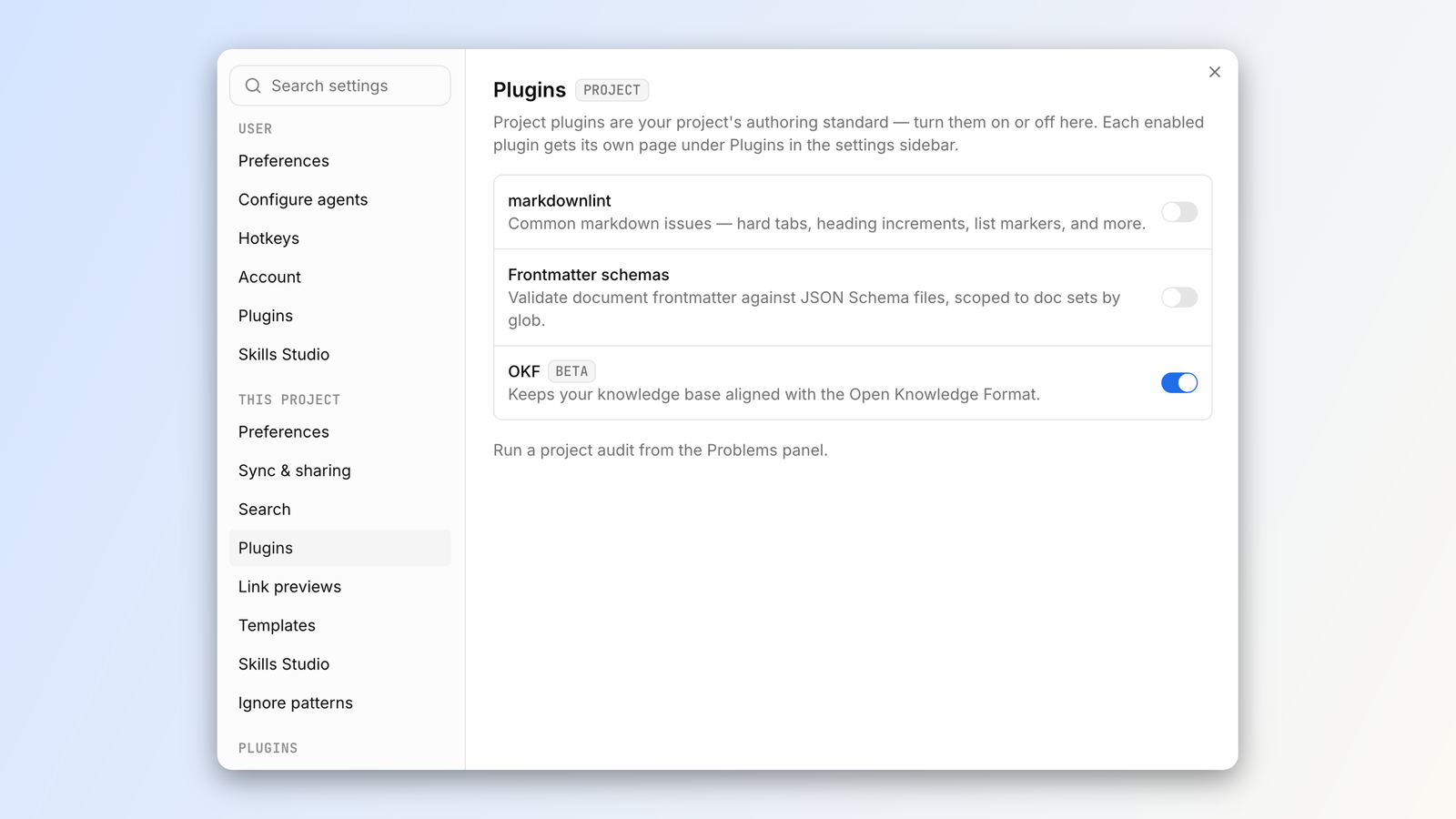\n\nYou can then enable `index.md` generation, install the skill, and tune the rules to your liking.\n\nOnce on, the linting rules will take effect and the Problems panel will surface anywhere the knowledge base isn\'t conformant.\n\nUse the **Fix all with AI** button to have an agent do the fixing and take care of the rest.',wordCount:1738,readingMinutes:9,timeRequired:"PT9M"}];e.i(357644),e.i(740935);let t=[{id:"nick-gomez",name:"Nick Gomez",slug:"nick-gomez",role:"Founder, CEO",biography:"Nick is the co-founder & CEO of Inkeep. He previously helped devise Microsoft's identity products & studied Computer Science at MIT.",image:"/marketing-assets/images/team/nick_gomez.jpg",linkedin:"https://www.linkedin.com/in/nickgomezc/"},{id:"robert-tran",name:"Robert Tran",slug:"robert-tran",role:"Founder, CTO",biography:"Robert has a Master's in Computer Science from MIT. He architected search and data pipelines as Head of Engineering at illumis (acquired).",image:"/marketing-assets/images/team/robert_tran.jpeg",linkedin:"https://www.linkedin.com/in/robert-tran-profile/"},{id:"andrew-mikofalvy",name:"Andrew Mikofalvy",slug:"andrew-mikofalvy",role:"Founding Engineer",biography:"Andrew graduated from MIT with a degree in Aerospace Engineering and led AI products as Director of Engineering at Rev.",image:"/marketing-assets/images/team/andrew_mikofalvy.png",linkedin:"https://www.linkedin.com/in/andrew-mikofalvy/"},{id:"tim-cardona",name:"Tim Cardona",slug:"tim-cardona",role:"Founding ML Engineer",biography:"Tim has a degree in Physics and Computer Science from MIT and worked at BlackRock as an ML and NLP Researcher.",image:"/marketing-assets/images/team/tim_cardona.jpeg",linkedin:"https://www.linkedin.com/in/timothy-cardona/"},{id:"sarah-niemiec",name:"Sarah Niemiec",slug:"sarah-niemiec",role:"Founding Design Engineer",biography:"Sarah has a degree in Art & Design from the Milwaukee Institute of Art and is an experienced front-end engineer and designer.",image:"/marketing-assets/images/team/sarah_niemiec.jpeg",linkedin:"https://www.linkedin.com/in/sarah-niemiec/"},{id:"omar-gonzalez",name:"Omar Gonzalez",slug:"omar-gonzalez",role:"Founding Engineer",biography:"Omar has a degree in Computer Science from MIT and was a Software Engineer at Meta developing full-stack JavaScript applications.",image:"/marketing-assets/images/team/omar_gonzalez.jpg",linkedin:"https://www.linkedin.com/in/omar-gonzalez-200a35b4/"},{id:"miles-kaming-thanassi",name:"Miles Kaming-Thanassi",slug:"miles-kaming-thanassi",role:"Founding Engineer",biography:"Miles studied Electrical Engineering and Computer Science from MIT and has a background in search algorithms.",image:"/marketing-assets/images/team/miles_kaming-thanassi.jpeg",linkedin:"https://www.linkedin.com/in/miles-kaming-thanassi-00307b194/"},{id:"shagun-singh",name:"Shagun Singh",slug:"shagun-singh",role:"Software Engineer",biography:"Shagun studied Computer Science & Engineering at MIT and has a background in full stack engineering.",image:"/marketing-assets/images/team/shagun_singh.jpg",linkedin:"https://www.linkedin.com/in/shagunsingh11/"},{id:"mike-rashkovsky",name:"Mike Rashkovsky",slug:"mike-rashkovsky",role:"Senior Software Engineer",biography:"Mike is a senior software engineer with experience at Backtrace I/O and Pin. He holds a BSc in BioEnvironmental Engineering from Rutgers University.",image:"/marketing-assets/images/team/mike_rashkovsky.jpg",linkedin:"https://www.linkedin.com/in/mrashkovsky/"},{id:"abraham-aremu",name:"Abraham Aremu",slug:"abraham-aremu",role:"Product Engineer",biography:"Abraham has a Master's in Computer Science from MIU and is a core maintainer at Chakra UI and Ri
1pple JS.",image:"/marketing-assets/images/team/abraham_aremu.jpg"},{id:"dimitri-postolov",name:"Dimitri Postolov",slug:"dimitri-postolov",role:"Software Engineer",biography:"Dimitri is a core maintainer of GraphiQL, Nextra, and graphql-eslint, building essential open source tooling for the GraphQL ecosystem.",image:"/marketing-assets/images/team/dimitri_postolov.jpg",linkedin:"https://www.linkedin.com/in/postolov/",website:"https://dimamachina.com/"},{id:"serafin-garcia",name:"Serafin Garcia",slug:"serafin-garcia",role:"Software Engineer",biography:"Serafin has a degree in Computer Science & Engineering at MIT and was previously a Software Engineer at Microsoft developing computer use model applications.",image:"/marketing-assets/images/team/serafin_garcia.jpg",linkedin:"https://www.linkedin.com/in/serafinjgarcia/"},{id:"jonathan-smith",name:"Jonathan Smith",slug:"jonathan-smith",role:"Chief of Staff",biography:"Jonathan is the Chief of Staff at Inkeep. He is a 2x startup founder, Certified Executive Coach, and holds a BA from Vanderbilt University.",image:"/marketing-assets/images/team/jonathan_smith.jpg",linkedin:"https://www.linkedin.com/in/centaur/"}],i=e=>t.find(n=>n.name===e),o=[...n].sort((e,n)=>n.date.localeCompare(e.date)||e.title.localeCompare(n.title)).filter(e=>!e.hidden);o.filter(e=>e.isFeatured).length>0?o.filter(e=>e.isFeatured):o.slice(0,1),n.map(e=>[e.slug,e]);let a=new Intl.DateTimeFormat("en-US",{month:"short",day:"numeric",year:"numeric",timeZone:"UTC"});e.s(["formatPostDate",0,function(e){return a.format(new Date(`${e}T00:00:00Z`))},"postAuthors",0,function(e){return(e.authors??[{name:e.author,image:e.authorImage}]).map(e=>({...e,image:e.image??i(e.name)?.image}))},"postPrimaryTag",0,function(e){return e.primaryTag??e.tags[0]}],125572);var r=e.i(959557),s=e.i(299228),l=e.i(611821);e.s(["AuthorByline",0,function({authors:e,size:n=28,link:t=!1,nameClassName:o=""}){return(0,r.jsxs)("span",{className:"inline-flex items-center gap-2",children:[(0,r.jsx)("span",{className:"flex -space-x-2",children:e.map(e=>{let t,i,o;return(0,r.jsx)("span",{className:"inline-flex items-center justify-center overflow-hidden rounded-full border border-background bg-card",style:{width:n,height:n},children:e.image?(0,r.jsx)(s.default,{src:e.image,alt:"",width:n,height:n,className:"size-full object-cover"}):(0,r.jsx)("span",{"aria-hidden":"true",className:"font-mono text-[0.6rem] font-semibold uppercase text-muted-foreground",children:(t=e.name.trim().split(/\s+/),i=t[0]?.[0]??"",o=t.length>1?t.at(-1)?.[0]??"":"",`${i}${o}`.toUpperCase())})},e.name)})}),(0,r.jsx)("span",{className:o,children:e.map((e,n)=>{let o=t?i(e.name):void 0;return(0,r.jsxs)("span",{children:[n>0?", ":"",o?(0,r.jsx)(l.default,{href:`/team/${o.slug}`,className:"underline-offset-4 transition-colors hover:text-foreground hover:underline",children:e.name}):e.name]},e.name)})})]})}],749714)}]);
Line numbers count LF bytes from the start of the resource, as the search results do. Vendor segments are library code the classifier recognised; they are stored but not indexed. Bytes are shown as Latin1 characters, one per byte.