1const n=`--- 2og:title: Inlang Message Format Plugin 3og:description: A storage plugin for inlang that stores messages in JSON files per language. Supports variables, pluralization, and nested structures. 4--- 5 6# Inlang Message Format Plugin 7 8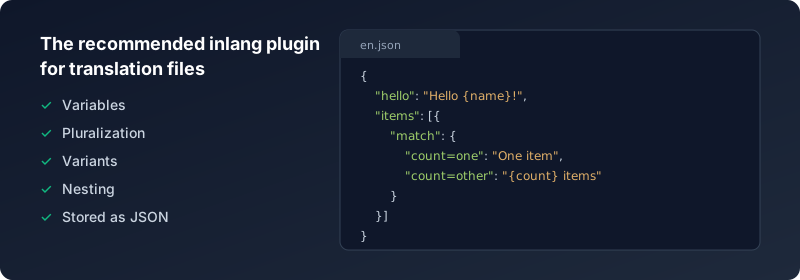 9 10The Inlang Message Format is a storage plugin for inlang. It stores messages in a JSON file per language. 11It is designed after inlang's data models, which enables all features of inlang. 12 13The syntax is inspired by the upcoming [MessageFormat 2.0](https://messageformat.unicode.org/) draft to keep migration friction low as the standard matures. 14 15The message files contain key-value pairs of the message ID and the translation. You can add variables in your message by using curly braces. To include literal curly braces in your text, escape them with a backslash (\`\\{\` and \`\\}\`). Nested objects are flattened using dot notation on import and unflattened on export. 16 17\`\`\`json 18//messages/en.json 19{ 20 "hello_world": "Hello World!", 21 "greeting": "Good morning {name}!", 22 "code_example": "Use \\\\{variable\\\\} syntax for variables" 23} 24 25//messages/de.json 26{ 27 "$schema": "https://inlang.com/schema/inlang-message-format", 28 "hello_world": "Hallo Welt!", 29 "greeting": "Guten Tag {name}!" 30} 31\`\`\` 32 33> [!NOTE] 34> The \`$schema\` property is optional and provides IDE autocompletion for message syntax. It is automatically added when exporting files and ignored on import. The schema is for editor support only and does not perform runtime validation. 35 36## Installation 37 38Install the plugin in your Inlang Project by adding it to your \`"modules"\` in \`project.inlang/settings.json\`. You will also need to provide a \`pathPattern\` for the plugin. 39 40\`\`\`diff
41// project.inlang/settings.json
42{
43  "modules" : [
44+    "https://cdn.jsdelivr.net/npm/@inlang/plugin-message-format@latest/dist/index.js"
45  ],
46+ "plugin.inlang.messageFormat": {
47+   "pathPattern": "./messages/{locale}.json"
48+ }
49}
50\`\`\`
51
52## Version Compatibility
53
54| Plugin Version | SDK Requirement       | Breaking Changes                                                     |
55| -------------- | --------------------- | -------------------------------------------------------------------- |
56| v4.x           | @inlang/sdk v2+       | Complex messages must be wrapped in an array. Nesting support added. |
57| v3.x           | @inlang/sdk v2 (beta) | Upgraded to SDK v2 data model.                                       |
58| v2.x           | @inlang/sdk v1        | New human-readable format. Auto-migrates from v1 on first load.      |
59
60> [!NOTE]
61> When upgrading the plugin, ensure your SDK version meets the minimum requirement. Mismatched versions may cause silent failures or import errors.
62
63## Configuration
64
65Configuration happens in \`project.inlang/settings.json\` under the \`"plugin.inlang.messageFormat"\` key.
66
67### \`pathPattern\`
68
69You can define a single \`pathPattern\` or provide an array of patterns to split your messages across multiple JSON files. Messages from **all matching files will be merged**, and if the same message key appears in multiple files, the **value from the last file in the array will override** earlier ones. The placeholder should be \`{locale}\` (preferred) or \`{languageTag}\` (legacy, still supported).
70
71This allows for patterns like having a shared base file and extending or overriding it with domain- or customer-specific files.
72
73#### Single path pattern example
74
75\`\`\`json
76{
77	"plugin.inlang.messageFormat": {
78		"pathPattern": "./messages/{locale}.json"
79	}
80}
81\`\`\`
82
83#### Multiple path patterns example
84
85\`\`\`json
86{
87	"plugin.inlang.messageFormat": {
88		"pathPattern": ["./defaults/{locale}.json", "./clothing/{locale}.json"]
89	}
90}
91\`\`\`
92
93Given the following files:
94
95\`\`\`json
96// ./defaults/en.json
97{
98	"hello": "Hello!",
99	"cart": {
100		"title": "Your cart"
101	},
102	"size": "Size"
103}
104\`\`\`
105
106\`\`\`json
107// ./clothing/en.json 108{ 109 "size": "Clothing size", 110 "fit": "Fit" 111} 112\`\`\` 113 114The merged result for locale \`en\` will be: 115 116\`\`\`json 117{ 118 "hello": "Hello!", 119 "cart": { 120 "title": "Your cart" 121 }, 122 "size": "Clothing size", // Overridden 123 "fit": "Fit" // Added 124} 125\`\`\` 126 127This lets you modularize and override translations while keeping a shared base. 128 129> [!WARNING] 130> When exporting, all messages are written to the **last** path pattern in the array. Messages are not split back across multiple files. This means multiple path patterns are a one-way merge â useful for importing from shared base files, but the original file structure is not preserved on export. 131 132### \`sort\` 133 134Optionally sort keys when writing files to keep git diffs consistent. 135 136\`\`\`json 137{ 138 "plugin.inlang.messageFormat": { 139 "pathPattern": "./messages/{locale}.json", 140 "sort": "asc" 141 } 142} 143\`\`\` 144 145## Messages 146 147You can organize your messages in a nested structure for better organization of your translations. There are two types of messages: 148 149### Simple Messages 150 151> [!NOTE] 152> Nesting is supported from v4 of the plugin and requires apps to use the inlang SDK v2 higher. 153 154Simple messages are string values, either directly at the root level or nested within objects: 155 156\`\`\`json 157{ 158 "hello": "world", 159 "navigation": { 160 "home": "Home", 161 "about": "About", 162 "contact": { 163 "email": "Email", 164 "phone": "Phone" 165 } 166 } 167} 168\`\`\` 169 170### Complex Messages (with variants, pluralization, etc.) 171 172For complex messages with variants, wrap the message object in an array to differentiate it from nested simple messages: 173 174\`\`\`json 175{ 176 "simple": "This is a simple message", 177 "count": [ 178 { 179 "declarations": ["input count", "local countPlural = count: plural"], 180 "selectors": ["countPlural"], 181 "match": { 182 "countPlural=one": "There is one item", 183 "countPlural=other": "There are {count} items" 184 } 185 } 186 ] 187} 188\`\`\` 189 190When addressing nested messages, use dot notation (e.g. \`navigation.items.count\` for a nested \`navigation.items.count\` entry). 191 192> [!NOTE] 193> The array wrapper is how we distinguish between a nested object containing more messages vs. a complex message object with variants. 194 195### Markup Placeholders (Rich Text) 196 197Simple message patterns can include markup placeholders for rich rendering. 198 199- Open + close markup: \`{#tag}...{/tag}\` 200- Standalone markup: \`{#icon/}\` 201 202\`\`\`json 203{ 204 "welcome": "{#b}Hi {name}{/b}{#icon/}" 205} 206\`\`\` 207 208#### Markup options 209 210Markup options are key/value pairs written after the markup name: 211 212- Literal option value: \`key=|literal|\` 213- Variable option value: \`key=$variable\` 214 215\`\`\`json 216{ 217 "cta": "{#link to=|/docs| rel=$relationship}Read docs{/link}" 218} 219\`\`\` 220 221In the example above, \`to\` is a literal option and \`rel\` reads from the input variable \`relationship\`. 222 223The same \`$variable\` syntax is also supported in local formatter declarations. 224Whitespace around \`=\` is optional in declaration options. 225 226\`\`\`json 227{ 228 "pricing_card_price_display": [ 229 { 230 "declarations": [ 231 "input amount", 232 "input priceCurrency", 233 "local formattedAmount = amount: number style=currency currency=$priceCurrency notation=compact" 234 ], 235 "match": { 236 "formattedAmount=*": "{formattedAmount}" 237 } 238 } 239 ] 240} 241\`\`\` 242 243#### Markup attributes 244 245Markup attributes are metadata prefixed with \`@\`: 246 247- Presence attribute (boolean \`true\`): \`@track\` 248- Literal-valued attribute: \`@variant=|hero|\` 249 250\`\`\`json 251{ 252 "banner": "{#cta @track @variant=|hero|}Try now{/cta}" 253} 254\`\`\` 255 256#### Quoted literal syntax (\`|...|\`) 257 258Use \`|...|\` when you want an explicit literal value in markup options/attributes. 259Inside quoted literals: 260 261- Escape \`|\` as \`\\|\` 262- Escape \`\\\` as \`\\\\\` 263 264\`\`\`json 265{ 266 "icon": "{#icon name=|pipe\\\\|value| path=|C:\\\\\\\\icons\\\\\\\\ok| @decorative/}" 267} 268\`\`\` 269 270### Escaping Special Characters 271 272Since curly braces \`{\` and \`}\` are used to denote variables, you need to escape them if you want to include literal braces in your message text. Use a backslash to escape: 273 274- \`\\{\` â literal \`{\` 275- \`\\}\` â literal \`}\` 276- \`\\\\\` â literal \`\\\` 277 278This is useful when your translations contain code snippets, JSON examples, or other text with curly braces: 279 280\`\`\`json 281{ 282 "json_hint": "JSON objects look like \\\\{\\"key\\": \\"value\\"\\\\}", 283 "template_help": "Use \\\\{variable\\\\} to insert dynamic values", 284 "path_example": "Windows paths use \\\\\\\\ as separator" 285} 286\`\`\` 287 288The above messages will render as: 289- \`JSON objects look like {"key": "value"}\` 290- \`Use {variable} to insert dynamic values\` 291- \`Windows paths use \\ as separator\` 292 293> [!NOTE] 294> Escaping is only necessary for \`{\`, \`}\`, and \`\\\` characters. Other special characters can be used directly. 295 296## Variants (pluralization, gendering, A/B testing) 297 298The message below will match the following conditions: 299 300| Platform | User Gender | Message | 301| -------- | ----------- | --------------------------------------------------------------------------- | 302| android | male | {username} has to download the app on his phone from the Google Play Store. | 303| ios | female | {username} has to download the app on her iPhone from the App Store. | 304| \\* | \\* | The person has to download the app. | 305 306\`\`\`json 307{ 308 "jojo_mountain_day": [ 309 { 310 "match": { 311 "platform=android, userGender=male": "{username} has to download the app on his phone from the Google Play Store.", 312 "platform=ios, userGender=female": "{username} has to download the app on her iPhone from the App Store.", 313 "platform=*, userGender=*": "The person has to download the app." 314 } 315 } 316 ] 317} 318\`\`\` 319 320#### Ordinal pluralization (1st, 2nd, 3rdâ¦) 321 322\`plural\` forwards its options to \`Intl.PluralRules\`, so you can request ordinal categories by passing \`type=ordinal\` in your declaration. 323 324\`\`\`json 325{ 326 "finished_readout": [ 327 { 328 "declarations": [ 329 "input placeNumber", 330 "local ordinalCategory = placeNumber: plural type=ordinal" 331 ], 332 "selectors": ["ordinalCategory"], 333 "match": { 334 "ordinalCategory=one": "You finished in {placeNumber}st place", 335 "ordinalCategory=two": "You finished in {placeNumber}nd place", 336 "ordinalCategory=few": "You finished in {placeNumber}rd place", 337 "ordinalCategory=*": "You finished in {placeNumber}th place" 338 } 339 } 340 ] 341} 342\`\`\` 343 344> [!TIP] 345> Ordinal category names (\`one\`, \`two\`, \`few\`, \`other\`, etc.) follow \`Intl.PluralRules\` for the active locale. 346 347Pluralization is also supported. You can define a variable in your message and then use it in the selector. 348 349| Inputs | Condition | Message | 350| ------- | ----------------- | -------------------- | 351| count=1 | countPlural=one | There is one cat. | 352| count>1 | countPlural=other | There are many cats. | 353 354> [!TIP] 355> Read the \`local countPlural = count: plural\` syntax as "create a local variable \`countPlural\` that equals \`plural(count)\`". 356 357\`\`\`json 358{ 359 "some_happy_cat": [ 360 { 361 "declarations": ["input count", "local countPlural = count: plural"], 362 "selectors": ["countPlural"], 363 "match": { 364 "countPlural=one": "There is one cat.", 365 "countPlural=other": "There are many cats." 366 } 367 } 368 ] 369} 370\`\`\` 371 372## Troubleshooting 373 374### Messages not appearing 375 376- **File not found**: Missing translation files are silently ignored. Verify that your \`pathPattern\` matches the actual file paths and that the \`{locale}\` placeholder resolves correctly. 377- **Wrong locale**: Ensure the locale in the filename matches one of the configured \`locales\` in your \`settings.json\`. 378 379### JSON parse errors 380 381- **Trailing commas**: JSON does not allow trailing commas. Remove the comma after the last property in objects and arrays. 382- **Comments**: Standard JSON does not support comments. The examples in this README use \`//\` comments for illustration only â remove them in actual files. 383 384### "Multiple variants for language tag" error 385 386Each message can only have one variant per locale within a single match condition set. If you need multiple variants, use selectors to differentiate them: 387 388\`\`\`json 389{ 390 "message": [ 391 { 392 "selectors": ["platform"], 393 "match": { 394 "platform=ios": "iOS version", 395 "platform=android": "Android version" 396 } 397 } 398 ] 399} 400\`\`\` 401 402### Nested messages not working 403 404- Nesting requires plugin v4+ and SDK v2+. Check the [Version Compatibility](#version-compatibility) table. 405- Maximum nesting depth is 5 levels. Flatten deeper structures using dot notation in the key name. 406 407### Complex messages not recognized 408 409Complex messages (with variants/pluralization) must be wrapped in an array: 410 411\`\`\`json 412{ 413 "wrong": { "match": { "count=one": "One" } }, 414 "correct": [{ "match": { "count=one": "One" } }] 415} 416\`\`\` 417`;export{n as default};
Line numbers count LF bytes from the start of the resource, as the search results do. Vendor segments are library code the classifier recognised; they are stored but not indexed. Bytes are shown as Latin1 characters, one per byte.