1<!doctype html> 2<html lang="en"> 3<head> 4 <meta charset="UTF-8" /> 5 <meta name="viewport" content="width=device-width, initial-scale=1" /> 6 <link rel="profile" href="https://gmpg.org/xfn/11" /> 7 <title>Help – Simplenote</title> 8<meta name='robots' content='max-image-preview:large' />
9<script>
10( function () {
11	var el = document.documentElement,
12		ua = navigator.userAgent,
13		// iPadOS 13+ reports a desktop Macintosh user agent, so the touch
14		// point count is what separates an iPad from a Mac.
15		isIOS = /iPhone|iPad|iPod/.test( ua ) || ( /Macintosh/.test( ua ) && ( navigator.maxTouchPoints || 0 ) > 1 ),
16		isAndroid = /Android/.test( ua ),
17		os = 'os-unknown';
18
19	// Order matters: Android and ChromeOS user agents both contain "Linux",
20	// and iPadOS contains "Mac OS X".
21	if ( isIOS ) {
22		os = 'os-ios';
23	} else if ( isAndroid ) {
24		os = 'os-android';
25	} else if ( /Windows/.test( ua ) ) {
26		os = 'os-windows';
27	} else if ( /Mac OS X/.test( ua ) ) {
28		os = 'os-macos';
29	} else if ( /CrOS|Linux|X11/.test( ua ) ) {
30		os = 'os-linux';
31	}
32
33	el.className += ' ' + os + ( isIOS || isAndroid ? ' is-mobile' : '' );
34} )();
35</script>
35
36
37<!-- Async WordPress.com Remote Login -->
38<script id="wpcom_remote_login_js">
39var wpcom_remote_login_extra_auth = '';
40function wpcom_remote_login_remove_dom_node_id( element_id ) {
41	var dom_node = document.getElementById( element_id );
42	if ( dom_node ) { dom_node.parentNode.removeChild( dom_node ); }
43}
44function wpcom_remote_login_remove_dom_node_classes( class_name ) {
45	var dom_nodes = document.querySelectorAll( '.' + class_name );
46	for ( var i = 0; i < dom_nodes.length; i++ ) {
47		dom_nodes[ i ].parentNode.removeChild( dom_nodes[ i ] );
48	}
49}
50function wpcom_remote_login_final_cleanup() {
51	wpcom_remote_login_remove_dom_node_classes( "wpcom_remote_login_msg" );
52	wpcom_remote_login_remove_dom_node_id( "wpcom_remote_login_key" );
53	wpcom_remote_login_remove_dom_node_id( "wpcom_remote_login_validate" );
54	wpcom_remote_login_remove_dom_node_id( "wpcom_remote_login_js" );
55	wpcom_remote_login_remove_dom_node_id( "wpcom_request_access_iframe" );
56	wpcom_remote_login_remove_dom_node_id( "wpcom_request_access_styles" );
57}
58
59// Watch for messages back from the remote login
60window.addEventListener( "message", function( e ) {
61	if ( e.origin === "https://r-login.wordpress.com" ) {
62		var data = {};
63		try {
64			data = JSON.parse( e.data );
65		} catch( e ) {
66			wpcom_remote_login_final_cleanup();
67			return;
68		}
69
70		if ( data.msg === 'LOGIN' ) {
71			// Clean up the login check iframe
72			wpcom_remote_login_remove_dom_node_id( "wpcom_remote_login_key" );
73
74			var id_regex = new RegExp( /^[0-9]+$/ );
75			var token_regex = new RegExp( /^.*|.*|.*$/ );
76			if (
77				token_regex.test( data.token )
78				&& id_regex.test( data.wpcomid )
79			) {
80				// We have everything we need to ask for a login
81				var script = document.createElement( "script" );
82				script.setAttribute( "id", "wpcom_remote_login_validate" );
83				script.src = '/remote-login.php?wpcom_remote_login=validate'
84					+ '&wpcomid=' + data.wpcomid
85					+ '&token=' + encodeURIComponent( data.token )
86					+ '&host=' + window.location.protocol
87					+ '//' + window.location.hostname
88					+ '&postid=545'
89					+ '&is_singular=';
90				document.body.appendChild( script );
91			}
92
93			return;
94		}
95
96		// Safari ITP, not logged in, so redirect
97		if ( data.msg === 'LOGIN-REDIRECT' ) {
98			window.location = 'https://wordpress.com/log-in?redirect_to=' + window.location.href;
99			return;
100		}
101
102		// Safari ITP, storage access failed, remove the request
103		if ( data.msg === 'LOGIN-REMOVE' ) {
104			var css_zap = 'html { -webkit-transition: margin-top 1s; transition: margin-top 1s; } /* 9001 */ html { margin-top: 0 !important; } * html body { margin-top: 0 !important; } @media screen and ( max-width: 782px ) { html { margin-top: 0 !important; } * html body { margin-top: 0 !important; } }';
105			var style_zap = document.createElement( 'style' );
106			style_zap.type = 'text/css';
107			style_zap.appendChild( document.createTextNode( css_zap ) );
108			document.body.appendChild( style_zap );
109
110			var e = document.getElementById( 'wpcom_request_access_iframe' );
111			e.parentNode.removeChild( e );
112
113			document.cookie = 'wordpress_com_login_access=denied; path=/; max-age=31536000';
114
115			return;
116		}
117
118		// Safari ITP
119		if ( data.msg === 'REQUEST_ACCESS' ) {
120			console.log( 'request access: safari' );
121
122			// Check ITP iframe enable/disable knob
123			if ( wpcom_remote_login_extra_auth !== 'safari_itp_iframe' ) {
124				return;
125			}
126
127			// If we are in a "private window" there is no ITP.
128			var private_window = false;
129			try {
130				var opendb = window.openDatabase( null, null, null, null );
131			} catch( e ) {
132				private_window = true;
133			}
134
135			if ( private_window ) {
136				console.log( 'private window' );
137				return;
138			}
139
140			var iframe = document.createElement( 'iframe' );
141			iframe.id = 'wpcom_request_access_iframe';
142			iframe.setAttribute( 'scrolling', 'no' );
143			iframe.setAttribute( 'sandbox', 'allow-storage-access-by-user-activation allow-scripts allow-same-origin allow-top-navigation-by-user-activation' );
144			iframe.src = 'https://r-login.wordpress.com/remote-login.php?wpcom_remote_login=request_access&origin=' + encodeURIComponent( data.origin ) + '&wpcomid=' + encodeURIComponent( data.wpcomid );
145
146			var css = 'html { -webkit-transition: margin-top 1s; transition: margin-top 1s; } /* 9001 */ html { margin-top: 46px !important; } * html body { margin-top: 46px !important; } @media screen and ( max-width: 660px ) { html { margin-top: 71px !important; } * html body { margin-top: 71px !important; } #wpcom_request_access_iframe { display: block; height: 71px !important; } } #wpcom_request_access_iframe { border: 0px; height: 46px; position: fixed; top: 0; left: 0; width: 100%; min-width: 100%; z-index: 99999; background: #23282d; } ';
147
148			var style = document.createElement( 'style' );
149			style.type = 'text/css';
150			style.id = 'wpcom_request_access_styles';
151			style.appendChild( document.createTextNode( css ) );
152			document.body.appendChild( style );
153
154			document.body.appendChild( iframe );
155		}
156
157		if ( data.msg === 'DONE' ) {
158			wpcom_remote_login_final_cleanup();
159		}
160	}
161}, false );
162
163// Inject the remote login iframe after the page has had a chance to load
164// more critical resources
165window.addEventListener( "DOMContentLoaded", function( e ) {
166	var iframe = document.createElement( "iframe" );
167	iframe.style.display = "none";
168	iframe.setAttribute( "scrolling", "no" );
169	iframe.setAttribute( "id", "wpcom_remote_login_key" );
170	iframe.src = "https://r-login.wordpress.com/remote-login.php"
171		+ "?wpcom_remote_login=key"
172		+ "&origin=aHR0cHM6Ly9zaW1wbGVub3RlLmNvbQ%3D%3D"
173		+ "&wpcomid=43752875"
174		+ "&time=" + Math.floor( Date.now() / 1000 );
175	document.body.appendChild( iframe );
176}, false );
177</script>
177 178<link rel='dns-prefetch' href='//s2.wp.com' /> 179<link rel='dns-prefetch' href='//s.wordpress.com' /> 180<link rel='dns-prefetch' href='//s0.wp.com' /> 181<link rel="alternate" type="application/rss+xml" title="Simplenote » Feed" href="https://simplenote.com/feed/" /> 182<link rel="alternate" type="application/rss+xml" title="Simplenote » Comments Feed" href="https://simplenote.com/comments/feed/" /> 183
183<script type="text/javascript">
184		/* <![CDATA[ */
185		function addLoadEvent(func) {
186			var oldonload = window.onload;
187			if (typeof window.onload != 'function') {
188				window.onload = func;
189			} else {
190				window.onload = function () {
191					oldonload();
192					func();
193				}
194			}
195		}
196		/* ]]> */
197	</script>
197
198	<style id="wp-img-auto-sizes-contain-inline-css">
199img:is([sizes=auto i],[sizes^="auto," i]){contain-intrinsic-size:3000px 1500px}
200/*# sourceURL=wp-img-auto-sizes-contain-inline-css */
201</style>
202<style id="wp-emoji-styles-inline-css">
203
204	img.wp-smiley, img.emoji {
205		display: inline !important;
206		border: none !important;
207		box-shadow: none !important;
208		height: 1em !important;
209		width: 1em !important;
210		margin: 0 0.07em !important;
211		vertical-align: -0.1em !important;
212		background: none !important;
213		padding: 0 !important;
214	}
215/*# sourceURL=wp-emoji-styles-inline-css */
216</style>
217<style id="wp-block-library-inline-css">
218:root{--wp-block-synced-color:#7a00df;--wp-block-synced-color--rgb:122,0,223;--wp-bound-block-color:var(--wp-block-synced-color);--wp-editor-canvas-background:#ddd;--wp-admin-theme-color:#007cba;--wp-admin-theme-color--rgb:0,124,186;--wp-admin-theme-color-darker-10:#006ba1;--wp-admin-theme-color-darker-10--rgb:0,107,160.5;--wp-admin-theme-color-darker-20:#005a87;--wp-admin-theme-color-darker-20--rgb:0,90,135;--wp-admin-border-width-focus:2px}@media (min-resolution:192dpi){:root{--wp-admin-border-width-focus:1.5px}}.wp-element-button{cursor:pointer}:root .has-very-light-gray-background-color{background-color:#eee}:root .has-very-dark-gray-background-color{background-color:#313131}:root .has-very-light-gray-color{color:#eee}:root .has-very-dark-gray-color{color:#313131}:root .has-vivid-green-cyan-to-vivid-cyan-blue-gradient-background{background:linear-gradient(135deg,#00d084,#0693e3)}:root .has-purple-crush-gradient-background{background:linear-gradient(135deg,#34e2e4,#4721fb 50%,#ab1dfe)}:root .has-hazy-dawn-gradient-background{background:linear-gradient(135deg,#faaca8,#dad0ec)}:root .has-subdued-olive-gradient-background{background:linear-gradient(135deg,#fafae1,#67a671)}:root .has-atomic-cream-gradient-background{background:linear-gradient(135deg,#fdd79a,#004a59)}:root .has-nightshade-gradient-background{background:linear-gradient(135deg,#330968,#31cdcf)}:root .has-midnight-gradient-background{background:linear-gradient(135deg,#020381,#2874fc)}:root{--wp--preset--font-size--normal:16px;
218--wp--preset--font-size--huge:42px}.has-regular-font-size{font-size:1em}.has-larger-font-size{font-size:2.625em}.has-normal-font-size{font-size:var(--wp--preset--font-size--normal)}.has-huge-font-size{font-size:var(--wp--preset--font-size--huge)}:root .has-text-align-center{text-align:center}:root .has-text-align-left{text-align:left}:root .has-text-align-right{text-align:right}.has-fit-text{white-space:nowrap!important}#end-resizable-editor-section{display:none}.aligncenter{clear:both}.items-justified-left{justify-content:flex-start}.items-justified-center{justify-content:center}.items-justified-right{justify-content:flex-end}.items-justified-space-between{justify-content:space-between}.screen-reader-text{word-wrap:normal!important;border:0;clip-path:inset(50%);height:1px;margin:-1px;overflow:hidden;padding:0;position:absolute;width:1px;word-break:normal!important}.screen-reader-text:focus{background-color:#ddd;clip-path:none;color:#444;display:block;font-size:1em;height:auto;left:5px;line-height:normal;padding:15px 23px 14px;text-decoration:none;top:5px;width:auto;z-index:100000}html :where(.has-border-color){border-style:solid}html :where([style^=border-color],[style*=";border-color"],[style*="; border-color"]){border-style:solid}html :where([style^=border-top-color],[style*=";border-top-color"],[style*="; border-top-color"]){border-top-style:solid}html :where([style^=border-right-color],[style*=";border-right-color"],[style*="; border-right-color"]){border-right-style:solid}html :where([style^=border-bottom-color],[style*=";border-bottom-color"],[style*="; border-bottom-color"]){border-bottom-style:solid}html :where([style^=border-left-color],[style*=";border-left-color"],[style*="; border-left-color"]){border-left-style:solid}html :where([style^=border-width],[style*=";border-width"],[style*="; border-width"]){border-style:solid}html :where([style^=border-top-width],[style*=";border-top-width"],[style*="; border-top-width"]){border-top-style:solid}html :where([style^=border-right-width],[style*=";border-right-width"],[style*="; border-right-width"]){border-right-style:solid}html :where([style^=border-bottom-width],[style*=";border-bottom-width"],[style*="; border-bottom-width"]){border-bottom-style:solid}html :where([style^=border-left-width],[style*=";border-left-width"],[style*="; border-left-width"]){border-left-style:solid}html :where(img[class*=wp-image-]){height:auto;max-width:100%}:where(figure){margin:0 0 1em}html :where(.is-position-sticky){--wp-admin--admin-bar--position-offset:var(--wp-admin--admin-bar--height,0px)}@media screen and (max-width:600px){html :where(.is-position-sticky){--wp-admin--admin-bar--position-offset:0px}}
219
220/*# sourceURL=/wp-content/plugins/gutenberg-core/v24.0.0/build/styles/block-library/common.min.css */
221</style>
222<style id="wp-block-buttons-inline-css">
223.wp-block-buttons{box-sizing:border-box}.wp-block-buttons.is-vertical{flex-direction:column}.wp-block-buttons.is-vertical>.wp-block-button:last-child{margin-bottom:0}.wp-block-buttons>.wp-block-button{display:inline-block;margin:0}.wp-block-buttons.is-content-justification-left{justify-content:flex-start}.wp-block-buttons.is-content-justification-left.is-vertical{align-items:flex-start}.wp-block-buttons.is-content-justification-center{justify-content:center}.wp-block-buttons.is-content-justification-center.is-vertical{align-items:center}.wp-block-buttons.is-content-justification-right{justify-content:flex-end}.wp-block-buttons.is-content-justification-right.is-vertical{align-items:flex-end}.wp-block-buttons.is-content-justification-space-between{justify-content:space-between}.wp-block-buttons.aligncenter{text-align:center}.wp-block-buttons:not(.is-content-justification-space-between,.is-content-justification-right,.is-content-justification-left,.is-content-justification-center) .wp-block-button.aligncenter{margin-left:auto;margin-right:auto;width:100%}.wp-block-buttons[style*=text-decoration] .wp-block-button,.wp-block-buttons[style*=text-decoration] .wp-block-button__link{text-decoration:inherit}.wp-block-buttons.has-custom-font-size .wp-block-button__link{font-size:inherit}.wp-block-buttons .wp-block-button__link{width:100%}.wp-block-button.aligncenter{text-align:center}
224/*# sourceURL=/wp-content/plugins/gutenberg-core/v24.0.0/build/styles/block-library/buttons/style.min.css */
225</style>
226<style id="wp-block-columns-inline-css">
227.wp-block-columns{box-sizing:border-box;display:flex;flex-wrap:wrap!important}@media (min-width:782px){.wp-block-columns{flex-wrap:nowrap!important}}.wp-block-columns{align-items:normal!important}.wp-block-columns.are-vertically-aligned-top{align-items:flex-start}.wp-block-columns.are-vertically-aligned-center{align-items:center}.wp-block-columns.are-vertically-aligned-bottom{align-items:flex-end}@media (max-width:781px){.wp-block-columns:not(.is-not-stacked-on-mobile)>.wp-block-column{flex-basis:100%!important}}@media (min-width:782px){.wp-block-columns:not(.is-not-stacked-on-mobile)>.wp-block-column{flex-basis:0;flex-grow:1}.wp-block-columns:not(.is-not-stacked-on-mobile)>.wp-block-column[style*=flex-basis]{flex-grow:0}}.wp-block-columns.is-not-stacked-on-mobile{flex-wrap:nowrap!important}.wp-block-columns.is-not-stacked-on-mobile>.wp-block-column{flex-basis:0;flex-grow:1}.wp-block-columns.is-not-stacked-on-mobile>.wp-block-column[style*=flex-basis]{flex-grow:0}:where(.wp-block-columns){margin-bottom:1.75em}:where(.wp-block-columns.has-background){padding:var(--wp--style--block-background-padding,1.25em 2.375em)}.wp-block-column{flex-grow:1;min-width:0;overflow-wrap:break-word;word-break:break-word}.wp-block-column.is-vertically-aligned-top{align-self:flex-start}.wp-block-column.is-vertically-aligned-center{align-self:center}.wp-block-column.is-vertically-aligned-bottom{align-self:flex-end}.wp-block-column.is-vertically-aligned-stretch{align-self:stretch}.wp-block-column.is-vertically-aligned-bottom,.wp-block-column.is-vertically-aligned-center,.wp-block-column.is-vertically-aligned-top{width:100%}
228/*# sourceURL=/wp-content/plugins/gutenberg-core/v24.0.0/build/styles/block-library/columns/style.min.css */
229</style>
230<style id="wp-block-quote-inline-css">
231.wp-block-quote{box-sizing:border-box;overflow-wrap:break-word}
231.wp-block-quote.is-large:where(:not(.is-style-plain)),.wp-block-quote.is-style-large:where(:not(.is-style-plain)){margin-bottom:1em;padding:0 1em}.wp-block-quote.is-large:where(:not(.is-style-plain)) p,.wp-block-quote.is-style-large:where(:not(.is-style-plain)) p{font-size:1.5em;font-style:italic;line-height:1.6}.wp-block-quote.is-large:where(:not(.is-style-plain)) cite,.wp-block-quote.is-large:where(:not(.is-style-plain)) footer,.wp-block-quote.is-style-large:where(:not(.is-style-plain)) cite,.wp-block-quote.is-style-large:where(:not(.is-style-plain)) footer{font-size:1.125em;text-align:right}.wp-block-quote>cite{display:block}
232/*# sourceURL=/wp-content/plugins/gutenberg-core/v24.0.0/build/styles/block-library/quote/style.min.css */
233</style>
234<style id="wp-block-quote-theme-inline-css">
235.wp-block-quote{border-left:.25em solid;margin:0 0 1.75em;padding-left:1em}.wp-block-quote cite,.wp-block-quote footer{color:currentColor;font-size:.8125em;font-style:normal;position:relative}.wp-block-quote:where(.has-text-align-right){border-left:none;border-right:.25em solid;padding-left:0;padding-right:1em}.wp-block-quote:where(.has-text-align-center){border:none;padding-left:0}.wp-block-quote.is-large,.wp-block-quote.is-style-large,.wp-block-quote:where(.is-style-plain){border:none}
236/*# sourceURL=/wp-content/plugins/gutenberg-core/v24.0.0/build/styles/block-library/quote/theme.min.css */
237</style>
238<style id="wp-block-separator-inline-css">
239@charset "UTF-8";.wp-block-separator{border:none;border-top:2px solid}:root :where(.wp-block-separator.is-style-dots){height:auto;line-height:1;text-align:center}:root :where(.wp-block-separator.is-style-dots):before{color:currentColor;content:"···";font-family:serif;font-size:1.5em;letter-spacing:2em;padding-left:2em}.wp-block-separator.is-style-dots{background:none!important;border:none!important}
240/*# sourceURL=/wp-content/plugins/gutenberg-core/v24.0.0/build/styles/block-library/separator/style.min.css */
241</style>
242<style id="wp-block-separator-theme-inline-css">
243.wp-block-separator.has-css-opacity{opacity:.4}.wp-block-separator{border:none;border-bottom:2px solid;margin-left:auto;margin-right:auto}.wp-block-separator.has-alpha-channel-opacity{opacity:1}.wp-block-separator:not(.is-style-wide):not(.is-style-dots){width:100px}.wp-block-separator.has-background:not(.is-style-dots){border-bottom:none;height:1px}.wp-block-separator.has-background:not(.is-style-wide):not(.is-style-dots){height:2px}
244/*# sourceURL=/wp-content/plugins/gutenberg-core/v24.0.0/build/styles/block-library/separator/theme.min.css */
245</style>
246<style id="wp-block-spacer-inline-css">
247.wp-block-spacer{clear:both}
248/*# sourceURL=/wp-content/plugins/gutenberg-core/v24.0.0/build/styles/block-library/spacer/style.min.css */
249</style>
250<style id="wp-block-table-inline-css">
251.wp-block-table{overflow-x:auto}.wp-block-table table{border-collapse:collapse;width:100%}.wp-block-table thead{border-bottom:3px solid}.wp-block-table tfoot{border-top:3px solid}.wp-block-table td,.wp-block-table th{border:1px solid;padding:.5em}.wp-block-table .has-fixed-layout{table-layout:fixed;width:100%}.wp-block-table .has-fixed-layout td,.wp-block-table .has-fixed-layout th{word-break:break-word}.wp-block-table.aligncenter,.wp-block-table.alignleft,.wp-block-table.alignright{display:table;width:auto}.wp-block-table.aligncenter td,.wp-block-table.aligncenter th,.wp-block-table.alignleft td,.wp-block-table.alignleft th,.wp-block-table.alignright td,.wp-block-table.alignright th{word-break:break-word}.wp-block-table .has-subtle-light-gray-background-color{background-color:#f3f4f5}.wp-block-table .has-subtle-pale-green-background-color{background-color:#e9fbe5}.wp-block-table .has-subtle-pale-blue-background-color{background-color:#e7f5fe}.wp-block-table .has-subtle-pale-pink-background-color{background-color:#fcf0ef}.wp-block-table.is-style-stripes{background-color:transparent;border-collapse:inherit;border-spacing:0}.wp-block-table.is-style-stripes tbody tr:nth-child(odd){background-color:#f0f0f0}.wp-block-table.is-style-stripes.has-subtle-light-gray-background-color tbody tr:nth-child(odd){background-color:#f3f4f5}.wp-block-table.is-style-stripes.has-subtle-pale-green-background-color tbody tr:nth-child(odd){background-color:#e9fbe5}.wp-block-table.is-style-stripes.has-subtle-pale-blue-background-color tbody tr:nth-child(odd){background-color:#e7f5fe}.wp-block-table.is-style-stripes.has-subtle-pale-pink-background-color tbody tr:nth-child(odd){background-color:#fcf0ef}.wp-block-table.is-style-stripes td,.wp-block-table.is-style-stripes th{border-color:transparent}
251.wp-block-table.is-style-stripes{border-bottom:1px solid #f0f0f0}.wp-block-table .has-border-color td,.wp-block-table .has-border-color th,.wp-block-table .has-border-color tr,.wp-block-table .has-border-color>*{border-color:inherit}.wp-block-table table[style*=border-top-color] tr:first-child,.wp-block-table table[style*=border-top-color] tr:first-child td,.wp-block-table table[style*=border-top-color] tr:first-child th,.wp-block-table table[style*=border-top-color]>*,.wp-block-table table[style*=border-top-color]>* td,.wp-block-table table[style*=border-top-color]>* th{border-top-color:inherit}.wp-block-table table[style*=border-top-color] tr:not(:first-child){border-top-color:currentColor}.wp-block-table table[style*=border-right-color] td:last-child,.wp-block-table table[style*=border-right-color] th,.wp-block-table table[style*=border-right-color] tr,.wp-block-table table[style*=border-right-color]>*{border-right-color:inherit}.wp-block-table table[style*=border-bottom-color] tr:last-child,.wp-block-table table[style*=border-bottom-color] tr:last-child td,.wp-block-table table[style*=border-bottom-color] tr:last-child th,.wp-block-table table[style*=border-bottom-color]>*,.wp-block-table table[style*=border-bottom-color]>* td,.wp-block-table table[style*=border-bottom-color]>* th{border-bottom-color:inherit}.wp-block-table table[style*=border-bottom-color] tr:not(:last-child){border-bottom-color:currentColor}.wp-block-table table[style*=border-left-color] td:first-child,.wp-block-table table[style*=border-left-color] th,.wp-block-table table[style*=border-left-color] tr,.wp-block-table table[style*=border-left-color]>*{border-left-color:inherit}.wp-block-table table[style*=border-style] td,.wp-block-table table[style*=border-style] th,.wp-block-table table[style*=border-style] tr,.wp-block-table table[style*=border-style]>*{border-style:inherit}.wp-block-table table[style*=border-width] td,.wp-block-table table[style*=border-width] th,.wp-block-table table[style*=border-width] tr,.wp-block-table table[style*=border-width]>*{border-style:inherit;border-width:inherit}
252/*# sourceURL=/wp-content/plugins/gutenberg-core/v24.0.0/build/styles/block-library/table/style.min.css */
253</style>
254<style id="wp-block-table-theme-inline-css">
255.wp-block-table{margin:0 0 1em}.wp-block-table td,.wp-block-table th{word-break:normal}.wp-block-table :where(figcaption){color:#555;font-size:13px;text-align:center}.is-dark-theme .wp-block-table :where(figcaption){color:hsla(0,0%,100%,.65)}
256/*# sourceURL=/wp-content/plugins/gutenberg-core/v24.0.0/build/styles/block-library/table/theme.min.css */
257</style>
258<style id="wp-block-button-inline-css">
259.wp-block-button__link{align-content:center;box-sizing:border-box;cursor:pointer;display:inline-block;height:100%;text-align:center;word-break:break-word}.wp-block-button__link.aligncenter{text-align:center}.wp-block-button__link.alignright{text-align:right}:where(.wp-block-button__link){border-radius:9999px;box-shadow:none;padding:calc(.667em + 2px) calc(1.333em + 2px);text-decoration:none}.wp-block-button[style*=text-decoration] .wp-block-button__link{text-decoration:inherit}.wp-block-buttons>.wp-block-button.has-custom-width{max-width:none}.wp-block-buttons>.wp-block-button.has-custom-width .wp-block-button__link{width:100%}.wp-block-buttons>.wp-block-button.has-custom-font-size .wp-block-button__link{font-size:inherit}.wp-block-buttons>.wp-block-button[class*=wp-block-button__width]{width:calc(var(--wp--block-button--width)*1% - var(--wp--style--block-gap, .5em)*(1 - var(--wp--block-button--width)/100))}.wp-block-buttons>.wp-block-button.wp-block-button__width-25{width:calc(25% - var(--wp--style--block-gap, .5em)*.75)}.wp-block-buttons>.wp-block-button.wp-block-button__width-50{width:calc(50% - var(--wp--style--block-gap, .5em)*.5)}.wp-block-buttons>.wp-block-button.wp-block-button__width-75{width:calc(75% - var(--wp--style--block-gap, .5em)*.25)}.wp-block-buttons>.wp-block-button.wp-block-button__width-100{flex-basis:100%;width:100%}.wp-block-buttons.is-vertical>.wp-block-button[class*=wp-block-button__width]{width:calc(var(--wp--block-button--width)*1%)}.wp-block-buttons.is-vertical>.wp-block-button.wp-block-button__width-25{width:25%}.wp-block-buttons.is-vertical>.wp-block-button.wp-block-button__width-50{width:50%}.wp-block-buttons.is-vertical>.wp-block-button.wp-block-button__width-75{width:75%}.wp-block-button.is-style-squared,.wp-block-button__link.wp-block-button.is-style-squared{border-radius:0}.wp-block-button.no-border-radius,.wp-block-button__link.no-border-radius{border-radius:0!important}:root :where(.wp-block-button .wp-block-button__link.is-style-outline),:root :where(.wp-block-button.is-style-outline>.wp-block-button__link){border:2px solid;padding:.667em 1.333em}:root :where(.wp-block-button .wp-block-button__link.is-style-outline:not(.has-text-color)),:root :where(.wp-block-button.is-style-outline>.wp-block-button__link:not(.has-text-color)){color:currentColor}:root :where(.wp-block-button .wp-block-button__link.is-style-outline:not(.has-background)),:root :where(.wp-block-button.is-style-outline>.wp-block-button__link:not(.has-background)){background-color:transparent;background-image:none}
260/*# sourceURL=/wp-content/plugins/gutenberg-core/v24.0.0/build/styles/block-library/button/style.min.css */
261</style>
262<style id="wp-block-heading-inline-css">
263h1:where(.wp-block-heading).has-background,h2:where(.wp-block-heading).has-background,h3:where(.wp-block-heading).has-background,h4:where(.wp-block-heading).has-background,h5:where(.wp-block-heading).has-background,h6:where(.wp-block-heading).has-background{padding:var(--wp--style--block-background-padding,1.25em 2.375em)}h1.has-text-align-left[style*=writing-mode]:where([style*=vertical-lr]),h1.has-text-align-right[style*=writing-mode]:where([style*=vertical-rl]),h2.has-text-align-left[style*=writing-mode]:where([style*=vertical-lr]),h2.has-text-align-right[style*=writing-mode]:where([style*=vertical-rl]),h3.has-text-align-left[style*=writing-mode]:where([style*=vertical-lr]),h3.has-text-align-right[style*=writing-mode]:where([style*=vertical-rl]),h4.has-text-align-left[style*=writing-mode]:where([style*=vertical-lr]),h4.has-text-align-right[style*=writing-mode]:where([style*=vertical-rl]),h5.has-text-align-left[style*=writing-mode]:where([style*=vertical-lr]),h5.has-text-align-right[style*=writing-mode]:where([style*=vertical-rl]),h6.has-text-align-left[style*=writing-mode]:where([style*=vertical-lr]),h6.has-text-align-right[style*=writing-mode]:where([style*=vertical-rl]){rotate:180deg}
264/*# sourceURL=/wp-content/plugins/gutenberg-core/v24.0.0/build/styles/block-library/heading/style.min.css */
265</style>
266<style id="wp-block-image-inline-css">
267.wp-block-image>a,.wp-block-image>figure>a{display:inline-block}.wp-block-image img{box-sizing:border-box;height:auto;max-width:100%;vertical-align:bottom}@media not (prefers-reduced-motion){.wp-block-image img.hide{visibility:hidden}.wp-block-image img.show{animation:show-content-image .4s}}.wp-block-image[style*=border-radius] img,.wp-block-image[style*=border-radius]>a{border-radius:inherit}.wp-block-image.has-custom-border img{box-sizing:border-box}.wp-block-image.aligncenter{text-align:center}.wp-block-image.alignfull>a,.wp-block-image.alignwide>a{width:100%}.wp-block-image.alignfull img,.wp-block-image.alignwide img{height:auto;width:100%}.wp-block-image .aligncenter,.wp-block-image .alignleft,.wp-block-image .alignright,.wp-block-image.aligncenter,.wp-block-image.alignleft,.wp-block-image.alignright{display:table}.wp-block-image .aligncenter>figcaption,.wp-block-image .alignleft>figcaption,.wp-block-image .alignright>figcaption,.wp-block-image.aligncenter>figcaption,.wp-block-image.alignleft>figcaption,.wp-block-image.alignright>figcaption{caption-side:bottom;display:table-caption}.wp-block-image .alignleft{float:left;margin:.5em 1em .5em 0}.wp-block-image .alignright{float:right;margin:.5em 0 .5em 1em}.wp-block-image .aligncenter{margin-left:auto;margin-right:auto}.wp-block-image :where(figcaption){margin-bottom:1em;margin-top:.5em}.wp-block-image.is-style-circle-mask img{border-radius:9999px}@supports ((-webkit-mask-image:none) or (mask-image:none)) or (-webkit-mask-image:none){.wp-block-image.is-style-circle-mask img{border-radius:0;-webkit-mask-image:url('data:image/svg+xml;utf8,<svg viewBox="0 0 100 100" xmlns="http://www.w3.org/2000/svg"><circle cx="50" cy="50" r="50"/></svg>');mask-image:url('data:image/svg+xml;utf8,<svg viewBox="0 0 100 100" xmlns="http://www.w3.org/2000/svg"><circle cx="50" cy="50" r="50"/></svg>');mask-mode:alpha;-webkit-mask-position:center;mask-position:center;-webkit-mask-repeat:no-repeat;mask-repeat:no-repeat;-webkit-mask-size:contain;mask-size:contain}}:root :where(.wp-block-image.is-style-rounded img,.wp-block-image .is-style-rounded img){border-radius:9999px}.wp-block-image figure{margin:0}.wp-lightbox-container{display:flex;flex-direction:column;position:relative}.wp-lightbox-container img{cursor:zoom-in}.wp-lightbox-container img:hover+button{opacity:1}.wp-lightbox-container button{align-items:center;backdrop-filter:blur(16px) saturate(180%);background-color:rgba(90,90,90,.25);border:none;border-radius:4px;cursor:zoom-in;display:flex;height:20px;justify-content:center;opacity:0;padding:0;position:absolute;right:16px;text-align:center;top:16px;width:20px;z-index:100}@media not (prefers-reduced-motion){.wp-lightbox-container button{transition:opacity .2s ease}}.wp-lightbox-container button:focus-visible{outline:3px auto rgba(90,90,90,.25);outline:3px auto -webkit-focus-ring-color;outline-offset:3px}.wp-lightbox-container button:hover{cursor:pointer;opacity:1}.wp-lightbox-container button:focus{opacity:1}.wp-lightbox-container button:focus,.wp-lightbox-container button:hover,.wp-lightbox-container button:not(:hover):not(:active):not(.has-background){background-color:rgba(90,90,90,.25);border:none}.wp-lightbox-overlay{box-sizing:border-box;
267cursor:zoom-out;height:100vh;left:0;overflow:hidden;position:fixed;top:0;visibility:hidden;width:100%;z-index:100000}.wp-lightbox-overlay .wp-lightbox-close-button{align-items:center;cursor:pointer;display:flex;font-family:inherit;gap:8px;justify-content:center;line-height:1;min-height:40px;min-width:40px;padding:0 4px;position:absolute;right:calc(env(safe-area-inset-right) + 16px);top:calc(env(safe-area-inset-top) + 16px);z-index:5000000}.wp-lightbox-overlay .wp-lightbox-close-button:focus,.wp-lightbox-overlay .wp-lightbox-close-button:hover,.wp-lightbox-overlay .wp-lightbox-close-button:not(:hover):not(:active):not(.has-background){background:none;border:none}.wp-lightbox-overlay .wp-lightbox-close-button:has(.wp-lightbox-close-text:not([hidden])) .wp-lightbox-close-icon svg{height:1em;width:1em}.wp-lightbox-overlay .wp-lightbox-close-icon svg{display:block}.wp-lightbox-overlay .wp-lightbox-navigation-button-next,.wp-lightbox-overlay .wp-lightbox-navigation-button-prev{align-items:center;bottom:16px;cursor:pointer;display:flex;font-family:inherit;gap:4px;justify-content:center;line-height:1;min-height:40px;min-width:40px;padding:0 8px;position:absolute;z-index:2000002}.wp-lightbox-overlay .wp-lightbox-navigation-button-next[hidden],.wp-lightbox-overlay .wp-lightbox-navigation-button-prev[hidden]{display:none}@media (min-width:960px){.wp-lightbox-overlay .wp-lightbox-navigation-button-next,.wp-lightbox-overlay .wp-lightbox-navigation-button-prev{bottom:50%;transform:translateY(-50%)}}.wp-lightbox-overlay .wp-lightbox-navigation-button-next:focus,.wp-lightbox-overlay .wp-lightbox-navigation-button-next:hover,.wp-lightbox-overlay .wp-lightbox-navigation-button-next:not(:hover):not(:active):not(.has-background),.wp-lightbox-overlay .wp-lightbox-navigation-button-prev:focus,.wp-lightbox-overlay .wp-lightbox-navigation-button-prev:hover,.wp-lightbox-overlay .wp-lightbox-navigation-button-prev:not(:hover):not(:active):not(.has-background){background:none;border:none;padding:0 8px}.wp-lightbox-overlay .wp-lightbox-navigation-button-next:has(.wp-lightbox-navigation-text:not([hidden])) .wp-lightbox-navigation-icon svg,.wp-lightbox-overlay .wp-lightbox-navigation-button-prev:has(.wp-lightbox-navigation-text:not([hidden])) .wp-lightbox-navigation-icon svg{display:block;height:1.5em;width:1.5em}.wp-lightbox-overlay .wp-lightbox-navigation-button-prev{left:calc(env(safe-area-inset-left) + 16px)}.wp-lightbox-overlay .wp-lightbox-navigation-button-next{right:calc(env(safe-area-inset-right) + 16px)}.wp-lightbox-overlay .wp-lightbox-navigation-icon svg{vertical-align:middle}.wp-lightbox-overlay .lightbox-image-container{height:var(--wp--lightbox-container-height);left:50%;overflow:hidden;position:absolute;top:50%;transform:translate(-50%,-50%);transform-origin:top left;width:var(--wp--lightbox-container-width);z-index:2000001}.wp-lightbox-overlay .wp-block-image{align-items:center;box-sizing:border-box;display:flex;height:100%;justify-content:center;margin:0;position:relative;transform-origin:0 0;width:100%;z-index:3000000}.wp-lightbox-overlay .wp-block-image img{height:var(--wp--lightbox-image-height);min-height:var(--wp--lightbox-image-height);min-width:var(--wp--lightbox-image-width);width:var(--wp--lightbox-image-width)}.wp-lightbox-overlay .wp-block-image figcaption{display:none}.wp-lightbox-overlay button{background:none;border:none}.wp-lightbox-overlay .scrim{background-color:#fff;height:100%;opacity:.9;position:absolute;width:100%;z-index:2000000}.wp-lightbox-overlay.active{visibility:visible}@media not (prefers-reduced-motion){.wp-lightbox-overlay.active{animation:turn-on-visibility .25s both}.wp-lightbox-overlay.active img{animation:turn-on-visibility .35s both}.wp-lightbox-overlay.show-closing-animation:not(.active){animation:turn-off-visibility .35s both}.wp-lightbox-overlay.show-closing-animation:not(.active) img{animation:turn-off-visibility .25s both}.wp-lightbox-overlay.zoom.active{animation:none;opacity:1;visibility:visible}.wp-lightbox-overlay.zoom.active .lightbox-image-container{animation:lightbox-zoom-in .4s}.wp-lightbox-overlay.zoom.active .lightbox-image-container img{animation:none}.wp-lightbox-overlay.zoom.active .scrim{animation:turn-on-visibility .4s forwards}.wp-lightbox-overlay.zoom.show-closing-animation:not(.active){animation:none}.wp-lightbox-overlay.zoom.show-closing-animation:not(.active) .lightbox-image-container{animation:lightbox-zoom-out .4s}.wp-lightbox-overlay.zoom.show-closing-animation:not(.active) .lightbox-image-container img{animation:none}.wp-lightbox-overlay.zoom.show-closing-animation:not(.active) .scrim{animation:turn-off-visibility .4s forwards}}
267@keyframes show-content-image{0%{visibility:hidden}99%{visibility:hidden}to{visibility:visible}}@keyframes turn-on-visibility{0%{opacity:0}to{opacity:1}}@keyframes turn-off-visibility{0%{opacity:1;visibility:visible}99%{opacity:0;visibility:visible}to{opacity:0;visibility:hidden}}@keyframes lightbox-zoom-in{0%{transform:translate(calc((-100vw + var(--wp--lightbox-scrollbar-width))/2 + var(--wp--lightbox-initial-left-position)),calc(-50vh + var(--wp--lightbox-initial-top-position))) scale(var(--wp--lightbox-scale))}to{transform:translate(-50%,-50%) scale(1)}}@keyframes lightbox-zoom-out{0%{transform:translate(-50%,-50%) scale(1);visibility:visible}99%{visibility:visible}to{transform:translate(calc((-100vw + var(--wp--lightbox-scrollbar-width))/2 + var(--wp--lightbox-initial-left-position)),calc(-50vh + var(--wp--lightbox-initial-top-position))) scale(var(--wp--lightbox-scale));visibility:hidden}}
268/*# sourceURL=/wp-content/plugins/gutenberg-core/v24.0.0/build/styles/block-library/image/style.min.css */
269</style>
270<style id="wp-block-image-theme-inline-css">
271:root :where(.wp-block-image figcaption){color:#555;font-size:13px;text-align:center}.is-dark-theme :root :where(.wp-block-image figcaption){color:hsla(0,0%,100%,.65)}.wp-block-image{margin:0 0 1em}
272/*# sourceURL=/wp-content/plugins/gutenberg-core/v24.0.0/build/styles/block-library/image/theme.min.css */
273</style>
274<style id="wp-block-list-inline-css">
275ol,ul{box-sizing:border-box}:root :where(.wp-block-list.has-background){padding:var(--wp--style--block-background-padding,1.25em 2.375em)}
276/*# sourceURL=/wp-content/plugins/gutenberg-core/v24.0.0/build/styles/block-library/list/style.min.css */
277</style>
278<style id="wp-block-paragraph-inline-css">
279.is-small-text{font-size:.875em}.is-regular-text{font-size:1em}.is-large-text{font-size:2.25em}.is-larger-text{font-size:3em}.has-drop-cap:not(:focus):first-letter{float:left;font-size:8.4em;font-style:normal;font-weight:100;line-height:.68;margin:.05em .1em 0 0;text-transform:uppercase}body.rtl .has-drop-cap:not(:focus):first-letter{float:none;margin-left:.1em}p.has-drop-cap.has-background{overflow:hidden}:root :where(p.has-background){padding:var(--wp--style--block-background-padding,1.25em 2.375em)}:where(p.has-text-color:not(.has-link-color)) a{color:inherit}p.has-text-align-left[style*="writing-mode:vertical-lr"],p.has-text-align-right[style*="writing-mode:vertical-rl"]{rotate:180deg}
280/*# sourceURL=/wp-content/plugins/gutenberg-core/v24.0.0/build/styles/block-library/paragraph/style.min.css */
281</style>
282<style id="wp-block-library-inline-css-extra">
283.has-text-align-justify {
284	text-align:justify;
285}
286.has-text-align-justify{text-align:justify;}
287/*# sourceURL=wp-block-library-inline-css */
288</style>
289
290<style id="classic-theme-styles-inline-css">
291.wp-block-button__link{background-color:#32373c;border-radius:9999px;box-shadow:none;color:#fff;font-size:1.125em;padding:calc(.667em + 2px) calc(1.333em + 2px);text-decoration:none}.wp-block-file__button{background:#32373c;color:#fff}.wp-block-accordion-heading{margin:0}.wp-block-accordion-heading__toggle{background-color:inherit!important;color:inherit!important}.wp-block-accordion-heading__toggle:not(:focus-visible){outline:none}.wp-block-accordion-heading__toggle:focus,.wp-block-accordion-heading__toggle:hover{background-color:inherit!important;border:none;box-shadow:none;color:inherit;padding:var(--wp--preset--spacing--20,1em) 0;text-decoration:none}.wp-block-accordion-heading__toggle:focus-visible{outline:auto;outline-offset:0}.wp-block-tab:not(.has-text-color){color:inherit!important}.wp-block-tab:not(.has-background){background-color:inherit!important}.wp-block-tab:focus,.wp-block-tab:hover{text-decoration:none}.wp-block-tab:focus-visible{outline:auto;outline-offset:0}
292/*# sourceURL=/wp-content/plugins/gutenberg-core/v24.0.0/build/styles/block-library/classic.min.css */
293</style>
294
295<style id="coblocks-inline-format-inline-css">
296.uppercase{text-transform:uppercase}
297/*# sourceURL=coblocks-inline-format-inline-css */
298</style>
299<link crossorigin='anonymous' rel='stylesheet' id='all-css-12-1' href='/_static/??-eJx9jEEOAiEQBD/kQECjeDC+ZWEnijIwYWA3/l72op689KFTVXplCCU3zE1z6reYRYfiUwlP0VYZpwxIJE4IFRd10HOU9iFA2iuhCiI7/ROiDt9WxfETT20jCOc4YUIa2D9t5eGA91xRBMZS7ATtPkTZvCtdzNEZt7f2fHq8Afl7R7w=&cssminify=yes' type='text/css' media='all' />
300<style id="global-styles-inline-css">
301:root{--wp--preset--aspect-ratio--square: 1;--wp--preset--aspect-ratio--4-3: 4/3;--wp--preset--aspect-ratio--3-4: 3/4;--wp--preset--aspect-ratio--3-2: 3/2;--wp--preset--aspect-ratio--2-3: 2/3;--wp--preset--aspect-ratio--16-9: 16/9;--wp--preset--aspect-ratio--9-16: 9/16;--wp--preset--color--black: #000000;--wp--preset--color--cyan-bluish-gray: #abb8c3;--wp--preset--color--white: #ffffff;--wp--preset--color--pale-pink: #f78da7;--wp--preset--color--vivid-red: #cf2e2e;--wp--preset--color--luminous-vivid-orange: #ff6900;--wp--preset--color--luminous-vivid-amber: #fcb900;--wp--preset--color--light-green-cyan: #7bdcb5;--wp--preset--color--vivid-green-cyan: #00d084;--wp--preset--color--pale-cyan-blue: #8ed1fc;--wp--preset--color--vivid-cyan-blue: #0693e3;--wp--preset--color--vivid-purple: #9b51e0;--wp--preset--color--primary: #0000ff;--wp--preset--color--secondary: #ff0000;--wp--preset--color--foreground: #444444;--wp--preset--color--background: #FFFFFF;--wp--preset--gradient--vivid-cyan-blue-to-vivid-purple: linear-gradient(135deg,rgb(6,147,227) 0%,rgb(155,81,224) 100%);--wp--preset--gradient--light-green-cyan-to-vivid-green-cyan: linear-gradient(135deg,rgb(122,220,180) 0%,rgb(0,208,130) 100%);--wp--preset--gradient--luminous-vivid-amber-to-luminous-vivid-orange: linear-gradient(135deg,rgb(252,185,
3010) 0%,rgb(255,105,0) 100%);--wp--preset--gradient--luminous-vivid-orange-to-vivid-red: linear-gradient(135deg,rgb(255,105,0) 0%,rgb(207,46,46) 100%);--wp--preset--gradient--very-light-gray-to-cyan-bluish-gray: linear-gradient(135deg,rgb(238,238,238) 0%,rgb(169,184,195) 100%);--wp--preset--gradient--cool-to-warm-spectrum: linear-gradient(135deg,rgb(74,234,220) 0%,rgb(151,120,209) 20%,rgb(207,42,186) 40%,rgb(238,44,130) 60%,rgb(251,105,98) 80%,rgb(254,248,76) 100%);--wp--preset--gradient--blush-light-purple: linear-gradient(135deg,rgb(255,206,236) 0%,rgb(152,150,240) 100%);--wp--preset--gradient--blush-bordeaux: linear-gradient(135deg,rgb(254,205,165) 0%,rgb(254,45,45) 50%,rgb(107,0,62) 100%);--wp--preset--gradient--luminous-dusk: linear-gradient(135deg,rgb(255,203,112) 0%,rgb(199,81,192) 50%,rgb(65,88,208) 100%);--wp--preset--gradient--pale-ocean: linear-gradient(135deg,rgb(255,245,203) 0%,rgb(182,227,212) 50%,rgb(51,167,181) 100%);--wp--preset--gradient--electric-grass: linear-gradient(135deg,rgb(202,248,128) 0%,rgb(113,206,126) 100%);--wp--preset--gradient--midnight: linear-gradient(135deg,rgb(2,3,129) 0%,rgb(40,116,252) 100%);--wp--preset--font-size--small: 15px;--wp--preset--font-size--medium: 20px;--wp--preset--font-size--large: 25.92px;--wp--preset--font-size--x-large: 42px;--wp--preset--font-size--normal: 18px;--wp--preset--font-size--huge: 31.105px;--wp--preset--font-family--albert-sans: 'Albert Sans', sans-serif;--wp--preset--font-family--alegreya: Alegreya, serif;--wp--preset--font-family--arvo: Arvo, serif;--wp--preset--font-family--bodoni-moda: 'Bodoni Moda', serif;--wp--preset--font-family--bricolage-grotesque: 'Bricolage Grotesque', sans-serif;--wp--preset--font-family--cabin: Cabin, sans-serif;--wp--preset--font-family--chivo: Chivo, sans-serif;--wp--preset--font-family--commissioner: Commissioner, sans-serif;--wp--preset--font-family--cormorant: Cormorant, serif;--wp--preset--font-family--courier-prime: 'Courier Prime', monospace;--wp--preset--font-family--crimson-pro: 'Crimson Pro', serif;--wp--preset--font-family--dm-mono: 'DM Mono', monospace;--wp--preset--font-family--dm-sans: 'DM Sans', sans-serif;--wp--preset--font-family--dm-serif-display: 'DM Serif Display', serif;--wp--preset--font-family--domine: Domine, serif;--wp--preset--font-family--eb-garamond: 'EB Garamond', serif;--wp--preset--font-family--epilogue: Epilogue, sans-serif;--wp--preset--font-family--fahkwang: Fahkwang, sans-serif;--wp--preset--font-family--figtree: Figtree, sans-serif;--wp--preset--font-family--fira-sans: 'Fira Sans', sans-serif;--wp--preset--font-family--fjalla-one: 'Fjalla One', sans-serif;--wp--preset--font-family--fraunces: Fraunces, serif;--wp--preset--font-family--gabarito: Gabarito, system-ui;--wp--preset--font-family--ibm-plex-mono: 'IBM Plex Mono', monospace;--wp--preset--font-family--ibm-plex-sans: 'IBM Plex Sans', sans-serif;--wp--preset--font-family--ibarra-real-nova: 'Ibarra Real Nova', serif;--wp--preset--font-family--instrument-serif: 'Instrument Serif', serif;--wp--preset--font-family--inter: Inter, sans-serif;--wp--preset--font-family--josefin-sans: 'Josefin Sans', sans-serif;--wp--preset--font-family--jost: Jost, sans-serif;--wp--preset--font-family--libre-baskerville: 'Libre Baskerville', serif;--wp--preset--font-family--libre-franklin: 'Libre Franklin', sans-serif;--wp--preset--font-family--literata: Literata, serif;--wp--preset--font-family--lora: Lora, serif;--wp--preset--font-family--merriweather: Merriweather, serif;--wp--preset--font-family--montserrat: Montserrat, sans-serif;--wp--preset--font-family--newsreader: Newsreader, serif;--wp--preset--font-family--noto-sans-mono: 'Noto Sans Mono', sans-serif;--wp--preset--font-family--nunito: Nunito, sans-serif;--wp--preset--font-family--open-sans: 'Open Sans', sans-serif;--wp--preset--font-family--overpass: Overpass, sans-serif;--wp--preset--font-family--pt-serif: 'PT Serif', serif;--wp--preset--font-family--petrona: Petrona, serif;--wp--preset--font-family--piazzolla: Piazzolla, serif;--wp--preset--font-family--playfair-display: 'Playfair Display', serif;--wp--preset--font-family--plus-jakarta-sans: 'Plus Jakarta Sans', sans-serif;--wp--preset--font-family--poppins: Poppins, sans-serif;--wp--preset--font-family--raleway: Raleway, sans-serif;--wp--preset--font-family--roboto: Roboto, sans-serif;--wp--preset--font-family--roboto-slab: 'Roboto Slab', serif;--wp--preset--font-family--rubik: Rubik, sans-serif;--wp--preset--font-family--rufina: Rufina, serif;--wp--preset--font-family--sora: Sora, sans-serif;--wp--preset--font-family--source-sans-3: 'Source Sans 3', sans-serif;--wp--preset--font-family--source-serif-4: 'Source Serif 4', serif;--wp--preset--font-family--space-mono: 'Space Mono', monospace;--wp--preset--font-family--syne: Syne, sans-serif;--wp--preset--font-family--texturina: Texturina, serif;--wp--preset--font-family--urbanist: Urbanist, sans-serif;--wp--preset--font-family--work-sans: 'Work Sans', sans-serif;--wp--preset--spacing--20: 0.44rem;--wp--preset--spacing--30: 0.67rem;--wp--preset--spacing--40: 1rem;--wp--preset--spacing--50: 1.5rem;--wp--preset--spacing--60: 2.25rem;--wp--preset--spacing--70: 3.38rem;--wp--preset--spacing--80: 5.06rem;--wp--preset--shadow--natural: 6px 6px 9px rgba(0, 0, 0, 0.2);--wp--preset--shadow--deep: 12px 12px 50px rgba(0, 0, 0, 0.4);--wp--preset--shadow--sharp: 6px 6px 0px rgba(0, 0, 0, 0.2);--wp--preset--shadow--outlined: 6px 6px 0px -3px rgb(255, 255, 255), 6px 6px rgb(0, 0, 0);--wp--preset--shadow--crisp: 6px 6px 0px rgb(0, 0, 0);}.wp-block-button{--wp--preset--dimension--25: 25%;--wp--preset--dimension--50: 50%;--wp--preset--dimension--75: 75%;--wp--preset--dimension--100: 100%;}:where(body) { margin: 0; }:where(.wp-site-blocks) > * { margin-block-start: 24px; margin-block-end: 0; }:where(.wp-site-blocks) > :first-child { margin-block-start: 0; }:where(.wp-site-blocks) > :last-child { margin-block-end: 0; }:root { --wp--style--block-gap: 24px; }:root :where(.is-layout-flow) > :first-child{margin-block-start: 0;}:root :where(.is-layout-flow) > :last-child{margin-block-end: 0;}:root :where(.is-layout-flow) > *{margin-block-start: 24px;margin-block-end: 0;}:root :where(.is-layout-constrained) > :first-child{margin-block-start: 0;}:root :where(.is-layout-constrained) > :last-child{margin-block-end: 0;}:root :where(.is-layout-constrained) > *{margin-block-start: 24px;margin-block-end: 0;}:root :where(.is-layout-flex){gap: 24px;}:root :where(.is-layout-grid){gap: 24px;}body .is-layout-flex{display: flex;}.is-layout-flex{flex-wrap: wrap;align-items: center;}.is-layout-flex > :is(*, div){margin: 0;}body .is-layout-grid{display: grid;}.is-layout-grid > :is(*, div){margin: 0;}body{padding-top: 0px;padding-right: 0px;padding-bottom: 0px;padding-left: 0px;}:root :where(.wp-element-button, .wp-block-button__link){background-color: #32373c;border-width: 0;color: #fff;font-family: inherit;font-size: inherit;font-style: inherit;font-weight: inherit;letter-spacing: inherit;line-height: inherit;padding-top: calc(0.667em + 2px);padding-right: calc(1.333em + 2px);padding-bottom: calc(0.667em + 2px);padding-left: calc(1.333em + 2px);text-decoration: none;text-transform: inherit;}.has-black-color{color: var(--wp--preset--color--black) !important;}.has-cyan-bluish-gray-color{color: var(--wp--preset--color--cyan-bluish-gray) !important;}.has-white-color{color: var(--wp--preset--color--white) !important;}.has-pale-pink-color{color: var(--wp--preset--color--pale-pink) !important;}.has-vivid-red-color{color: var(--wp--preset--color--vivid-red) !important;}.has-luminous-vivid-orange-color{color: var(--wp--preset--color--luminous-vivid-orange) !important;}.has-luminous-vivid-amber-color{color: var(--wp--preset--color--luminous-vivid-amber) !important;}.has-light-green-cyan-color{color: var(--wp--preset--color--light-green-cyan) !important;}.has-vivid-green-cyan-color{color: var(--wp--preset--color--vivid-green-cyan) !important;}.has-pale-cyan-blue-color{color: var(--wp--preset--color--pale-cyan-blue) !important;}.has-vivid-cyan-blue-color{color: var(--wp--preset--color--vivid-cyan-blue) !important;}.has-vivid-purple-color{color: var(--wp--preset--color--vivid-purple) !important;}.has-primary-color{color: var(--wp--preset--color--primary) !important;}.has-secondary-color{color: var(--wp--preset--color--secondary) !important;}.has-foreground-color{color: var(--wp--preset--color--foreground) !important;}.has-background-color{color: var(--wp--preset--color--background) !important;}.has-black-background-color{background-color: var(--wp--preset--color--black) !important;}.has-cyan-bluish-gray-background-color{background-color: var(--wp--preset--color--cyan-bluish-gray) !important;}.has-white-background-color{background-color: var(--wp--preset--color--white) !important;}.has-pale-pink-background-color{background-color: var(--wp--preset--color--pale-pink) !important;}.has-vivid-red-background-color{background-color: var(--wp--preset--color--vivid-red) !important;}.has-luminous-vivid-orange-background-color{background-color: var(--wp--preset--color--luminous-vivid-orange) !important;}.has-luminous-vivid-amber-background-color{background-color: var(--wp--preset--color--luminous-vivid-amber) !important;}.has-light-green-cyan-background-color{background-color: var(--wp--preset--color--light-green-cyan) !important;}.has-vivid-green-cyan-background-color{background-color: var(--wp--preset--color--vivid-green-cyan) !important;}.has-pale-cyan-blue-background-color{background-color: var(--wp--preset--color--pale-cyan-blue) !important;}.has-vivid-cyan-blue-background-color{background-color: var(--wp--preset--color--vivid-cyan-blue) !important;}.has-vivid-purple-background-color{background-color: var(--wp--preset--color--vivid-purple) !important;}.has-primary-background-color{background-color: var(--wp--preset--color--primary) !important;}.has-secondary-background-color{background-color: var(--wp--preset--color--secondary) !important;}.has-foreground-background-color{background-color: var(--wp--preset--color--foreground) !important;}.has-background-background-color{background-color: var(--wp--preset--color--background) !important;}.has-black-border-color{border-color: var(--wp--preset--color--black) !important;}.has-cyan-bluish-gray-border-color{border-color: var(--wp--preset--color--cyan-bluish-gray) !important;}.has-white-border-color{border-color: var(--wp--preset--color--white) !important;}.has-pale-pink-border-color{border-color: var(--wp--preset--color--pale-pink) !important;}.has-vivid-red-border-color{border-color: var(--wp--preset--color--vivid-red) !important;}.has-luminous-vivid-orange-border-color{border-color: var(--wp--preset--color--luminous-vivid-orange) !important;}.has-luminous-vivid-amber-border-color{border-color: var(--wp--preset--color--luminous-vivid-amber) !important;}.has-light-green-cyan-border-color{border-color: var(--wp--preset--color--light-green-cyan) !important;}.has-vivid-green-cyan-border-color{border-color: var(--wp--preset--color--vivid-green-cyan) !important;}.has-pale-cyan-blue-border-color{border-color: var(--wp--preset--color--pale-cyan-blue) !important;}.has-vivid-cyan-blue-border-color{border-color: var(--wp--preset--color--vivid-cyan-blue) !important;}.has-vivid-purple-border-color{border-color: var(--wp--preset--color--vivid-purple) !important;}.has-primary-border-color{border-color: var(--wp--preset--color--primary) !important;}.has-secondary-border-color{border-color: var(--wp--preset--color--secondary) !important;}.has-foreground-border-color{border-color: var(--wp--preset--color--foreground) !important;}.has-background-border-color{border-color: var(--wp--preset--color--background) !important;}.has-vivid-cyan-blue-to-vivid-purple-gradient-background{background: var(--wp--preset--gradient--vivid-cyan-blue-to-vivid-purple) !important;}.has-light-green-cyan-to-vivid-green-cyan-gradient-background{background: var(--wp--preset--gradient--light-green-cyan-to-vivid-green-cyan) !important;}.has-luminous-vivid-amber-to-luminous-vivid-orange-gradient-background{background: var(--wp--preset--gradient--luminous-vivid-amber-to-luminous-vivid-orange) !important;}.has-luminous-vivid-orange-to-vivid-red-gradient-background{background: var(--wp--preset--gradient--luminous-vivid-orange-to-vivid-red) !important;}
301.has-very-light-gray-to-cyan-bluish-gray-gradient-background{background: var(--wp--preset--gradient--very-light-gray-to-cyan-bluish-gray) !important;}.has-cool-to-warm-spectrum-gradient-background{background: var(--wp--preset--gradient--cool-to-warm-spectrum) !important;}.has-blush-light-purple-gradient-background{background: var(--wp--preset--gradient--blush-light-purple) !important;}.has-blush-bordeaux-gradient-background{background: var(--wp--preset--gradient--blush-bordeaux) !important;}.has-luminous-dusk-gradient-background{background: var(--wp--preset--gradient--luminous-dusk) !important;}.has-pale-ocean-gradient-background{background: var(--wp--preset--gradient--pale-ocean) !important;}.has-electric-grass-gradient-background{background: var(--wp--preset--gradient--electric-grass) !important;}.has-midnight-gradient-background{background: var(--wp--preset--gradient--midnight) !important;}.has-small-font-size{font-size: var(--wp--preset--font-size--small) !important;}.has-medium-font-size{font-size: var(--wp--preset--font-size--medium) !important;}.has-large-font-size{font-size: var(--wp--preset--font-size--large) !important;}.has-x-large-font-size{font-size: var(--wp--preset--font-size--x-large) !important;}.has-normal-font-size{font-size: var(--wp--preset--font-size--normal) !important;}.has-huge-font-size{font-size: var(--wp--preset--font-size--huge) !important;}.has-albert-sans-font-family{font-family: var(--wp--preset--font-family--albert-sans) !important;}.has-alegreya-font-family{font-family: var(--wp--preset--font-family--alegreya) !important;}.has-arvo-font-family{font-family: var(--wp--preset--font-family--arvo) !important;}.has-bodoni-moda-font-family{font-family: var(--wp--preset--font-family--bodoni-moda) !important;}.has-bricolage-grotesque-font-family{font-family: var(--wp--preset--font-family--bricolage-grotesque) !important;}.has-cabin-font-family{font-family: var(--wp--preset--font-family--cabin) !important;}.has-chivo-font-family{font-family: var(--wp--preset--font-family--chivo) !important;}.has-commissioner-font-family{font-family: var(--wp--preset--font-family--commissioner) !important;}.has-cormorant-font-family{font-family: var(--wp--preset--font-family--cormorant) !important;}.has-courier-prime-font-family{font-family: var(--wp--preset--font-family--courier-prime) !important;}.has-crimson-pro-font-family{font-family: var(--wp--preset--font-family--crimson-pro) !important;}.has-dm-mono-font-family{font-family: var(--wp--preset--font-family--dm-mono) !important;}.has-dm-sans-font-family{font-family: var(--wp--preset--font-family--dm-sans) !important;}.has-dm-serif-display-font-family{font-family: var(--wp--preset--font-family--dm-serif-display) !important;}.has-domine-font-family{font-family: var(--wp--preset--font-family--domine) !important;}.has-eb-garamond-font-family{font-family: var(--wp--preset--font-family--eb-garamond) !important;}.has-epilogue-font-family{font-family: var(--wp--preset--font-family--epilogue) !important;}.has-fahkwang-font-family{font-family: var(--wp--preset--font-family--fahkwang) !important;}.has-figtree-font-family{font-family: var(--wp--preset--font-family--figtree) !important;}.has-fira-sans-font-family{font-family: var(--wp--preset--font-family--fira-sans) !important;}.has-fjalla-one-font-family{font-family: var(--wp--preset--font-family--fjalla-one) !important;}.has-fraunces-font-family{font-family: var(--wp--preset--font-family--fraunces) !important;}.has-gabarito-font-family{font-family: var(--wp--preset--font-family--gabarito) !important;}.has-ibm-plex-mono-font-family{font-family: var(--wp--preset--font-family--ibm-plex-mono) !important;}.has-ibm-plex-sans-font-family{font-family: var(--wp--preset--font-family--ibm-plex-sans) !important;}.has-ibarra-real-nova-font-family{font-family: var(--wp--preset--font-family--ibarra-real-nova) !important;}.has-instrument-serif-font-family{font-family: var(--wp--preset--font-family--instrument-serif) !important;}.has-inter-font-family{font-family: var(--wp--preset--font-family--inter) !important;}.has-josefin-sans-font-family{font-family: var(--wp--preset--font-family--josefin-sans) !important;}.has-jost-font-family{font-family: var(--wp--preset--font-family--jost) !important;}.has-libre-baskerville-font-family{font-family: var(--wp--preset--font-family--libre-baskerville) !important;}.has-libre-franklin-font-family{font-family: var(--wp--preset--font-family--libre-franklin) !important;}.has-literata-font-family{font-family: var(--wp--preset--font-family--literata) !important;}.has-lora-font-family{font-family: var(--wp--preset--font-family--lora) !important;}.has-merriweather-font-family{font-family: var(--wp--preset--font-family--merriweather) !important;}.has-montserrat-font-family{font-family: var(--wp--preset--font-family--montserrat) !important;}.has-newsreader-font-family{font-family: var(--wp--preset--font-family--newsreader) !important;}.has-noto-sans-mono-font-family{font-family: var(--wp--preset--font-family--noto-sans-mono) !important;}.has-nunito-font-family{font-family: var(--wp--preset--font-family--nunito) !important;}.has-open-sans-font-family{font-family: var(--wp--preset--font-family--open-sans) !important;}.has-overpass-font-family{font-family: var(--wp--preset--font-family--overpass) !important;}.has-pt-serif-font-family{font-family: var(--wp--preset--font-family--pt-serif) !important;}.has-petrona-font-family{font-family: var(--wp--preset--font-family--petrona) !important;}.has-piazzolla-font-family{font-family: var(--wp--preset--font-family--piazzolla) !important;}.has-playfair-display-font-family{font-family: var(--wp--preset--font-family--playfair-display) !important;}.has-plus-jakarta-sans-font-family{font-family: var(--wp--preset--font-family--plus-jakarta-sans) !important;}.has-poppins-font-family{font-family: var(--wp--preset--font-family--poppins) !important;}.has-raleway-font-family{font-family: var(--wp--preset--font-family--raleway) !important;}.has-roboto-font-family{font-family: var(--wp--preset--font-family--roboto) !important;}.has-roboto-slab-font-family{font-family: var(--wp--preset--font-family--roboto-slab) !important;}.has-rubik-font-family{font-family: var(--wp--preset--font-family--rubik) !important;}.has-rufina-font-family{font-family: var(--wp--preset--font-family--rufina) !important;}.has-sora-font-family{font-family: var(--wp--preset--font-family--sora) !important;}.has-source-sans-3-font-family{font-family: var(--wp--preset--font-family--source-sans-3) !important;}.has-source-serif-4-font-family{font-family: var(--wp--preset--font-family--source-serif-4) !important;}.has-space-mono-font-family{font-family: var(--wp--preset--font-family--space-mono) !important;}.has-syne-font-family{font-family: var(--wp--preset--font-family--syne) !important;}.has-texturina-font-family{font-family: var(--wp--preset--font-family--texturina) !important;}.has-urbanist-font-family{font-family: var(--wp--preset--font-family--urbanist) !important;}.has-work-sans-font-family{font-family: var(--wp--preset--font-family--work-sans) !important;}
302/*# sourceURL=global-styles-inline-css */
303</style>
304
305<link crossorigin='anonymous' rel='stylesheet' id='all-css-14-1' href='/wp-content/themes/a8c/simplenote/css/app-banner.css?m=1789495614i&cssminify=yes' type='text/css' media='all' />
306<link crossorigin='anonymous' rel='stylesheet' id='print-css-15-1' href='/wp-content/themes/pub/varia/print.css?m=1738187798i&cssminify=yes' type='text/css' media='print' />
307<link crossorigin='anonymous' rel='stylesheet' id='all-css-16-1' href='/_static/??-eJx9jkEOwjAMBD9EMD2glAPiLW5kgsGxoySl4vcEuICQetuVdrQDk6DetqHWDSzZBdNG2qBdKFGFPE9wx8IIrAFqewi5JQdLf0CaXZY5slYoNInFHiP01VddgyKZEwvY2PSnuLMglw+66opjN+SUhdQava8Tsr7mp3Qc/GE37L334/UJXChZSQ==&cssminify=yes' type='text/css' media='all' />
308<link crossorigin='anonymous' rel='stylesheet' id='print-css-17-1' href='/wp-content/themes/pub/varia/print.css?m=1738187798i&cssminify=yes' type='text/css' media='print' />
309<style id="jetpack-global-styles-frontend-style-inline-css">
310:root { --font-headings: unset; --font-base: unset; --font-headings-default: -apple-system,BlinkMacSystemFont,"Segoe UI",Roboto,Oxygen-Sans,Ubuntu,Cantarell,"Helvetica Neue",sans-serif; --font-base-default: -apple-system,BlinkMacSystemFont,"Segoe UI",Roboto,Oxygen-Sans,Ubuntu,Cantarell,"Helvetica Neue",sans-serif;}
311/*# sourceURL=jetpack-global-styles-frontend-style-inline-css */
312</style>
313<link crossorigin='anonymous' rel='stylesheet' id='all-css-20-1' href='/wp-content/themes/h4/global.css?m=1420737423i&cssminify=yes' type='text/css' media='all' />
314<script id="wpcom-actionbar-placeholder-js-extra"> 315var actionbardata = {"siteID":"43752875","postID":"545","siteURL":"https://simplenote.com","xhrURL":"https://simplenote.com/wp-admin/admin-ajax.php","nonce":"8d3428c4ce","isLoggedIn":"","statusMessage":"","subsEmailDefault":"instantly","proxyScriptUrl":"https://s0.wp.com/wp-content/js/wpcom-proxy-request.js?m=1513050504i&ver=20211021","shortlink":"https://wp.me/P2XA7x-8N","i18n":{"followedText":"New posts from this site will now appear in your \u003Ca href=\"https://wordpress.com/reader\"\u003EReader\u003C/a\u003E","foldBar":"Collapse this bar","unfoldBar":"Expand this bar","shortLinkCopied":"Copied to clipboard."}}; 316//# sourceURL=wpcom-actionbar-placeholder-js-extra 317</script>
vendor: 1 bytes, line 317
317
318<script id="jetpack-mu-wpcom-settings-js-before">
319var JETPACK_MU_WPCOM_SETTINGS = {"assetsUrl":"https://s1.wp.com/wp-content/mu-plugins/jetpack-mu-wpcom-plugin/sun/jetpack_vendor/automattic/jetpack-mu-wpcom/src/build/"};
320//# sourceURL=jetpack-mu-wpcom-settings-js-before
321</script>
vendor: 1 bytes, line 321
321
322<script crossorigin='anonymous' type='text/javascript' src='/wp-content/js/rlt-proxy.js?m=1720530689i'></script>
vendor: 1 bytes, line 322
322
323<script id="rlt-proxy-js-after">
324	rltInitialize( {"token":null,"iframeOrigins":["https:\/\/widgets.wp.com"]} );
325//# sourceURL=rlt-proxy-js-after
326</script>
326 327<link rel="EditURI" type="application/rsd+xml" title="RSD" href="https://simplenoteblog.wordpress.com/xmlrpc.php?rsd" /> 328<meta name="generator" content="WordPress.com" /> 329<link rel="canonical" href="https://simplenote.com/help/" /> 330<link rel='shortlink' href='https://wp.me/P2XA7x-8N' /> 331 <style> 332 @font-face { 333 font-family: Recoleta; 334 font-display: swap; 335 src: url('https://s1.wp.com/i/fonts/recoleta/400.woff2') 336 } 337 </style> 338 <link rel="alternate" type="application/json+oembed" href="https://public-api.wordpress.com/oembed/?format=json&url=https%3A%2F%2Fsimplenote.com%2Fhelp%2F&for=wpcom-auto-discovery" /><link rel="alternate" type="application/xml+oembed" href="https://public-api.wordpress.com/oembed/?format=xml&url=https%3A%2F%2Fsimplenote.com%2Fhelp%2F&for=wpcom-auto-discovery" /> 339<!-- Jetpack Open Graph Tags --> 340<meta property="og:type" content="article" /> 341<meta property="og:title" content="Help" /> 342<meta property="og:url" content="https://simplenote.com/help/" /> 343<meta property="og:description" content="The simplest way to keep notes. Light, clean, and free. Simplenote is now available for iOS, Android, Mac, and the web." /> 344<meta property="article:published_time" content="2015-07-30T16:57:10+00:00" /> 345<meta property="article:modified_time" content="2026-09-23T09:52:22+00:00" /> 346<meta property="og:site_name" content="Simplenote" /> 347<meta property="og:image" content="https://simplenote.com/wp-content/uploads/2023/07/image.png" /> 348<meta property="og:image:width" content="872" /> 349<meta property="og:image:height" content="584" /> 350<meta property="og:image:alt" content="" /> 351<meta property="og:locale" content="en_US" /> 352<meta property="article:publisher" content="https://www.facebook.com/WordPresscom" /> 353<meta name="twitter:text:title" content="Help" /> 354<meta name="twitter:image" content="https://simplenote.com/wp-content/uploads/2023/07/image.png?w=640" /> 355<meta name="twitter:card" content="summary_large_image" /> 356<meta name="twitter:app:name:iphone" content="Simplenote" /> 357<meta name="twitter:app:id:iphone" content="289429962" /> 358<meta name="twitter:app:name:ipad" content="Simplenote" /> 359<meta name="twitter:app:id:ipad" content="289429962" /> 360<meta name="twitter:app:name:googleplay" content="Simplenote" /> 361<meta name="twitter:app:id:googleplay" content="com.automattic.simplenote" /> 362<meta name="twitter:creator" content="@simplenoteapp" /> 363<meta name="twitter:site" content="@simplenoteapp" /> 364<meta name="twitter:description" content="The simplest way to keep notes. Light, clean, and free. Simplenote is now available for iOS, Android, Mac, and the web." /> 365 366<!-- End Jetpack Open Graph Tags --> 367<link rel='openid.server' href='https://simplenote.com/?openidserver=1' /> 368<link rel='openid.delegate' href='https://simplenote.com/' /> 369<link rel="search" type="application/opensearchdescription+xml" href="https://simplenote.com/osd.xml" title="Simplenote" /> 370<link rel="search" type="application/opensearchdescription+xml" href="https://s1.wp.com/opensearch.xml" title="WordPress.com" /> 371<meta name="apple-itunes-app" content="app-id=289429962"> 372 <style type="text/css"> 373 .recentcomments a { 374 display: inline !important; 375 padding: 0 !important; 376 margin: 0 !important; 377 } 378 379 table.recentcommentsavatartop img.avatar, table.recentcommentsavatarend img.avatar { 380 border: 0px; 381 margin: 0; 382 } 383 384 table.recentcommentsavatartop a, table.recentcommentsavatarend a { 385 border: 0px !important; 386 background-color: transparent !important; 387 } 388 389 td.recentcommentsavatarend, td.recentcommentsavatartop { 390 padding: 0px 0px 1px 0px; 391 margin: 0px; 392 } 393 394 td.recentcommentstextend { 395 border: none !important; 396 padding: 0px 0px 2px 10px; 397 } 398 399 .rtl td.recentcommentstextend { 400 padding: 0px 10px 2px 0px; 401 } 402 403 td.recentcommentstexttop { 404 border: none; 405 padding: 0px 0px 0px 10px; 406 } 407 408 .rtl td.recentcommentstexttop { 409 padding: 0px 10px 0px 0px; 410 } 411 </style> 412 <meta name="description" content="The simplest way to keep notes. Light, clean, and free. Simplenote is now available for iOS, Android, Mac, and the web." /> 413<link rel="icon" href="https://simplenote.com/wp-content/uploads/2020/07/cropped-icon_512x512.png?w=32" sizes="32x32" /> 414<link rel="icon" href="https://simplenote.com/wp-content/uploads/2020/07/cropped-icon_512x512.png?w=192" sizes="192x192" /> 415<link rel="apple-touch-icon" href="https://simplenote.com/wp-content/uploads/2020/07/cropped-icon_512x512.png?w=180" /> 416<meta name="msapplication-TileImage" content="https://simplenote.com/wp-content/uploads/2020/07/cropped-icon_512x512.png?w=270" /> 417 <link rel="stylesheet" id="custom-css-css" type="text/css" href="https://s1.wp.com/?custom-css=1&csblog=2XA7x&cscache=6&csrev=151" /> 418 <link crossorigin='anonymous' rel='stylesheet' id='all-css-0-5' href='/_static/??-eJyNjMEKgzAQBX9IfVpq60X8lGLXRaLJJrhZ/P1SUM8eZxgGeyopSmbJCFYmb7MTxcI5jbQeDDXBxwnh6yOtCt1d4q0i1QK3ByFO5llB4xZN2V/NKf6/IfTNu2sfzbPuXssPrlM6pw==&cssminify=yes' type='text/css' media='all' /> 419<style id="core-block-supports-inline-css"> 420.wp-container-core-columns-is-layout-7387b849{flex-wrap:nowrap;} 421/*# sourceURL=core-block-supports-inline-css */ 422</style> 423 424</head> 425 426<body class="wp-singular page-template-default page page-id-545 wp-embed-responsive wp-theme-pubvaria wp-child-theme-a8csimplenote customizer-styles-applied singular image-filters-enabled hide-homepage-title jetpack-reblog-enabled"> 427
428<script id='jetpack-search-theme-token-sampler'>(function(){try{var c=getComputedStyle(document.body),r=document.documentElement,ink=c.color,bg=c.backgroundColor;if(ink){r.style.setProperty('--jp-search-page-ink',ink);}if(bg&&bg!==ink&&bg!=='rgba(0, 0, 0, 0)'&&bg!=='transparent'){r.style.setProperty('--jp-search-page-surface',bg);}}catch(e){}})();</script>
428 429<div id="page" class="site"> 430 <a class="skip-link screen-reader-text" href="#content">Skip to content</a> 431 432 433<header id="masthead" class="site-header responsive-max-width has-title-and-tagline has-menu" role="banner"> 434 <div class="site-branding"> 435 436 <p class="site-title"><a href="https://simplenote.com/" rel="home">Simplenote</a></p> 437 438 </div><!-- .site-branding --> 439 <nav id="site-navigation" class="main-navigation" aria-label="Main Navigation"> 440 441 <input type="checkbox" role="button" aria-haspopup="true" id="toggle" class="hide-visually"> 442 <label for="toggle" id="toggle-menu" class="button"> 443 Menu <span class="dropdown-icon open">+</span> 444 <span class="dropdown-icon close">×</span> 445 <span class="hide-visually expanded-text">expanded</span> 446 <span class="hide-visually collapsed-text">collapsed</span> 447 </label> 448 449 <div class="menu-primary-container"><ul id="menu-primary-1" class="main-menu" aria-label="submenu"><li class="menu-item menu-item-type-post_type menu-item-object-page menu-item-10540"><a href="https://simplenote.com/contact/">Contact Us</a></li> 450<li class="menu-item menu-item-type-post_type menu-item-object-page current-menu-item page_item page-item-545 current_page_item menu-item-596"><a href="https://simplenote.com/help/" aria-current="page">Help</a></li> 451<li class="menu-item menu-item-type-custom menu-item-object-custom menu-item-56449"><a href="https://forums.simplenote.com/">Support Forum</a></li> 452<li class="menu-item menu-item-type-post_type menu-item-object-page menu-item-310"><a href="https://simplenote.com/blog/">Blog</a></li> 453<li class="menu-item menu-item-type-custom menu-item-object-custom menu-item-111"><a href="https://app.simplenote.com/">Log In</a></li> 454<li class="menu-item menu-item-type-custom menu-item-object-custom menu-item-112"><a href="https://app.simplenote.com/signup/">Sign Up</a></li> 455</ul></div> </nav><!-- #site-navigation --> 456 </header><!-- #masthead --> 457 458 <div id="content" class="site-content"> 459 460 <section id="primary" class="content-area"> 461 <main id="main" class="site-main"> 462 463 464<article id="post-545" class="post-545 page type-page status-publish hentry entry"> 465 466 <header class="entry-header responsive-max-width"> 467 468<h1 class="entry-title">Help</h1> 469 </header> 470 471 472 <div class="entry-content"> 473 474<h1 class="wp-block-heading has-text-align-center" id="help-center">Help Center</h1> 475 476 477 478<div style="height:56px" aria-hidden="true" class="wp-block-spacer"></div> 479 480 481 482<div class="wp-block-columns alignwide columns-3 columns-adjust is-layout-flex wp-container-core-columns-is-layout-7387b849 wp-block-columns-is-layout-flex"> 483<div class="wp-block-column is-layout-flow wp-block-column-is-layout-flow"> 484<h5 class="wp-block-heading">Tips & Tricks</h5> 485 486 487 488<ul class="wp-block-list links-list"> 489<li><a href="#import">Is there a way to import my notes?</a></li> 490 491 492 493<li><a href="#export">Is there some way to export my notes?</a></li> 494 495 496 497<li><a href="#checklist">How can I add a checklist?</a></li> 498 499 500 501<li><a href="#sharing">How can I share a note or collaborate with others?</a></li> 502 503 504 505<li><a href="#language">How can I change the language?</a></li> 506 507 508 509<li><a href="#font">How can I change the font?</a></li> 510 511 512 513<li><a href="#sort">How can I sort the notes?</a></li> 514 515 516 517<li><a href="#shortcuts">What are the keyboard shortcuts available?</a></li> 518 519 520 521<li><a href="#offline">Can I use Simplenote offline?</a></li> 522</ul> 523</div> 524 525 526 527<div class="wp-block-column is-layout-flow wp-block-column-is-layout-flow"> 528<h5 class="wp-block-heading">Notes</h5> 529 530 531 532<ul class="wp-block-list links-list"> 533<li><a href="#print">Can I print my notes?</a></li> 534 535 536 537<li><a href="#syncing">How does syncing work?</a></li> 538 539 540 541<li><a href="#image">Can I add an image?</a></li> 542 543 544 545<li><a href="#markdown">Can I use Markdown?</a></li> 546 547 548 549<li><a href="#publish">How does publishing work?</a></li> 550 551 552 553<li><a href="#simp.ly">What is a simp.ly link?</a></li> 554 555 556 557<li><a href="#note-length">Whatâs the maximum length of a note?</a></li> 558 559 560 561<li><a href="#note-count">How many notes can I make?</a></li> 562 563 564 565<li><a href="#internal-links">How do internal links work?</a></li> 566 567 568 569<li><a href="#attachments">Can Attachments like images and PDFs be added to notes?</a></li> 570 571 572 573<li><a href="#organize">How can I organize my notes?</a></li> 574</ul> 575</div> 576 577 578 579<div class="wp-block-column is-layout-flow wp-block-column-is-layout-flow"> 580<h5 class="wp-block-heading">Troubleshooting</h5> 581 582 583 584<ul class="wp-block-list links-list"> 585<li><a href="#deleted">I accidentally deleted a note. Can I recover it?</a></li> 586 587 588 589<li><a href="#lost">I lost a note or some text from a note. What can I do?</a></li> 590 591 592 593<li><a href="#new-phone">I transferred my data to a new phone. Now, when I sign into my account it is empty.</a></li> 594 595 596 597<li><a href="#sync">
597Sync isn’t working. My notes are not syncing to another device. What should I do?</a></li> 598 599 600 601<li><a href="#network">How to check my network connection?</a></li> 602 603 604 605<li><a href="#emailsignup">I didn’t receive the email with my verification code or sign-up link. What do I do?</a></li> 606</ul> 607</div> 608</div> 609 610 611 612<div style="height:56px" aria-hidden="true" class="wp-block-spacer"></div> 613 614 615 616<div class="wp-block-columns alignwide columns-3 columns-adjust is-layout-flex wp-container-core-columns-is-layout-7387b849 wp-block-columns-is-layout-flex"> 617<div class="wp-block-column is-layout-flow wp-block-column-is-layout-flow"> 618<h5 class="wp-block-heading">Security</h5> 619 620 621 622<ul class="wp-block-list links-list"> 623<li><a href="#encryption">Are my notes encrypted in storage?</a></li> 624 625 626 627<li><a href="#email">You have my email addressâ¦</a></li> 628 629 630 631<li><a href="#sync-encryption">Does Simplenote encrypt my notes during synchronization?</a></li> 632 633 634 635<li><a href="#hide">Can I hide notes?</a></li> 636</ul> 637</div> 638 639 640 641<div class="wp-block-column is-layout-flow wp-block-column-is-layout-flow"> 642<h5 class="wp-block-heading">Information</h5> 643 644 645 646<ul class="wp-block-list links-list"> 647<li><a href="#system-requirements">System Requirements</a></li> 648 649 650 651<li><a href="#contact">How can I contact you?</a></li> 652 653 654 655<li><a href="#cost">How much does Simplenote cost?</a></li> 656 657 658 659<li><a href="#dropbox">What happened to Dropbox support?</a></li> 660 661 662 663<li><a href="https://simplenote.com/help/#spellcheck">Spell check</a></li> 664 665 666 667<li><a href="#feature-request">How do I suggest a feature?</a></li> 668</ul> 669</div> 670 671 672 673<div class="wp-block-column is-layout-flow wp-block-column-is-layout-flow"> 674<h5 class="wp-block-heading">Account</h5> 675 676 677 678<ul class="wp-block-list links-list"> 679<li><a href="#log-in">How do I log in to Simplenote?</a></li> 680 681 682 683<li><a href="#no-account">Can I use Simplenote without creating an account?</a></li> 684 685 686 687<li><a href="#forgot">I forgot my password. What do I do?</a></li> 688 689 690 691<li><a href="#close-account">Can I close my account?</a></li> 692 693 694 695<li><a href="#passcode">How can I enable a Passcode? / How can I troubleshoot Passcode issues?</a></li> 696 697 698 699<li><a href="#recovery">Can I recover access to my Simplenote account without access to my email?</a></li> 700 701 702 703<li><a href="#change-email">How do I change the email address I use to sign in?</a></li> 704 705 706 707<li><a href="#logout">How do I log out?</a></li> 708</ul> 709</div> 710</div> 711 712 713 714<div style="height:56px" aria-hidden="true" class="wp-block-spacer"></div> 715 716 717 718<div style="height:56px" aria-hidden="true" class="wp-block-spacer"></div> 719 720 721 722<hr class="wp-block-separator has-css-opacity" /> 723 724 725 726<div style="height:56px" aria-hidden="true" class="wp-block-spacer"></div> 727 728 729 730<h3 id="tips-tricks" class="wp-block-heading">Tips & Tricks</h3> 731 732 733 734<div style="height:56px" aria-hidden="true" class="wp-block-spacer"></div> 735 736 737 738<h4 id="import" class="wp-block-heading">Is there a way to import my notes?</h4> 739 740 741 742<p class="wp-block-paragraph">Yes. You can now import notes into our desktop app for Windows, Linux, and macOS*. To get started, select File > Import Notes from the app menu, then pick the type of notes you will be importing.</p> 743 744 745 746<p class="wp-block-paragraph">You can also import from our web app! When logged in, click the menu on the top left corner (three horizontal lines), then click on Settings and choose the Tools tab. Finally, click on Import Notes.</p> 747 748 749 750<p class="wp-block-paragraph">The options are:</p> 751 752 753 754<ul class="wp-block-list"> 755<li>Simplenote exports (.json)</li> 756 757 758 759<li>Plain text files, including Markdown files (.txt or .md)</li> 760 761 762 763<li>Evernote export (.enex â only supported in the desktop app)</li> 764</ul> 765 766 767 768<p class="wp-block-paragraph">You can browse the notes you want to import or drag and drop a file into the import window. The app takes care of the rest. If youâre importing notes with Markdown formatting and youâd like to keep them that way, check the <strong>Enable Markdown on all notes</strong> box and theyâll be automatically configured as Markdown notes in Simplenote.</p> 769 770 771 772<p class="wp-block-paragraph">Note: The import tool will import all content in the export file as new notes. It will not merge new changes to existing notes or ignore duplicate notes under your Simplenote account.</p> 773 774 775 776<p class="wp-block-paragraph">*A quick note, Mac users! To use the importer, make sure youâre using the Electron version of the app, <a href="https://github.com/Automattic/simplenote-electron/releases/latest">available here</a>. The standard version of the app available in the Mac App Store doesnât support importing yet.</p> 777 778 779 780<div style="height:56px" aria-hidden="true" class="wp-block-spacer"></div> 781 782 783 784<h4 id="export" class="wp-block-heading">Is there some way to export my notes?</h4> 785 786 787 788<p class="wp-block-paragraph">You can export your data, including notes and tags, from the <a href="#export_web">web</a>, <a href="#export_android">Android</a>, and <a href="#export_electron">desktop apps</a> for Windows, Linux and macOS*.</p> 789 790 791 792<h5 id="export_web" class="wp-block-heading">Web</h5> 793 794 795 796<p class="wp-block-paragraph">
796You can backup your notes by exporting them from our <a href="https://app.simplenote.com/">web app</a>. When logged in, click the menu on the top left corner (three horizontal lines), then click on Settings and choose the Tools tab. Finally, click on Export Notes.</p> 797 798 799 800<h5 id="export_android" class="wp-block-heading">Android</h5> 801 802 803 804<p class="wp-block-paragraph">You can export your notes from the Android app by opening the navigation drawer, tapping the <strong><em>Settings</em></strong> item in the drawer, and tapping the <strong><em>Export data</em></strong> option under the <strong><em>Account</em></strong> section. You will be shown the system file explorer where you can choose to save your data locally or remotely via services like Google Drive if you have a Google account on the device. You will also be able to edit the file name, which is <code>simplenote.json</code> by default.</p> 805 806 807 808<h5 id="export_electron" class="wp-block-heading">Desktop app (Linux, Windows, macOS*)</h5> 809 810 811 812<p class="wp-block-paragraph">You can also export notes in the desktop app at File > Export Notes. Either method will download a .zip file of all your notes. The filename for each individual note is the first line of the note.</p> 813 814 815 816<p class="wp-block-paragraph">*To export notes on macOS, make sure youâre using the Electron version of the app, <a href="https://github.com/Automattic/simplenote-electron/releases/latest">available here</a>. The standard version of the app available in the Mac App Store doesnât support exporting yet.</p> 817 818 819 820<div style="height:56px" aria-hidden="true" class="wp-block-spacer"></div> 821 822 823 824<h4 id="checklist" class="wp-block-heading">How can I add a checklist?</h4> 825 826 827 828<p class="wp-block-paragraph">On our mobile apps, youâll find a new button in the editor toolbar to add a checklist. On Desktop, head to <strong>Format â Insert Checklist</strong>. Nested Checklists are also supported, in case you need an extra level of organization.</p> 829 830 831 832<div style="height:56px" aria-hidden="true" class="wp-block-spacer"></div> 833 834 835 836<h4 id="sharing" class="wp-block-heading">How can I share a note or collaborate with others?</h4> 837 838 839 840<p class="wp-block-paragraph">If youâd like others to view and edit one of your notes or you’d like to collaborate with others, use the <strong>Collaborate</strong> panel in the <strong>Action</strong> menu (the ellipsis icon) on the note you want to share and enter their email address. The shared note will then pop up in their list of notes if they have a Simplenote account.</p> 841 842 843 844<p class="wp-block-paragraph">Note that you need to select notes individually to share them as multiple notes cannot be shared at once.</p> 845 846 847 848<p class="wp-block-paragraph">If they don’t have a Simplenote account to access the note in the app, they can create one at <a href="https://app.simplenote.com/signup/" rel="nofollow">https://app.simplenote.com/signup/</a>.</p> 849 850 851 852<p class="wp-block-paragraph">If youâd like to share a view-only version, you can use the <a href="#publish">publish to web feature</a>. Please note that by publishing your note, everyone with the link to the published note will be able to view the content. Avoid publishing the note if it contains sensitive data not meant for public access.</p> 853 854 855 856<div style="height:56px" aria-hidden="true" class="wp-block-spacer"></div> 857 858 859 860<h4 id="language" class="wp-block-heading">How can I change the language?</h4> 861 862 863 864<p class="wp-block-paragraph">You can change the language on Android and iOS by changing it from your device settings. At the moment Simplenote is not localized in Linux, Windows, or on the web.</p> 865 866 867 868<div style="height:56px" aria-hidden="true" class="wp-block-spacer"></div> 869 870 871 872<h4 id="font" class="wp-block-heading">How can I change the font?</h4> 873 874 875 876<p class="wp-block-paragraph">While you can’t change the font type in the app, you can change the font size with the built-in options in the Android, Electron (Linux and Windows), and the Mac app.</p> 877 878 879 880<p class="wp-block-paragraph">For the iOS app, you can change the font size in the iOS settings: <a href="https://support.apple.com/en-us
880/HT202828" rel="nofollow">https://support.apple.com/en-us/HT202828</a>. Please note that the changes will affect all apps on the device.</p> 881 882 883 884<p class="wp-block-paragraph">For the web app, you can adjust the font size using the browser’s shortcut, such as <strong>Ctrl/Cmd plus +</strong> to increase the font size or <strong>Ctrl/Cmd plus –</strong> to decrease the font size.</p> 885 886 887 888<h5 class="wp-block-heading">Android</h5> 889 890 891 892<p class="wp-block-paragraph">Tap the <strong>Navigation</strong> drawer, go to <strong>Settings</strong>, and tap <strong>Font size</strong>. Select the desired font size that are available: Extra small, Small, Normal, Large, and Extra large.</p> 893 894 895 896<h5 class="wp-block-heading">Electron (Linux and Windows)</h5> 897 898 899 900<p class="wp-block-paragraph">Go to the <strong>View</strong> menu and select the <strong>Zoom In</strong> or <strong>Zoom Out</strong> option to adjust the font size. If you’d like to reset the font size to default, choose the <strong>Actual Size</strong> option.</p> 901 902 903 904<h5 class="wp-block-heading">Mac</h5> 905 906 907 908<p class="wp-block-paragraph">Go to the <strong>View</strong> menu and select <strong>Font Size</strong> to change the font size. Select the Bigger or Smaller option based on your preference. You can also select the Reset option to change the font to the default size.</p> 909 910 911 912<div style="height:56px" aria-hidden="true" class="wp-block-spacer"></div> 913 914 915 916<h4 id="sort" class="wp-block-heading">How can I sort the notes?</h4> 917 918 919 920<p class="wp-block-paragraph">The Simplenote app supports these note sorting options: <strong>Modified: Newest, Modified: Oldest, Created: Newest, Created: Oldest, Name: A-Z, </strong>and <strong>Name: Z-A</strong>. To access the sorting options for each app, please refer to the respective steps in the section below. <em>Please note: each note is a separate object. The title is an attribute of the object, so it is possible to create multiple notes with the same title.</em></p> 921 922 923 924<h5 class="wp-block-heading">Android and iOS</h5> 925 926 927 928<p class="wp-block-paragraph">To sort the notes on the Android or iOS app, tap the <strong>Navigation</strong> drawer, go to <strong>Settings</strong>, tap the <strong>Sort order </strong>option, and select one of the sort options.</p> 929 930 931 932<h5 class="wp-block-heading">Electron (Linux and Windows)</h5> 933 934 935 936<p class="wp-block-paragraph">Click the <strong>View</strong> menu and select <strong>Sort Type</strong>. The available options are <strong>Date modified, Date Created,</strong> and <strong>Alphabetical</strong>. Click the “Reversed” option if you want the notes sorted reversely.</p> 937 938 939 940<h5 class="wp-block-heading">Mac</h5> 941 942 943 944<p class="wp-block-paragraph">On the Mac app, the note sorting option is at <strong>Simplenote</strong> > <strong>Settingsâ¦</strong> (or <strong>Preferencesâ¦</strong> on older macOS) > <strong>Note sort order</strong>.</p> 945 946 947 948<h5 class="wp-block-heading">Web app</h5> 949 950 951 952<p class="wp-block-paragraph">On the web app, you can access the note sorting option by clicking the <strong>Navigation</strong> drawer, going to <strong>Settings</strong>, selecting the <strong>Display</strong> tab, and scrolling down to the <strong>SORT BY</strong> section.</p> 953 954 955 956<div style="height:56px" aria-hidden="true" class="wp-block-spacer"></div> 957 958 959 960<h4 id="shortcuts" class="wp-block-heading">What are the keyboard shortcuts available?</h4> 961 962 963 964<p class="wp-block-paragraph">There are keyboard shortcuts for our <a href="#shortcuts_android">Android</a>, <a href="#shortcuts_electron">Electron (Linux, Windows)</a>, and <a href="#shortcuts_macos">macOS</a> apps.</p> 965 966 967 968<h5 id="shortcuts_android" class="wp-block-heading">Android</h5> 969 970 971 972<p class="wp-block-paragraph">Tap <kbd>Ctrl</kbd> <kbd>,</kbd> to see a list of shortcuts available on the current screen. A list of all shortcuts is below.</p> 973 974 975 976<figure class="wp-block-table"><table><tbody><tr><td>New Note</td><td><kbd>Ctrl</kbd> <kbd>Shift</kbd> <kbd>I</kbd></td></tr><tr><td>Open Search</td><td><kbd>Ctrl</kbd> <kbd>Shift</kbd> <kbd>S</kbd></td></tr><tr><td>Toggle Checklist</td><td><kbd>Ctrl</kbd> <kbd>Shift</kbd> <kbd>C</kbd></td></tr><tr><td>Toggle Preview</td><td><kbd>Ctrl</kbd> <kbd>Shift</kbd> <kbd>P</kbd></td></tr><tr><td>Toggle List</td><td><kbd>Ctrl</kbd> <kbd>Shift</kbd> <kbd>L</kbd></td></tr><tr><td>Show Information</td><td><kbd>Ctrl</kbd> <kbd>I</kbd></td></tr><tr><td>Show History</td><td><kbd>Ctrl</kbd> <kbd>H</kbd></td></tr><tr><td>Show Share</td><td><kbd>Ctrl</kbd> <kbd>S</kbd></td></tr><tr><td>Show Shortcuts</td><td><kbd>Ctrl</kbd> <kbd>,</kbd></td></tr></tbody></table></figure> 977 978 979 980<h5 id="shortcuts_electron" class="wp-block-heading">Electron (Linux, Windows)</h5> 981 982 983 984<p class="wp-block-paragraph">Type <kbd>Ctrl</kbd> <kbd>/</kbd> to view all shortcuts. Here are some common ones:</p> 985 986 987 988<figure class="wp-block-table"><table><tbody><tr><td>New Note</td><td><kbd>Ctrl</kbd> <kbd>Shift</kbd> <kbd>I</kbd></td></tr><tr><td>Search Notes</td><td><kbd>Ctrl</kbd> <kbd>Shift</kbd> <kbd>S</kbd></td></tr><tr><td>Insert a checklist item</td><td><kbd>Ctrl</kbd> <kbd>Shift</kbd> <kbd>C</kbd></td></tr><tr><td>Toggle focus mode</td><td><kbd>Ctrl</kbd> <kbd>Shift</kbd> <kbd>F</kbd></td></tr><tr><td>Toggle Markdown preview</td><td><kbd>Ctrl</kbd> <kbd>Shift</kbd> <kbd>P</kbd></td></tr><tr><td>Increase font size</td><td><kbd>Ctrl</kbd> <kbd>+</kbd></td></tr><tr><td>Decrease font size</td><td><kbd>Ctrl</kbd> <kbd>-</kbd></td></tr><tr><td>Reset font size</td><td><kbd>Ctrl</kbd> <kbd>0</kbd></td></tr><tr><td>Show keyboard shortcuts</td><td><kbd>Ctrl</kbd> <kbd>/</kbd></td></tr></tbody></table></figure> 989 990 991 992<h5 id="shortcuts_macos" class="wp-block-heading">macOS</h5> 993 994 995 996<figure class="wp-block-table"><table><tbody><tr><td>New Note</td><td><kbd>Command</kbd> <kbd>N</kbd></td></tr><tr><td>Print Note</td><td><kbd>Command</kbd> <kbd>P</kbd></td></tr><tr><td>
996Move focus to search field</td><td><kbd>Command</kbd> <kbd>L</kbd></td></tr><tr><td>Increase font size</td><td><kbd>Command</kbd> <kbd>+</kbd></td></tr><tr><td>Decrease font size</td><td><kbd>Command</kbd> <kbd>-</kbd></td></tr><tr><td>Reset font size</td><td><kbd>Command</kbd> <kbd>0</kbd></td></tr><tr><td>Delete note</td><td><kbd>Shift</kbd> <kbd>Command</kbd> <kbd>Backspace</kbd></td></tr></tbody></table></figure> 997 998 999 1000<div style="height:56px" aria-hidden="true" class="wp-block-spacer"></div> 1001 1002 1003 1004<h4 id="offline" class="wp-block-heading">Can I use Simplenote offline?</h4> 1005 1006 1007 1008<p class="wp-block-paragraph">All Simplenote apps are designed to be used offline. You can access and edit your notes without an internet connection, provided you have signed in and downloaded all your notes while online.</p> 1009 1010 1011 1012<p class="wp-block-paragraph"><strong>Important Note:</strong> While you can use Simplenote offline, please be aware that changes made to your notes while offline will not be synced to other devices until you reconnect to the internet. This means that if you edit a note on your phone while offline, those changes won’t be reflected on your computer or other devices until you regain an internet connection.</p> 1013 1014 1015 1016<p class="wp-block-paragraph">The web app is slightly different in that it requires an internet connection to access the browser tab at <a href="https://app.simplenote.com/" target="_blank" rel="noreferrer noopener">https://app.simplenote.com/</a>. If you’re already offline when you want to open the web app, it won’t be accessible. With that said, we have a workaround solution for you, so read on.</p> 1017 1018 1019 1020<p class="wp-block-paragraph">To access your notes in the web app offline, use a browser that supports Progressive Web Apps (such as Chrome, Edge, or Firefox with an appropriate extension). By installing the app as a Progressive Web App when you are online and logged in to your Simplenote account, you’ll have offline access to Simplenote on your desktop.</p> 1021 1022 1023 1024<figure class="wp-block-image size-large"><a href="https://simplenote.com/wp-content/uploads/2023/07/image.png"><img data-attachment-id="154516" data-permalink="https://simplenote.com/help/image-2/" data-orig-file="https://simplenote.com/wp-content/uploads/2023/07/image.png" data-orig-size="872,584" data-comments-opened="1" data-image-title="image" data-image-description="" data-image-caption="" data-large-file="https://simplenote.com/wp-content/uploads/2023/07/image.png?w=750" width="872" height="584" src="https://simplenote.com/wp-content/uploads/2023/07/image.png?w=872" alt="Chrome's "Install app?" prompt offering to install Simplenote from app.simplenote.com" class="wp-image-154516" srcset="https://simplenote.com/wp-content/uploads/2023/07/image.png 872w, https://simplenote.com/wp-content/uploads/2023/07/image.png?w=150 150w, https://simplenote.com/wp-content/uploads/2023/07/image.png?w=300 300w, https://simplenote.com/wp-content/uploads/2023/07/image.png?w=768 768w" sizes="(max-width: 872px) 100vw, 872px" /></a></figure> 1025 1026 1027 1028<p class="wp-block-paragraph">For mobile and Mac users, we recommend using native apps, which you can download from the Google Play Store and App Store.</p> 1029 1030 1031 1032<div style="height:56px" aria-hidden="true" class="wp-block-spacer"></div> 1033 1034 1035 1036<h3 id="notes" class="wp-block-heading">Notes</h3> 1037 1038 1039 1040<div style="height:56px" aria-hidden="true" class="wp-block-spacer"></div> 1041 1042 1043 1044<h4 id="print" class="wp-block-heading">Can I print my notes?</h4> 1045 1046 1047 1048<p class="wp-block-paragraph">Yes! You can print your notes using our <a href="#print_web">web</a>, <a href="#print_android">Android</a>, <a href="#print_electron">Electron (Linux, Windows)</a>, <a href="#print_ios">iOS</a>, and <a href="#print_macos">macOS</a> apps.</p> 1049 1050 1051 1052<h5 id="print_web" class="wp-block-heading">Web</h5> 1053 1054 1055 1056<p class="wp-block-paragraph">Open your browser printing options and choose the option to print the selection. Different browsers will offer different options for this.</p> 1057 1058 1059 1060<h5 id="print_android" class="wp-block-heading">Android</h5> 1061 1062 1063 1064<p class="wp-block-paragraph">Open your note, and publish it to web. Open the link in your browser (might differ depending on your browser app), and <strong>Share</strong> the link. You will see âPrintâ as an option.</p> 1065 1066 1067 1068<h5 id="print_electron" class="wp-block-heading">Electron (Linux, Windows)</h5> 1069 1070 1071 1072<p class="wp-block-paragraph">Open your note and use the <strong>File</strong> -> <strong>Print</strong> menu option or <kbd>Ctrl</kbd> <kbd>P</kbd>.</p> 1073 1074 1075 1076<h5 id="print_ios" class="wp-block-heading">iOS</h5> 1077 1078 1079 1080<p class="wp-block-paragraph">Open your note, click on the <strong>Info</strong> in the panel, and select âSend.â You will see âPrintâ as an option.</p> 1081 1082 1083 1084<h5 id="print_macos" class="wp-block-heading">macOS</h5> 1085 1086 1087 1088<p class="wp-block-paragraph">Open Simplenote, and click on the âNoteâ settings. You will see the option to Print your note using your systemâs preferences.</p> 1089 1090 1091 1092<div style="height:56px" aria-hidden="true" class="wp-block-spacer"></div> 1093 1094 1095 1096<h4 id="syncing" class="wp-block-heading">How does syncing work?</h4> 1097 1098 1099 1100<p class="wp-block-paragraph">All notes are synced between your device, the web app, and any desktop apps that you might have downloaded. When you create, edit, or delete notes in any of these locations, they automatically and wirelessly sync to the other locations as well as soon as you open the app.</p> 1101 1102 1103 1104<div style="height:56px" aria-hidden="true" class="wp-block-spacer"></div> 1105 1106 1107 1108<h4 id="image" class="wp-block-heading">Can I add an image?</h4> 1109 1110 1111 1112<p class="wp-block-paragraph">It is not possible to upload or attach anything to a note in Simplenote other than text. That said, you can use Markdown to embed an image by using the URL of an image hosted on the web.</p> 1113 1114 1115 1116<p class="wp-block-paragraph">To embed an image, put an exclamation mark (<code>!</code>) before the enclosed image text in brackets (e.g., <code>![Image]</code>) and then follow it immediately with the URL in parentheses (e.g., <code>(https://cldup.com/DqxSeQlvga.png)</code>).</p> 1117 1118 1119 1120<pre>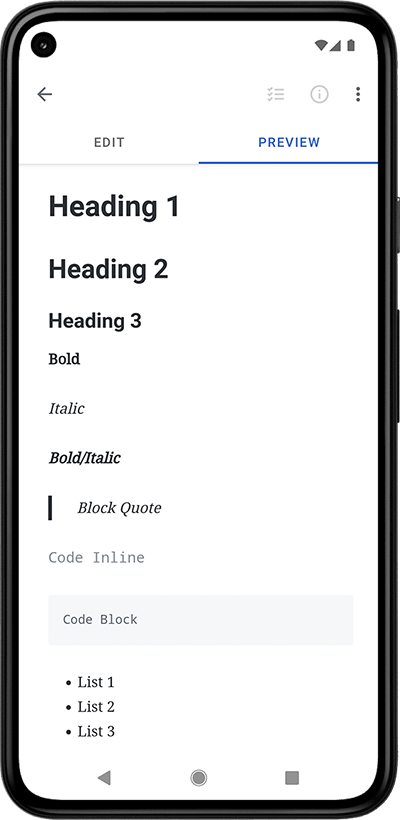 1121</pre> 1122 1123 1124 1125<div style="height:56px" aria-hidden="true" class="wp-block-spacer"></div> 1126 1127 1128 1129<h4 id="markdown" class="wp-block-heading">Can I use Markdown?</h4> 1130 1131 1132 1133<p class="wp-block-paragraph">Yes! Markdown is supported on our <a href="#markdown_web">web</a>, <a href="#markdown_android">Android</a>, <a href="#markdown_electron">Electron (Linux, Windows)</a>, and <a href="#markdown_ios">iOS</a> apps.</p> 1134 1135 1136 1137<h5 id="markdown_web" class="wp-block-heading">Web</h5> 1138 1139 1140 1141<p class="wp-block-paragraph">
1141Open a note for editing then select the Actions icon (the icon with three dots in a circle at the very top of the screen) and then check the option next to âMarkdownâ.</p> 1142 1143 1144 1145<h5 id="markdown_android" class="wp-block-heading">Android</h5> 1146 1147 1148 1149<p class="wp-block-paragraph">You can enable and disable Markdown on a per-note basis by tapping the ellipsis action in the top app bar while viewing a note and tapping the Markdown checkbox. Simplenote Android will remember the last time you enabled or disabled Markdown on a note and apply that setting when notes are created.</p> 1150 1151 1152 1153<p class="wp-block-paragraph">Markdown on Android does not support HTML tags. Entering something like <code><b></code>, <code><i></code>, <code><br></code>, or <code><img></code> will show the tag exactly as it is written and not formatted. The supported syntax is shown below.</p> 1154 1155 1156 1157<p class="wp-block-paragraph">To use single spacing, add two spaces (<code> </code>) followed by one new line to the end of a line. To use double spacing, add two new lines to the end of a line.</p> 1158 1159 1160 1161<p class="wp-block-paragraph">To create a heading, add number signs (<code>#</code>) in front of a word or phrase. The number of number signs you use should correspond to the heading level.</p> 1162 1163 1164 1165<pre># Heading 1 1166## Heading 2 1167### Heading 1168#### Heading 4 1169##### Heading 5 1170</pre> 1171 1172 1173 1174<h1 id="heading-1" class="wp-block-heading">Heading 1</h1> 1175 1176 1177 1178<h2 id="heading-2" class="wp-block-heading">Heading 2</h2> 1179 1180 1181 1182<h3 id="heading-3" class="wp-block-heading">Heading 3</h3> 1183 1184 1185 1186<h4 id="heading-4" class="wp-block-heading">Heading 4</h4> 1187 1188 1189 1190<h5 id="heading-5" class="wp-block-heading">Heading 5</h5> 1191 1192 1193 1194<p class="wp-block-paragraph">To bold text, add two asterisks (<code>**</code>) or underscores (<code>__</code>) before and after a word or phrase. To italicize text, add one asterisk (<code>*</code>) or underscore (<code>_</code>) before and after a word or phrase. To emphasize text with bold and italics at the same time, add any combination of three asterisks (<code>***</code>) or underscores (<code>___</code>) before and after a word or phrase.</p> 1195 1196 1197 1198<pre>**Bold** 1199*Italic* 1200_Italic_ 1201***Bold/Italic*** 1202_**Bold/Italic**_ 1203__*Bold/Italic*__ 1204___Bold/Italic___ 1205</pre> 1206 1207 1208 1209<p class="wp-block-paragraph"><strong>Bold</strong><br><em>Italic</em><br><em>Italic</em><br><em><strong>Bold/Italic</strong></em><br><strong><em>Bold/Italic</em></strong><br><strong><em>Bold/Italic</em></strong><br><strong><em>Bold/Italic</em></strong></p> 1210 1211 1212 1213<p class="wp-block-paragraph">To create a blockquote, add a chevron pointing right (<code>></code>) in front of a paragraph.</p> 1214 1215 1216 1217<pre>> Blockquote 1218</pre> 1219 1220 1221 1222<blockquote class="wp-block-quote is-layout-flow wp-block-quote-is-layout-flow"> 1223<p class="wp-block-paragraph">Blockquote</p> 1224</blockquote> 1225 1226 1227 1228<p class="wp-block-paragraph">To denote a word or phrase as code inline with other text, enclose it in backticks (<code>`</code>).</p> 1229 1230 1231 1232<pre>`Code Inline` 1233</pre> 1234 1235 1236 1237<p class="wp-block-paragraph"><code>Code Inline</code></p> 1238 1239 1240 1241<p class="wp-block-paragraph">To create code blocks, add three backticks (<code>```</code>) before and after the block of text. Alternatively, indent every line of the block by at least four spaces (<code> </code>) or one tab.</p> 1242 1243 1244 1245<pre>``` 1246Code Block 1247``` 1248</pre> 1249 1250 1251<div class="wp-block-syntaxhighlighter-code "><pre class="brush: plain; gutter: false; title: ; notranslate" title=""> 1252Code Block 1253</pre></div> 1254 1255 1256<pre> Code Block 1257</pre> 1258 1259 1260<div class="wp-block-syntaxhighlighter-code "><pre class="brush: plain; gutter: false; title: ; notranslate" title=""> 1261Code Block 1262</pre></div> 1263 1264 1265<p class="wp-block-paragraph">To create an unordered list, add dashes (<code>-</code>), plus signs (<code>+</code>), asterisks (<code>*</code>), or bullet points (<code>â¢</code>) in front of line items.</p> 1266 1267 1268 1269<pre>- Dash 1 1270- Dash 2 1271- Dash 3 1272</pre> 1273 1274 1275 1276<ul class="wp-block-list"> 1277<li>Dash 1</li> 1278 1279 1280 1281<li>Dash 2</li> 1282 1283 1284 1285<li>Dash 3</li> 1286</ul> 1287 1288 1289 1290<pre>+ Plus 1 1291+ Plus 2 1292+ Plus 3 1293</pre> 1294 1295 1296 1297<ul class="wp-block-list"> 1298<li>Plus 1</li> 1299 1300 1301 1302<li>Plus 2</li> 1303 1304 1305 1306<li>Plus 3</li> 1307</ul> 1308 1309 1310 1311<pre>* Asterisk 1 1312* Asterisk 2 1313* Asterisk 3 1314</pre> 1315 1316 1317 1318<ul class="wp-block-list"> 1319<li>Asterisk 1</li> 1320 1321 1322 1323<li>Asterisk 2</li> 1324 1325 1326 1327<li>Asterisk 3</li> 1328</ul> 1329 1330 1331 1332<pre>⢠Bullet 1 1333⢠Bullet 2 1334⢠Bullet 3 1335</pre> 1336 1337 1338 1339<ul class="wp-block-list"> 1340<li>Bullet 1</li> 1341 1342 1343 1344<li>Bullet 2</li> 1345 1346 1347 1348<li>Bullet 3</li> 1349</ul> 1350 1351 1352 1353<p class="wp-block-paragraph">To create a checklist, add a dash (<code>-</code>), space (<code> </code>), and square brackets (<code>[]</code>) surrounding a space (<code> </code>) or x (<code>x</code>) in front of the items.</p> 1354 1355 1356 1357<pre>
1357- [x] Checked 1 1358- [x] Checked 2 1359- [x] Checked 3 1360- [ ] Unchecked 1 1361- [ ] Unchecked 2 1362- [ ] Unchecked 3 1363</pre> 1364 1365 1366 1367<p class="wp-block-paragraph">To create an ordered list, add line items with numbers followed by periods.</p> 1368 1369 1370 1371<pre>1. Ordered 1 13722. Ordered 2 13733. Ordered 3 1374</pre> 1375 1376 1377 1378<ol class="wp-block-list"> 1379<li>Ordered 1</li> 1380 1381 1382 1383<li>Ordered 2</li> 1384 1385 1386 1387<li>Ordered 3</li> 1388</ol> 1389 1390 1391 1392<p class="wp-block-paragraph">To create a table, use three or more hyphens (<code>---</code>) to create each columnâs header, and use pipes (<code>|</code>) with a space (<code> </code>) on each side of the pipes to separate each column.</p> 1393 1394 1395 1396<pre>Header 1 | Header 2 1397--- | --- 1398Row 1 Column 1 | Row 1 Column 2 1399Row 2 Column 1 | Row 2 Column 2 1400</pre> 1401 1402 1403 1404<figure class="wp-block-table"><table><thead><tr><th>Header 1</th><th>Header 2</th></tr></thead><tbody><tr><td>Row 1 Column 1</td><td>Row 1 Column 2</td></tr><tr><td>Row 2 Column 1</td><td>Row 2 Column 2</td></tr></tbody></table></figure> 1405 1406 1407 1408<p class="wp-block-paragraph">To create a horizontal rule, use three or more asterisks (<code>***</code>), dashes (<code>---</code>), or underscores (<code>___</code>) on a line by themselves.</p> 1409 1410 1411 1412<pre>*** 1413--- 1414___ 1415</pre> 1416 1417 1418 1419<p class="wp-block-paragraph">To create a link, enclose the link text in brackets (e.g., <code>[Link]</code>) and then follow it immediately with the URL in parentheses (e.g., <code>(https://simplenote.com)</code>).</p> 1420 1421 1422 1423<pre>[Link](https://simplenote.com) 1424</pre> 1425 1426 1427 1428<p class="wp-block-paragraph"><a href="https://simplenote.com">Link</a></p> 1429 1430 1431 1432<p class="wp-block-paragraph">To create an image, put an exclamation mark (<code>!</code>) before the enclosed image text in brackets (e.g., <code>![Image]</code>) and then follow it immediately with the URL in parentheses (e.g., <code>(https://cldup.com/DqxSeQlvga.png)</code>).</p> 1433 1434 1435 1436<pre> 1437</pre> 1438 1439 1440 1441<figure class="wp-block-image"><img src="https://cldup.com/DqxSeQlvga.png" alt="Image" /></figure> 1442 1443 1444 1445<h5 id="markdown_electron" class="wp-block-heading">Electron (Linux, Windows)</h5> 1446 1447 1448 1449<p class="wp-block-paragraph">First, enable it on your note by selecting the <strong>Info</strong> panel icon and toggle the Markdown setting.</p> 1450 1451 1452 1453<p class="wp-block-paragraph">To get started with text formatting, <a href="https://daringfireball.net/projects/markdown/basics" target="_blank" rel="noreferrer noopener">check out the basics</a>. Hereâs a small sampling of what you can do with Markdown:</p> 1454 1455 1456 1457<p class="wp-block-paragraph"># heading 1<br>## heading 2<br>### heading 3<br>_Italics_<br>**Bold**<br>**_Italics and Bold_**<br>Links: [Simplenote](<a href="https://simplenote.com/">https://simplenote.com/</a>)</p> 1458 1459 1460 1461<p class="wp-block-paragraph">Lists:</p> 1462 1463 1464 1465<p class="wp-block-paragraph">â Thing 1<br>â Thing 2<br>â Thing 3</p> 1466 1467 1468 1469<p class="wp-block-paragraph">Embed an image:<br></p> 1470 1471 1472 1473<h5 id="markdown_ios" class="wp-block-heading">iOS</h5> 1474 1475 1476 1477<p class="wp-block-paragraph">Click on the <strong>Info </strong>panel icon and toggle the markdown setting. Once enabled, you can swipe left to preview your markdown notes, and swipe right to continue editing.</p> 1478 1479 1480 1481<p class="wp-block-paragraph">Note: Markdown helps format your text, but can’t insert specific letters like Delta. Any device you use will have a different method for inserting characters like delta. Please follow up with your device’s support should you want to use special characters. </p> 1482 1483 1484 1485<div style="height:56px" aria-hidden="true" class="wp-block-spacer"></div> 1486 1487 1488 1489<h4 id="publish" class="wp-block-heading">How does publishing work?</h4> 1490 1491 1492 1493<p class="wp-block-paragraph">Publishing notes is a way to share notes on the web for others to read. Just tap the <strong>Action </strong>panel icon (the ellipsis icon) when viewing a note, then tap <strong>Publish</strong>. Within seconds youâll be able to share a link to get the word out. </p> 1494 1495 1496 1497<p class="wp-block-paragraph">Please note that by publishing your note, everyone with the link to the published note will be able to view the content. Avoid publishing the note if it contains sensitive data not meant for public access.</p> 1498 1499 1500 1501<div style="height:56px" aria-hidden="true" class="wp-block-spacer"></div> 1502 1503 1504 1505<h4 id="simp.ly" class="wp-block-heading">What is a simp.ly link?</h4> 1506 1507 1508 1509<p class="wp-block-paragraph">When you publish a note in Simplenote, the app creates a public webpage for others to read. The link you share will use the <code>simp.ly</code> domain, for example: <code>
1509https://simp.ly/p/abc123</code>.</p> 1510 1511 1512 1513<p class="wp-block-paragraph">This domain is owned and operated by Simplenote/Automattic, and itâs the official address where all published Simplenote notes are hosted. You may see it when someone shares a published note with you, even if youâve never used Simplenote before.</p> 1514 1515 1516 1517<p class="wp-block-paragraph">If youâre unfamiliar with the domain, it can look unusual at first glance. To help reassure you:</p> 1518 1519 1520 1521<ul class="wp-block-list"> 1522<li><code>simp.ly</code> is a legitimate domain used exclusively by Simplenote.</li> 1523 1524 1525 1526<li>Links using this domain are safe to open as long as you trust the person who sent them.</li> 1527 1528 1529 1530<li>Published notes are read-only and contain only the text the author chose to share.</li> 1531</ul> 1532 1533 1534 1535<p class="wp-block-paragraph">If you ever receive a <code>simp.ly</code> link from someone you donât know, treat it the same way you would any other unknown link online: open it only if you trust the sender.</p> 1536 1537 1538 1539<div style="height:56px" aria-hidden="true" class="wp-block-spacer"></div> 1540 1541 1542 1543<h4 id="note-length" class="wp-block-heading">Whatâs the maximum length of a note?</h4> 1544 1545 1546 1547<p class="wp-block-paragraph">You can create very long notes if you absolutely have to, but we donât recommend making notes longer than several thousand words. Huge notes can take a long time to process both in the web app and on your device.</p> 1548 1549 1550 1551<p class="wp-block-paragraph">You can break long notes up into multiple notes and link between them using <a href="#internal-links">internal links</a>.</p> 1552 1553 1554 1555<div style="height:56px" aria-hidden="true" class="wp-block-spacer"></div> 1556 1557 1558 1559<h4 id="note-count" class="wp-block-heading">How many notes can I make?</h4> 1560 1561 1562 1563<p class="wp-block-paragraph">We donât currently place any restrictions on the number of notes you can make, as long as youâre not abusing the system.</p> 1564 1565 1566 1567<div style="height:56px" aria-hidden="true" class="wp-block-spacer"></div> 1568 1569 1570 1571<h4 id="internal-links" class="wp-block-heading">How do internal links work?</h4> 1572 1573 1574 1575<p class="wp-block-paragraph">Internal links allow you to link to one note from within another note. You can read more about how to use them on this blog post: <a href="https://simplenote.com/2020/11/03/introducing-internal-links/">https://simplenote.com/2020/11/03/introducing-internal-links/</a></p> 1576 1577 1578 1579<div style="height:56px" aria-hidden="true" class="wp-block-spacer"></div> 1580 1581 1582 1583<h4 id="organize" class="wp-block-heading">How can I organize my notes?</h4> 1584 1585 1586 1587<p class="wp-block-paragraph">You can organize your notes by adding tags to a note at the bottom of the note editing screen. There isn’t a hard limit on the number of tags you can add to a note, but we do not recommend adding more than 10 as it’ll be challenging to keep track and manage.</p> 1588 1589 1590 1591<p class="wp-block-paragraph">To edit or delete tags:</p> 1592 1593 1594 1595<p class="wp-block-paragraph"><strong>Web App:</strong></p> 1596 1597 1598 1599<ol class="wp-block-list"> 1600<li>Go to the sidebar and click the hamburger menu.</li> 1601 1602 1603 1604<li>In the Tags tab, click “Edit.”</li> 1605 1606 1607 1608<li>From here, you can edit the tag name, rearrange the order of the tags, or delete tags.</li> 1609</ol> 1610 1611 1612 1613<p class="wp-block-paragraph"><strong>Mobile Apps:</strong></p> 1614 1615 1616 1617<ol class="wp-block-list"> 1618<li>Click the hamburger menu in the upper left corner.</li> 1619 1620 1621 1622<li>Tap “EDIT.”</li> 1623 1624 1625 1626<li>If you tap a tag name, you’ll see the option to rename it.</li> 1627 1628 1629 1630<li>You can also delete tags from this screen.</li> 1631</ol> 1632 1633 1634 1635<p class="wp-block-paragraph"><strong>Desktop Apps:</strong></p> 1636 1637 1638 1639<ol class="wp-block-list"> 1640<li>Right-click a tag in the sidebar to see the option to <em>Rename Tag</em> or <em>Delete Tag</em>.</li> 1641 1642 1643 1644<li>Drag and drop a tag to rearrange the order.</li> 1645</ol> 1646 1647 1648 1649<p class="wp-block-paragraph">To search notes by a tag, enter <code>tag:</code> followed by the tag name in the search bar. For example, if you want to see the list of notes tagged with <code>groceries</code>, enter <code>tag:groceries</code> in the search bar.</p> 1650 1651 1652 1653<p class="wp-block-paragraph">While you can filter notes by tags temporarily this way, you can’t hide notes with certain tags added from the All Notes list.</p> 1654 1655 1656 1657<div style="height:56px" aria-hidden="true" class="wp-block-spacer"></div> 1658 1659 1660 1661<h4 id="attachments" class="wp-block-heading">Can Attachments like images and PDFs be added to notes?</h4> 1662 1663 1664 1665<p class="wp-block-paragraph">Images, PDFs, or any other attachments cannot be added to a note at this time. </p> 1666 1667 1668 1669<div style="height:56px" aria-hidden="true" class="wp-block-spacer"></div> 1670 1671 1672 1673<h3 id="troubleshooting" class="wp-block-heading">Troubleshooting</h3> 1674 1675 1676 1677<div style="height:56px" aria-hidden="true" class="wp-block-spacer"></div> 1678 1679 1680 1681<h4 id="deleted" class="wp-block-heading">I accidentally deleted a note. Can I recover it?</h4> 1682 1683 1684 1685<p class="wp-block-paragraph">Yes, all deleted notes go into your Trash. To see the notes that are in y
1685our Trash, you need to view the âTrashâ tag. On Android and iOS, simply return to your main notes list and open the tags drawer. Youâll see âTrashâ below the âAll Notesâ row. In the web app, hover over the tag in your note list, and select Trash.</p> 1686 1687 1688 1689<p class="wp-block-paragraph">When viewing your Trash, you can choose to restore a previously deleted note by swiping from right to left on the note then by tapping ârestore.â It will then appear back inside All Notes.</p> 1690 1691 1692 1693<div style="height:56px" aria-hidden="true" class="wp-block-spacer"></div> 1694 1695 1696 1697<h4 id="lost" class="wp-block-heading">I lost a note or some text from a note. What can I do?</h4> 1698 1699 1700 1701<p class="wp-block-paragraph">In the vast majority of cases, Simplenoteâs synchronization works great. We handle millions of synchronization requests each day without any problems. But if you do lose your data, even just a single character, and even if itâs not our fault, we want to hear about it. The integrity of your notes is our top priority. Any form of data loss is completely unacceptable.</p> 1702 1703 1704 1705<p class="wp-block-paragraph">The first thing is to check the note history, most Simplenote apps support viewing previous versions of a note. Be sure to check the history of any blank or duplicate notes you can see. Most of the time you will find your content there. If not, you may want to check the Trash and restore the note from there. Notes put in the Trash still retain their version history.</p> 1706 1707 1708 1709<p class="wp-block-paragraph">Weâre in the process of adding additional safeguards and fallback measures for your notes. Please contact us regarding any form of data loss and try to provide as many details as you can remember about the circumstances that caused the problem so we can ensure it wonât happen again in the future.</p> 1710 1711 1712 1713<div style="height:56px" aria-hidden="true" class="wp-block-spacer"></div> 1714 1715 1716 1717<h4 id="new-phone" class="wp-block-heading">I transferred my data to a new phone. Now, when I sign into my account it is empty.</h4> 1718 1719 1720 1721<p class="wp-block-paragraph">Try following these steps to retrieve your notes:</p> 1722 1723 1724 1725<ol class="wp-block-list"> 1726<li>If you have multiple Simplenote accounts, make sure you’re signed in to the correct one.</li> 1727 1728 1729 1730<li>Sign in on a different device or on the web at app.simplenote.com. This can help determine if the issue is with your new device or with your Simplenote account.</li> 1731</ol> 1732 1733 1734 1735<div style="height:56px" aria-hidden="true" class="wp-block-spacer"></div> 1736 1737 1738 1739<h4 id="sync" class="wp-block-heading">Sync isn’t working. My notes are not syncing to another device. What should I do?</h4> 1740 1741 1742 1743<p class="wp-block-paragraph">The first question is: are you signed into the same account in the Simplenote app?</p> 1744 1745 1746 1747<p class="wp-block-paragraph">The web app reflects what has been synced to our server. If your notes are not synced to another device, and you’ve confirmed you are signed into the same account on the apps, please log in to the web app at <a href="https://app.simplenote.com" rel="nofollow">https://app.simplenote.com</a> to check if the notes are correct and up-to-date.</p> 1748 1749 1750 1751<p class="wp-block-paragraph">If they are, you can safely log out and log back into the Simplenote app on all your devices. When you log in again, all of the notes stored on the Simplenote server will be re-synced, which should resolve any syncing issues going forward.</p> 1752 1753 1754 1755<p class="wp-block-paragraph">If you are signed into the same account but donât see the correct notes in the web app and another Simplenote app, please follow these steps:</p> 1756 1757 1758 1759<ol class="wp-block-list"> 1760<li>Back up your unsynced notes by <a href="https://simplenote.com/help/#export">exporting them</a>. Save the exported notes on your device.</li> 1761 1762 1763 1764<li>Log out from the app and log back into the Simplenote app on all your devices.</li> 1765 1766 1767 1768<li><a href="https://simplenote.com/help/#import">Import</a> the unsynced notes you backed up earlier to the Simplenote app.</li> 1769 1770 1771 1772<li>Check the web app again to confirm if the notes are synced.</li> 1773</ol> 1774 1775 1776 1777<p class="wp-block-paragraph">We also recommend that you <a href="#network">check your network connection</a> to rule out if it’s a network issue on your devices.</p> 1778 1779 1780 1781<p class="wp-block-paragraph">If you’re still having trouble, please <a href="#contact">contact us</a> and share as many details as you can.</p> 1782 1783 1784 1785<p class="wp-block-paragraph"><strong>Warning</strong>: Please do not log out from the app or clear the app data before making sure the notes are backed up or synced to the web app. Doing so will cause permanent data loss.</p> 1786 1787 1788 1789<div style="height:56px" aria-hidden="true" class="wp-block-spacer"></div> 1790 1791 1792 1793<h4 id="network" class="wp-block-heading">How to check my network connection?</h4> 1794 1795 1796 1797<p class="wp-block-paragraph">If you see a sync error in the app, we recommend that you check the following:</p> 1798 1799 1800 1801<ul class="wp-block-list"> 1802<li>Do you have a firewall, VPN, or ad-blocker active on your device that c
1802ould interrupt your network connection?</li> 1803 1804 1805 1806<li>Are you using any ad-blocking or filtering software on your network? Some examples would be PiHole or AdGuard.</li> 1807</ul> 1808 1809 1810 1811<p class="wp-block-paragraph">If this is the case, we recommend disabling these services or adding the following URLs to the allowlist:</p> 1812 1813 1814 1815<ul class="wp-block-list"> 1816<li><a href="https://app.simplenote.com" rel="nofollow">https://app.simplenote.com</a></li> 1817 1818 1819 1820<li><a href="https://api.simperium.com" rel="nofollow">https://api.simperium.com</a></li> 1821 1822 1823 1824<li><a href="https://auth.simperium.com" rel="nofollow">https://auth.simperium.com</a></li> 1825</ul> 1826 1827 1828 1829<p class="wp-block-paragraph">Once that is done, please recheck if the issue persists.</p> 1830 1831 1832 1833<p class="wp-block-paragraph">If it doesn’t seem to be a network issue, please follow these steps:</p> 1834 1835 1836 1837<ol class="wp-block-list"> 1838<li>Make sure your notes are up-to-date on <a href="https://app.simplenote.com" rel="nofollow">https://app.simplenote.com</a>. Back up your unsync notes if needed.</li> 1839 1840 1841 1842<li>Log out from the app</li> 1843 1844 1845 1846<li>Log in again</li> 1847</ol> 1848 1849 1850 1851<div style="height:56px" aria-hidden="true" class="wp-block-spacer"></div> 1852 1853 1854 1855<h4 id="emailsignup" class="wp-block-heading">I didn’t receive the email with my verification code or sign-up link. What do I do?</h4> 1856 1857 1858 1859<p class="wp-block-paragraph">Emails usually arrive within a minute or two. If yours hasn’t:</p> 1860 1861 1862 1863<ol class="wp-block-list"> 1864<li><strong>Check your spam, junk, and promotions folders.</strong> Automated messages are often filtered there. Search your mailbox for <code>simplenote.com</code>.</li> 1865 1866 1867 1868<li><strong>Double-check the address you entered.</strong> The email goes to exactly the address typed into the form, so a small typo means it can’t reach you. Try again and re-read the address carefully.</li> 1869 1870 1871 1872<li><strong>Request a new email.</strong> Verification codes and sign-up links are single-use and expire. If yours is more than a few minutes old, start the sign-up or log-in again to get a fresh one.</li> 1873 1874 1875 1876<li><strong>Try a different email address.</strong> If you’re signing up with a work address or your own domain, your mail server or spam filter may be silently blocking automated mail. Signing up with a mainstream address (Gmail, Outlook, Yahoo, iCloud) is the fastest way to get a working account.</li> 1877 1878 1879 1880<li><strong>If it’s a work or custom domain you want to keep using,</strong> ask whoever manages your email to allow mail from <code>simplenote.com</code>. We can’t change how a receiving mail server filters messages.</li> 1881 1882 1883 1884<li><strong>Make sure you’re using an official Simplenote app.</strong> Third-party Simplenote clients can be blocked from signing in for security reasons. Use the <a href="https://app.simplenote.com" target="_blank" rel="noopener">web app</a> or an <a href="https://simplenote.com/apps/" target="_blank" rel="noopener">official app</a>.</li> 1885</ol> 1886 1887 1888 1889<p class="wp-block-paragraph"><strong>Already have an account?</strong> The log-in email only works for accounts that exist. If you’re trying to get back into an existing account, reset your password at <a href="https://app.simplenote.com/forgot/" target="_blank" rel="noopener">app.simplenote.com/forgot</a> instead.</p> 1890 1891 1892 1893<p class="wp-block-paragraph"><strong>Signing up always requires email verification.</strong> Logging in with a password lets you skip the code on later log-ins, but it can’t be used to bypass the verification step when creating a new account.</p> 1894 1895 1896 1897<p class="wp-block-paragraph"><strong>Never clicked the sign-up link?</strong> No account is created until you do â the pending sign-up simply lapses, and there’s nothing to delete or cancel.</p> 1898 1899 1900 1901<p class="wp-block-paragraph"></p> 1902 1903 1904 1905<h3 id="security" class="wp-block-heading">Security</h3> 1906 1907 1908 1909<div style="height:56px" aria-hidden="true" class="wp-block-spacer"></div> 1910 1911 1912 1913<h4 id="encryption" class="wp-block-heading">Are my notes encrypted in storage?</h4> 1914 1915 1916 1917<p class="wp-block-paragraph">In terms of security, Simplenote works a lot like other popular online services such as Gmail and Facebook. Your personal information is protected by a strict <a href="https://automattic.com/privacy/">Privacy Policy</a>. Notes are not encrypted at rest due to server side constraints. For this reason we recommend not using Simplenote to store anything particularly sensitive.</p> 1918 1919 1920 1921<p class="wp-block-paragraph">Unlike a lot of other services, however, by default your notes in Simplenote are always encrypted when theyâre in transit across a network. This is important. Itâs when your personal information is most vulnerable. We believe that all modern services should provide this level of protection by default.</p> 1922 1923 1924 1925<div style="height:56px" aria-hidden="true" class="wp-block-spacer"></div> 1926 1927 1928 1929<h4 id="email" class="wp-block-heading">You have my email addressâ¦</h4> 1930 1931 1932 1933<p class="wp-block-paragraph">We respect the privacy of our users, and weâll never give email addresses to third parties.</p> 1934 1935 1936 1937<div style="height:56px" aria-hidden="true" class="wp-block-spacer"></div> 1938 1939 1940 1941<h4 id="sync-encryption" class="wp-block-heading">Does Simplenote encrypt my notes during synchronization?</h4> 1942 1943 1944 1945<p class="wp-block-paragraph">Yes, this is important! Donât settle for anything less. Nonetheless, we discourage users from storing extremely sensitive information such as passwords, bank account information, or social security numbers. Please see our <a href="https://automattic.com/privacy/">Privacy Policy</a> if you have any concerns.</p> 1946 1947 1948 1949<div style="height:56px" aria-hidden="true" class="wp-block-spacer"></div> 1950 1951 1952 1953<h4 id="hide" class="wp-block-heading">Can I hide notes?</h4> 1954 1955 1956 1957<p class="wp-block-paragraph">No, there isn’t a way to hide a note within Simplenote. You can <a href="#sort">use sort options</a> to make sure it isn’t at the top of the list, but it will be visible if someone has access to your logged-in app. The best way to protect your notes is to make sure you use a strong password and log out after use. <
1957/p> 1958 1959 1960 1961<div style="height:56px" aria-hidden="true" class="wp-block-spacer"></div> 1962 1963 1964 1965<h3 id="information" class="wp-block-heading">Information</h3> 1966 1967 1968 1969<div style="height:56px" aria-hidden="true" class="wp-block-spacer"></div> 1970 1971 1972 1973<h4 id="system-requirements" class="wp-block-heading">System Requirements</h4> 1974 1975 1976 1977<p class="wp-block-paragraph">Simplenote works on a variety of devices and operating systems. Here’s a breakdown of the minimum supported versions:</p> 1978 1979 1980 1981<figure class="wp-block-table"><table class="has-fixed-layout"><thead><tr><th>Platform</th><th>Minimum Supported Version</th></tr></thead><tbody><tr><td>Android</td><td>6.0</td></tr><tr><td>iOS</td><td>15.0</td></tr><tr><td>Mac</td><td>12.0</td></tr><tr><td>Windows</td><td>10</td></tr><tr><td>Linux</td><td>Ubuntu 12.04</td></tr><tr><td>Web App Browsers</td><td>Chrome<br>Firefox<br>Safari<br>Edge (Version 80+)</td></tr></tbody></table></figure> 1982 1983 1984 1985<h5 class="wp-block-heading"><strong>Linux Support:</strong></h5> 1986 1987 1988 1989<p class="wp-block-paragraph">For Linux users, Simplenote offers downloadable <code>.deb</code> and <code>.rpm</code> files compatible with Debian, Ubuntu, RedHat, CentOS, and similar distributions. It’s important to note that while we strive for broad compatibility, our ability to troubleshoot issues specific to your Linux distribution might be limited. We can assist in identifying and potentially fixing evident errors within the files themselves, but beyond that, support might be limited.</p> 1990 1991 1992 1993<h4 id="contact" class="wp-block-heading">How can I contact you?</h4> 1994 1995 1996 1997<p class="wp-block-paragraph">If the information on this page doesn’t answer your questions, please post your questions in our forum and share as many details as you can (e.g., device details): <a href="https://forums.simplenote.com/">forums.simplenote.com</a></p> 1998 1999 2000 2001<p class="wp-block-paragraph">Kindly check out the forum posting guidelines if you’re new to the forum: <a href="https://forums.simplenote.com/forums/topic/guidelines-for-posting/" rel="nofollow">https://forums.simplenote.com/forums/topic/guidelines-for-posting/</a></p> 2002 2003 2004 2005<div style="height:56px" aria-hidden="true" class="wp-block-spacer"></div> 2006 2007 2008 2009<h4 id="cost" class="wp-block-heading">How much does Simplenote cost?</h4> 2010 2011 2012 2013<p class="wp-block-paragraph">Simplenote is a free service provided by your friends at <a href="http://automattic.com/">Automattic</a>.</p> 2014 2015 2016 2017<div style="height:56px" aria-hidden="true" class="wp-block-spacer"></div> 2018 2019 2020 2021<h4 id="dropbox" class="wp-block-heading">What happened to Dropbox support?</h4> 2022 2023 2024 2025<p class="wp-block-paragraph">Simplenote no longer supports Dropbox sync.</p> 2026 2027 2028 2029<div style="height:56px" aria-hidden="true" class="wp-block-spacer"></div> 2030 2031 2032 2033<h4 id="spellcheck" class="wp-block-heading">Spell check</h4> 2034 2035 2036 2037<p class="wp-block-paragraph">Spell check is not currently functional in Simplenote on the web. We hope to be able to restore it in the future, but it’s unfortunately technically complex because apps that run inside the browser do not have access to the OS-level spell checker, for security reasons. The mobile apps do include spellchecking, as does the desktop app for OSX. </p> 2038 2039 2040 2041<div style="height:100px" aria-hidden="true" class="wp-block-spacer"></div> 2042 2043 2044 2045<h3 id="account" class="wp-block-heading">Account</h3> 2046 2047 2048 2049<div style="height:56px" aria-hidden="true" class="wp-block-spacer"></div> 2050 2051 2052 2053<h4 id="log-in" class="wp-block-heading">How do I log in to Simplenote?</h4> 2054 2055 2056 2057<p class="wp-block-paragraph">Simplenote offers two login methods:</p> 2058 2059 2060 2061<ul class="wp-block-list"> 2062<li><strong>Login via Email:</strong> This method sends a unique code to your email address for verification each time you log in.</li> 2063 2064 2065 2066<li><strong>Login with Password:</strong> You can log in using your existing password without needing the verification code. You can then ignore these emails or automatically filter them to the trash. If you’re using the web, you can also bookmark this page to log in without generating an email: <a href="https://app.simplenote.com/login-with-password/" target="_blank" rel="noreferrer noopener">https://app.simplenote.com/login-with-password/</a></li> 2067</ul> 2068 2069 2070 2071<p class="wp-block-paragraph">Currently, there’s no option to completely disable login verification emails.</p> 2072 2073 2074 2075<div style="height:56px" aria-hidden="true" class="wp-block-spacer"></div> 2076 2077 2078 2079<h4 id="no-account" class="wp-block-heading">Can I use Simplenote without creating an account?</h4> 2080 2081 2082 2083<p class="wp-block-paragraph">No, there is not a way to use Simplenote without creating an account. You may want to consider the <a href="https://dayoneapp.com/features/" target="_blank" rel="noreferrer noopener">Day One app</a>, which supports storing your data on your device’s storage without syncing to our server if you don’t create a sync account.</p> 2084 2085 2086 2087<div style="height:56px" aria-hidden="true" class="wp-block-spacer"></div> 2088 2089 2090 2091<h4 id="forgot" class="wp-block-heading">I forgot my password. What do I do?</h4> 2092 2093 2094 2095<p class="wp-block-paragraph">To reset your password, visit <a href="https://app.simplenote.com/forgot/">app.simplenote.com/forgot</a>. Enter your email address there and a password reset link will be sent to you.</p> 2096 2097 2098 2099<div style="height:56px" aria-hidden="true" class="wp-block-spacer"></div> 2100 2101 2102 2103<h4 id="close-account" class="wp-block-heading">Can I close my account?</h4> 2104 2105 2106 2107<p class="wp-block-paragraph">Yes, you can close your account via the Simplenote web app only, on a desktop browser: <a href="https://app.simplenote.com/">https://app.simplenote.com/</a></p> 2108 2109 2110 2111<p class="wp-block-paragraph">Sign in to the <a href="http://app.simplenote.com/">web app</a> and go to your account settings. Youâll find an option there to delete your Simplenote account.</p> 2112 2113 2114 2115<p class="wp-block-paragraph">Please note that all your notes will be permanently deleted, and
2115your account details (like your email address) will be purged. If youâd like to keep a copy of your notes, we recommend you <a href="https://simplenote.com/help/#export">export</a> them before closing your account.</p> 2116 2117 2118 2119<p class="wp-block-paragraph">If you don’t remember your password, you can reset it here first: <a href="https://app.simplenote.com/forgot/"> https://app.<mark>simplenote</mark>.com/forgot/ </a> (please check your spam folder for the email). </p> 2120 2121 2122 2123<p class="wp-block-paragraph">If you run into an error during deletion (“<em>We could not delete your account</em>“), please try the following:</p> 2124 2125 2126 2127<ul class="wp-block-list"> 2128<li>Reset your password and try closing the account again</li> 2129 2130 2131 2132<li>Use a desktop web browser (not on a phone or a mobile app)</li> 2133</ul> 2134 2135 2136 2137<div style="height:56px" aria-hidden="true" class="wp-block-spacer"></div> 2138 2139 2140 2141<h4 id="passcode" class="wp-block-heading">How can I enable a Passcode? / How can I troubleshoot Passcode issues?</h4> 2142 2143 2144 2145<p class="wp-block-paragraph">Simplenote includes an optional Passcode Lock (Android and iOS) that adds a 4-digit PIN to the app itself, separate from your Simplenote account password. You can enable it under Settings â Passcode.</p> 2146 2147 2148 2149<p class="wp-block-paragraph">On iOS, you can also use Touch ID or Face ID instead of entering your PIN. On Android, fingerprint authentication may be available depending on your device.</p> 2150 2151 2152 2153<p class="wp-block-paragraph">Important: The passcode is stored only on your device â it is not connected to your Simplenote account, and your notes are always safely synced to your account regardless.</p> 2154 2155 2156 2157<p class="wp-block-paragraph">If you forget your passcode: Uninstall the Simplenote app and reinstall it. This removes the local passcode. When you sign back in with your email and password, your notes will sync back automatically.</p> 2158 2159 2160 2161<div style="height:56px" aria-hidden="true" class="wp-block-spacer"></div> 2162 2163 2164 2165<h4 id="change-email" class="wp-block-heading">How do I change the email address I use to sign in?</h4> 2166 2167 2168 2169<p class="wp-block-paragraph">At this time, it’s not possible to change the email address associated with your Simplenote account. If you need to use a different email, the recommended approach is to export your notes from your current account and re-import them into a new account created with the desired email address. Please note that any notes you had previously shared or published will no longer be shared or published once imported into the new accountâthey will be treated as regular notes. You can follow the steps outlined in our <a class="" href="https://simplenote.com/help/#export">Export Guide</a> to save your notes, and then use our <a class="" href="https://simplenote.com/help/#import">Import Guide</a> to bring them into your new account.</p> 2170 2171 2172 2173<div style="height:56px" aria-hidden="true" class="wp-block-spacer"></div> 2174 2175 2176 2177<h4 id="recovery" class="wp-block-heading">Can I recover access to my Simplenote account without access to my email?</h4> 2178 2179 2180 2181<p class="wp-block-paragraph">Because your email address is the only information we have about you for your account you must still have access to it for us to help you recover access to your Simplenote account to reset your password. If you still know your password please, feel free to follow the steps above to log in and update your email to one you still have access to. We aren’t able to change the email address on a Simplenote account or provide access in any way to the notes in the account for you. </p> 2182 2183 2184 2185<div style="height:56px" aria-hidden="true" class="wp-block-spacer"></div> 2186 2187 2188 2189<h4 id="logout" class="wp-block-heading">How do I log out?</h4> 2190 2191 2192 2193<p class="wp-block-paragraph">Currently, it is not possible to remotely log out from other devices simultaneously. However, you can log out from each device or platform individually by following the steps below.</p> 2194 2195 2196 2197<h5 class="wp-block-heading">Android and iOS</h5> 2198 2199 2200 2201<p class="wp-block-paragraph">To log out from the Android an iOS app, tap the <strong>Navigation</strong> drawer, go to <strong>Settings</strong>, scroll down to the <strong>Account </strong>section, and tap the <strong>Log Out</strong> menu item.</p> 2202 2203 2204 2205<h5 class="wp-block-heading">Mac </h5> 2206 2207 2208 2209<p class="wp-block-paragraph">On the Mac app, you can log out by going to Simplenote > Settings. You should see a <strong>Log Out</strong> button in the <strong>Account</strong> section, under your email address.</p> 2210 2211 2212 2213<h5 class="wp-block-heading">Web App</h5> 2214 2215 2216 2217<p class="wp-block-paragraph">On the Web App, you can log out by clicking the <strong>Navigation</strong> drawer, going to <strong>Settings</strong>, selecting the <strong>Account</strong> tab, and then clicking on the <strong>Log Out</strong> button there.</p> 2218 2219 2220 2221<div style="height:56px" aria-hidden="true" class="wp-block-spacer"></div> 2222 2223 2224
2225<h4 id="feature-request" class="wp-block-heading">How do I suggest a feature?</h4> 2226 2227 2228 2229<p class="wp-block-paragraph">We appreciate your continued use of Simplenote and the support of our community over the years. Simplenote is no longer in active development, and while the app remains available, only its basic functionality is being maintained at this time. No new features or enhancements are planned.</p> 2230 2231 2232 2233<p class="wp-block-paragraph">You’re also invited to check out the <a rel="noreferrer noopener" href="https://dayoneapp.com/features/" target="_blank">Day One app</a>, another product by Automattic Inc., which owns Simplenote. Features like media attachments not supported in Simplenote can be found on Day One.</p> 2234 2235 2236 2237<div class="wp-block-buttons is-layout-flex wp-block-buttons-is-layout-flex"> 2238<div class="wp-block-button floating-button"><a class="wp-block-button__link has-background-color has-text-color has-background wp-element-button" href="#" style="border-radius:4px;background-color:#3361cc">Back to Top</a></div> 2239</div> 2240 2241 2242 2243<p class="wp-block-paragraph"> </p> 2244 2245 </div><!-- .entry-content --> 2246 2247 </article><!-- #post-545 --> 2248 2249 </main><!-- #main --> 2250 </section><!-- #primary --> 2251 2252 2253 </div><!-- #content --> 2254 2255 2256 <footer id="colophon" class="site-footer responsive-max-width"> 2257 <nav class="footer-navigation" aria-label="Footer Menu"> 2258 <div class="menu-footer-container"><ul id="menu-footer" class="footer-menu"><li id="menu-item-25869" class="menu-item menu-item-type-post_type menu-item-object-page menu-item-25869"><a href="https://simplenote.com/contact/">Contact Us</a></li> 2259<li id="menu-item-581" class="menu-item menu-item-type-post_type menu-item-object-page current-menu-item page_item page-item-545 current_page_item menu-item-581"><a href="https://simplenote.com/help/" aria-current="page">Help</a></li> 2260<li id="menu-item-119" class="menu-item menu-item-type-post_type menu-item-object-page menu-item-119"><a href="https://simplenote.com/blog/">Blog</a></li> 2261<li id="menu-item-120" class="menu-item menu-item-type-post_type menu-item-object-page menu-item-120"><a href="https://simplenote.com/developers/">Developers</a></li> 2262<li id="menu-item-121" class="menu-item menu-item-type-post_type menu-item-object-page menu-item-121"><a href="https://simplenote.com/terms/">Terms of Service</a></li> 2263<li id="menu-item-17744" class="menu-item menu-item-type-custom menu-item-object-custom menu-item-17744"><a href="https://automattic.com/privacy/">Privacy</a></li> 2264<li id="menu-item-26095" class="menu-item menu-item-type-custom menu-item-object-custom menu-item-26095"><a href="https://automattic.com/press/">Press</a></li> 2265<li id="menu-item-25870" class="menu-item menu-item-type-custom menu-item-object-custom menu-item-25870"><a href="https://automattic.com/privacy/#us-privacy-laws">Privacy Notice for California Users</a></li> 2266<li id="menu-item-25993" class="menu-item menu-item-type-custom menu-item-object-custom menu-item-25993"><a href="https://automattic.com">© 2026 Automattic Inc.</a></li> 2267</ul></div> </nav><!-- .footer-navigation --> 2268 2269 2270 <div class="site-info"> 2271 <a class="site-name" href="https://simplenote.com/" rel="home">Simplenote</a><span class="comma">,</span> 2272<a href="https://wordpress.com/?ref=footer_blog" rel="nofollow">Blog at WordPress.com.</a> </div><!-- .site-info --> 2273 </footer><!-- #colophon --> 2274 2275</div><!-- #page --> 2276 2277<!-- -->
2278<script type="speculationrules">
2279{"prefetch":[{"source":"document","where":{"and":[{"href_matches":"/*"},{"not":{"href_matches":["/wp-*.php","/wp-admin/*","/files/*","/wp-content/*","/wp-content/plugins/*","/wp-content/themes/a8c/simplenote/*","/wp-content/themes/pub/varia/*","/*\\?(.+)"]}},{"not":{"selector_matches":"a[rel~=\"nofollow\"]"}},{"not":{"selector_matches":".no-prefetch, .no-prefetch a"}}]},"eagerness":"conservative"}]}
2280</script>
vendor: 1 bytes, line 2280
2280
2281<script type="text/javascript">window.DocsBotAI=window.DocsBotAI||{},DocsBotAI.init=function(c){return new Promise(function(e,o){var t=document.createElement("script");t.type="text/javascript",t.async=!0,t.src="https://widget.docsbot.ai/chat.js";var n=document.getElementsByTagName("script")[0];n.parentNode.insertBefore(t,n),t.addEventListener("load",function(){window.DocsBotAI.mount({id:c.id,supportCallback:c.supportCallback,identify:c.identify});var t;t=function(n){return new Promise(function(e){if(document.querySelector(n))return e(document.querySelector(n));var o=new MutationObserver(function(t){document.querySelector(n)&&(e(document.querySelector(n)),o.disconnect())});o.observe(document.body,{childList:!0,subtree:!0})})},t&&t("#docsbotai-root").then(e).catch(o)}),t.addEventListener("error",function(t){o(t.message)})})};</script>
2281<script type="text/javascript">DocsBotAI.init({id: "TqTdebbGjJeUjrmBIFjh/sLT9uKQYBYiUBZyI9aNH"});</script>
2281 <div 2282 class="simplenote-app-banner" 2283 id="simplenote-app-banner" 2284 role="region" 2285 aria-label="Download Simplenote" 2286 hidden 2287 > 2288 <button 2289 type="button" 2290 class="simplenote-app-banner__close" 2291 aria-label="Dismiss" 2292 >×</button> 2293 <img 2294 class="simplenote-app-banner__icon" 2295 src="https://simplenoteblog.files.wordpress.com/2020/07/logo.png" 2296 width="44" 2297 height="44" 2298 alt="" 2299 loading="lazy" 2300 /> 2301 <div class="simplenote-app-banner__text"> 2302 <span class="simplenote-app-banner__title"> 2303 Simplenote </span> 2304 <span class="simplenote-app-banner__copy"> 2305 Free â the simplest way to keep notes </span> 2306 </div> 2307 <a class="simplenote-app-banner__cta" href="https://simplenote.com/apps/?campaign=app-banner"> 2308 Get the app </a> 2309 </div> 2310 <div style="display:none"> 2311 </div> 2312 <div id="actionbar" dir="ltr" style="display: none;" 2313 class="actnbr-a8c-simplenote" role="region" aria-label="Site actions"> 2314 <span class="actnbr-live" aria-live="polite"></span> 2315 <ul> 2316 <li class="actnbr-btn actnbr-hidden"> 2317 <a class="actnbr-action actnbr-actn-follow " href="" role="button" aria-haspopup="dialog" aria-expanded="false"> 2318 <svg class="actnbr-icon actnbr-icon-bell" width="20" height="20" viewBox="0 0 24 24" xmlns="http://www.w3.org/2000/svg" aria-hidden="true" focusable="false" fill="currentColor"><path fill-rule="evenodd" clip-rule="evenodd" d="M17 11.5c0 1.353.17 2.368.976 3 .266.209.602.376 1.024.5v1H5v-1c.422-.124.757-.291 1.024-.5.806-.632.976-1.647.976-3V9c0-2.8 2.2-5 5-5s5 2.2 5 5v2.5ZM15.5 9v2.5c0 .93.066 1.98.515 2.897l.053.103H7.932a4.018 4.018 0 0 0 .053-.103c.449-.917.515-1.967.515-2.897V9c0-1.972 1.528-3.5 3.5-3.5s3.5 1.528 3.5 3.5Zm-5.492 9.008c0-.176.023-.346.065-.508h3.854A1.996 1.996 0 0 1 12 20c-1.1 0-1.992-.892-1.992-1.992Z"/></svg> <span>Subscribe</span> 2319 </a> 2320 <a class="actnbr-action actnbr-actn-following no-display" href="" role="button"> 2321 <svg class="actnbr-icon actnbr-icon-check" width="20" height="20" viewBox="0 0 24 24" xmlns="http://www.w3.org/2000/svg" aria-hidden="true" focusable="false" style="fill: none" stroke="currentColor" stroke-width="1.5"><path d="M7 12L10 15L17 8" vector-effect="non-scaling-stroke"/></svg> <span>Subscribed</span> 2322 </a> 2323 <div class="actnbr-popover actnbr-panel actnbr-notice" id="follow-bubble" role="dialog" aria-label="Subscribe to Simplenote"> 2324 <div class="actnbr-follow-bubble"> 2325 <div class="actnbr-panel__group"><a class="actnbr-menu__item actnbr-sitename" href="https://simplenote.com"><img loading='lazy' alt='' src='https://simplenote.com/wp-content/uploads/2020/07/cropped-icon_512x512.png?w=50' srcset='https://simplenote.com/wp-content/uploads/2020/07/cropped-icon_512x512.png?w=50 1x, https://simplenote.com/wp-content/uploads/2020/07/cropped-icon_512x512.png?w=75 1.5x, https://simplenote.com/wp-content/uploads/2020/07/cropped-icon_512x512.png?w=100 2x, https://simplenote.com/wp-content/uploads/2020/07/cropped-icon_512x512.png?w=150 3x, https://simplenote.com/wp-content/uploads/2020/07/cropped-icon_512x512.png?w=200 4x' class='avatar avatar-50' height='50' width='50' /><span class="actnbr-menu__label">Simplenote</span></a></div> <div class="actnbr-panel__group"> 2326 <div class="actnbr-message no-display" aria-live="polite"></div> 2327 <form method="post" action="https://subscribe.wordpress.com" accept-charset="utf-8" class="no-display"> 2328 <div class="actnbr-follow-count">Join 1,641 other subscribers</div> 2329 <input type="email" name="email" placeholder="Want updates? Enter your email" class="actnbr-email-field" aria-label="Email address" /> 2330 <input type="hidden" name="action" value="subscribe" /> 2331 <input type="hidden" name="blog_id" value="43752875" /> 2332 <input type="hidden" name="source" value="https://simplenote.com/help/" /> 2333 <input type="hidden" name="sub-type" value="actionbar-follow" /> 2334 <input type="hidden" id="_wpnonce" name="_wpnonce" value="619196af33" /> <button type="submit" class="actnbr-button">Sign me up</button> 2335 </form> 2336 <p class="actnbr-login-nudge"> 2337 Have a WordPress.com account? <a href="https://wordpress.com/log-in?redirect_to=https%3A%2F%2Fr-login.wordpress.com%2Fremote-login.php%3Faction%3Dlink%26back%3Dhttps%253A%252F%252Fsimplenote.com%252Fhelp%252F">Log in now.</a> </p> 2338 </div> 2339 </div> 2340 </div> 2341 </li> 2342 <li class="actnbr-ellipsis actnbr-hidden"> 2343 <button type="button" class="actnbr-more-toggle" aria-haspopup="true" aria-expanded="false" aria-label="More options"> 2344 <svg class="actnbr-icon actnbr-icon-more-horizontal" width="24" height="24" viewBox="0 0 24 24" xmlns="http://www.w3.org/2000/svg" aria-hidden="true" focusable="false" fill="currentColor"><path d="M11 13h2v-2h-2v2zm-6 0h2v-2H5v2zm12-2v2h2v-2h-2z"/></svg> </button> 2345 <div class="actnbr-popover actnbr-menu" role="menu" aria-label="Site options"> 2346 <div class="actnbr-menu__group" role="group"><a role="menuitem" class="actnbr-menu__item actnbr-sitename" href="https://simplenote.com"><img loading='lazy' alt='' src='https://simplenote.com/wp-content/uploads/2020/07/cropped-icon_512x512.png?w=50' srcset='https://simplenote.com/wp-content/uploads/2020/07/cropped-icon_512x512.png?w=50 1x, https://simplenote.com/wp-content/uploads/2020/07/cropped-icon_512x512.png?w=75 1.5x, https://simplenote.com/wp-content/uploads/2020/07/cropped-icon_512x512.png?w=100 2x, https://simplenote.com/wp-content/uploads/2020/07/cropped-icon_512x512.png?w=150 3x, https://simplenote.com/wp-content/uploads/2020/07/cropped-icon_512x512.png?w=200 4x' class='avatar avatar-50' height='50' width='50' /><span class="actnbr-menu__label">Simplenote</span></a></div><div class="actnbr-menu__group" role="group"><a role="menuitem" class="actnbr-menu__item actnbr-shortlink" href="https://wp.me/P2XA7x-8N"><span class="actnbr-menu__label actnbr-shortlink__text">Copy shortlink</span><span class="actnbr-menu__icon actnbr-shortlink__icon"><svg class="actnbr-icon actnbr-icon-copy" width="18" height="18" viewBox="0 0 24 24" xmlns="http://www.w3.org/2000/svg" aria-hidden="true" focusable="false" fill="currentColor"><path fill-rule="evenodd" clip-rule="evenodd" d="M5 4.5h11a.5.5 0 0 1 .5.5v11a.5.5 0 0 1-.5.5H5a.5.5 0 0 1-.5-.5V5a.5.5 0 0 1 .5-.5ZM3 5a2 2 0 0 1 2-2h11a2 2 0 0 1 2 2v11a2 2 0 0 1-2 2H5a2 2 0 0 1-2-2V5Zm17 3v10.75c0 .69-.56 1.25-1.25 1.25H6v1.5h12.75a2.75 2.75 0 0 0 2.75-2.75V8H20Z"/></svg></span><span class="actnbr-menu__icon actnbr-shortlink__icon-copied"><svg class="actnbr-icon actnbr-icon-check" width="18" height="18" viewBox="0 0 24 24" xmlns="http://www.w3.org/2000/svg" aria-hidden="true" focusable="false" style="fill: none" stroke="currentColor" stroke-width="1.5"><path d="M7 12L10 15L17 8" vector-effect="non-scaling-stroke"/></svg></span></a><a role="menuitem" class="actnbr-menu__item actnbr-reader" href="https://wordpress.com/reader/blogs/43752875/posts/545"><span class="actnbr-menu__label">View post in Reader</span></a></div><div class="actnbr-menu__group" role="group"><a role="menuitem" class="actnbr-menu__item actnbr-subs" href="https://subscribe.wordpress.com/"><span class="actnbr-menu__label">Manage subscriptions</span></a><a role="menuitem" class="actnbr-menu__item actnbr-signup" href="https://wordpress.com/start/"><span class="actnbr-menu__label">Sign up</span></a><a role="menuitem" class="actnbr-menu__item actnbr-login" href="https://wordpress.com/log-in?redirect_to=https%3A%2F%2Fr-login.wordpress.com%2Fremote-login.php%3Faction%3Dlink%26back%3Dhttps%253A%252F%252Fsimplenote.com%252Fhelp%252F"><span class="actnbr-menu__label">Log in</span></a></div><div class="actnbr-menu__group" role="group"><a role="menuitem" class="actnbr-menu__item flb-report" href="https://wordpress.com/abuse/?report_url=https://simplenote.com/help/" target="_blank" rel="noopener noreferrer"><span class="actnbr-menu__label">Report this content</span><span class="actnbr-menu__icon"><svg class="actnbr-icon actnbr-icon-external" width="18" height="18" viewBox="0 0 24 24" xmlns="http://www.w3.org/2000/svg" aria-hidden="true" focusable="false" fill="currentColor"><path d="M19.5 4.5h-7V6h4.44l-5.97 5.97 1.06 1.06L18 7.06v4.44h1.5v-7Zm-13 1a2 2 0 0 0-2 2v10a2 2 0 0 0 2 2h10a2 2 0 0 0 2-2v-3H17v3a.5.5 0 0 1-.5.5h-10a.5.5 0 0 1-.5-.5v-10a.5.5 0 0 1 .5-.5h3V5.5h-3Z"/></svg></span></a></div><div class="actnbr-menu__group" role="group"><a role="menuitem" class="actnbr-menu__item actnbr-fold" href=""><span class="actnbr-menu__label">Collapse this bar</span></a></div> </div> 2347 </li> 2348 </ul> 2349 </div> 2350
2350<script>
2351window.addEventListener( "DOMContentLoaded", function () {
2352				var link = document.createElement( "link" );
2353				link.href = "\/wp-content\/mu-plugins\/jetpack-plugin\/sun\/jetpack_vendor\/automattic\/jetpack-newsletter\/src\/..\/build\/action-bar.css?ver=9e2715140ce0af99d983";
2354				link.rel = "stylesheet";
2355				document.head.appendChild( link );
2356
2357				var script = document.createElement( "script" );
2358				script.src = "\/wp-content\/mu-plugins\/jetpack-plugin\/sun\/jetpack_vendor\/automattic\/jetpack-newsletter\/src\/..\/build\/action-bar.js?ver=9e2715140ce0af99d983";
2359				document.body.appendChild( script );
2360			} );
2361</script>
2361
2362<link rel="prefetch" href="/wp-content/mu-plugins/jetpack-plugin/sun/_inc/blocks/swiper.js" as="script" />
2363		<div id="jp-carousel-loading-overlay" style="display: none;">
2364			<div id="jp-carousel-loading-wrapper">
2365				<span id="jp-carousel-library-loading"><svg class="jetpack-spinner" width="40" height="40" viewBox="0 0 100 100" xmlns="http://www.w3.org/2000/svg" aria-hidden="true" focusable="false"><circle cx="50" cy="50" r="46" fill="none" stroke="#ddd" stroke-width="8"/><path d="M 50 4 A 46 46 0 0 1 96 50" fill="none" stroke="currentColor" stroke-width="8" stroke-linecap="round"><animateTransform attributeName="transform" type="rotate" dur="1.4s" from="0 50 50" to="360 50 50" repeatCount="indefinite"/></path></svg></span>
2366			</div>
2367		</div>
2368		<div class="jp-carousel-overlay" style="display: none;">
2369
2370		<div class="jp-carousel-container">
2371			<!-- The Carousel Swiper -->
2372			<div
2373				class="jp-carousel-wrap swiper jp-carousel-swiper-container jp-carousel-transitions"
2374				itemscope
2375				itemtype="https://schema.org/ImageGallery">
2376				<div class="jp-carousel swiper-wrapper"></div>
2377				<div class="jp-swiper-button-prev swiper-button-prev">
2378					<svg width="25" height="24" viewBox="0 0 25 24" fill="none" xmlns="http://www.w3.org/2000/svg">
2379						<mask id="maskPrev" mask-type="alpha" maskUnits="userSpaceOnUse" x="8" y="6" width="9" height="12">
2380							<path d="M16.2072 16.59L11.6496 12L16.2072 7.41L14.8041 6L8.8335 12L14.8041 18L16.2072 16.59Z" fill="white"/>
2381						</mask>
2382						<g mask="url(#maskPrev)">
2383							<rect x="0.579102" width="23.8823" height="24" fill="#FFFFFF"/>
2384						</g>
2385					</svg>
2386				</div>
2387				<div class="jp-swiper-button-next swiper-button-next">
2388					<svg width="25" height="24" viewBox="0 0 25 24" fill="none" xmlns="http://www.w3.org/2000/svg">
2389						<mask id="maskNext" mask-type="alpha" maskUnits="userSpaceOnUse" x="8" y="6" width="8" height="12">
2390							<path d="M8.59814 16.59L13.1557 12L8.59814 7.41L10.0012 6L15.9718 12L10.0012 18L8.59814 16.59Z" fill="white"/>
2391						</mask>
2392						<g mask="url(#maskNext)">
2393							<rect x="0.34375" width="23.8822" height="24" fill="#FFFFFF"/>
2394						</g>
2395					</svg>
2396				</div>
2397			</div>
2398			<!-- The main close buton -->
2399			<div class="jp-carousel-close-hint">
2400				<svg width="25" height="24" viewBox="0 0 25 24" fill="none" xmlns="http://www.w3.org/2000/svg">
2401					<mask id="maskClose" mask-type="alpha" maskUnits="userSpaceOnUse" x="5" y="5" width="15" height="14">
2402						<path d="M19.3166 6.41L17.9135 5L12.3509 10.59L6.78834 5L5.38525 6.41L10.9478 12L5.38525 17.59L6.78834 19L12.3509 13.41L17.9135 19L19.3166 17.59L13.754 12L19.3166 6.41Z" fill="white"/>
2403					</mask>
2404					<g mask="url(#maskClose)">
2405						<rect x="0.409668" width="23.8823" height="24" fill="#FFFFFF"/>
2406					</g>
2407				</svg>
2408			</div>
2409			<!-- Image info, comments and meta -->
2410			<div class="jp-carousel-info">
2411				<div class="jp-carousel-info-footer">
2412					<div class="jp-carousel-pagination-container">
2413						<div class="jp-swiper-pagination swiper-pagination"></div>
2414						<div class="jp-carousel-pagination"></div>
2415					</div>
2416					<div class="jp-carousel-photo-title-container">
2417						<div class="jp-carousel-photo-caption"></div>
2418					</div>
2419					<div class="jp-carousel-photo-icons-container">
2420						<a href="#" class="jp-carousel-icon-btn jp-carousel-icon-info" aria-label="Toggle photo metadata visibility">
2421							<span class="jp-carousel-icon">
2422								<svg width="25" height="24" viewBox="0 0 25 24" fill="none" xmlns="http://www.w3.org/2000/svg">
2423									<mask id="maskInfo" mask-type="alpha" maskUnits="userSpaceOnUse" x="2" y="2" width="21" height="20">
2424										<path fill-rule="evenodd" clip-rule="evenodd" d="M12.7537 2C7.26076 2 2.80273 6.48 2.80273 12C2.80273 17.52 7.26076 22 12.7537 22C18.2466 22 22.7046 17.52 22.7046 12C22.7046 6.48 18.2466 2 12.7537 2ZM11.7586 7V9H13.7488V7H11.7586ZM11.7586 11V17H13.7488V11H11.7586ZM4.79292 12C4.79292 16.41 8.36531 20 12.7537 20C17.142 20 20.7144 16.41 20.7144 12C20.7144 7.59 17.142 4 12.7537 4C8.36531 4 4.79292 7.59 4.79292 12Z" fill="white"/>
2425									</mask>
2426									<g mask="url(#maskInfo)">
2427										<rect x="0.8125" width="23.8823" height="24" fill="#FFFFFF"/>
2428									</g>
2429								</svg>
2430							</span>
2431						</a>
2432												<a href="#" class="jp-carousel-icon-btn jp-carousel-icon-comments" aria-label="Toggle photo comments visibility">
2433							<span class="jp-carousel-icon">
2434								<svg width="25" height="24" viewBox="0 0 25 24" fill="none" xmlns="http://www.w3.org/2000/svg">
2435									<mask id="maskComments" mask-type="alpha" maskUnits="userSpaceOnUse" x="2" y="2" width="21" height="20">
2436										<path fill-rule="evenodd" clip-rule="evenodd" d="M4.3271 2H20.2486C21.3432 2 22.2388 2.9 22.2388 4V16C22.2388 17.1 21.3432 18 20.2486 18H6.31729L2.33691 22V4C2.33691 2.9 3.2325 2 4.3271 2ZM6.31729 16H20.2486V4H4.3271V18L6.31729 16Z" fill="white"/>
2437									</mask>
2438									<g mask="url(#maskComments)">
2439										<rect x="0.34668" width="23.8823" height="24" fill="#FFFFFF"/>
2440									</g>
2441								</svg>
2442
2443								<span class="jp-carousel-has-comments-indicator" aria-label="This image has comments."></span>
2444							</span>
2445						</a>
2446											</div>
2447				</div>
2448				<div class="jp-carousel-info-extra">
2449					<div class="jp-carousel-info-content-wrapper">
2450						<div class="jp-carousel-photo-title-container">
2451							<div class="jp-carousel-photo-title"></div>
2452						</div>
2453						<div class="jp-carousel-comments-wrapper">
2454															<div id="jp-carousel-comments-loading">
2455									<span>Loading Comments...</span>
2456								</div>
2457								<div class="jp-carousel-comments"></div>
2458								<div id="jp-carousel-comment-form-container">
2459									<span id="jp-carousel-comment-form-spinner"><svg class="jetpack-spinner" width="20" height="20" viewBox="0 0 100 100" xmlns="http://www.w3.org/2000/svg" aria-hidden="true" focusable="false"><circle cx="50" cy="50" r="46" fill="none" stroke="#ddd" stroke-width="8"/><path d="M 50 4 A 46 46 0 0 1 96 50" fill="none" stroke="currentColor" stroke-width="8" stroke-linecap="round"><animateTransform attributeName="transform" type="rotate" dur="1.4s" from="0 50 50" to="360 50 50" repeatCount="indefinite"/></path></svg></span>
2460									<div id="jp-carousel-comment-post-results"></div>
2461																														<form id="jp-carousel-comment-form">
2462												<label for="jp-carousel-comment-form-comment-field" class="screen-reader-text">Write a Comment...</label>
2463												<textarea
2464													name="comment"
2465													class="jp-carousel-comment-form-field jp-carousel-comment-form-textarea"
2466													id="jp-carousel-comment-form-comment-field"
2467													placeholder="Write a Comment..."
2468												></textarea>
2469												<div id="jp-carousel-comment-form-submit-and-info-wrapper">
2470													<div id="jp-carousel-comment-form-commenting-as">
2471																													<fieldset>
2472																<label for="jp-carousel-comment-form-email-field">Email (Required)</label>
2473																<input type="text" name="email" class="jp-carousel-comment-form-field jp-carousel-comment-form-text-field" id="jp-carousel-comment-form-email-field" />
2474															</fieldset>
2475															<fieldset>
2476																<label for="jp-carousel-comment-form-author-field">Name (Required)</label>
2477																<input type="text" name="author" class="jp-carousel-comment-form-field jp-carousel-comment-form-text-field" id="jp-carousel-comment-form-author-field" />
2478															</fieldset>
2479															<fieldset>
2480																<label for="jp-carousel-comment-form-url-field">Website</label>
2481																<input type="text" name="url" class="jp-carousel-comment-form-field jp-carousel-comment-form-text-field" id="jp-carousel-comment-form-url-field" />
2482															</fieldset>
2483																											</div>
2484													<input
2485														type="submit"
2486														name="submit"
2487														class="jp-carousel-comment-form-button"
2488														id="jp-carousel-comment-form-button-submit"
2489														value="Post Comment" />
2490												</div>
2491											</form>
2492																											</div>
2493													</div>
2494						<div class="jp-carousel-image-meta">
2495							<div class="jp-carousel-title-and-caption">
2496								<div class="jp-carousel-photo-info">
2497									<div class="jp-carousel-caption" itemprop="caption description"></div>
2498								</div>
2499
2500								<div class="jp-carousel-photo-description"></div>
2501							</div>
2502							<a class="jp-carousel-image-download" href="#" aria-label="Download image" target="_blank" style="display: none;">
2503								<svg width="25" height="24" viewBox="0 0 25 24" fill="none" xmlns="http://www.w3.org/2000/svg">
2504									<mask id="mask0" mask-type="alpha" maskUnits="userSpaceOnUse" x="3" y="3" width="19" height="18">
2505										<path fill-rule="evenodd" clip-rule="evenodd" d="M5.84615 5V19H19.7775V12H21.7677V19C21.7677 20.1 20.8721 21 19.7775 21H5.84615C4.74159 21 3.85596 20.1 3.85596 19V5C3.85596 3.9 4.74159 3 5.84615 3H12.8118V5H5.84615ZM14.802 5V3H21.7677V10H19.7775V6.41L9.99569 16.24L8.59261 14.83L18.3744 5H14.802Z" fill="white"/>
2506									</mask>
2507									<g mask="url(#mask0)">
2508										<rect x="0.870605" width="23.8823" height="24" fill="#FFFFFF"/>
2509									</g>
2510								</svg>
2511								<span class="jp-carousel-download-text"></span>
2512							</a>
2513							<div class="jp-carousel-image-map" style="display: none;"></div>
2514						</div>
2515					</div>
2516				</div>
2517			</div>
2518		</div>
2519
2520		</div>
2521
2521<script crossorigin='anonymous' type='text/javascript' src='/_static/??-eJzTLy/QTc7PK0nNK9EvyClNz8wr1i+uzCtJrMjITM/IAeKS1CJMEWP94uSizIISoOIM5/yiVL2sYh19yo1yKiotzgjISczMAxpon2traGpuYGRgYmlhmgUAFLxAeg=='></script>
vendor: 1 bytes, line 2521
2521
2522<script type='text/javascript'> 2523 (function(){ 2524 var corecss = document.createElement('link'); 2525 var themecss = document.createElement('link'); 2526 var corecssurl = "/wp-content/plugins/syntaxhighlighter/syntaxhighlighter3/styles/shCore.css?ver=3.0.9b"; 2527 if ( corecss.setAttribute ) { 2528 corecss.setAttribute( "rel", "stylesheet" ); 2529 corecss.setAttribute( "type", "text/css" ); 2530 corecss.setAttribute( "href", corecssurl ); 2531 } else { 2532 corecss.rel = "stylesheet"; 2533 corecss.href = corecssurl; 2534 } 2535 document.head.appendChild( corecss ); 2536 var themecssurl = "/wp-content/plugins/syntaxhighlighter/syntaxhighlighter3/styles/shThemeDefault.css?m=1363304414i&ver=3.0.9b"; 2537 if ( themecss.setAttribute ) { 2538 themecss.setAttribute( "rel", "stylesheet" ); 2539 themecss.setAttribute( "type", "text/css" ); 2540 themecss.setAttribute( "href", themecssurl ); 2541 } else { 2542 themecss.rel = "stylesheet"; 2543 themecss.href = themecssurl; 2544 } 2545 document.head.appendChild( themecss ); 2546 })(); 2547 SyntaxHighlighter.config.strings.expandSource = '+ expand source'; 2548 SyntaxHighlighter.config.strings.help = '?'; 2549 SyntaxHighlighter.config.strings.alert = 'SyntaxHighlighter\n\n'; 2550 SyntaxHighlighter.config.strings.noBrush = 'Can\'t find brush for: '; 2551 SyntaxHighlighter.config.strings.brushNotHtmlScript = 'Brush wasn\'t configured for html-script option: '; 2552 SyntaxHighlighter.defaults['pad-line-numbers'] = false; 2553 SyntaxHighlighter.defaults['toolbar'] = false; 2554 SyntaxHighlighter.all(); 2555 2556 // Infinite scroll support 2557 document.addEventListener( 'is.post-load', function () { 2558 SyntaxHighlighter.highlight(); 2559 } ); 2560</script>
2560
2561
2561<script>
2562	/(trident|msie)/i.test(navigator.userAgent)&&document.getElementById&&window.addEventListener&&window.addEventListener("hashchange",function(){var t,e=location.hash.substring(1);/^[A-z0-9_-]+$/.test(e)&&(t=document.getElementById(e))&&(/^(?:a|select|input|button|textarea)$/i.test(t.tagName)||(t.tabIndex=-1),t.focus())},!1);
2563	</script>
2563
2564
2565
2565<script type="text/javascript">
2566		(function () {
2567			var wpcom_reblog = {
2568				source: 'toolbar',
2569
2570				toggle_reblog_box_flair: function (obj_id, post_id) {
2571
2572					// Go to site selector. This will redirect to their blog if they only have one.
2573					const postEndpoint = `https://wordpress.com/post`;
2574
2575					// Ideally we would use the permalink here, but fortunately this will be replaced with the
2576					// post permalink in the editor.
2577					const originalURL = `${ document.location.href }?page_id=${ post_id }`;
2578
2579					const url =
2580						postEndpoint +
2581						'?url=' +
2582						encodeURIComponent( originalURL ) +
2583						'&is_post_share=true' +
2584						'&v=5';
2585
2586					const redirect = function () {
2587						if (
2588							! window.open( url, '_blank' )
2589						) {
2590							location.href = url;
2591						}
2592					};
2593
2594					if ( /Firefox/.test( navigator.userAgent ) ) {
2595						setTimeout( redirect, 0 );
2596					} else {
2597						redirect();
2598					}
2599				},
2600			};
2601
2602			window.wpcom_reblog = wpcom_reblog;
2603		})();
2604	</script>
vendor: 1 bytes, line 2604
2604
2605<script id="coblocks-loader-js-extra">
2606var wpcom_coblocks_js = {"coblocks_masonry_js":"https://s2.wp.com/wp-content/plugins/coblocks/2.18.1-simple-rev.4/dist/js/coblocks-masonry.min.js?m=1681832297i","coblocks_lightbox_js":"https://s2.wp.com/wp-content/plugins/coblocks/2.18.1-simple-rev.4/dist/js/coblocks-lightbox.min.js?m=1681832297i","jquery_core_js":"/wp-includes/js/jquery/jquery.min.js","jquery_migrate_js":"/wp-includes/js/jquery/jquery-migrate.min.js","masonry_js":"/wp-includes/js/masonry.min.js","imagesloaded_js":"/wp-includes/js/imagesloaded.min.js"};
2607var coblocksLigthboxData = {"closeLabel":"Close Gallery","leftLabel":"Previous","rightLabel":"Next"};
2608//# sourceURL=coblocks-loader-js-extra
2609</script>
vendor: 1 bytes, line 2609
2609
2610<script id="jetpack-carousel-js-extra">
2611var jetpackSwiperLibraryPath = {"url":"/wp-content/mu-plugins/jetpack-plugin/sun/_inc/blocks/swiper.js"};
2612var jetpackCarouselStrings = {"widths":[370,700,1000,1200,1400,2000],"is_logged_in":"","lang":"en","ajaxurl":"https://simplenote.com/wp-admin/admin-ajax.php","nonce":"6054c8e67a","display_exif":"1","display_comments":"1","single_image_gallery":"1","single_image_gallery_media_file":"","background_color":"black","comment":"Comment","post_comment":"Post Comment","write_comment":"Write a Comment...","loading_comments":"Loading Comments...","image_label":"Open image in full-screen.","download_original":"View full size \u003Cspan class=\"photo-size\"\u003E{0}\u003Cspan class=\"photo-size-times\"\u003E\u00d7\u003C/span\u003E{1}\u003C/span\u003E","no_comment_text":"Please be sure to submit some text with your comment.","no_comment_email":"Please provide an email address to comment.","no_comment_author":"Please provide your name to comment.","comment_post_error":"Sorry, but there was an error posting your comment. Please try again later.","comment_approved":"Your comment was approved.","comment_unapproved":"Your comment is in moderation.","camera":"Camera","aperture":"Aperture","shutter_speed":"Shutter Speed","focal_length":"Focal Length","copyright":"Copyright","comment_registration":"0","require_name_email":"1","login_url":"https://simplenoteblog.wordpress.com/wp-login.php?redirect_to=https%3A%2F%2Fsimplenote.com%2Fhelp%2F","blog_id":"43752875","meta_data":["camera","aperture","shutter_speed","focal_length","copyright"],"stats_query_args":"blog=43752875&v=wpcom&tz=-7&user_id=0&subd=simplenoteblog","is_public":"1"};
2613//# sourceURL=jetpack-carousel-js-extra
2614</script>
vendor: 1 bytes, line 2614
2614
2615<script crossorigin='anonymous' type='text/javascript' src='/_static/??-eJxtjlEOgjAQRC9ku6Ak4IfxKKYsG21ptw3byvXFKEqMnzOZ9zIwJ4WRM3GG5MvVsgDG3kccBfa67nStxIbkSU101w0MVjK470j5aAaadLCsnexg48s3CiRgOoSXgmOmJ2tSUr1hXrAfJBS1vnCUk8HxnUEKw8UyQl+sHwDNFIuQ/8zW4t+RjXWdqTlhDD9x4c7hVLfHqmqrQ9O4B91ZaL8='></script>
vendor: 1 bytes, line 2615
2615
2616<script id="wp-emoji-settings" type="application/json">
2617{"baseUrl":"https://s0.wp.com/wp-content/mu-plugins/wpcom-smileys/twemoji/2/72x72/","ext":".png","svgUrl":"https://s0.wp.com/wp-content/mu-plugins/wpcom-smileys/twemoji/2/svg/","svgExt":".svg","source":{"concatemoji":"/wp-includes/js/wp-emoji-release.min.js?m=1783090810i&ver=7.1.1-alpha-63587"}}
2618</script>
vendor: 1 bytes, line 2618
2618
2619<script type="module">
2620/*! This file is auto-generated */
2621var e="script#wp-emoji-settings",t=document.querySelector(e);if(!(t instanceof HTMLScriptElement))throw new Error("Element missing: "+e);const r=JSON.parse(t.text),s=(window._wpemojiSettings=r,"wpEmojiSettingsSupports"),o=["flag","emoji"];function i(e){try{var t={supportTests:e,timestamp:(new Date).valueOf()};sessionStorage.setItem(s,JSON.stringify(t))}catch(e){}}function c(e,t,n){e.clearRect(0,0,e.canvas.width,e.canvas.height),e.fillText(t,0,0);t=new Uint32Array(e.getImageData(0,0,e.canvas.width,e.canvas.height).data);e.clearRect(0,0,e.canvas.width,e.canvas.height),e.fillText(n,0,0);const r=new Uint32Array(e.getImageData(0,0,e.canvas.width,e.canvas.height).data);return t.every((e,t)=>e===r[t])}function p(e,t){e.clearRect(0,0,e.canvas.width,e.canvas.height),e.fillText(t,0,0);var n=e.getImageData(16,16,1,1);for(let e=0;e<n.data.length;e++)if(0!==n.data[e])return!1;return!0}function u(e,t,n,r){switch(t){case"flag":return n(e,"\ud83c\udff3\ufe0f\u200d\u26a7\ufe0f","\ud83c\udff3\ufe0f\u200b\u26a7\ufe0f")?!1:!n(e,"\ud83c\udde8\ud83c\uddf6","\ud83c\udde8\u200b\ud83c\uddf6")&&!n(e,"\ud83c\udff4\udb40\udc67\udb40\udc62\udb40\udc65\udb40\udc6e\udb40\udc67\udb40\udc7f","\ud83c\udff4\u200b\udb40\udc67\u200b\udb40\udc62\u200b\udb40\udc65\u200b\udb40\udc6e\u200b\udb40\udc67\u200b\udb40\udc7f");case"emoji":return!r(e,"\ud83e\u1fac8")}return!1}function f(e,t,n,r){let a;const s=(a="undefined"!=typeof WorkerGlobalScope&&self instanceof WorkerGlobalScope?new OffscreenCanvas(300,150):document.createElement("canvas")).getContext("2d",{willReadFrequently:!0}),o=(s.textBaseline="top",s.font="600 32px Arial",{});return e.forEach(e=>{o[e]=t(s,e,n,r)}),o}function a(e){var t=document.createElement("script");t.src=e,t.defer=!0,document.head.appendChild(t)}r.supports={everything:!0,everythingExceptFlag:!0},new Promise(t=>{let n=function(){try{var e=JSON.parse(sessionStorage.getItem(s));if("object"==typeof e&&"number"==typeof e.timestamp&&(new Date).valueOf()<e.timestamp+604800&&"object"==typeof e.supportTests)return e.supportTests}catch(e){}return null}();if(!n){if("undefined"!=typeof Worker&&"undefined"!=typeof OffscreenCanvas&&"undefined"!=typeof URL&&URL.createObjectURL&&"undefined"!=typeof Blob)try{var e="postMessage("+f.toString()+"("+[JSON.stringify(o),u.toString(),c.toString(),p.toString()].join(",")+"));",r=new Blob([e],{type:"text/javascript"});const a=new Worker(URL.createObjectURL(r),{name:"wpTestEmojiSupports"});return void(a.onmessage=e=>{i(n=e.data),a.terminate(),t(n)})}catch(e){}i(n=f(o,u,c,p))}t(n)}).then(e=>{for(const n in e)r.supports[n]=e[n],r.supports.everything=r.supports.everything&&r.supports[n],"flag"!==n&&(r.supports.everythingExceptFlag=r.supports.everythingExceptFlag&&r.supports[n]);var t;r.supports.everythingExceptFlag=r.supports.everythingExceptFlag&&!r.supports.flag,r.supports.everything||((t=r.source||{}).concatemoji?a(t.concatemoji):t.wpemoji&&t.twemoji&&(a(t.twemoji),a(t.wpemoji)))});
2622//# sourceURL=/wp-includes/js/wp-emoji-loader.min.js
2623</script>
vendor: 1 bytes, line 2623
2623
2624<script src="//stats.wp.com/w.js?69" defer></script>
2624
2624<script type="text/javascript">
2625_tkq = window._tkq || [];
2626_stq = window._stq || [];
2627_tkq.push(['storeContext', {'blog_id':'43752875','blog_tz':'-7','user_lang':'en','blog_lang':'en','user_id':'0'}]);
2628		// Prevent sending pageview tracking from WP-Admin pages.
2629		_stq.push(['view', {'blog':'43752875','v':'wpcom','tz':'-7','user_id':'0','post':'545','subd':'simplenoteblog'}]);
2630		_stq.push(['extra', {'crypt':'UE5tW3cvZGRmWD9sbGNlOHlydjhFV3liR3k2Q0NPcnB5LndOWz1QLGlrbVBBdV1ISnVvTiwrZV11ZEpsRFVXWTlta0VPUlFROH49NXJCU2I4TW13KyZoeVlkSFRJc2V+Ri9SUkEwSXpJNTcmWXZZanlPcmZxRXpFX1QzenFfVnVxTkVYR0M9anlEJXhLby1PeG1uNjluX1pScjlDLEl+ZC95LTJ3algtbmlWYnx3a1JfYj8rVjVjVlpvSj1XcSVuY2daaWgyW10xMTJv'}]);
2631_stq.push([ 'clickTrackerInit', '43752875', '545' ]);
2632</script>
2632 2633<noscript><img src="https://pixel.wp.com/b.gif?v=noscript" style="height:1px;width:1px;overflow:hidden;position:absolute;bottom:1px;" alt="" /></noscript> 2634<meta id="bilmur" property="bilmur:data" content="" data-provider="wordpress.com" data-service="simple" data-site-tz="America/Los_Angeles" data-custom-props="{"logged_in":"0","wptheme":"a8c\/simplenote","wptheme_is_block":"0"}" > 2635
2635<script defer src="/wp-content/js/bilmur.min.js?i=19&m=202639"></script>
2635
2636</body>
2637</html>
Line numbers count LF bytes from the start of the resource, as the search results do. Vendor segments are library code the classifier recognised; they are stored but not indexed. Bytes are shown as Latin1 characters, one per byte.